
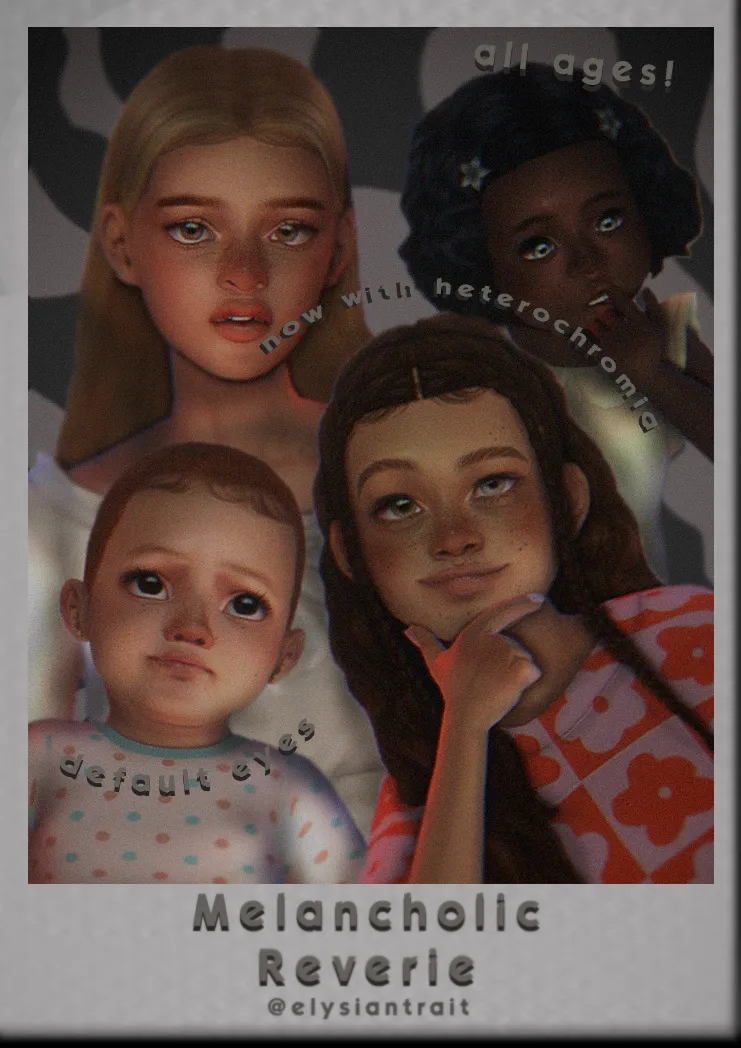

Sims 4 Default Eyes Replacements
now with separate non default add-on colors and a heterochromia accessory!
original base: sims3melancholic #101 contacts
I was pleasantly surprised to see so many people interested in these the first time I shared them. As I had mentioned, these were a personal edit I created for myself about a year ago and I haven't gone back since haha. With such a high volume of downloads I of course received some request or criticism, so I have come back to deliver!
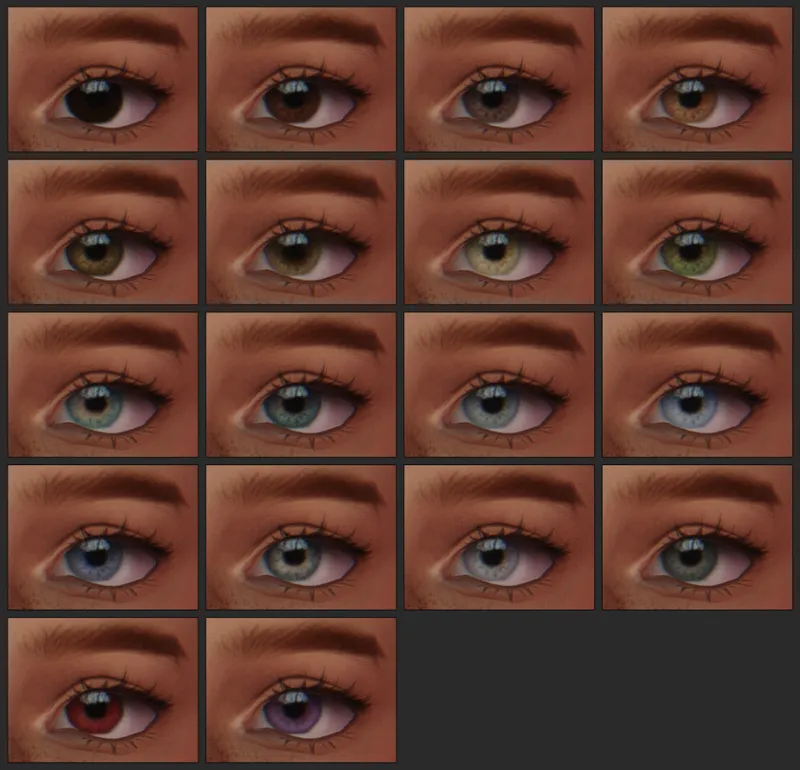
With the original package, the eyes weren't correctly working as default replacements, resulting in premade townies such as Mortimer Goth to walk around with blue eyes instead of the correct eye swatch intended for them. This was pointed out to me recently, so I wanted to fix this. Along with that, I got quite a few people asking for me to make a version of my defaults that included just the EA colors without all the extras, so to kill two birds with one stone, I have made a new version of the default overrides which makes it so they work correctly on premade sims, and only includes the 18 base game eye colors.
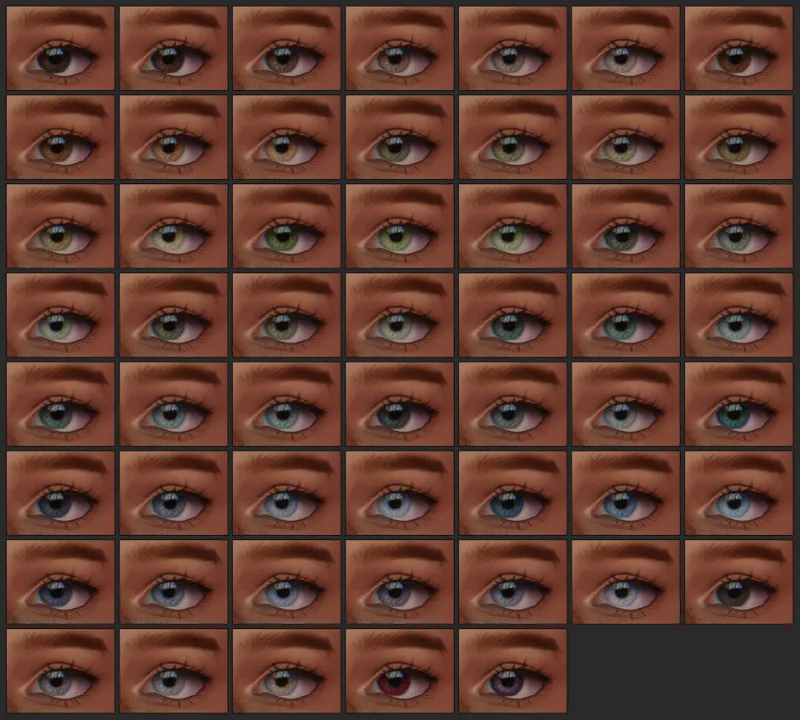
If you liked all the extra colors, don't worry! I have included them in a separate, non default option for you to download as well if you would like.
I would like to add as a warning that any sims you made with the old version of the defaults will likely appear with the wrong swatch with these, so be prepared for that. Moving forward though, you won't have to worry about any new sims you make loading in later on with the wrong color swatch.
And of course, with a good pare of default eyes, comes a heterochromia optional accessory for your sims! I'm a bit of noob when it comes to cc so it took me a long time to figure out how I could accomplish this for you guys, but with some help from @nyssasims, utilizing the mesh from these lovely heterochromia eyes they converted, I was able to get it done.
I didn't want to overwhelm myself too much, so these only come in the 18 base game colors, but I felt that was enough to give you a wide variety of possible combinations. You can find these bad boys in the skin details category under acne. These also do come for all ages, infant through elder, and may conflict with most necklaces due to the placement of the mesh.
I would again like to extend my thanks to @nyssasims and to @sims3melancholic, who originally made these beautiful contacts that I fell in love with. If you use these, feel free to tag me, I'd love to see your sims! 🤍
Comments (21)
i love these eyes soooo much! only ones i use pls make more cc
Absolutely Gorgeous! Works beautifully. Thank you!
Every time I reset my Mods folder, I always download these eye colors. Hands down the best ones out there! ♥
can i ask what reshade you use?
я очень не рекомендую это скачивать, в игре выглядит плохо, очень темные белки глаз, в игре почти черные. Очень долго не могла их найти и удалить в папке, поэтому долго мучилась от этих гглаз некрасивых
default eyes conflict with some cc hairstyles and clothes, thus breaking them, never seen this before, maybe it's related to the new patch (?)
I'm finding the same issue is happening for me too
heterochromia doesn't show in my game
How to i get these eyes?? ive tried to download the packages to my mods folder but they're not showing up in game?
Did you download the eyes from sims3mel first? The ones that say "#101 contacts"
I cant get the Heterochromia to appear in game?
Very new to sims and cc, how do i download these?
I literally had to become a member to tell you how to do this. So, open up File Explorer (if you're on Windows). Then select the following in this order: Documents > Electronic Arts > The Sims 4. There should be a folder in there titled "Mods". Now, open it up, the folder is initially empty, but that's ok! Because that's where your mods will go. You can make separate folders like I did, and while doing that step is optional, I suggest doing it so you don't lose track of what mods you have. Now make a folder in the Mods folder and name it "CC" (short for Custom Content.) Drag the files into that folder, load up The Sims 4, select "Options", then "Game Options", head to "Other", and make sure the options for "Enable Custom Content and Mods" is on, along with "Script Mods Allowed". Close the game, then re-open it. The mods should be enabled, and now you're ready to go! Sorry if this reply was a bit long, but hopefully it should help. If this doesn't work, I suggest googling "How to install mods on The Sims 4". I'm not a tech person myself, but even I know how to work with things.
IM SCREAMING TYSM FOR MAKING THESE xx
These are my go-to eyes :) love them sm
hey I think the default version doesnt work anymore, Idk if it's me who has a problem with my game but the swatches dont show up.
i have the same problem
the eyes make the infants have occult eyes
Can you share more info about this issue you are having? I haven't experienced it myself, so more details will be helpful in identifying a possible fix.
Could you please make an occult version?!
I have been asked a lot haha. I'm just not sure how I would go about it, but we'll see.