
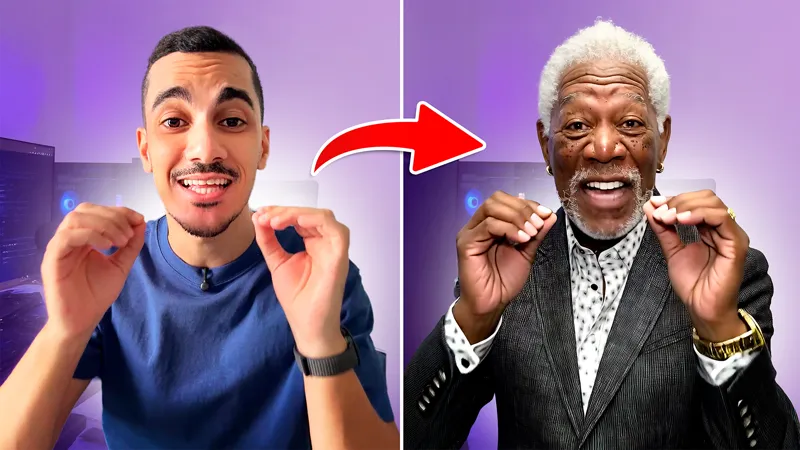
Wan 2.2 Animate: Swap Characters & Lip-Sync in ComfyUI | Installation Guide
Use WAN 2.2 Animate in ComfyUI to replace characters in your videos while keeping the exact same body motion, speech and lip movement.
This guide walks you through the full setup process step by step.
Info Page: https://humanaigc.github.io/wan-animate/
⚠️IF you run into errors⚠️ https://github.com/kijai/ComfyUI-WanVideoWrapper
1️⃣Step 1: Install ComfyUI
🔗 Download: https://www.comfy.org/
👉 Follow the installation steps for your operating system. Once installed, launch ComfyUI.
*or you can install portable version if you want to unlock more customizability: https://youtu.be/E_D7y0YjE88
2️⃣ Step 2: Get Workflow
🆕GREAT News!!
You can run the workflow online with ZERO complicated setup👉 https://bit.ly/4851Bh9
OR
📥 Get the Workflow file attached below
📁 Drag and drop into ComfyUI to load
3️⃣ Step 3: Download Required Models
🌀 WAN22 Animate Model:
🔗https://huggingface.co/Kijai/WanVideo_comfy_fp8_scaled/blob/main/Wan22Animate/Wan2_2-Animate-14B_fp8_e4m3fn_scaled_KJ.safetensors
📁 Place in: ComfyUI\models\diffusion_models
LoRAs
lightx2v_I2V_14B Lora
🔗https://huggingface.co/Kijai/WanVideo_comfy/blob/main/Lightx2v/lightx2v_I2V_14B_480p_cfg_step_distill_rank64_bf16.safetensors
📁 Place in: ComfyUI\models\lorasRelight Lora
🔗https://huggingface.co/Kijai/WanVideo_comfy/blob/main/LoRAs/Wan22_relight/WanAnimate_relight_lora_fp16.safetensors
📁 Place in: ComfyUI\models\loras
Clip Vision
🔗 https://huggingface.co/Comfy-Org/Wan_2.1_ComfyUI_repackaged/blob/main/split_files/clip_vision/clip_vision_h.safetensors
📁 Place in: ComfyUI\models\clip_vision
VAE
🔗 https://huggingface.co/Comfy-Org/Wan_2.2_ComfyUI_Repackaged/blob/main/split_files/vae/wan_2.1_vae.safetensors
📁 Place in: ComfyUI\models\vae
Text Encoder
🔗https://huggingface.co/Kijai/WanVideo_comfy/blob/main/umt5-xxl-enc-bf16.safetensors
📁 Place in: ComfyUI\models\text_encoders
Detection models
Yolov:🔗https://huggingface.co/Wan-AI/Wan2.2-Animate-14B/blob/main/process_checkpoint/det/yolov10m.onnx
easy_ViTPose:🔗https://huggingface.co/JunkyByte/easy_ViTPose/blob/main/onnx/wholebody/vitpose-l-wholebody.onnx
📁 Place in: ComfyUI\models\detection
*if the folder is missing, create it.
4️⃣ Final Step
Restart ComfyUI
Load the WAN 2.2 Animate workflow
Install missing nodes
Restart ComfyUI
Start transforming your videos with character replacement + animation! 🎬
⚠️Errors & Fixes:
- Stuck at 14%: The progress bar shows 14% when the workflow is doing pose and face detection, it's mot necessarily slow, it could just be very slow, check your console for actual progress or error text
- Custom nodes still missing(ONX, Pose and face etc..): Install comfyUI portable instead, open manager, change channel to dev, open missing custom nodes, and the remaining nodes should show up there
Comments (253)
great workflow! quick question: is there a way to replace only the face. i want to keep the clothes from the original video clip. i tried a couple of things, but it always "invents" the outfit, even if i feed it a picture of a face only.
Dis you try feeding an image of the entire person, but only the face is different ? Ans the outfit is the same ?
i always stuck in 14%
Hi, there's a note about this in the guide above
Subject: Video Continuity for Long Generations Dear MDMZ, dear all, First of all, thank you so much for this workflow—it works perfectly and has been incredibly helpful! I am currently using it to work with sign language for the deaf. Because of this, some of my character replacement projects involve much longer videos (e.g., around 10 minutes). To achieve this, I wanted to ask if it’s possible to implement a continuity block. Specifically, is there a way to create a node or block that takes the last few frames of a 5-second generation and automatically uses them as the starting context (or initial seed/image) for the next 5-second generation? If we can chain or loop this block, it would allow creators to generate seamless, long-form videos without losing character consistency or motion continuity. I have a strong impression that this feature would be incredibly useful for many creators in the community facing similar length constraints. Thank you so much for your time, brilliant work, and support! Best regards, Andrea
technically it's possible, but the workflow is already heavy enough to run long videos on most consumer GPUs. But I wouldn't know for sure until I try it
will this thing work on 8gb vram ?
probably not
done everything and got this error on comfyui cloud version Node 'ID #50' has no class_type. The workflow may be corrupted or a custom node is missing. which node i need to download now, cant understand
are u using it on comfyui cloud? the official solution? unfortunately I'm yet to test the workflow over there
im getting error onnxruntime.capi.onnxruntime_pybind11_state.InvalidArgument: [ONNXRuntimeError] : 2 : INVALID_ARGUMENT : Got invalid dimensions for input: images for the following indices index: 2 Got: 256 Expected: 640 index: 3 Got: 192 Expected: 640 Please fix either the inputs/outputs or the model. Idk what im doing wrong in this.......could any1 help me out please
did u look for the error in the issues tab on github?
My character is loosing its consistancy after a while. lacking words to describe it.. maybe like a cascade of self referential errors. First few seconds look good but it's a steady decline.
is there a way to use this comfyUI to my gtx 1050 ti ?
We are using several machines with this workflow at the moment. It seems to run even on a 4070 ti, just takes longer.
i am stuck at 14% on wan video sampler and won t go further it just sits and does nothing
Hi, check the post I just added some info at the bottom
After setting things up, I ran the video generation. It gave me the below error: Value not in list vitpose_model: 'vitpose-l-wholebody.onnx' not in ['vitpose_h_wholebody_data.bin'] What do I need to do?
seems like u downloaded the wrong model, the name is different
"detection" folder is missing. I've added it. However, it doesn't seem like it is in the search path. How to I add it to the search path?
you can create it, and refresh or restart comfy
I have this problem (Mac): Install Required: OnnxDetectionModelLoader Install Required: PoseAndFaceDetection Install Required: DrawViTPose
make sure you install the missing nodes from the manager, if that still doesnt work, do this(only works on portable version comfyui): 1. go to ComfyUI Manager 2. Change Channel from "default" to "dev" 3. go to Custom Nodes Manager on ComfyUI Manager 4. click "check Missing", then missing node will appear 5. install it, restart
the detection folder is missing in the models , can i create folder with name detection and place the detection files ?
Can i add i add my own lora? The setup is quite unusual, and I'd like to know if this is even possible.
Oh, there is WanVideo Lora Select Multy node. So is this must be loras without high and low noise?
Hello! idk how to fix this: onnxruntime.capi.onnxruntime_pybind11_state.InvalidArgument: [ONNXRuntimeError] : 2 : INVALID_ARGUMENT : Got invalid dimensions for input: input_0 for the following indices index: 2 Got: 640 Expected: 256 index: 3 Got: 640 Expected: 192 Please fix either the inputs/outputs or the model. File "D:\AI\ComfyUI\resources\ComfyUI\execution.py", line 525, in execute output_data, output_ui, has_subgraph, has_pending_tasks = await get_output_data(prompt_id, unique_id, obj, input_data_all, execution_block_cb=execution_block_cb, pre_execute_cb=pre_execute_cb, v3_data=v3_data) ^^^^^^^^^^^^^^^^^^^^^^^^^^^^^^^^^^^^^^^^^^^^^^^^^^^^^^^^^^^^^^^^^^^^^^^^^^^^^^^^^^^^^^^^^^^^^^^^^^^^^^^^^^^^^^^^^^^^^^^^^^^^^^^^^^^^^^^^^^^^^^^^^^^^^^^ File "D:\AI\ComfyUI\resources\ComfyUI\execution.py", line 334, in get_output_data return_values = await _async_map_node_over_list(prompt_id, unique_id, obj, input_data_all, obj.FUNCTION, allow_interrupt=True, execution_block_cb=execution_block_cb, pre_execute_cb=pre_execute_cb, v3_data=v3_data) ^^^^^^^^^^^^^^^^^^^^^^^^^^^^^^^^^^^^^^^^^^^^^^^^^^^^^^^^^^^^^^^^^^^^^^^^^^^^^^^^^^^^^^^^^^^^^^^^^^^^^^^^^^^^^^^^^^^^^^^^^^^^^^^^^^^^^^^^^^^^^^^^^^^^^^^^^^^^^^^^^^^^^^^^^^^^^^^^^^^^^^^^^^^^^^^^^^^^^ File "D:\AI\ComfyUI\resources\ComfyUI\execution.py", line 308, in _async_map_node_over_list await process_inputs(input_dict, i) File "D:\AI\ComfyUI\resources\ComfyUI\execution.py", line 296, in process_inputs result = f(**inputs) ^^^^^^^^^^^ File "C:\Users\User 11\Documents\ComfyUI\custom_nodes\ComfyUI-WanAnimatePreprocess\nodes.py", line 116, in process bboxes.append(detector( ^^^^^^^^^ File "C:\Users\User 11\Documents\ComfyUI\custom_nodes\ComfyUI-WanAnimatePreprocess\models\onnx_models.py", line 25, in __call__ return self.forward(*args, **kwargs) ^^^^^^^^^^^^^^^^^^^^^^^^^^^^^ File "C:\Users\User 11\Documents\ComfyUI\custom_nodes\ComfyUI-WanAnimatePreprocess\models\onnx_models.py", line 263, in forward outputs = self.session.run(None, {self.session.get_inputs()[0].name: img})[0] ^^^^^^^^^^^^^^^^^^^^^^^^^^^^^^^^^^^^^^^^^^^^^^^^^^^^^^^^^^^^^^^^ File "C:\Users\User 11\Documents\ComfyUI\.venv\Lib\site-packages\onnxruntime\capi\onnxruntime_inference_collection.py", line 296, in run return self._sess.run(output_names, input_feed, run_options) ^^^^^^^^^^^^^^^^^^^^^^^^^^^^^^^^^^^^^^^^^^^^^^^^^^^^^
something about the size, you made it 256×192, and it looks like too little
I ran it on 4090 with 60 gb ram , after first one size 512 * 764 force rate 100 , the second one I get too many files open , I run outta ram , is this normal? or should reset the pod everytime I want to run it , also I think it wont run 300 or more force rate
it's totally random to run out of memory since this is a demanding model
Hello, I just watched your video, But after installing the app it dose not run, it just don't run? why?
check the terminal for errors, that should give u a good hint on what's going on
I'm runing on runpod with 5090 , installed everything but when I run it I only get a png picture of the picture I uploaded to replace on the video , so just one picture output , no errors , it finished in .01 seconds , can you help me please
check the terminal for errors, that should give u a good hint on what's going on
What is the pixel limit? When I set it to 1920x1080, it freezes on the "Image Concatenate Multi" node. At 1280x720 everything works fine.
it all depends on hardware so it's gonna be different for everyone, best way to find out is to experiment
You are the BEST!!!
glad I could help :)
Failed to find the following ComfyRegistry list. The cache may be outdated, or the nodes may have been removed from ComfyRegistry. comfyui-wananimatepreprocess comfyui-wananimatepreprocess comfyui-wananimatepreprocess
i am getting this same. nodes are not installing
Hello, I have an RTX 4080 Super with 16GB of VRAM, 32GB of DDR5 6000MHz, and an R7 7700X, and I am stuck at the WanVideoSampler step [14%][15%]. What should I do to fix this problem? Thank you
Same problem on same GPU, please give answer
Hi when it comes to WanVideoSampler it stays at 0%. Can someone help? RTX 4080 super 16gb v ram 32gb 4800 mhz Ryzen 7800X3D
I also tried to do it in cloud on "medium" and it works fine
i have this problem: Install Required OnnxDetectionModelLoader Install Required PoseAndFaceDetection Install Required DrawViTPose
make sure you install the missing nodes from the manager, and download all the models
in my ComfyUI\models\ there isn't a detection folder will this be an issue? or will it be renamed as something else? i do have a detection folder its located in two places \Documents\ComfyUI\.venv\Lib\site-packages\torchvision\models AND \Documents\ComfyUI\.venv\Lib\site-packages\kornia\models
some problem
do I have to download the neccesary models if I run it online?
no
Hi i need help.When it comes to the VanVideo Sampler #1 part it stays at 0% all the time The project is at 14% and this is at 0% what's the problem? Ryzen 5600x 32gb 3600mhz rtx3060ti
most likely due to low vram
is it somehow possible to run this on a GTX 1070 Ti 8gb vram? currently getting this: RuntimeError: GET was unable to find an engine to execute this computation , which is caused by an issue related torch.cudnn_convolution
it's going to be painfully slow on 8gb vram, if it works at all
when i run the thing there is no errors and then it completes the task but the result is just a weird copy of the video i inputed. It also do a black video with motions in the video. Can someone help me. I have rtx 3060 12gb vram and 32gm ram.
strange, did you try with different inputs ? I would try reinstalling
can this work on 12gb vram
WanVideo model loader and wanvideo lora select multi isnt working even with installed wanvideowrapper node
Any idea how to optimize on RTX 5080? Error during model prediction: CUDA error: out of memory on step new RoPE freq. Tried video upload 9sec, target resolution 360x640 VRAM 16Gb RAM 32Gb SSD SWAP 120Gb
update your drivers, make sure there's nothing else running on your computer that's using GPU duringthe process
RTX 5070ti 16gb torch.AcceleratorError: CUDA error: out of memory CUDA kernel errors might be asynchronously reported at some other API call, so the stacktrace below might be incorrect. For debugging consider passing CUDA_LAUNCH_BLOCKING=1 Compile with `TORCH_USE_CUDA_DSA` to enable device-side assertions. how to fix it?
same isssue 5070ti ;/ can't find fix
Anyone know how to fix this? Prompt execution failed SyntaxError: Unexpected non-whitespace character after JSON at position 4 (line 1 column 5)
yes. I have the same issues and I still can solve it yet.
Hi, I’m trying to run your workflow in a clean latest ComfyUI on Mac (M-chip). ComfyUI and comfyui_controlnet_aux are installed correctly, onnx and onnxruntime are installed, and there are no startup errors. However, when loading the workflow, these nodes are missing: PoseAndFaceDetection DrawViTPose OnnxDetectionModelLoader They also do not appear in the node list. Is there an additional custom node repository required for this workflow, or was it built with a different version? Thanks.
For those who have the onnx and sam2 and detection issue, i manages to make it working by running thses command in the venv: pip uninstall onnxruntime onnxruntime-gpu -y pip install onnxruntime-gpu inside custom_nodes: git clone git@github.com:kijai/ComfyUI-segment-anything-2.git inside models\sam2: https://huggingface.co/Kijai/sam2-safetensors/blob/main/sam2.1_hiera_base_plus.safetensors create the folders detection and sam2 if they do not exist
did you restart comfy ui can you tell me which nodes are invalid (the name of the ones highlighted in red)
Cannot execute because a node is missing the class_type property.: Node ID '#102' how do i fix this?
did u download all the missing nodes ?
Cannot execute because a node is missing the class_type property.: Node ID '#102' how do i fix this?
same issue
the job completes in 0.01s and there is no output, no errors either, the job just runs super quick and doesnt output anything
check the error log in the terminal
you'll may have venv with cuda 13 and default onnx (used in detection nodes of this wf) runtime is built/installed with cuda 12 => with cuda 13 you'll need to clean onnixruntime from site packages of your venv and do manual install https://onnxruntime.ai/docs/install/#nightly-for-cuda-13x. or just run it on cpu (onnx_device CPU...)
how can i do that?
sir i have created a detection folder and paste or required file also refresed the comfyui but doesnbot happen anythings
check the log in the terminal for info on wha's going on, maybe you are still missing nodes or models
Is there a way to tweak the video combine control net pose. I am finding creating a movement that isn't there.
what should i do if I dont have ComfyUI\models\detection folder, I tried ading it manually and puttimg the files but it doesnt work still
Create it, add the file, snd refresh comfyui
Cannot execute because a node is missing the class_type property.: Node ID '#172'
make sure you install the missing nodes from the manager, if that still doesnt work, do this(only works on portable version comfyui): 1. go to ComfyUI Manager 2. Change Channel from "default" to "dev" 3. go to Custom Nodes Manager on ComfyUI Manager 4. click "check Missing", then missing node will appear 5. install it, restart
Can this workflow be run on 8gb of vram.
probably not :/
Thank you for your workflow. work! great! but it took me about a whole day fixing updating installing different kinds of stuff to my comfyui thanks to chatgpt helped me a lot..., now everything run perfect honestly didnt expect the outcome be so flowless and nice. This AI is getting so much better, thanks again.
What graphics card do you have?
i dont understand, when i import everything and do everything is says here, it says missing nodes how do i fix this bro? i cant download them again it dopesnt make sense
i have same issues missing nodes, its probably comfyui missing some softs need to install. when you start up comfyui copy all you comfyui cmd window into chatgpt and it will be able to tell you exactly what you need to fix it. also, start up you work and let the cmd window run with errors, so copy everything and paste to chatgpt. me took about a whole day to fix
Please can you let me know how can i install the preprocessor links? i tried but it's still in red
are you on desktop version ? you might wanna use the portable version of comfyui instead then follow this: 1. go to ComfyUI Manager 2. Change Channel from "default" to "dev" 3. go to Custom Nodes Manager on ComfyUI Manager 4. click "check Missing", then missing node will appear 5. install it, restart
How do I run it on an RTX 5070 with 12GB of VRAM?
i have similar specs, my work starts but just slow takes lots of time. is your not even starting to generate?
This works great! But is there a way to draw the mask yourself in a multi-character video? The automask always chooses the wrong person.
I think you can try this instead: https://youtu.be/tSaJuj0yQkI and I have a video on multi character replacement coming soon
Hi there, first of all great workflow! I got a question: what about keeping same background of the reference image? Thanks
Sorry i figured out :D You talked about that in your video... Thanks!
yes it doesnt work, dont waste your time, i tried all possible ways.
first thing you can do is read the error, most of the time it tells u what went wrong. welcome to comfyui :)
Hi, I can not see the detection folder aswell after I created the folder at my windows pc. I still cant find the folder in ComfyUI. What can I do ?
sounds like a windows issue ?
Hi, I can not see the detection folder. where is it? and if they no folder so can I create new "detection" folder?
yes. just create new folder.
missing nodes (not in the manager), sadly not working
1. go to ComfyUI Manager 2. Change Channel from "default" to "dev" 3. go to Custom Nodes Manager on ComfyUI Manager 4. click "check Missing", then missing node will appear 5. install it, restart
Hello, thanks for the workflow. When I tried to run the file on the latest ComfyUI (0.8.x + new frontend), I noticed that some nodes are no longer supported. Specifically, the following custom nodes are no longer in the ComfyRegistry or are deprecated: comfyui-wananimatepreprocess Old OnnxDetectionModelLoader Old PoseAndFaceDetection Old DrawViTPose These nodes cause a missing class_type error in newer ComfyUI versions, and the workflow doesn't work. The current solution is: Use VideoHelperSuite preprocess nodes instead of WanAnimatePreprocess Use ComfyUI Impact Pack nodes for Pose/Face/ViTPose operations. If you have an updated version of the workflow or can revise it with modern nodes, that would be great. I just wanted to let you know, thanks again.
This installation guide and workflow no longer works. Receiving error: Prompt execution failed Cannot execute because a node is missing the class_type property.: Node ID '#102'
hi Peter, I will look into it, meanwhile, can you try the portable version of ComfyUI instead ?
Everything is working fine for me and the lip syncing looks great in comparison to the input video. However, the output video is shorter than the input, and therefore the audio is not syncing up with the video. Any idea on how to fix this?
try increasing the number of frames to be higher than the original video, increase by additional 81 frames to be safe
Cannot execute because a node is missing the class_type property.: Node ID '#102' can u help me?
same here, btw there is no such a place as 📁 Place in: ComfyUI\models\detection. It just doesn't exist
Tried this in runcomfy and Comfyui Desktop. The face doesn't look anything like the image used. What settings can I change to get an identical face as the one used? Photo used was chest height so the face was clear
Any ideas why im getting this error ? "WanVideoAnimateEmbeds GET was unable to find an engine to execute this computation"
Question: When I use Comfy UI through a browser, do I have to put the files you downloaded into the models folder or don't I have to? Thanks for the answer.
I believe all ComfyUI use the browser (except Desktop) so, yes, you have to put them in the correct folder. On my browser I changed the default Download folder (Download) to "Ask each time." That way I can navigate to the appropriate folder in ComfyUI (Models>pick the correct folder to download to rather than having to transfer it later from Downloads. Either way works as long as you put it in the correct folder! If you're not sure which folder, ComfyUI workflows usually have a "Note " box with links to models and which folder a model goes in or the video producer tells you in the video. If you're new to ComfyUI, putting the models INTO the Comfy folder is fine . . . but I've had to reinstall it a few times so if you delete the ComfyUI folder to start fresh, MAKE SURE YOU COPY THE MODELS FOLDER into another directory FIRST! Or you'll have to re-download all of them again. I have extra drives on my computer so I store models there. There is a method of changing locations in ComfyUI but I don't want to tie up his channel so just ask here and we'll make arrangements outside.
Great workflow, however there seems to be a slight issue with lip synching as the audio is slightly off, any ideas on how to fix this?
strange, I will be re-testing this workflow to look into potential new issues, sometimes with node updates new issues appear
Thanks for this, it works, but for longer generated content I am seeing degradation in the quality of the character being replaced. How are you ensuring the character is not degrading. I think it's how it chops up the frames for processing as the first 77 frames looks great.
For the ones that have problems with: - Sam2Segmentation - DownloadAndLoadSAM2Model Just clone from this repository using this command on Powershell: git clone https://github.com/kijai/ComfyUI-segment-anything-2.git \custom_nodes\ComfyUI-segment-anything-2 Reference: https://github.com/kijai/ComfyUI-segment-anything-2/tree/main
thanks for sharing
anybody who has trouble for following error on Runpod. OnnxDetectionModelLoader POseAndFaceDetection DrawViTPose. comfyui-wananimatepreprocess comfyui-wananimatepreprocess comfyui-wananimatepreprocess 1. go to ComfyUI Manager 2. Change Channel from "default" to "dev" 3. go to Custom Nodes Manager on ComfyUI Manager 4. click "check Missing", then missing node will appear 5. install it, restart
Thank you!
The following error appears when I click run: Prompt execution failed Unable to execute because a node does not have the class_type property: Node ID '#102'
I have the same error.
“Failed to find the following ComfyRegistry list. The cache may be outdated, or the nodes may have been removed from ComfyRegistry: • comfyui-wananimatepreprocess2 • comfyui-wananimatepreprocess • comfyui-wananimatepreprocesses”
1- open manager 2-change channel to dev 3- install missing custom node 4- new missing node will show up
Mine doesn't pass the 14%. It gets stuck at "Current node: WanVideoSampler" I had the dev channel problem and I did that to fix it but now it's stuck at that node. I have no erros no red nodes, nothing.
stop the run and try again, it could be a memory issue
workdd perfectly@
Awesome!
I cannot find the three missing nodes: “OnnxDetectionModelLoader” ‘PoseAndFaceDetection’ “DrawViTPose”
update comfyul if that still doesn't work, try this: 1- open manager 2-change channel to dev 3- install missing custom node 4- new missing node will show up
I cannot find the three missing nodes: “OnnxDetectionModelLoader” ‘PoseAndFaceDetection’ “DrawViTPose”
update comfyul if that still doesn't work, try this: 1- open manager 2-change channel to dev 3- install missing custom node 4- new missing node will show up
I see information ComfyUI-WanVideoWrapper now supports SteadyDancer, can you please guide me how to use it?
when i hit run, i keep getting image, how to fix that?
i cant find the detections folder under models fore the last two models to download will pay someone to help
You actually have to get the whole repo https://github.com/kijai/ComfyUI-WanVideoWrapper and install it into ComfyUI, the install requirements.txt. Ask ChatGPT it will guide you thru it.
how to connect this node WanVideo Context Options
I got past all the missing nodes, but the promp only runs the detection part, not the character swap part. The log says "prompt executed", and no error, but there's no character replacement, only the masks from face and body detection. Nothing in the output folder.
same here
Can anyone help me with this? Failed to find the following ComfyRegistry list. The cache may be outdated, or the nodes may have been removed from ComfyRegistry. . ComfyUI-segment-anything-2 . comfyui-wananimatepreprocess . comfyui-wananimatepreprocess . ComfyUI-segment-anything-2 . comfyui-wananimatepreprocess
After running, nothing show at the output. just the feed beneath the comfyui workspace
Restart
Failed to find the following ComfyRegistry list. The cache may be outdated, or the nodes may have been removed from ComfyRegistry. comfyui-wananimatepreprocess comfyui-wananimatepreprocess comfyui-wananimatepreprocess I need help, please
I'm having the same issue right now
For anyone getting this error: "When loading the graph, the following node types were not found. This may also happen if your installed version is lower and that node type can’t be found. OnnxDetectionModelLoader PoseAndFaceDetection DrawViTPose" And you’ve tried several solutions but it still doesn’t work — you’re probably running ComfyUI on RunPod (or a similar template) that doesn’t have the "matplotlib" library installed. You just need to open the terminal and go to: /ComfyUI/.venv/bin And then run: ./python -m pip install matplotlib Restart ComfyUI. If it still doesn’t work, go to: /ComfyUI/ and run: python3 -m pip install matplotlib
It didn't work for me.
I used compfy ui cloud and error below poped up. can you help me? When i imported .json file. the message that says WanVideoBlockSwap and WanVideoSetBlockSwap nodes are missing though Failed to send prompt request: request returned error status 400: {"error": {"type": "invalid_prompt", "message": "Cannot execute because a node is missing the class_type property.", "details": "Node ID '#50'", "extra_info": {}}, "node_errors": {}}
the hair color from the video i uploaded is being kept instead of the hair color from the reference image, any suggestions?
Everything works, but the lip-sync doesn’t stay in time — it’s like it struggles and doesn’t catch properly. The character animation works, but the lip-sync doesn’t. Which parameters should I adjust?
now is working. the problem was the fps. thanks!!
Is there a way to get the background from the photo instead of the video?
Yesss, explained in the video
Thx. Help with error. DownloadAndLoadSAM2Model Torch not compiled with CUDA enabled. I am on a Mac system.
I am using a Radeon RX 7900 XT which means I installed confyui through UNIX using ROC. This workflow generates a video, however, the chracter i'm replacing is replaced by black boxes in the masking process, so no chracter swap. Poweshell throws error Onnxruntime libonnxruntime_providers_cuda.so with error: libcublasLt.so.12: cannot open shared object file: No such file or directory. I assume this is because i'm not using CUDA which is NVIDIA. Is there any workaround or setting i'm missing in the workflow to select a different GPU, or a node I can swap that would solve this?
I wish I could help you, I'm running this on NVIDIA and it works just fine, so it could be a hardware issue, if you cant find a solution you can try running it online
some nodes are missing Onnxdetection model Posenadface detection DrawVitPose
i am follow @Manuel Almejo to solve it at below : SOLUTION: Change the channel to dev in ComfyUI Manager -> Click the fix button
yo guys what is the WanVideoWrapper??
it's a bunch of nodes used in the workflow
When I install the missing nodes and restart the application, it gets stuck on a gray screen
try restarting again, and reload the workflow
First of all, I want to thank you for your excellent work and the workflow you've shared. I've been working with it and wanted to share my experience and explain where I'm stuck in case I can get some help. Initially, I started configuring ComfyUI on a Windows machine with an AMD Radeon RX 9070 XT GPU (14 GB of VRAM). I performed a manual installation from GitHub. Once everything was configured, I encountered several performance and memory issues, especially with memory management in DirectML. I wasn't able to allocate more than 1 GB of VRAM, so I couldn't run the workflow. After these problems, I decided to create a Linux partition to take advantage of ROCm (instead of DirectML), which is better optimized for AMD cards. After performing a fresh installation and configuration of everything, and after verifying that the 14 GB of VRAM were now being loaded, I continued to have significant memory problems, especially with GPU memory consumption during video processing. Initially, I encountered several "Insufficient Memory" errors, but I was able to resolve this by drastically reducing the video resolution (I used 288x512), which allowed me to achieve my first satisfactory result, albeit with... let's just say, very poor video quality :P but it worked! Now I'm considering creating an account on RunComfy.com to test a machine with 48 GB of VRAM, which should allow me to handle higher resolution videos without hitting memory limits. However, when using their service and loading the same workflow that worked for me on Linux, installing all the required nodes, I ran into a new problem: the process hangs on the "ONNX Discovery Model Loader" node. It turns red and doesn't continue, with no error message appearing in the console. This issue only occurs on the RunComfy service and not in my local environment. Despite these challenges, I'm determined to continue experimenting with these services and improving my workflow. I'd love to hear your thoughts and any suggestions you might have for resolving the ONNX node issue. Thanks again for the inspiration, and I look forward to seeing more of your content! Best regards,
I will personally look into making the workflow work properly on runcomfy and share my findings asap
I am getting stuck at "(1) 76% WanVideo Sampler (#4 - 0%)". Is that an VRAM Issue? i only have 12GB VRAM. But no error occurs.
it could be, try starting with a shorter video
Please provide a Runpod template that will load this file. Your template "aiorbust-wan2.2-animate" doesn't work.
aiorbust? I don't think that's mine, may I know where you found that ?
Hi, please help me fix this isue: [ONNXRuntimeError] : 7 : INVALID_PROTOBUF : Load model from /workspace/ComfyUI/models/detection/vitpose-l-wholebody.onnx failed:Protobuf parsing failed.
Hey, I got an error with tree models. OnnxDetectionModelLoader, POseAndFaceDetection and DrawViTPose. And those ones Failed to find the following ComfyRegistry list. The cache may be outdated, or the nodes may have been removed from ComfyRegistry. comfyui-wananimatepreprocess comfyui-wananimatepreprocess comfyui-wananimatepreprocess Any idea??
SOLUTION: Change the channel to dev in ComfyUI Manager
Hello! Could you please help me? I have a problem. I downloaded everything like you did, but I get this error: “WanVideoSampler ‘NoneType’ object has no attribute ”to"
The first video generated perfectly just dimensions were off when I changed dimensions it changes the characters face to someone else why?
i am getting the following error when I ran, any help: Model_path: C:\Users\cargzo_ca\Downloads\ComfyUI_windows_portable_nvidia\ComfyUI_windows_portable\ComfyUI\models\sam2\sam2.1_hiera_base_plus-fp16.safetensors Using model config: C:\Users\cargzo_ca\Downloads\ComfyUI_windows_portable_nvidia\ComfyUI_windows_portable\ComfyUI\custom_nodes\ComfyUI-segment-anything-2\sam2_configs\sam2.1_hiera_b+.yaml !!! Exception during processing !!! CUDA error: operation not supported CUDA kernel errors might be asynchronously reported at some other API call, so the stacktrace below might be incorrect. For debugging consider passing CUDA_LAUNCH_BLOCKING=1 Compile with `TORCH_USE_CUDA_DSA` to enable device-side assertions.
그 에러는 Manager에서 왼쪽 메뉴에 Channel:default 를 dev로 바꾼 뒤 custom nodes manager에서 wan animate 커스텀 노드를 설치하고
Failed to find the following ComfyRegistry list. The cache may be outdated, or the nodes may have been removed from ComfyRegistry. comfyui-wananimatepreprocess comfyui-wananimatepreprocess comfyui-wananimatepreprocess
same
i can't install the missing nodes because here is the message:
same
Hey i dont see a detection folder to put the model into. I made one but i still have an error when i load up comfyUi. Is there a different folder i can put the model into.
same here! Im stocked right there.
Failed to find the following ComfyRegistry list. The cache may be outdated, or the nodes may have been removed from ComfyRegistry. comfyui-wananimatepreprocess comfyui-wananimatepreprocess comfyui-wananimatepreprocess
Hey. I put the image and the reference video into the workflow and set the output frame rate the same as the video (for example, if the reference video is 30fps, I set the output to 30fps too). The size of the video and the image is also the same. But when I run the workflow, the result shows the movements either too slow or too fast, and the lip sync doesn’t work properly. Pls help me Thanks bro 🙏🙏
does it match on the load video node too?
dude.. this totally doesnt work. I don't know what you did to get it to work. But this has been days of messing around with unloading pieces.
do you see any error?
help please🥲, every time I generate the video it only creates the black mask over the subject, it doesn't change the character, it only covers the character in the video
From your desciption I think I had the same issue. For me it was solved by noticing that I had saved the clip_vision-file in folder models/clip instead of models/clip_vision (both exist). I hope this could help. Good luck if not :)
I resolved the issue for macs users for the problem" The nodes OnnxDecetionModelLoader, PoseAndFaceDetection, and DrawViTPose are included in the ComfyUI-WanAnimatePreprocess package. You can easily install this package by going to the ComfyUI Manager and selecting "Custom Nodes Manager" you need to go into "ComfyUI/custom_nodes/ComfyUI-WanAnimatePreprocess" and modify the file requirements.txt. You need to remove "-gpu " from onnxruntime-gpu
Hi, please help me fix this isue: [ONNXRuntimeError] : 7 : INVALID_PROTOBUF : Load model from /workspace/ComfyUI/models/detection/vitpose-l-wholebody.onnx failed:Protobuf parsing failed.
Trying to follow Step 3, I don't find a detection folder in the models folder for the detection model files. yolov10m.onnx, vitpose-l-wholebody.onnx. Do we add the detection folder ourselves? I get the [ONNXRuntimeError] : 1 : FAIL : Non-zero status code returned while running QuickGelu node. Name:'/model.0/act/Mul/QuickGeluFusion/' Status Message: CUDA error cudaErrorInvalidPtx:a PTX JIT compilation failed.
Yes, add it
Hello, strange error, grok isn't helping. Any idea what's wrong? "self and mat2 must have the same dtype, but got Half and Float8_e4m3fn"
HELP : "Failed to find the following ComfyRegistry list The cache may be outdated, or the nodes may have been removed from ComfyRegistry" !!! ComfyUI-WanAnimatePreprocess // MAC OSX - Version 0.5.2 - ComfyUI Manager V3.36 ///
i have the same error on mac
Prompt execution failed Prompt outputs failed validation: WanVideoModelLoader: - Value not in list: model: 'Wan2_2-Animate-14B_fp8_e4m3fn_scaled_KJ.safetensors' not in [] WanVideoVAELoader: - Value not in list: model_name: 'wan_2.1_vae.safetensors' not in [] WanVideoTextEncodeCached: - Value not in list: model_name: 'umt5-xxl-enc-bf16.safetensors' not in [] CLIPVisionLoader: - Value not in list: clip_name: 'clip_vision_h.safetensors' not in [] WanVideoLoraSelectMulti: - Value not in list: lora_1: 'lightx2v_I2V_14B_480p_cfg_step_distill_rank64_bf16.safetensors' not in ['none'] - Value not in list: lora_0: 'WanAnimate_relight_lora_fp16.safetensors' not in ['none'] OnnxDetectionModelLoader: - Value not in list: vitpose_model: 'vitpose-l-wholebody.onnx' not in [] - Value not in list: yolo_model: 'yolov10m.onnx' not in [] how do i fix this error here?
step 3
As I run it on runPods , do you know any template to choose in order to easier the installation ?
this workflow is not native to comfyui, you wont find it in the templates
The nodes OnnxDecetionModelLoader, PoseAndFaceDetection, and DrawViTPose are included in the ComfyUI-WanAnimatePreprocess package. You can easily install this package by going to the ComfyUI Manager and selecting "Custom Nodes Manager"
update comfyul if that still doesn't work, try this: 1- open manager 2-change channel to dev 3- install missing custom node 4- new missing node will show up
where github link sageattentatison?
Always hangs on Pose and Face Detection. Anyone else getting this?
Mine hags on ONNX Detection Model Loader via RunComfy.com. The Manager shows no missing nodes.
Solo realiza el primer flujo ya el segundo no hace nada
thanks for the workflow! I had a few notes that might help others: The default is to animate at 16fps. I found that 24 FPS is the best I could achieve on an iphone. This was set in Settings | Camera | Record Cinematic and then choosing 4K at 24 FPS. I then needed to proces this file for the workflow with ffmpeg like: ./ffmpeg -i IMG_9539.MOV -vf "scale=iw*0.25:ih*0.25" output.mp4 this scales it down and saves it in the mp4 format that comfy video processor likes. Then find the 6 places in the workflow that have 16 hardcoded ( or add a FPS constant to the workflow) and change to 24. I still needed to choose a somewhat smaller size to fit in 12GB of RAM. and ran with a gguf and output res of: 832x640
hey man. I put the image and the reference video into the workflow and set the output frame rate the same as the video (for example, if the reference video is 30fps, I set the output to 30fps too). The size of the video and the image is also the same. But when I run the workflow, the result shows the movements either too slow or too fast, and the lip sync doesn’t work properly. Pls help me Thanks bro 🙏🙏
I can't launch any non-50xx series video cards, it gives an ONNX Runtime error
OnnxDecetionModelLoader, PoseAndFaceDetection and DrawViTPose nodes .... still missing in my try , even i installed all missing nodes required , still give me this error and when i search manually for these nodes and i can't find any of them side note: i placed all materials and models in its place , but when i tried to add the Detection Models , i couldn't find ( ComfyUI\models\detection ) , so i created myself and added the models inside it how can i fix this
update comfyul if that still doesn't work, try this: 1- open manager 2-change channel to dev 3- install missing custom node 4- new missing node will show up
Warning: Could not load sageattention: No module named 'sageattention' sageattention package is not installed, sageattention will not be available WanVideoWrapper WARNING: FantasyPortrait nodes not available due to error in importing them: No module named 'onnx' [C:\Users\Ajaxx\OneDrive\Documents\ComfyUI_windows_portable_nvidia\ComfyUI_windows_portable\ComfyUI\custom_nodes\comfyui_controlnet_aux] | INFO -> Using ckpts path: C:\Users\Ajaxx\OneDrive\Documents\ComfyUI_windows_portable_nvidia\ComfyUI_windows_portable\ComfyUI\custom_nodes\comfyui_controlnet_aux\ckpts [C:\Users\Ajaxx\OneDrive\Documents\ComfyUI_windows_portable_nvidia\ComfyUI_windows_portable\ComfyUI\custom_nodes\comfyui_controlnet_aux] | INFO -> Using symlinks: False [C:\Users\Ajaxx\OneDrive\Documents\ComfyUI_windows_portable_nvidia\ComfyUI_windows_portable\ComfyUI\custom_nodes\comfyui_controlnet_aux] | INFO -> Using ort providers: ['CUDAExecutionProvider', 'DirectMLExecutionProvider', 'OpenVINOExecutionProvider', 'ROCMExecutionProvider', 'CPUExecutionProvider', 'CoreMLExecutionProvider'] C:\Users\Ajaxx\OneDrive\Documents\ComfyUI_windows_portable_nvidia\ComfyUI_windows_portable\ComfyUI\custom_nodes\comfyui_controlnet_aux\node_wrappers\dwpose.py:26: UserWarning: DWPose: Onnxruntime not found or doesn't come with acceleration providers, switch to OpenCV with CPU device. DWPose might run very slowly warnings.warn("DWPose: Onnxruntime not found or doesn't come with acceleration providers, switch to OpenCV with CPU device. DWPose might run very slowly")
You missed some instructions in the video 😉
How to fix PoseAndFaceDetection : [Errno 22] Invalid argument guys ?
Not working for me... I just get a video with a black mask where the new character is supposed to be.
Same for me. It is only running the preprocessing. Detecting body video, skeleton video and a black masked out video is being output. Not running the character replacement section or Wanvideo at all.
Oh no,,looks video is gone..
Fixed
I keep having OOM on this workflow. I have a 4080 GPU. Even with replacing the model with a Q6, lowering the frames to bare minimal 77 frames and lowering resolution to 576 x 1024 whereas the base wan animate workflows works for me. What am I doing wrong ?
try compressing your original video to a smaller file(lower resolution+less bitrate) before uploading it, I haven't tested GGUF models so not sure what else you can do, but keep in mind RAM plays a role in this too
please avoid pasting full error texts here, too much clutter, the error code and header is enough
Sorry for the cluttering, here is the error I get : [ONNXRuntimeError] : 1 : FAIL : Non-zero status code returned while running QuickGelu node. Name:'/model.0/act/Mul/QuickGeluFusion/' Status Message: CUDA error cudaErrorInvalidPtx:a PTX JIT compilation failed Any suggestions ? Thanks a lot !
Thank you, teacher. It works very well for me. However, I have a question — if a scene contains multiple characters, how can I accurately select the specific character I want to replace? I sincerely look forward to your response.
you might wanna try the native workflow which I covered in the other video, you can manually select the subject, but the quality here is better
I did everything as explained but I still have a problem : "When loading the graph, the following node types were not found. This may also happen if your installed version is lower and that node type can’t be found. OnnxDetectionModelLoader PoseAndFaceDetection DrawViTPose"
Problem solve : Find the config.ini mine was here : D:\Users\PC\Documents\ComfyUI\user\default\ComfyUI-Manager\config.ini Then search : security_level = normal SET to : weak (security_level = weak) Then restart comfy. Go to manager Install missing custom node Search filter "ALL" : ComfyUI-WanAnimatePreprocess Restart again. Go back to your config.ini set your security level back to "normal" as default. cheers
can i run it on 3090
It’s absolutely possible and works very effectively.
got prompt Failed to validate prompt for output 186: * WanVideoLoraSelectMulti 171: - Value not in list: lora_0: 'WanAnimate_relight_lora_fp16.safetensors' not in (list of length 81) - Value not in list: lora_1: 'lightx2v_I2V_14B_480p_cfg_step_distill_rank64_bf16.safetensors' not in (list of length 81)
make sure you download the models and place them in the right folders
I followed all the steps mentioned in the comments regarding the issue with those OnnxDetectionModelLoader PoseAndFaceDetection DrawViTPose nodes that won’t install, but I still haven’t been able to get them to work. I even tried installing them manually, but I realized that these nodes don’t seem to have any name, reference, or GitHub page. Is there any other way to fix this?
Same...
I installed it and followed your tutorial, but when I start the workflow, it returns the same image without the animation of the video reference. Why does this happen?
Experiment with different videos to make sure it's not an issue with the input itself
This error occurs at WanVideo Sampler "The size of tensor a (42840) must match the size of tensor b (42210) at non-singleton dimension 1" what could be the resolution for this error?
Change your resolution to 768x512 . It works
What do I do if I can't find the ComfyUI\models\text_encoders path to put the text encoder file? I also can't find the ComfyUI\models\detection path. What should I do in that case?
You can create the folder
no funciona no aparecen los nodos faltantes para su instalación
I put the yolov and wholebody in the /model/detection folder but I kept getting error Some Nodes Are Missing When loading the graph, the following node types were not found. This may also happen if your installed version is lower and that node type can’t be found. OnnxDetectionModelLoader PoseAndFaceDetection DrawViTPose Would anyone would please help point me to the right direction?
update comfyul if that still doesn't work, try this: 1- open manager 2-change channel to dev 3- install missing custom node 4- new missing node will show up
If it says that a lot my nodes are missing when I open the file in Comfy UI what do I do? I am on a Mac
Watch the tutorial 😉
Hi, missing this one "comfyui-wananimatepreprocess" how can i fix it?
update comfyul if that still doesn't work, try this: 1- open manager 2-change channel to dev 3- install missing custom node 4- new missing node will show up
The download workflow link just goes to a youtube video that doesn't exist. Any help would be awesome, thank you!
It's attached
o Yolov esta errado?
Fixed
got missing nodes, OnmxDetectionModelLoader, PoseAndFaceDetection, DrawVITPose
update comfyuI if that still doesn't work, try this: 1- open manager 2-change channel to dev 3- install missing custom node 4- new missing node will show up
The YOLOV link is the same as the text encoder?
My bad. Just fixed