
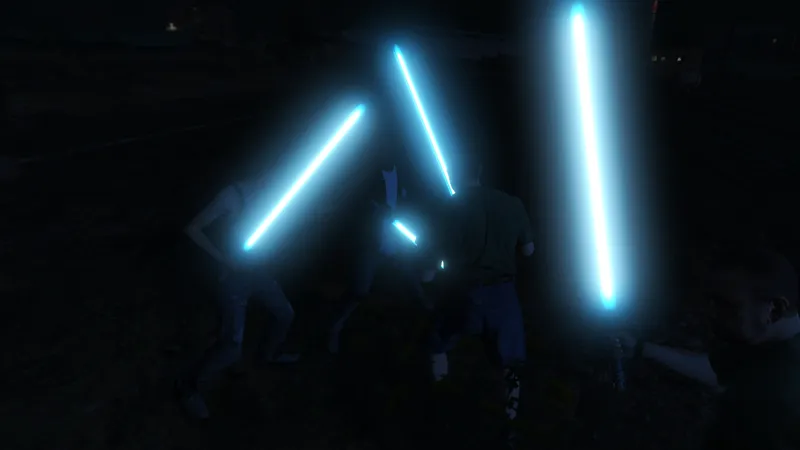
GTA V Lightsaber [Add-On]
A lightsaber is a fictional energy sword featured in the Star Wars universe. A typical lightsaber is depicted as a luminescent blade of magnetically contained plasma about 3 feet (91 cm) in length emitted from a metal hilt around 10.5 inches (27 cm) in length.
Requirements:
- Latest ScriptHookV
- Latest Community Script Hook V .NET
- Visual C++ Redistributable Packages x64
- Microsoft .NET Framework 4.5.2
- OpenIV
Install:
1. Extract zip file.
2. Drag and Drop 'scripts' and 'mods' folder into Game Directory.
3. Add <Item>dlcpacks:/lightsaber/</Item> to dlclist.xml
Usage:
type 'give lightsaber' to spawn a lightsaber.
type 'spawn jedi' to spawn an enemy with lightsaber.
type 'spawn many jedi' to spawn 5 enemy with lightsaber.
Credits:
ScriptHookV by Alexander Blade
ScriptHookVDotNet by Crosire
OpenIV by OpenIV Team
Original Lightsaber by MrVicho13
Comments (3)
Wow lol been paying GTA V with mods for a while but never use that key or shear codes 🤷♂️😅 One more question, in my game...I added the "lightsaber" folder to dlcpacks, the 2 files to "scripts folder" and also added the line to the dlclist...but my game crashes while loading Story Mode, I deleted the "lightsaber" dlcpacks and item in dlclist and no more crashing....any idea why it was causing my game to crash? 🤔
So where exactly do I go when in game to Type those commands???
press the ~ button like how you enter cheat codes