
Force Combat Beta 1.2 Public Release!
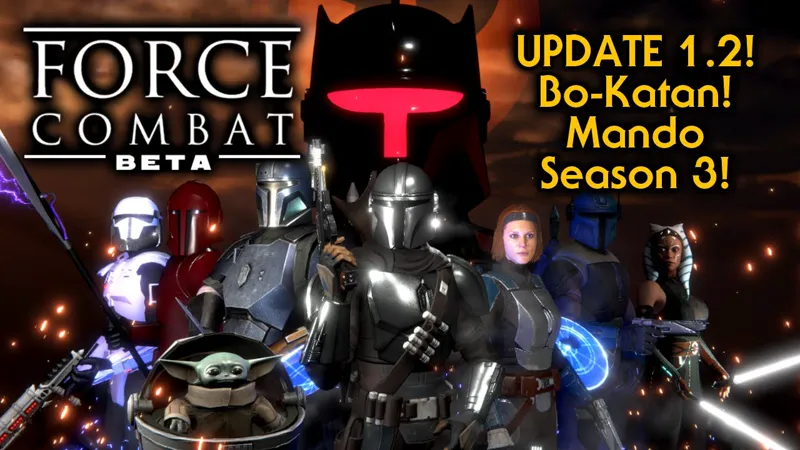
The latest version of Star Wars fighting game- Force Combat -Beta version 1.2 has been released to the public.
Download link: https://www.mediafire.com/file/3dzwz44jzhgdmwo/Force_Combat_Beta_126.zip/file
Force Combat - Beta version 1.26 Public Release
Install: Delete the folder with the old version of the game, your unlocks will still be saved in the registry.
Unzip to drive. Run The Force Combat EXE.
New unlockable character- The fierce Mandalorian warrior Lady Bo-Katan Kryze has entered the combat arena!
Beat the Path of the Force game mode with Lando Calrissian on Normal or higher to unlock her.
New playable TV Tower-The Mandalorian Season 3.
Play the story of season three of the show and take on special characters including Alamites, Imperial Commandos, A Spider Tank and Moff Gideon in his Dark Trooper suit!
Towers now feature certain multi wave battles where you must defeat a number of opponents on a single life bar!
Characters can now cancel into specials from any basic move except the sweep and jumps.
All characters now have a back throw.
New Moves and Animations:
The Mandalorian
Darth Maul
Anakin Skywalker
Starkiller
Princess Leia
Luke Skywalker
Kylo Ren
Rey
New Unlockable skins:
Darth Maul-Battle of the Sith Lords
Darth Maul-Sith Infiltrator
Qui Gon-Jinn-Clone Commander
Cal Kestis-Commander Kestis
Cal Kestis-Outrider Kestis
Cal Kestis-Wanderer Kestis
Chancellor Palpatine-Darth Jar Jar
Indiana Jones-Professor Jones
Boba Fett-Jango Fett
Kir Kanos-Imperial Preatorian
Moff Gideon-Dark Trooper Suit
Starkiller-Dark Side Apprentice
Darth Malgus-Malgus Reborn
General Grievous-Warlord
Finn-FN-2187
Finn-FN-2187 Helmet
Luke's default skin is now the "Final Duel" skin.
Princess Leia's default skin is now the "TFU Jedi Leia" skin.
New Maps:
Mines of Mandalore
Plazir 15
Remnant Base
Secret Asteroid Lair (Cancelled Darth Maul Game)
Finn-FN-2187 skin added including helmeted variant.
Fixed a bug that could leave the player in a frozen state after an Outro played if the finishing move had been a grab.
Fixed a bug that could leave the opponent in a stunned and down state (instead of the stunned or tied animation) after Lando's disabler or Fennec's Bola was triggered during a jump landing.
Animated GR75 cargo ships added to Daiyu map.
Emperor Palpatine can no longer be seen in the background on stages where he is a background character if Chancellor Palpatine is in a match on these stages (for obvious reasons).
Mace Windu face textures corrected-including the Coruscant Survivor skin that was missing details after the last update.
Moff Gideons Outro animation updated.
Finn and Moff Gideon basic projectile blaster shot animations updated.
Towers FOV on 3840 × 2160 (4K UHD) and 2560 × 1440 (QHD) resolutions fixed.
New move set animations for Bastila Shan.
General Grievous-Warlord skin added.
Fixed a bug where characters that used IK to attach their hands to weapons would have the IK disconnected on start of a new round.
Darth Revan cape now uses bones for animation.
Darth Revan cape removed on Jedi versions of the character.
Anakin Darth Vader skin reworked with a better robe.
Eyes and eyelids animations smoothed.
New phonetic viseme animated lips for voice lines on characters that support it(mouth/lip bones).
New Emotion Driver system that animates facial expressions based on what your character is saying or doing.
New Kyle Katarn Bryar pistol blast animation.
Saber trails shadow casting fix.
Updates/fixes to animations on character select screen.
New dissolve vfx for Qui-Gons creature attacks.
Lando Calrissian skins 1 and 2 capes reworked (the cloth sim was always getting stuck) they now use bones for animation. Starkiller Rebel Hero skin was bugged-it is now fixed.
Characters on the select screen would have pistols in the wrong hand when transitioning to the stage select-now fixed. Bastila would have hand IK reversed when transitioning to the stage select-now fixed.
Plo Koon Jedi Power Battles skin directional bug fixed.
Online play option removed as this has never worked and still does not. It may return at a later date, but only if I can get proper rollback netcode working. For now, you can use Parsec to play online with friends. https://parsec.app/downloads
Fixed a bug that would sometimes leave the Inquistorious lightsaber blade off center after spinning.
Fixed a performance bug on the Morak Stage, greatly improving frame rate.
Fixed a performance bug on the Sundari Palace Stage, greatly improving frame rate.
Updated Morak stage with new more screen accurate Shydopp pirates and pirate skiff model.
Updated Deathstar II throne room stage with exterior space battle VFX.
Fixed a long-standing bug that made lightsaber trails only come out as triangles because the speed of the game did not allow for enough sampling data to create smooth curved trails.
New Darksaber trail vfx.
UI updated to properly fit all resolutions without truncation.
Added graphics fallback-we now have 3 options before starting the game.
Added Steam Deck compatibility-tested and running at over 30 FPS on the "Good" setting with texture res halved.
Steam deck Guide:
Tested on 1TB OLED.
1. Transfer the unzipped game files to steam deck using USB-C, SD card or file sharing via wifi or download directly via browser in desktop mode and unzip.
2. Locate the files you transferred to steam deck in the desktop mode file browser
3. Open steam in desktop mode and select "add a game" in "library"
4. Select "add a non-steam game" and enter the file directory for the .exe and add the program
5. Select the game in your steam library and go to the game's properties in the game's settings
6. Select "force the use of a specific steam play compatibility tool"
7. Select proton 9.0-4-may need to install this version of proton if you do not have it.
8. Run the game
9. If you update the game files make sure to launch the updated build through the same Proton prefix (e.g., same non‑Steam game entry in Steam) or you will not have access to all of your unlocks. (i.e. If you update the game, edit the launcher that you were using to run the old version of the game to point to the new directory where the updated game files are-click the little gear icon next to the controller icon and select "properties" then edit the "Target" and "Start In" fields to point to the new files).
10. Before you start the game, you will get a menu that shows the resolution that you are playing in and the graphical quality-set the graphics quality down from "Fantastic" to "Good" -this will make the game run properly on the deck, speed up load times and minimize crashes.
This is the most stable and performant version of Force Combat to date, to achieve this I had to drop support for 32-bit systems-you must be running a 64-bit os now to run the game.
Merry Christmas and May the Force Be with You!
-Jawa
Comments (18)
and also is there any secret characters/battles in the beta or just in the alpha
Yes, there are secrets.
Is there a way to unlock ashoka tv tower
Nope
i wish it was more clear on how to unlock characters. this game is a little janky but i love it, great job jawa guy. i'm an officer of jawa offworld enterprises and we love seeing more jawa representation!
You'll find a lot of helpful info in the readme file that comes with the game. To start unlocking characters, beat The Path of the Force on Normal with Asajj Ventress then unlock the next character with the new character and so on.
I was so exited when I found this man but I tried everything and I just can't get it to use my controller properly(ps4 and ps5). either the inputs where all wrong or it just doesn't register my inputs at all. I even tried making different inputs but the descriptions of what input does what just doesn't make any sense to me. I'm so disappointed but I just can't play the game on keyboard and I don't know what else to do
UPDATE: it was a MASSIVE pain in the ass but I finally got it! the inputs are super weird in those settings and for some reason up and down are reversed but I can finally play it and its awesome! now the only thing that's a bit confusing is the movelist because the instruktions to execute more advanced attacks are super unclear.
Hey, I'd like to stream the game, is there an unlock all characters cheat?
+1 for vinny vinesauce (pls play dmc2)
Just wondering will this game have controller support would love to play this on my pc with my brother
Hi, I just downloaded this last night. I opened it successfully once, got to the main screen before it freaked my computer out. I tried to open it again just now and it doesn't even get to the main screen without freezing and crashing. It loads, goes to a white screen, then freezes. I've tried deleting the files and application and re-downloading and extracting them, but it does the same thing.
A good end of year gift. Looking forward to see what future updates will bring!
Hey guys. Can anyone help me by telling me where I can delete my controller settings inputs? I have searched around but couldn't find a progress/input folder that works. I stupidly tweaked a few settings in the input menu and now up is down and the buttons are all wrong, plus it's now no longer responding to my controller ( it's sometimes registers 1 input then none of the others) I headed into your readme and realised I am a fool. I don't mind losing all my progress if it means being able to play the game again with a controller. The game is awesome so going through again is a blessing in disguise. Thanks
Sorry to hear it's not working quite right for you-that being said- I take no responsibility if you mess this up and your PC! -search "Regedit" for the registry editor-open the program-go under HKEY_CURRENTUSER\SOFTWARE\Lastjawa\Force Combat Beta and delete everything in the folder-the game will be at default settings.
Wonderful! I'm spending the holidays playing this game, it's addictive! The graphic is pretty, the models amazing, the original music fits perfectly every arena. The animations are getting smoother with every patch, so this game is a must have for every SW fan. Good work man, keep it up!
i am totally in love with your game, some trouble with the pad configuration but i will try to handle it, this is the perfect gift. Thank you Jawa for all your hard work, i just want you to know that i really enjoy your game like every other triple A game, not just because is free. Thank you!!! Merry Christmas!
The perfect gift. Merry Christmas Jawa and thank you! I can't wait for future updates, especially the KOTOR content!