
Problems With Download Links
This page is for problems with download links - If you have downloaded it but are having problems opening it click here
IF THE FILE WON'T DOWNLOAD AND YOU ARE USING THE MEGA OR GDRIVE APP PLEASE TRY DOWNLOADING IT IN THE BROWSER INSTEAD :D
IF IT SAYS THE FILE WAS DELETED OR MOVED PLEASE TRY REFRESHING THE PAGE OR RESTARTING THE APP IF YOU'RE USING THE PATREON APP. IF YOU STILL GET THE ERROR LET ME KNOW
I'll be adding the fixes for desktop soon although desktop doesn't seem to have as many problems.
MEGA FIXES - Android
Downloading in browser - Recommended
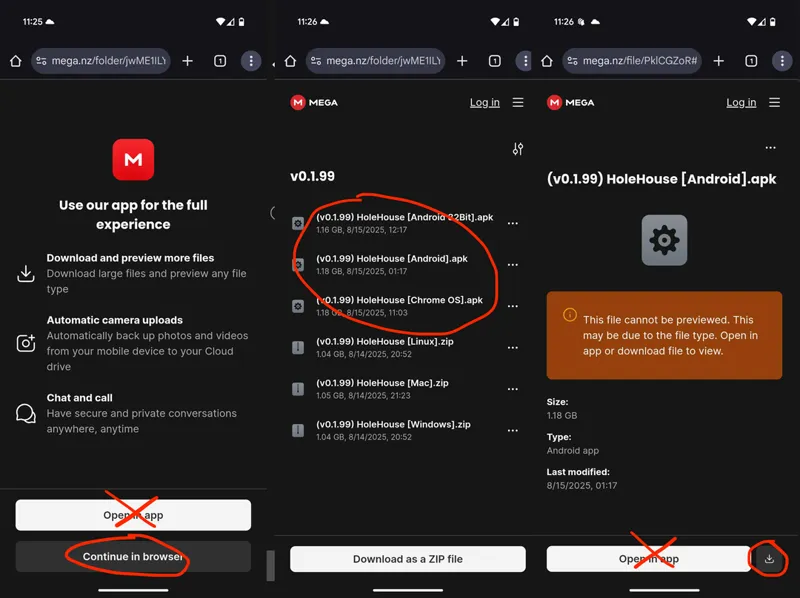
If you don't have the mega app installed, which is probably a good thing, then when you click the link for the update it should take you to the Mega site on your browser (Chrome Recommended). You should see a screen that says Open In App or Browser, click the browser. Then depending if you clicked the full mega link or the one for your device you'll have one of the two options below.
You will need to either select your device then once selected press the download button in the bottom right.
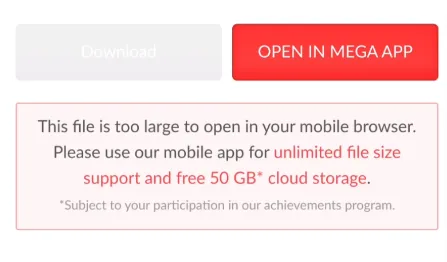
If you get this message saying open in the app as its too big for your browser. Pleas try using Chrome instead, if you are already using Chrome and have the Mega app installed you might have to use the app. if you delete the app it will let you download in the browser but the app should work fine as well.
Let me know if there are any other problems with Mega though and i can find a fix and get it added here.
Downloading in the app
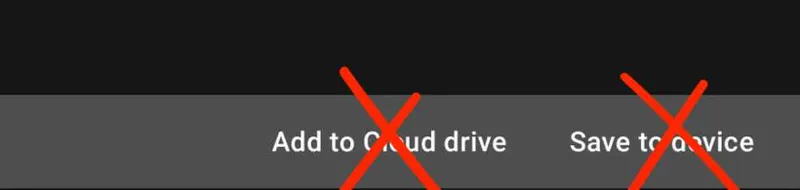
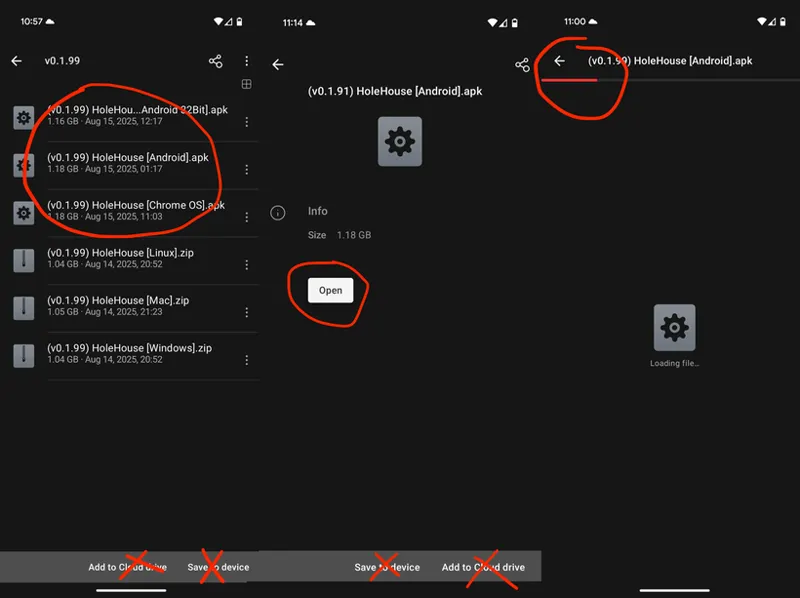
DO NOT CLICK ADD TO CLOUD DRIVE
If you are using the app either click the file for your device or if you have already selected your device from the post here then click the Open/Download button and it should start.
GDRIVE FIXES - Android
The problem with GDrive is there can only be so many downloads of a file within 24h so if the update has just come out you might not be able to use it. Mega is recommended and normally works a lot better.
Downloading in browser - Recommended
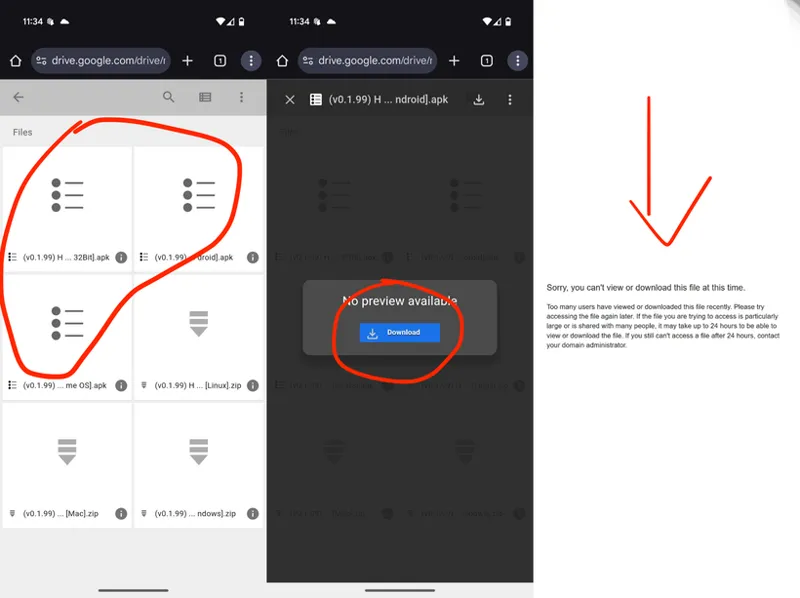
If you open the link in the browser you will either be able to select your device or will have a download button ready. Press download or select your device and the download should start.
If it doesn't or you get a message like on the right that means there has been too many downloads recently as GDrive limits how many there can be every 24h. Its recommended you use Mega as it works a lot better.
Downloading in the app
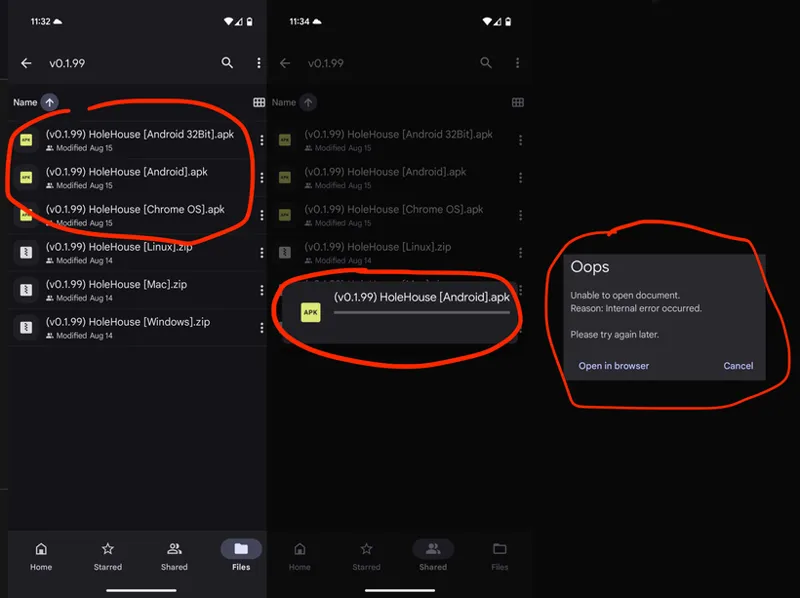
When downloading in the app depending if you chose your device or the GDrive folder you will either see all the devices options or a button to download. Selecting your device or the download button should start the download. However if there have been too many downloads in the last 24h the download either just wont move or you will get an error message like this.
If you get this you will either need to wait a bit for the download limit to go down or use Mega which is a lot better.
If you do get any other problems please let me know and i can find a fix and then add it here.