

Tutorial - Creating Premade Sims
Creating Pre-made Sims and Pre-made SERVICE Sims with denton47 Premade Household Tool
I figured this out while testing and updating Assign NPC roles, initially I wanted to make a package of pre-made service Sims that could be consistent across saves and shared, but while working on it I figured out that sharing the method gives people more freedom and the ability to also use CC in their pre-made Sims.
This tutorial will show you how to create a pre-made custom household that will be generated at the start of the game for all the new saves and how to make them service Sims to never have a save with a random maid or without a maid entirely. The system doesn't work for roles such as the mixologist in an unmodded game, as that role doesn't have a hidden trait.
This tutorial is better shown in picture, but I'll add a video too later.
EASY - Creating a custom pre-made household
To start creating a custom pre-made household, the first thing we need is a save game, either one you already have or a temporary one just to populate the world with your custom Sims:
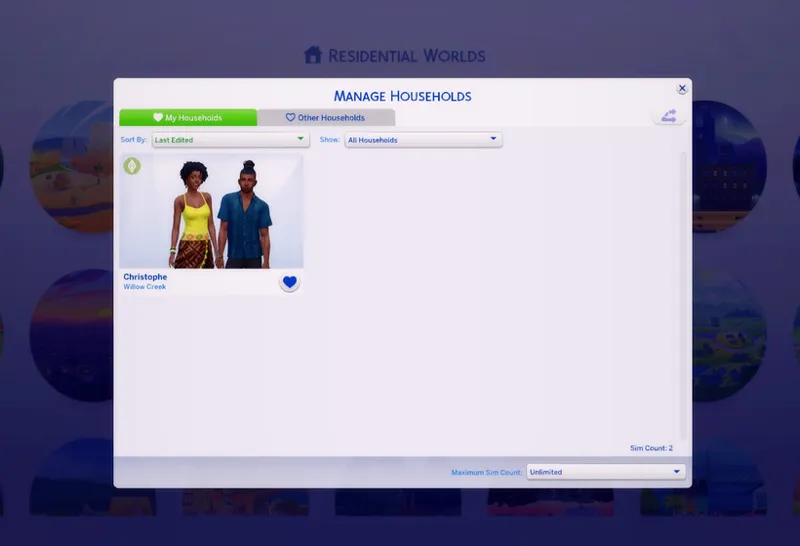
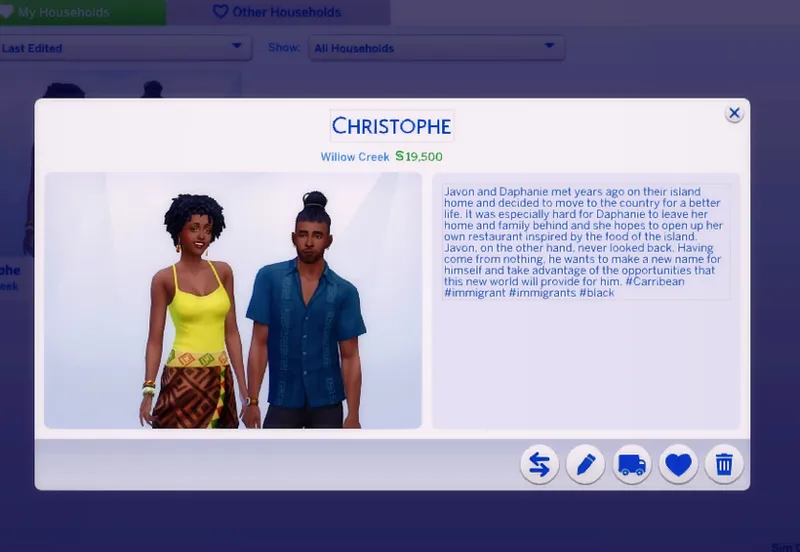
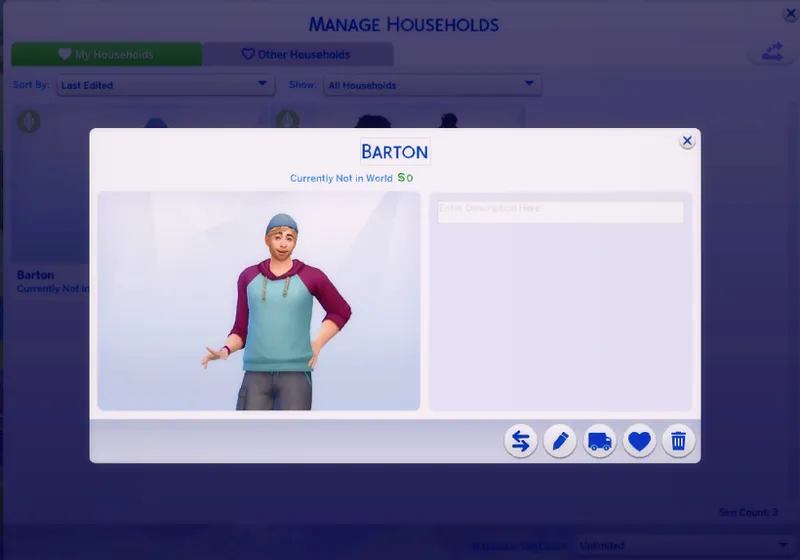
Let's say I want to turn this family into a pre-made household:
Place them in world, save, and quit the game.
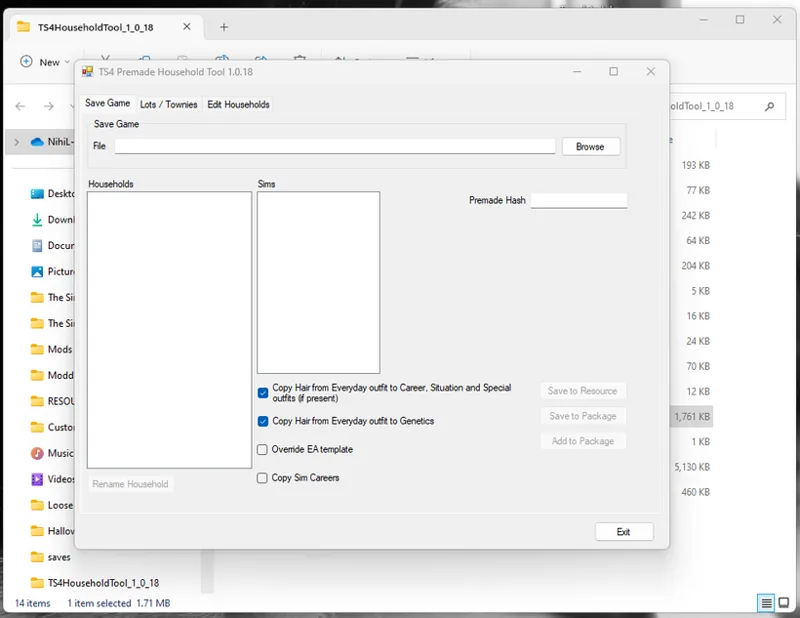
Open the PREMADE HOUSEHOLDS TOOL
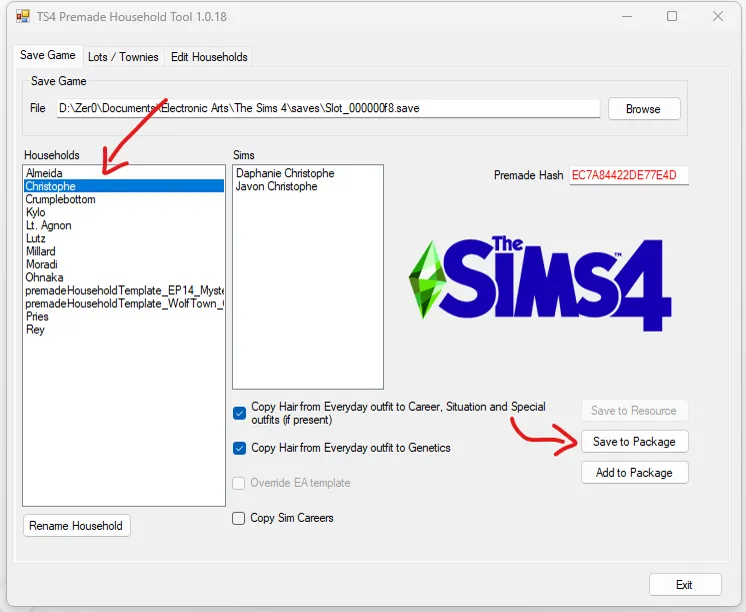
On the first tab, select BROWSE and find the save where your household of choice is:
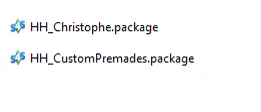
Save them to a package.
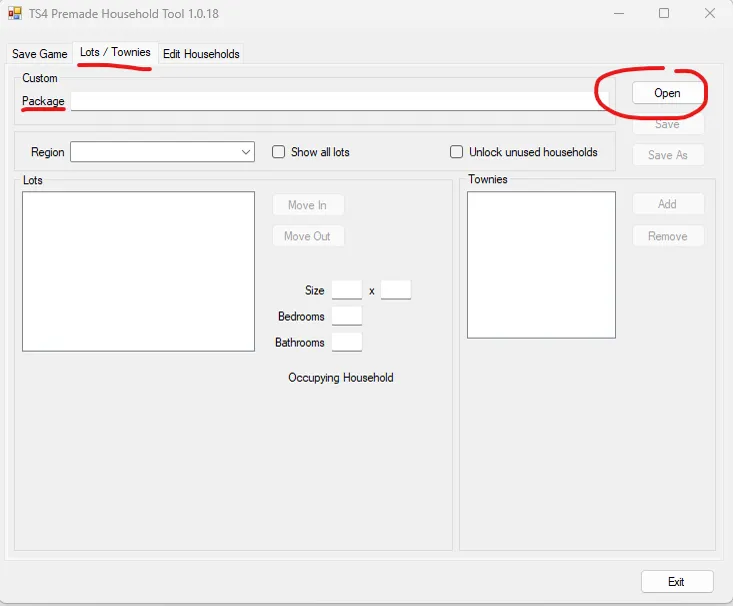
Move to the Lots/Townies tab:
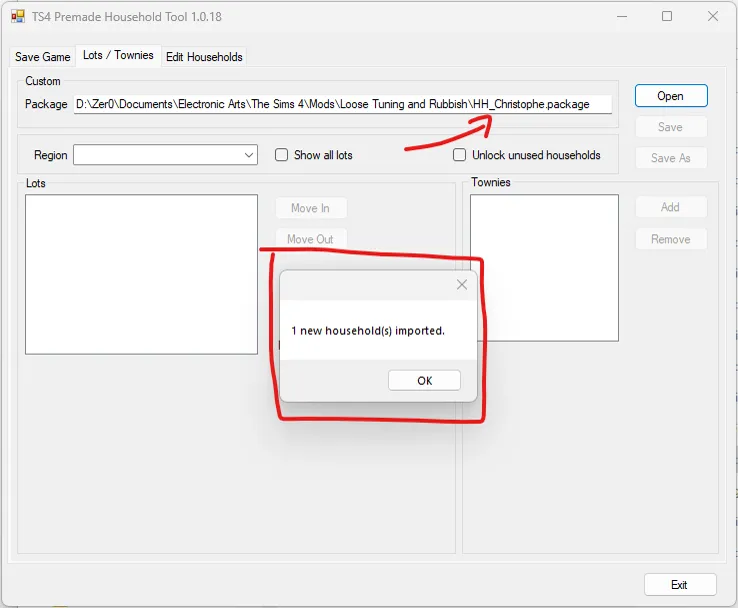
Open the package you just saved, it will import the household:
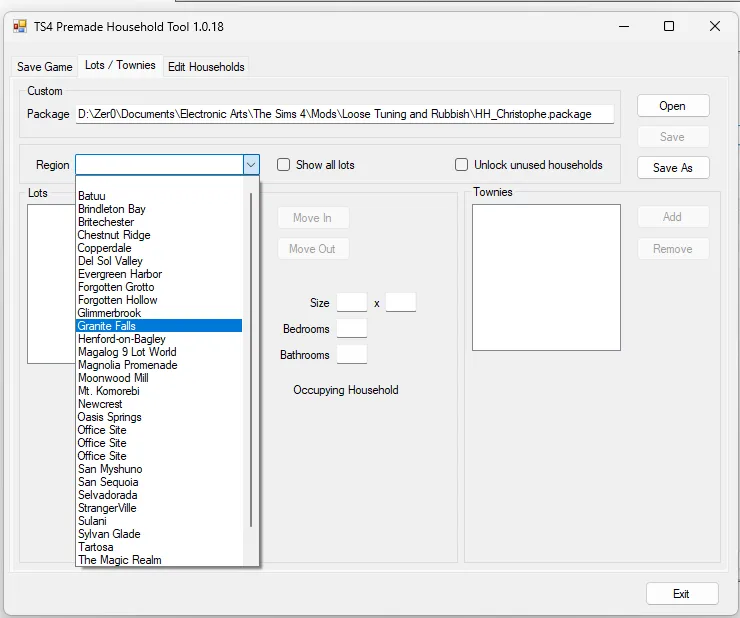
Select a REGION from the drop down menu:
In this window you can either add your household into a lot or not in world, I'll show you both.
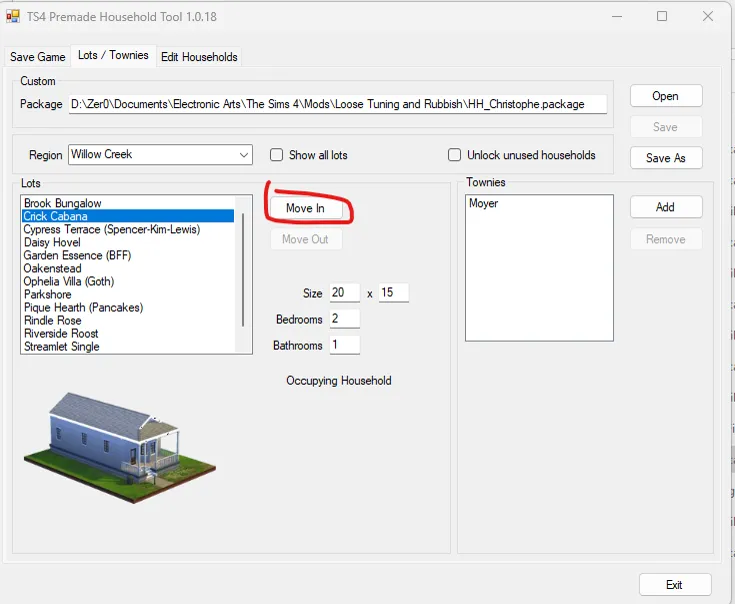
Add Into a Lot:
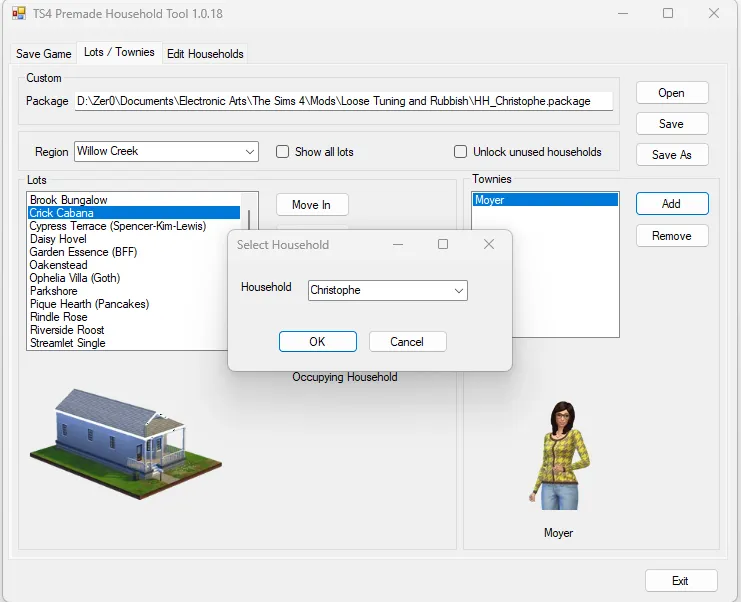
To move into a lot, select an empty lot and click MOVE IN
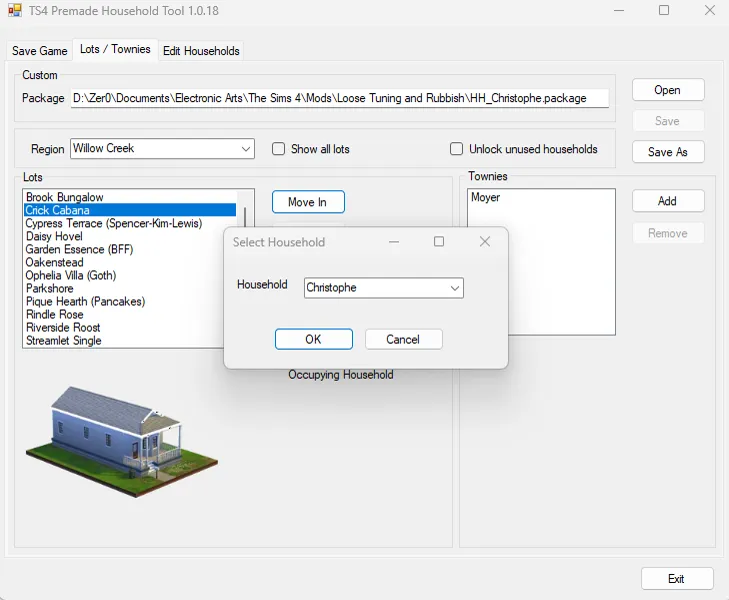
Select your household and click OK
Save the package or save a new package, put the package in your mod folder and start the game, your custom household is now a pre-made!
Add as Townies:
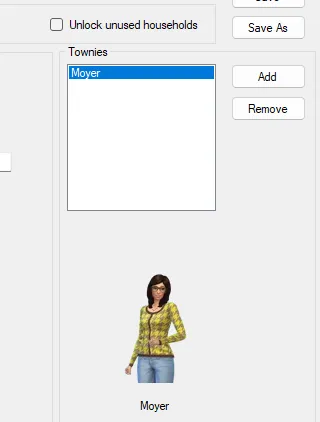
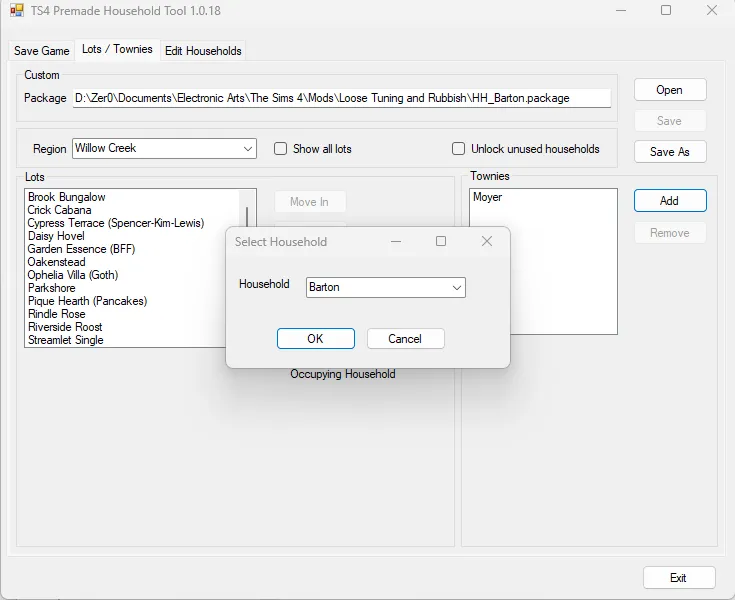
In the townies side, select ADD
Select your household, click ok, save the package and drop it into the mod folder. Start a new game to find your new pre-mades.
VIDEO
MID ADVANCED- Creating a custom pre-made service Sim
Pick a Sim in a single household for this, possibly a YA or Adult, some filters have age restrictions and service roles prefer Sims in a single household.
Follow the same steps to create a custom household, pick the Sim from the save and save them into a package, DON'T ADD THEM INTO THE WORLD YET!
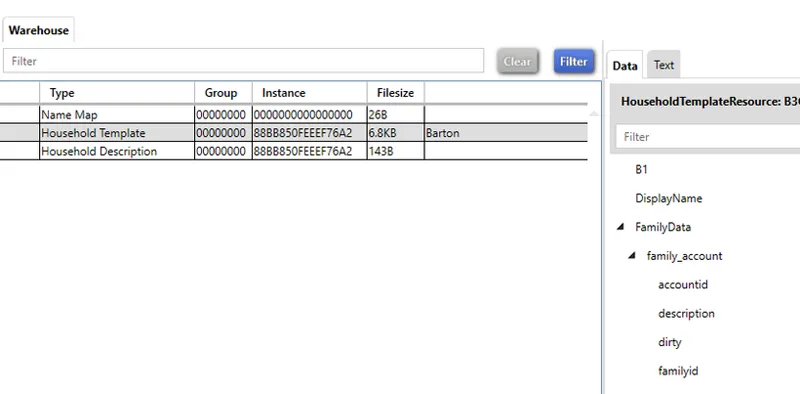
Open the package with the Sim you just saved:
Find the household template with the name of the Sim
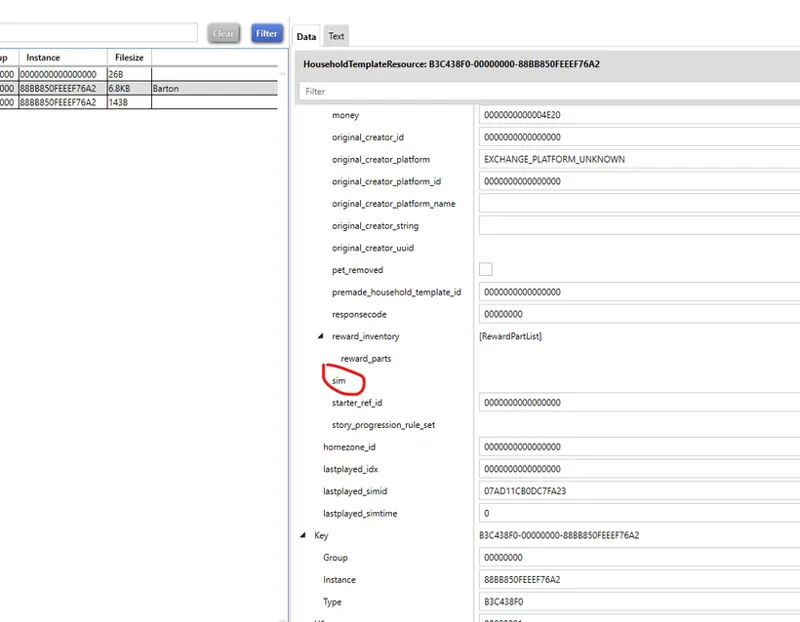
Scroll the data tab until you see sim
Click on EDIT ITEMS
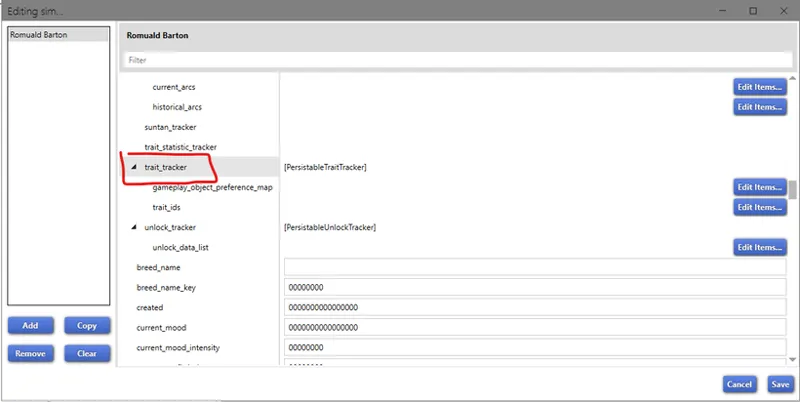
In the new window, scroll down until you find TRAIT TRACKER
Click on EDIT ITEMS
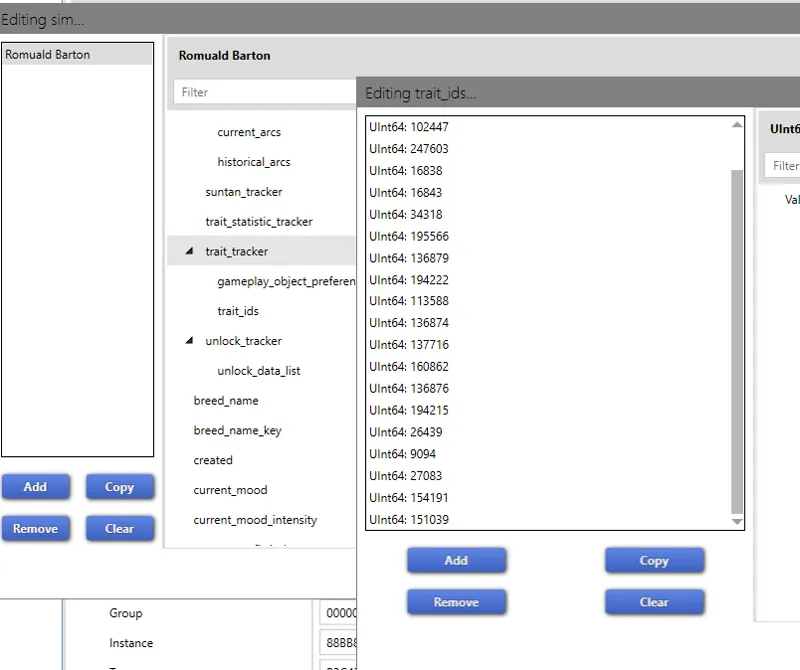
You'll see this list of numbers, these are the traits on the Sim by tuning ID, we need to add in here an hidden trait that is used in game to identify and reserve service Sims. We'll make this one the pizza delivery guy.
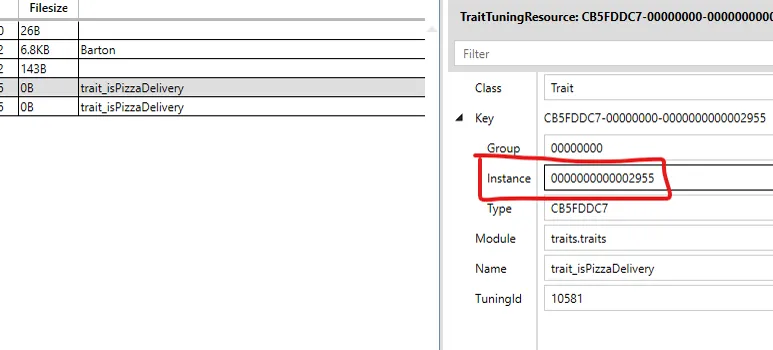
The trait for the pizza delivery is trait_isPizzaDelivery
We need to copy the instance of this trait
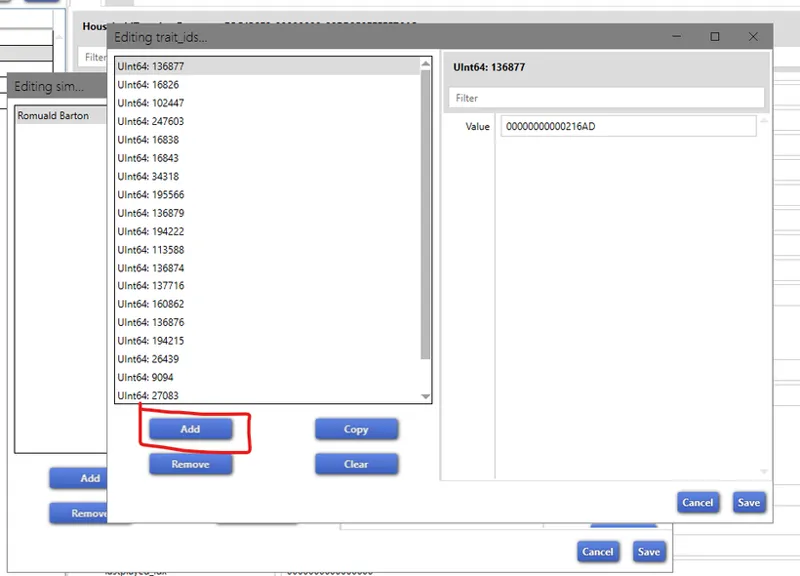
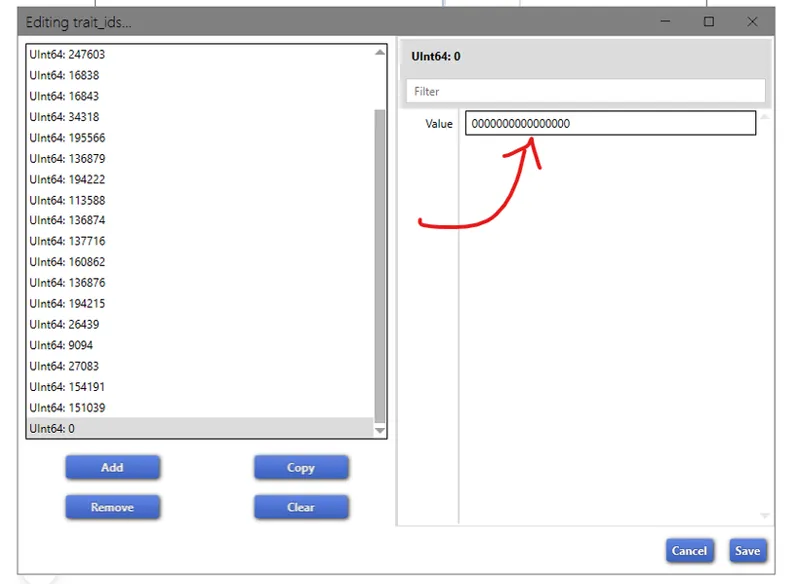
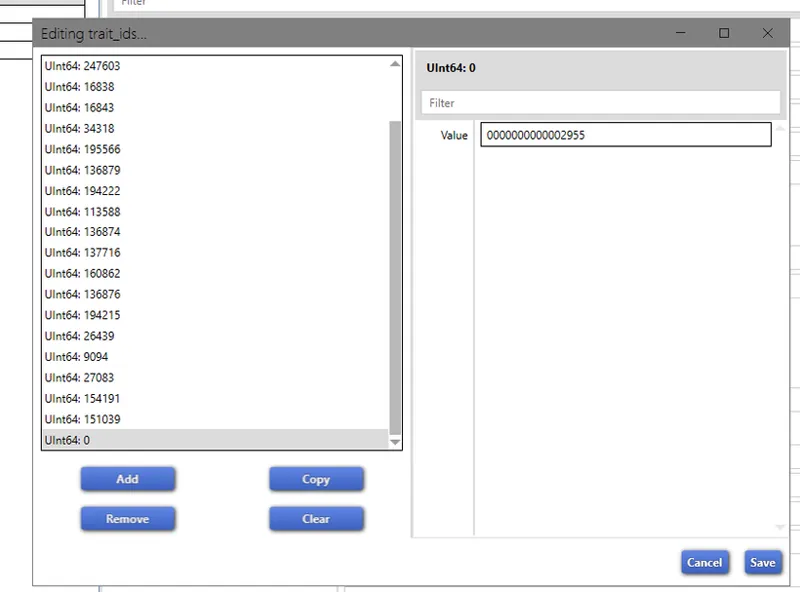
In the trait_tracker of the Sim click ADD
Paste in the value the ID you copied
Save everything and save the package
You can now import the package into the household tool, add the Sim to Townies and save it.
The Sim will be created with the hidden trait to work as a service Sim.
Comments (14)
Where do i find the list of traits with their instance ID? Is this something that can be pulled up in S4 Studio? I've poked around a bit, but haven't had any luck finding anything.
nvm, I figured out how to extract details on the traits using s4studio
Wow, I didn't know this tool existed, so handy! Thanks for the tutorial.
I was going through the steps above because I am excited to try this. I was able to make the Random NPC sims with no problem. I wanted to try to creation of a pizza dude just to test it out. I created a sim, evicted him, and made him non-playable. I assume when you open the package, you use the Sims 4 Studio? If so, which version? I am using Wishes. There is not an option to edit traits. I checked out the creator's instructions and yours are better LOL
Star (Open Beta). I haven't tried with the old version of S4Studio
Interesting way, thank you! and those who play a long time in one save should wait for the update of mod Assign NPC roles in the near future?
It'll take a bit cause I'm testing it in game, people have been having issues I can't replicate
Now how would you do this on a Mac?
I don't know. Doesn't that tool work on a Mac?
Wow, I am so thankful for this. I appreciate you so much for taking the time to share this with us. Can't wait to try it. I play with a lot of saves LOL
Is this only usefull if you are using multiple saves or can you also use this in your current save? I never make a new save so thats why im asking it :)
This only works if you start a new game.
Wow this is so useful! Now I don’t have to spend an hour inputting all my remakes of townies/households from my gallery every time I start a new Save!! Thank you for sharing!! 💜💜
It also works to make townies makeovers