Royalty Mod 3.6.3 BETA [Royal Ledger] (CUSTOM KINGDOM NAMES) WITH TRANSLATIONS
⚜️⚜️⚜️⚜️⚜️⚜️⚜️⚜️⚜️⚜️⚜️⚜️⚜️⚜️⚜️⚜️⚜️⚜️⚜️⚜️⚜️⚜️⚜️⚜️⚜️⚜️⚜️⚜️⚜️⚜️
21/09/2026 Patch:
Fixed a bug preventing the custom kingdom names & treasuries from saving when exiting the game. Please rename your kingdoms.
PLEASE READ THE ENTIRE THING. YOU WILL NOT UNDERSTAND SOME OF THE NEW UPDATE IF YOU DO NOT.
IMPORTANT: The Monarch trait is no longer available in Create-A-Sim.
Once you load into a world, you will be greeted with the Royalty Mod Set Up Wizard.
Here, you can choose to name your realm, choose the Monarch & government type.
Monarchs are now restricted to ONE per realm, unless you chance to ‘Multiple Monarchs’ in the cheat menu.
This means there are no more randomly generated Townie Monarchs!
All realm info is logged in the Royalty Mod Settings folder which generates in your mods folder. Do not delete or move this folder as you will lose your save’s info.
Accessing the Ledger
You can access the new Royal Ledger either through clicking on your sim, navigating to the Royalty Mod pie menu and clicking ‘Royal Ledger’, OR by clicking the phone, navigating to the new Realm phone menu and choosing the Royal Ledger in there.
In here, you can also access the Setup Wizard & Designate an heir.
Realm Summary
Allows you to view all the important information for each realm. View all details such as realm ruler, government type, treasury, heirs, tax rate, law, diplomacy, ect here.
View All Realms
Allows you to quickly see at a glance which realms/worlds are established and which aren’t.
Laws
Here you can implement and repeal laws for your world, as you could do before through the pie menu.
You can also change laws for other worlds here, in order to help you set up and manage all worlds throughout your royal save.
Laws overview allows you to quickly see what laws are active for each world in the save.
Diplomacy
The Diplomacy menu expands on the original diplomacy which is also still available via the communications book.
Here, you can manage relations for your world to others, manage other world’s relations & easily access royal correspondences.
In order to begin a war against another world, you must first declare yourself hostile towards them in the diplomacy menu.
Treasury
Here you can manage your realm’s treasury. You can collect your taxes once every 7 days.
You can also deposit or withdraw to/from the treasury from your household’s funds.
You can click ‘All Realms’ to easily access their treasury data as well.
The tax rate is base amount (§500) × tax rate × soldier scale × realm happiness
War
This is one of the most interactive new menus in the update and is designed to replace the old war menu.
Here you can command your campaigns and work your way up to claiming the thrones of other worlds.
You can be at war with multiple different worlds, and you can choose who you want to the military operation to target.
The military operations are entirely dependent on your treasury & the amount of soldiers you have mustered.
You can check your ranks & run drills to gain more soldiers for your army.
IMPORTANT:
Military Operations work on a tier level. You are not able to immediately send in your troops for an invasion to another land.
You must first send out scouts to map the enemy territory, which will then unlock the rest of the battlefield operations.
You must win at least one battlefield operation before the Invasion option is unlocked.
Once you lead a successful invasion, you will then have the option in the Military Operations menu to take the throne of that land (you will keep your current throne too).
You can also view & manage the conflicts of other realms under ‘Choose a Realm’.
The military operations have received a facelift, updating them from the original Ancient Greek style into more generic war.
You now also can get treasury income from trade routes after sending out a scout during any war.
Royalty Mod Tutorials
You are now able to search a keyword to find a tutorial you need!
All RM tutorials have been added to the game, so if you find yourself stuck on anything then you can simply search a keyword such as; ‘heir’, ‘peasant’, ‘tax’, ect.
Or, you can click ‘All Topics’ to see all the tutorials available.
Realm Cheats
This space contains all the useful cheats you need for the mod!
You can restart the setup wizard here, rename your world, claim the throne, enable multiple monarchs per world, change government type, cheat add to treasury, cheat add more soldiers and add/remove any royalty mod trait here (plus more).
3.6 Update (Democracy & Dictators)
Take control of your Sims' world with a government system that puts you in charge. Whether you rule as a Monarch, lead a Constitutional government, or seize power as a Dictator, your choices shape the world!
What's New:
Choose Your Government
Start as a Monarchy or Constitutional government (Dictatorship must be earned)
Elections run automatically every 14 days
Run for office, campaign with rallies, and vote for your candidate
Lead with Authority
Constitutional Leaders serve 14-day terms and can call referendums to change laws
Monarchs rule indefinitely with direct control over laws
Dictators can stage coups to seize absolute power (but failure has consequences)
Dictator Features
Enforce Curfew, Wealth Tax, and Assembly Ban laws
Monitor citizens with secret police
Access detailed dossiers on any Sim
Purge threats to your regime
Track surveillance and threat levels
Law & Order
Break laws and face escalating penalties: from warnings to fines, and then even jail time!
Leaders can pardon violators
Laws affect all Sims in your world
Economic Power
Leaders receive weekly paychecks (Monarchs: §20k, Leaders: §15k, Dictators: §25k)
Dictators can tax wealthy households
Manage your treasury and fund your regime
Other
Over 450 simdata cleaned up for more stable play
New worlds added to regional traits
New version pop up for royalty mod if your version is out of date
⚜️⚜️⚜️⚜️⚜️⚜️⚜️⚜️⚜️⚜️⚜️⚜️⚜️⚜️⚜️⚜️⚜️⚜️⚜️⚜️⚜️⚜️⚜️⚜️⚜️⚜️⚜️⚜️⚜️⚜️
What is the Royalty Mod?
The Royalty Mod introduces a dynasty system into The Sims 4. Your Sims can now:
Hold royal titles (King, Queen, Prince, etc.)
Build noble houses and family legacies
Participate in court life with roles like knights, advisors, and servants
Manage royal duties like coronations, alliances, and public appearances
Pass titles and power to their heirs
Your Sims' lives are about more than just love and career... now, power, duty, and legacy come into play.
⚜️⚜️⚜️⚜️⚜️⚜️⚜️⚜️⚜️⚜️⚜️⚜️⚜️⚜️⚜️⚜️⚜️⚜️⚜️⚜️⚜️⚜️⚜️⚜️⚜️⚜️⚜️⚜️⚜️⚜️
Key Features
Create royal families and manage their bloodlines.
Gain or lose public favor based on your actions.
Become Dukes, Barons, Counts, and more.
Appoint Sims to be Knights, Servants, and Advisors.
Host grand balls, duels, and royal weddings.
Realistic coronations when a monarch ascends.
Royalty Trait System
New Social Interactions
Titles pass down through generations automatically.
Royals live very different lives compared to commoners!
⚜️⚜️⚜️⚜️⚜️⚜️⚜️⚜️⚜️⚜️⚜️⚜️⚜️⚜️⚜️⚜️⚜️⚜️⚜️⚜️⚜️⚜️⚜️⚜️⚜️⚜️⚜️⚜️⚜️⚜️
Step-by-Step Install Guide
Delete ALL old versions of the Royalty Mod first.
(Do not just overwrite, fully remove old files to avoid duplicates.)Download the latest version.
Unzip (Extract) the folder you downloaded.
Place the entire folder into your Documents > Electronic Arts > The Sims 4 > Mods folder.
Important:
DO NOT rename the Royalty Mod folder!
⚠️ It must stay exactly as:
llazyneiph_royalty_mod
Otherwise, the scripts will not work.
Enable Script Mods and Custom Content in your Sims 4 settings:
"Enable Custom Content and Mods"
"Script Mods Allowed"
Restart your game after enabling mods.
⚜️⚜️⚜️⚜️⚜️⚜️⚜️⚜️⚜️⚜️⚜️⚜️⚜️⚜️⚜️⚜️⚜️⚜️⚜️⚜️⚜️⚜️⚜️⚜️⚜️⚜️⚜️⚜️⚜️⚜️
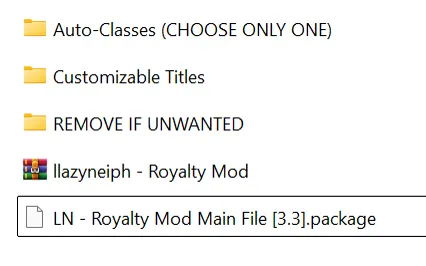
New File Structure
Previously, the mod had multiple folders with separate loose package files.
Now everything is merged into one .package file, for easier installation.
Some optional features (like Auto-Class Systems) are still separate so you can choose your preference.
You must delete all old Royalty Mod files before installing this new version! Otherwise, you’ll have conflicts and errors.
⚜️⚜️⚜️⚜️⚜️⚜️⚜️⚜️⚜️⚜️⚜️⚜️⚜️⚜️⚜️⚜️⚜️⚜️⚜️⚜️⚜️⚜️⚜️⚜️⚜️⚜️⚜️⚜️⚜️⚜️
Choosing Your Auto-Class File
Inside the mod folder, you will find three different auto-class options.
Please only install ONE! Choose based on how you want class to be assigned:
Cash & Lot Value
Assigns class traits based on BOTH your Sim's household cash and the value of their lot.Cash Only
Assigns class traits based on your Sim's household cash only.Lot Value Only
Assigns class traits based on your Sim's lot value only.
Don't put all three in your Mods folder, pick the one that best suits your gameplay!
────────────────────────────────────────────────────────────
Tutorials & Guides
Need extra help installing or learning how to use the Royalty Mod?
Check out these tutorials:
Required Mods for Full Functionality
You must also have these installed for the Royalty Mod to work correctly:
CoreLibrary by Lot51
Ballroom Dance Mod (Recently Fixed)
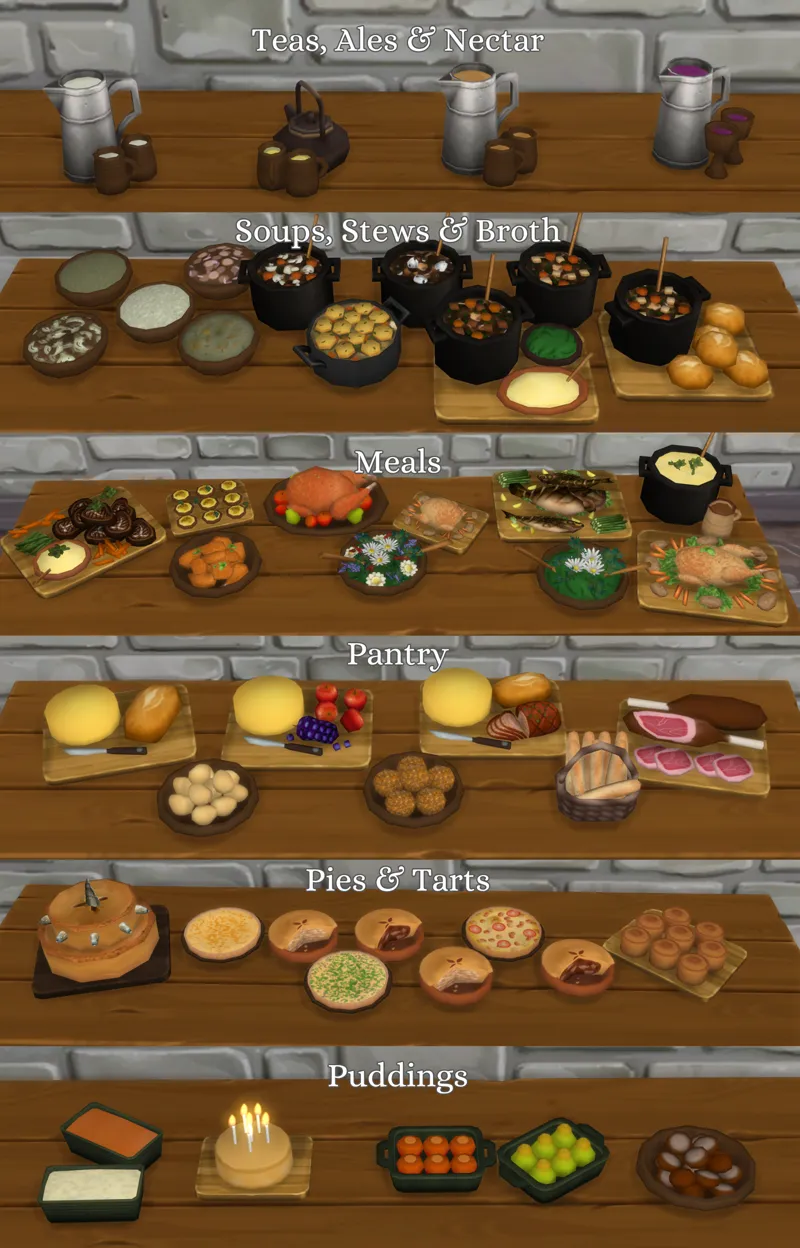
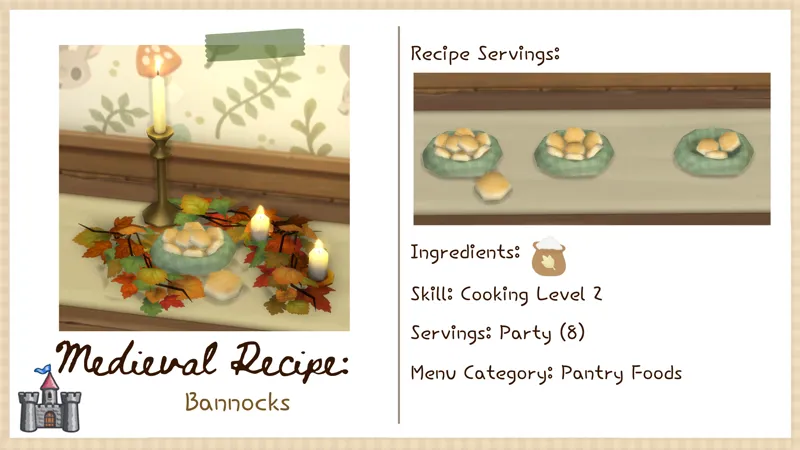
For the LittlBowBub Recipes (Not required if you don't want to use them):
Starter Medieval Recipes
Bannocks
👑👑👑👑👑👑👑👑👑👑👑👑👑👑👑👑👑👑👑👑👑👑👑👑👑👑👑👑👑👑
Full Patch Notes
DISCORD INVITE (Mod Troubleshooting Here)
How to Edit Customizable Titles
👑👑👑👑👑👑👑👑👑👑👑👑👑👑👑👑👑👑👑👑👑👑👑👑👑👑👑👑👑👑
TRANSLATIONS
Thank you to the translators who work hard to make my mods enjoyable for everyone!
Traditional Chinese and Simplified Chinese [LINK 1 - MeowCats]
Simplified Chinese and Traditional Chinese [LINK 1- abonnie]
Italian [LINK 1 - LoryNa]
Russian [LINK 1 - Group Origamika]
Polish [LINK 1 - livi]
French [LINK 1 - Atalanta] [LINK 2 - Dodolo83]
Brazilian Portuguese [LINK 1 - Miss Cherry] [LINK 1 - Carol Gamer]
Portuguese [LINK 1 - st4r_q13 [LINK 2 - EmiSims4]
Spanish [LINK 1 - RoshySims] [LINK 2 - Dareksimmer]
If you have made a translation, please fill out this form to be included in the post.
This is NOT a translation request form.
For Translators:
NEW STRINGS IN STRINGS_Realm & STRINGS_Realm_PATCH
Cheats
treasury.add number | Add funds to treasury. Example: treasury.add 1000
treasury.subtract number | Subtract funds from treasury. Example: treasury.subtract 1000
treasury.list_all | List all world treasuries. Will only list generated ones so please don't be worried if only one world shows up
treasury.set | Set treasury value. Example: treasury.set 1000
treasury.stats | Just interesting information about your treasuries such as treasury averages, the least amount of money it's ever had, and the most