
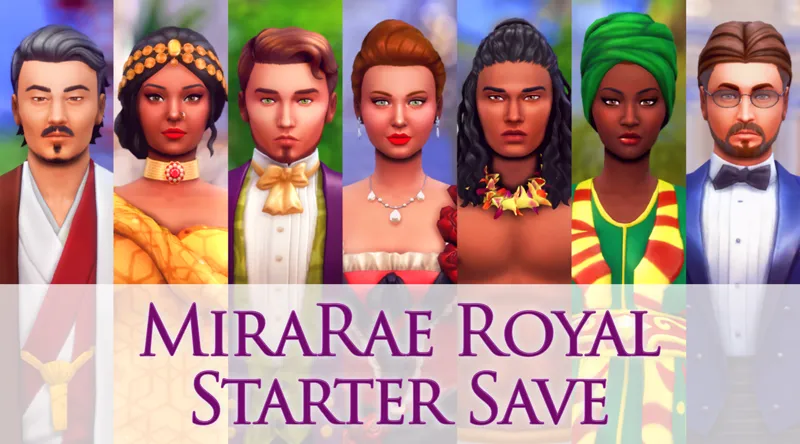




MiraRae Royal Starter Save
Have you always wanted to start a royal save file, but haven’t because you don’t know where to begin? Well, this is the save file for you!
Seven newly established kingdoms have been formed in this world, and they have just discovered each other’s existence. The monarchs of each kingdom recently held a meeting and decided to form an alliance- The Alliance of The Seven Kingdoms. The alliance includes the kingdoms of Windenburg, Willow Creek, Oasis Springs, Komorebi, Sulani, Dakarai, and Brindleton Bay.
But how will these kingdoms coexist? Will they live together in harmony, or will it end in turmoil? It’s up to you to decide the fate of the seven kingdoms.
Things you should know:
All sims and builds are cc free. However, it is recommended to download Nando’s Trip to Egypt mod to fully experience the kingdom of Dakarai, which replaces Strangerville. You can find the mod and its download instructions here.
All original EA townies have been deleted, and new townies have been made to accompany the new noble and royal families. There are 7 royal families, 10 noble families, and 8 commoner households that have been added. All families made for this save file are under “played households” (Only one or two noble families have been made for each kingdom in order to keep future titles available for the other royal family members that are not heirs, monarchs, or consorts.) Plenty of lore has been added for each royal family, and some of the other families as well :)
DISCLAIMER: In order to make this save file more compatible for lower-end computers, most of the lots from the worlds being used have been deleted. Some lots have been replaced, but some have been left empty so you have the freedom to do what you please with them. The palaces included in this save file are very large, and the fewer lots you have in the save file, the easier the game will run!
This save file would not be possible without the amazing builders and other sim creators that contributed. Thank you to Laurenloves12345, Zoe_quwu, Tinysaltysimmer, Melan_ia_sims, Simlicy, Ryley05_5, AJDestaJo, LordCrumps, SimandaBuilds, OmnySim, Frogprincessmeg, KateEmerald, Doctor_Ashley, and Maxis.
How to Install the Royal Starter Save:
Download save file
Create a back-up folder of your current save files
Copy and paste the files from the Royal Starter Save into your “Saves” folder (Electronic Arts/The Sims 4/Saves)
Open up your game and go to “Load Game” and you’ll see “MiraRae Royal Starter Save” and press “play”
Enjoy!
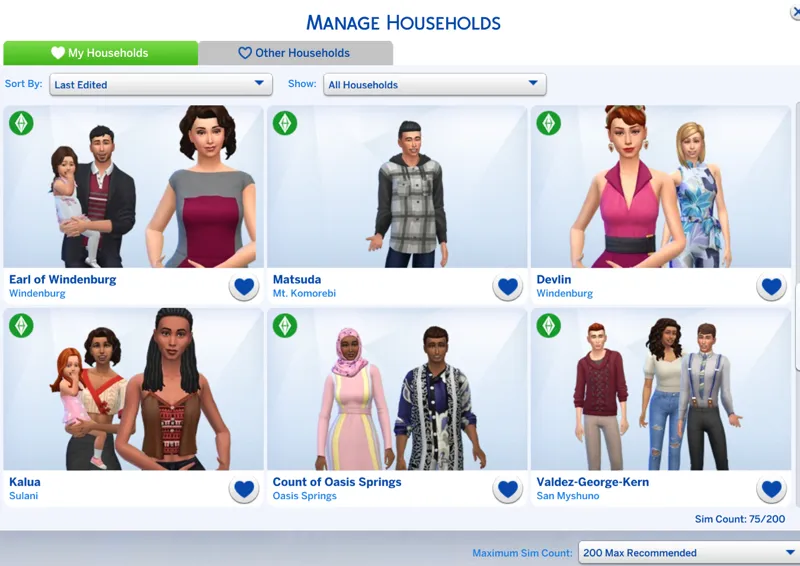
All packs are used in this save file except for the items listed below. Please note that this save file will still work if you do not have all the packs, some items will just be missing. The sims from any worlds that you do not have will just show up in “Manage Households”.
Packs not included:
Journey to Batuu
Dream Home Decorator
My First Pet Stuff
Backyard Stuff
Laundry Day
Fitness Stuff
Tiny Living
Country Kitchen Kit
Bust the Dust Kit
Throwback Fit Kit
Blooming Rooms Kit
Industrial Loft Kit
Lord Crumps was also kind enough to give early access to his Kingdom Flag Tapestry CC to anyone who downloads the save file! You can download the tapestries here.
You can use this save file as you wish, but please do not re-upload this save file, or claim it/any sims and builds in it as your own.
Download attachments below
You can also download a version on the save without the giant lots/builds here.
Early Access on November 30th, 2021
Available for everyone on December 21st, 2021
Comments (15)
just asking have u updated
this would be good with the royalty and legacy pack if you have it
Thank you
Hey, I'm trying to download Lord Crumps flags but it's not letting me. Is there a different link?
Hey am super excited but is there a version that lets you keep your previous saves in the game and also how do I get those saves back after uninstalling?
Love this as a concept. My friend and I were going to start a Royal Family game ages ago (she doesn't have Sims, but enjoys watching me play on discord), but the idea kind of derailed in the planning stage. Something with the setup work already done might be exactly what we need for this.
Hello, I am having the same issue as previous poster. I have the file in my save folder, but I can't find it. What is the exact name of the save? I am not finding anything that says Mira Rae Royal Starter Save. TIA.
Hi Christina! Is the path of the saves folder you put it in Electronic Arts/The Sims 4/Saves? The file name ends in 0003, but it should show up as “MiraRae Royal Starter Save” in game when you click on “load game”. If it’s still not showing up, I would recommend taking all your other saves out of your save folder. Hope this helps!
Hi, I've followed the instructions but the file isn't appearing in my saves, can someone help please?
Hi! Did the file appear in your downloads when you downloaded it? You would just drag and drop the file from your downloads into your “saves” folder!
Smashing the save file! You did such a great job!!
Thank you so much!!
This will be my reward for finishing my papers this weekend
I will try the save out this weekend. Thank you so much.
Of course!🥰