
Google drive links
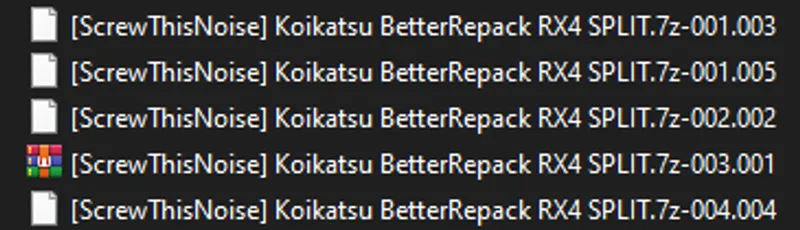
I've recently started splitting links in my google drive. It seems that when you download them in bulk, google changes the file name, and that makes the files appear corrupt when you try to open the .001 archive.
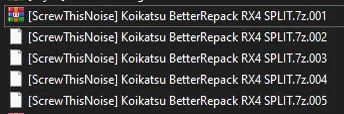
to fix this, simply remove the -00x part of the filename right after 7z, so that it becomes like this:
At that point it should extract fine
Comments (8)
Tried renaming the files as described, just get told that it can't be opened as 7z archive, unexpected end of data, and the rest are simply cannot be open file as archive errors. So, what do I do?
I'm still having an issue. Renumbered the files, and checked each in properties to make sure they were numbered correctly. I get the following errors for file 1 = unexpected end of data, and the rest = cannot open file as archive. Does anyone have a working set of these files that they can share? I've downloaded all of these twice now from the google drive, and I'm getting frustrated. Looking for any advice - thank you in advance.
OK I know I sound stupid but how do I extract the other split files?
mega and google drive downloads are both corrupted, even if i change the filename
did you end up figuring out a fix
why is this so complicated on google drive?
Thank You
Had the numbers mixed up since some of the parts' download ended before others. Managed to extract them now thank you!