
Pose & Place | The Most Advanced Posing Mod | Preview
Current build: v0.1.4
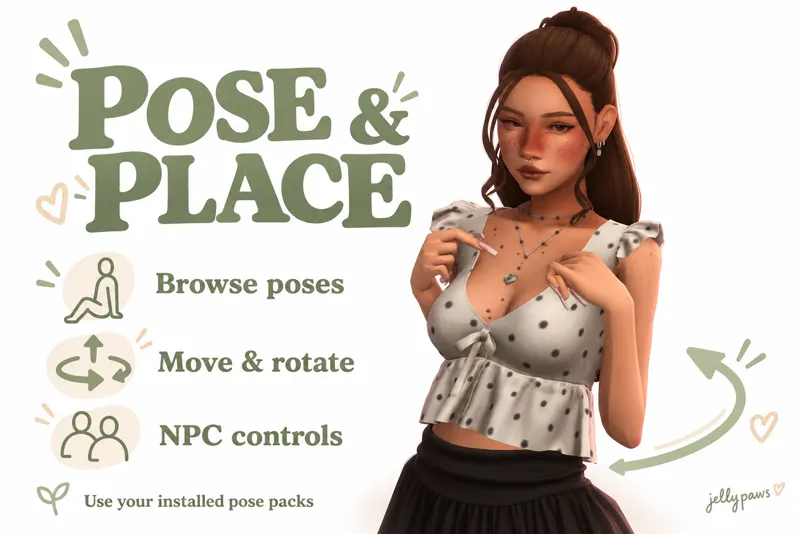
Browse your pose collection, bring Sims together, and get everyone into position all through the mod’s menus. Pose & Place works with your installed in-game pose packs, with controls for both household Sims and NPCs. ♡
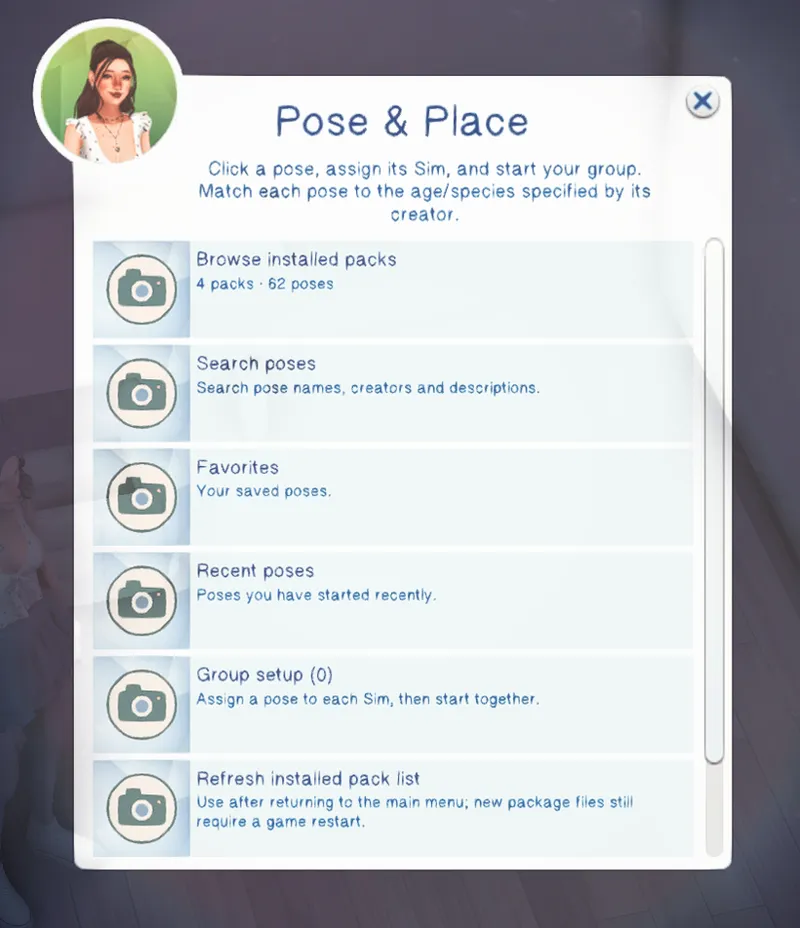
📚 Browse your installed pose packs
Open Browse installed packs to explore compatible packs already in your game. The browser displays pack names, creator names, descriptions and preview images where the creator provides them.
Choose a pack to see its individual poses, then open a pose to assign it to a Sim or add it to your favorites. Larger collections are split into pages. If a pack has no preview image, the mod uses its camera icon.
Search poses looks through pose names, pack information, creators and descriptions, so you can find something without opening every pack.
♡ Favorites & recent poses
Save poses you love with Add to favorites and remove them whenever you like.
Recent poses keeps track of poses you have started, making it easy to return to something you just used. Favorites and recents remain available after restarting your game.
👥 Individual poses & group setup
Use Assign to a Sim to choose a Sim currently on the lot. The selection list includes names, ages and species to help you choose the correct pose.
For a group pose, assign each role to its intended Sim. You can add more roles, remove a draft assignment, or replace a Sim’s assigned role before starting.
Choose Group setup → Start group, then unpause. Each Sim receives a visible posing activity in their normal queue.
Group members begin from a shared posing spot, like placing overlapping teleport markers. You do not need a teleporter statue. Clicking a Sim uses their current position as the spot; clicking the ground lets you choose one.
Group-pose roles are assigned manually, following the pose creator’s instructions.
↔️ Move, turn & adjust height
Once the poses have started, open Adjust current group.
Use the menu buttons to move everyone left, right, forward, backward, up or down, or turn left and right. Movement follows the group’s facing direction.
You can also choose Adjust one Sim to fine-tune an individual’s position and facing while leaving the others in place. Those individual adjustments stay with the group when you rotate it.
This is useful for lining up hands, correcting small gaps, or positioning poses around a bed, chair or other furniture.
Choose your precision
Fine: 1 cm movement / 1° turns
Normal: 5 cm movement / 5° turns
Coarse: 25 cm movement / 15° turns
Use larger steps to arrange the scene, then switch to Fine for finishing touches.
Move the scene or reset adjustments
Move group to this spot relocates the active group to the ground position you clicked while preserving its arrangement.
Reset individual offsets clears individual position and facing adjustments, returning those roles to the group’s shared origin. It does not end the poses.
🧍 NPC posing controls
NPCs can be assigned poses without joining your household.
Click a Sim posing with this mod and choose Pose & Place: Stop this Sim to release them individually. You can keep your household Sim selected while doing this.
Opening the main menu on a posing Sim also places Stop this Sim and Adjust this Sim at the top for easy access.
⏹️ Stop one Sim or the whole group
You can end posing by:
Canceling a Sim’s posing activity in their normal queue.
Choosing Stop this Sim.
Choosing Stop all poses.
Stopping one member of an established group leaves the others posing. When a pose ends, the Sim returns to the starting location recorded when their posing activity began.
The current build includes fixes for rapid pose flickering and poses continuing after cancellation, plus the individual NPC stop controls.
🍼 Ages, pets & pose compatibility
Infants, toddlers, children, teens, young adults, adults and elders can be selected, along with pets currently present on the lot.
Each pose must match the Sim’s age and species. Pet poses still require the relevant game packs. Put carried Sims down before starting; newborn bassinets cannot be posed.
Pose & Place reads compatible Sims 4 Studio in-game pose packs. CAS-only pose overrides are not listed. Poses with missing animation files are disabled.
No pose packs, accessories or furniture are included. Download those separately and follow each creator’s requirements and placement instructions.
💾 Sessions, refresh & help
One active pose group per lot. Stop it before starting another.
Draft assignments stay while you navigate the same browser. Closing it before starting discards the draft.
Active posing sessions and placements are not saved across travel or reloads.
Help & version provides a quick guide and shows your installed mod version.
✨ Quick start
Install your compatible pose packs and any required accessories.
Click a Sim or the ground → Pose & Place.
Browse or search, choose a pose, and Assign to a Sim.
Add any other roles through Group setup, then choose Start group and unpause.
Open Adjust current group to arrange your scene, take your screenshots, and stop the poses when finished.
📦 Installation & updates
Install both matching files:
jellypaws_PoseAndPlace_v0.1.4.package
jellypaws_PoseAndPlace_v0.1.4.ts4script
Keep them directly in Mods or one folder inside it. Leave the .ts4script intact, enable Custom Content and Mods and Script Mods Allowed, then restart your game.
When updating, remove older Pose & Place package/script files. Keep the _PoseAndPlaceData folder to preserve your favorites and recent poses.
This build still needs broader in-game testing across different pose packs and ages. If something goes wrong, please include your game version, v0.1.4, the pose pack, the Sim’s age/species, what happened, and a lastException file if one was created. 💌
DOWNLOAD
Comments (2)
I got a ModGuard alert from this mod when I tried to use it. It said that a virus was attempting to be downloaded or run. I really hope that isn't the case and just a false alarm? :( I will be removing the mod for now but I just wanted to bring it to your attention.
It is not a virus I promise! It saves data with your settings in your mods folder! You should see a _PoseAndPlaceData in your mod folder, and modguard flags it because it saves data/adjusts it's own files.