
SimFileShare Searcher - Find Secret Mods | Preview
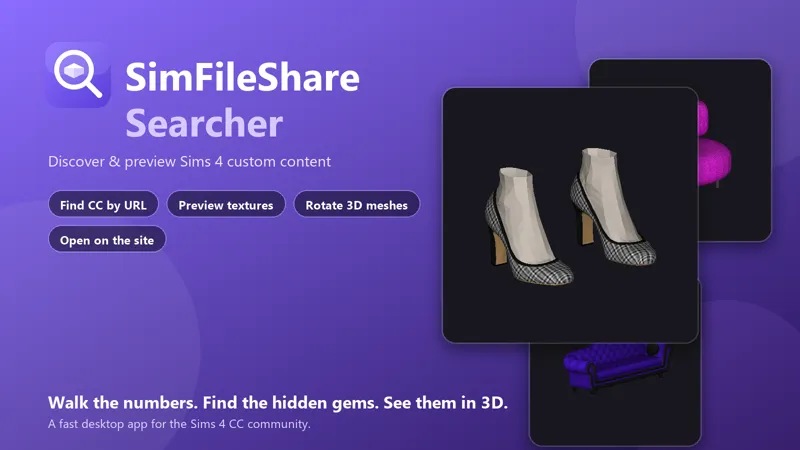
(PC only, mac in the future) Ever wanted to just browse what's on SimFileShare instead of hunting link by link? Meet SimFileShare Searcher a fast, modern desktop app that finds custom content by walking the numbers in a download URL, previews what's actually inside each .package, spins the mesh in full 3D, and sends you straight to the official page to grab the ones you love. No browser tabs, no guessing.
✨ What it does
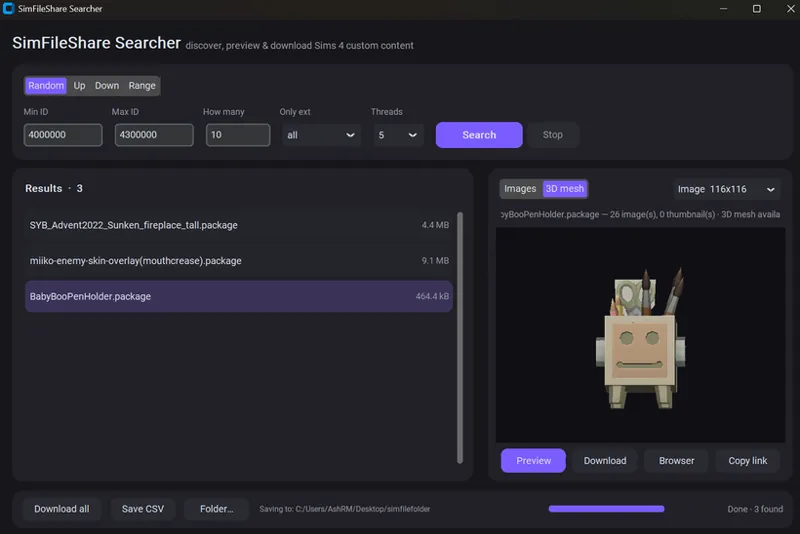
🔢 Four ways to search
Random — surface totally random uploads across a range of IDs
Up / Down — walk upward or downward from any ID you already have
Range — sweep an exact stretch of IDs
Filter to just .package (or .zip, .ts4script, …) and tune the speed
🖼️ See what's inside — before you download
Pulls the creator thumbnails straight out of the package (the rendered catalog icon — the actual hair, shoe, or outfit)
Decodes the textures too — including Sims' own shuffled DST and RLE2 compression
Flip through every image in the file from one dropdown
🧊 Rotate it in 3D
Real 3D mesh preview — drag to spin the model around
Works for CAS (hair, clothing, shoes, accessories) and Build/Buy objects (furniture, décor)
🔗 Get it from the source
Found something you love? Open on SimFileShare jumps straight to its official download page in your browser so you grab it the normal way.
Copy link to share a find with friends
Export to CSV to keep a catalog of everything you've discovered
🎨 Built to feel good
Clean, modern dark UI with smooth, reactive controls
Lightweight and quick checks hundreds of IDs while downloading only a byte each to see what's there
🚀 Getting started
Run SimFileShareSearcher-Setup.exe and follow the installer.
Launch it from your Start Menu or desktop.
Pick a mode, hit Search, and start exploring. Double-click any result to preview it, switch to 3D mesh to rotate it, and hit Open on SimFileShare when you want to download.
That's it — no Python, no setup, no fuss.
💜 Support
If this makes your CC hunting easier, consider supporting the project — it helps me keep adding features (more texture formats, batch previews, and smarter filtering are on the roadmap). Thank you! 🐾