
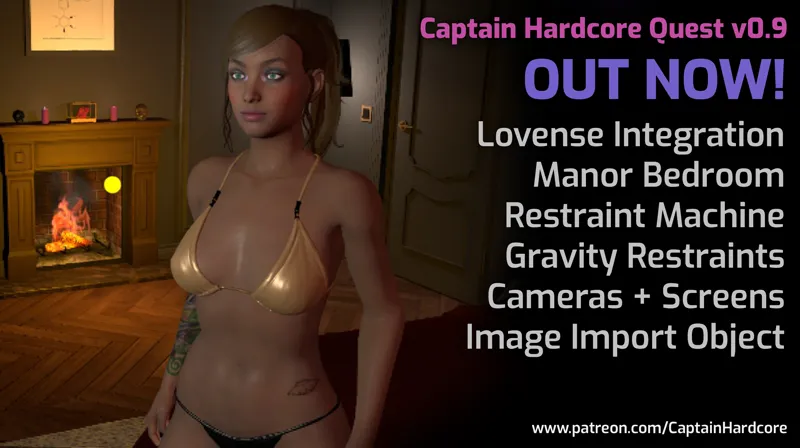
Captain Hardcore Quest 0.9 Now Available! Lovense Support, Manor Bedroom environment, Restraint Machine, Gravity Restraints, Cameras + Screens and Image import object!
Hey everyone! Quest standalone version 0.9 is now available! 👽
I've worked really hard to get both a PC and a Quest update out this month. This update adds support for all Lovense toys, the Manor Bedroom environment, Restraint Machine, Gravity Restraints, Cameras + Screens and the Image Import object!
For more information on Lovense toys check out the new guide.
Next I'll be finishing the new faces for the PC version, which will be ported to Quest as soon as possible.
Thank you all for the amazing support! 👽
Changelist:
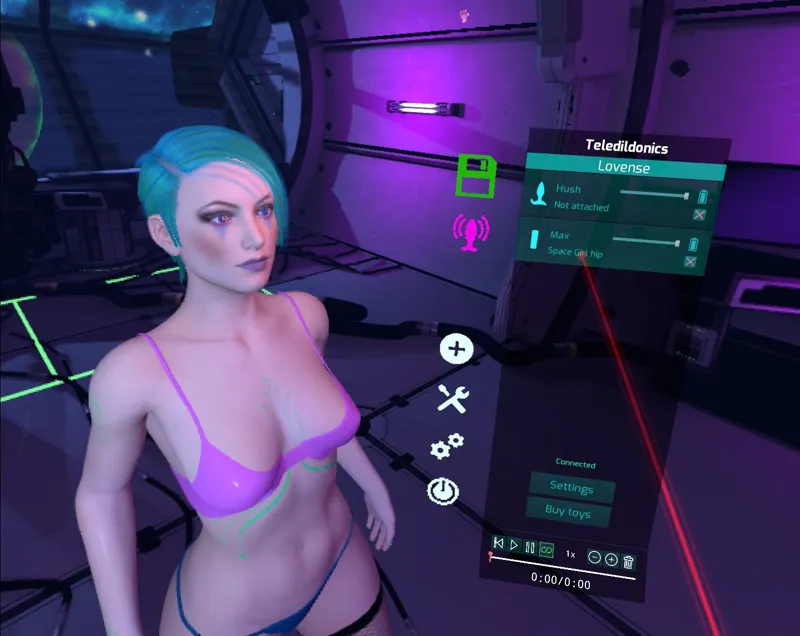
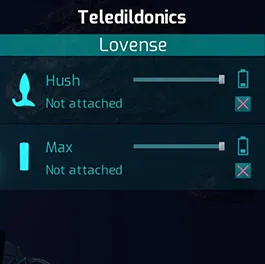
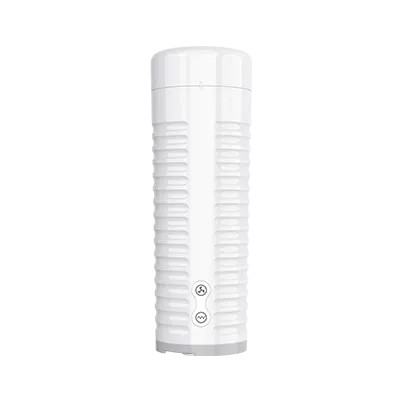
NEW: Teledildonics menu with beta support for all Lovense toys. The menu has space for more toy integrations that I'm hoping to add in the future. You can have multiple toys connected and each one can be assigned to any object in the game. They're controlled by the objects movement. For example - if you assign the Max 2 to a characters hip bone, then it'll vibrate + pump with their hip movements. Toys can easily be assigned to any body part, object, character or in game toy. The slider adjusts how sensitive toys are to movements, so you can adjust things to your preference/animation speed.
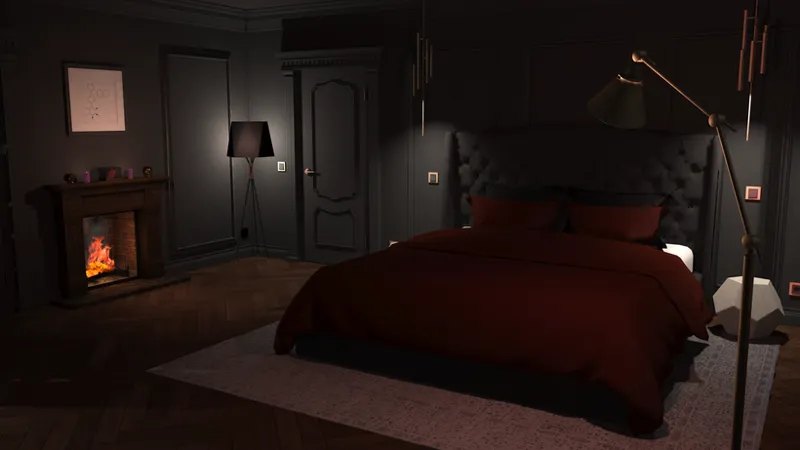
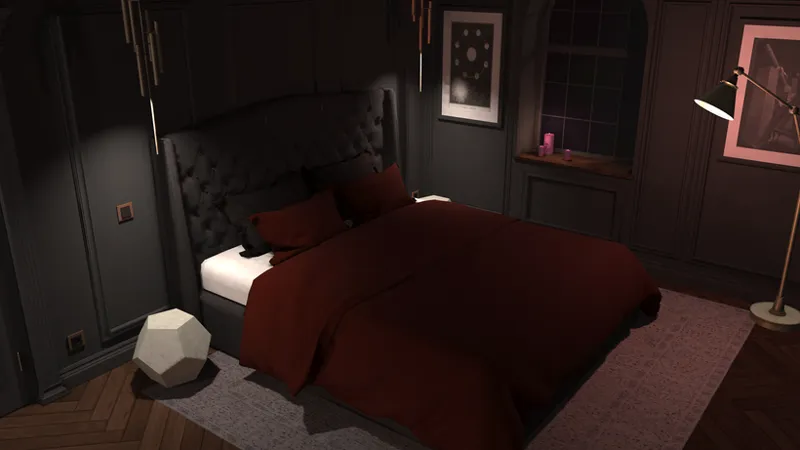
NEW ENVIRONMENT:Manor Bedroom optimised and ported from the PC version. A nice cosy bedroom with a fireplace to keep you warm.
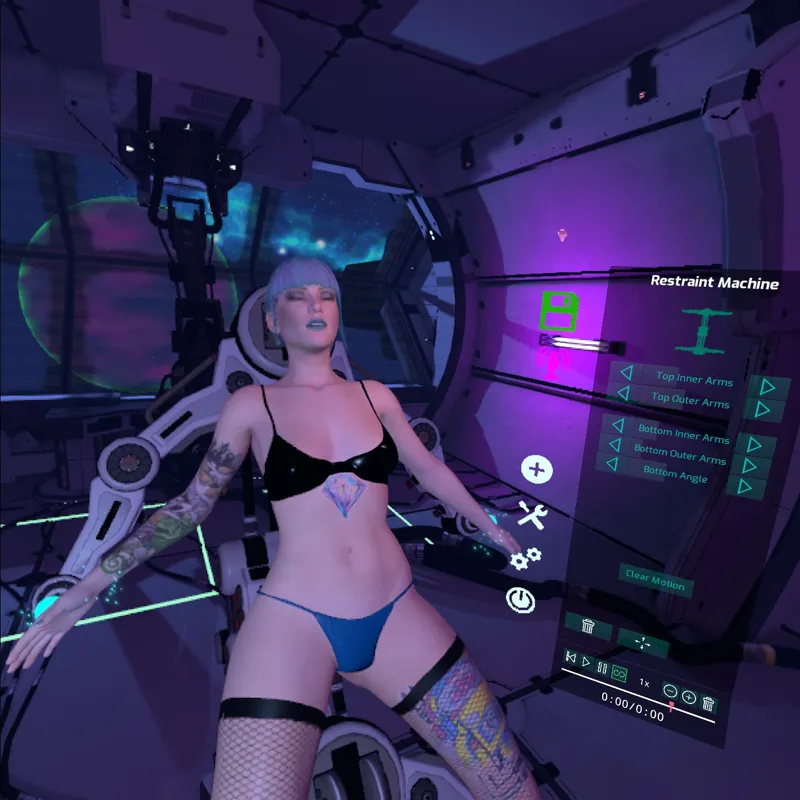
NEW TOY:Controllable restraint machine with adjustable arms. Characters hands and feet will automatically be restrained when placing them in the gravity beam generators.
NEW TOY: Gravity Restraints that can be used to restrain a character. Will automatically attach to their wrists and ankles on touch (similar to the restraint machine mechanic).
NEW TOY: Spawnable Cameras and Screens. Cameras can be animated or attached to any object in the scene, and the screens can be scaled and placed wherever you like so you can view the action from different angles in VR.
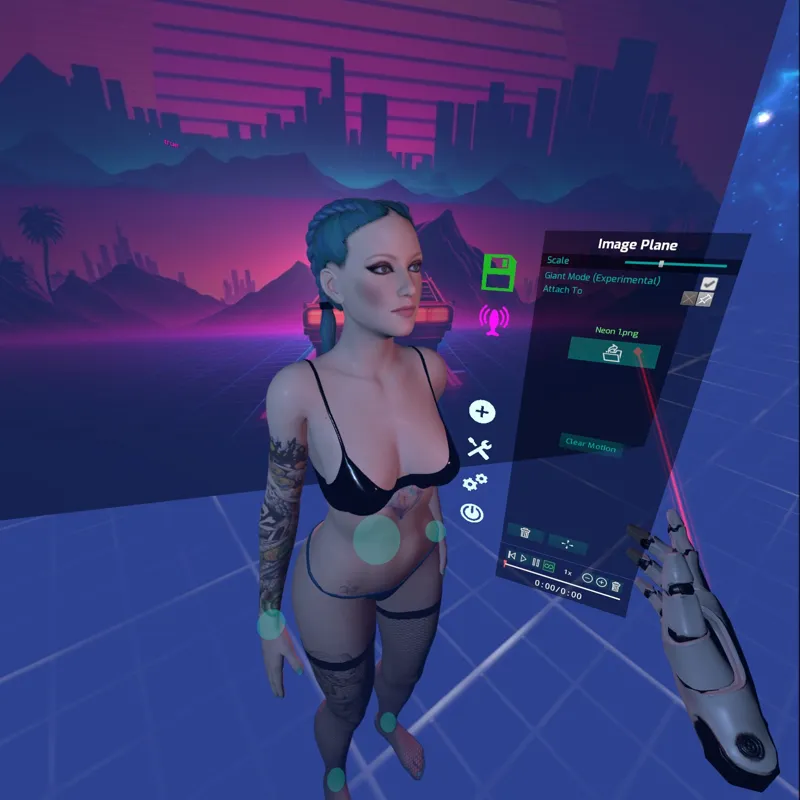
NEW:Spawnable Image Plane object - Import any jpg or png image as a background or reference image!
NEW: Ported all the preset animations from PC (12 New animations).
Improved: Switching from hand tracking back to controllers is now quicker.
Fixed: Oculus capacative touch not working.
Fixed (maybe): Menu tabs going black after some time.
Comments (66)
hello my game just loading and still the same loading screen
Hi, I have sent a message to you with some things to try.
I am having the same google sign in problem.
Hi, I have sent you a message with an alternative method.
Does anyone know how to import or add shoes, heels, boots, ect.. is this option not available yet??
heya where do i find the code to use it
Hi, when you open the game, click "log in with Patreon", this will open a web browser and let you log in to get your key. If this does not work, I have sent you a direct message on another way in.
Thank you
Can I get the invite for discord please?
whenever I attempt to put the key into the game, it lets me paste it but then crashes when I try to start, I'm unsure why. This is for the desktop version.
Hi, it sounds like you have a chipset which causes a bug with Unreal Engine. If you run this file in your installation location, then it should work for you: Captain Hardcore 0.14\FluidGame\Inel OpenSSL Fix.bat
How to use the gravity restraints? And how to get to the bedroom?
Is there a getting-started guide somewhere? Or scenes that others have saved which I can copy? I've messed around with it a bit, but I feel like I've only scratched the surface.
Hi, I have sent you a direct message with instructions on how to join the Discord, people share ideas and scenes there which should give you more ideas of what is possible.
후원을 하고 프로그램을 받아서 오큘러스퀘스트2에 설치했다.핀코드를 입력하라하여 구글계정을 누르면 창이 닫힌다.어떻게해야하나요?
Hi, the game should not be taking you to a google account or anything. When you click on the "Log in with Patreon" button, it should open a browser for you to log in and retrieve your key. I have direct messaged you an alternative link.
I wanted to ask if it was possible to attach a quest controller to a body part (Your character’s hip)suchthat it moves when the Controller moves(in real time) not just attaching it so that it can be modified Using that specific controller Also will there be more Customization options for male characters (Body size/body hair etc) and will they react by Making sounds when touched like the female characters? Sorry for the long essay😅 and i’m playing on Quest standalone v0.9
Hi, here is a quick guide to attach a controller to your hip/characters hip: For whatever hand controller you want to use as the hip tracking (probably left if you are right handed etc) attach it to your hip somehow, e.g. A waist belt through the ring of the controller works well. Please note that your headset needs to see your controller on the quest, so don't hide it around the back. Move the character into the position you want them to be in, e.g. Male character behind the girl. In the menu of the character you want to possess, click the green eye icon at the bottom of the menu. Change these in the settings menu for the relevant hand; Uncheck show hand Uncheck show laser beam Uncheck collision detection Check toggle grab Use your now invisible hand to grab (toggle is on so you can release) the central body IK sphere.
The game won't open at all. It just pulls up the "Explore" app. I've had the 0.6, 0.7, and 0.8 version and have never had a problem until this update. :( Anyone else have this issue on this update?
Hi, this usually happens when the install does not work properly and sometimes when it does not uninstall a previous version properly. There is a file in the the 0.9 download called "install.bat" that you should run, first extract all of the 0.9 download files, connect your headset to your PC with the link cable, and make sure you are on the link dash in the headset, then run the "install.bat" file, this should remove the old version completely and install the new version.
Can anyone direct me to a CH tutorial for game play/controller map? I have 0.9 for Quest standalone. I am a gaming newb, and can't figure out how to control much of anything. The game looks incredible though!!!
Hi, when you are in the game, press the B button for the menu, then click on the power button on the left hand side, then click help, this will display the controller map for you.
so is there a roadmap ? because if were paying for no further development....
You can see the roadmap here: https://captain-hardcore.com/wp-content/uploads/2022/02/Roadmap.jpg Right now I'm working on PC update 0.15!
im trying to install it but apk wont let me .....faillure unable to install....need help thx
Did you follow this installation procedure step by step: https://captain-hardcore.com/how-to-sideload-captain-hardcore-on-quest-1-and-2/ You need to install the .apk file first, then the .obb afterward. If it installs incorrectly then you need to start again, and delete your previous install. There is a file in the the 0.9 download called "install.bat" that you should run, first extract all of the 0.9 download files, connect your headset to your PC with the link cable, and make sure you are on the link dash in the headset, then run the "install.bat" file, this should remove the old version completely and install the new version.
Use Samsung USB charger cord
I'm using a USB c to USB c.....that shouldn't matter should it?
So without being tech savvy and not having a PC, I finally figured out how to unzip the two files n such into bugjaeger....thing is when I try to install the .obb file into my quest, it says it can't do it....also when I try to load the game on my quest...I just get three dots over n over....does that mean it's not fully installed because of that .obb file? And I can't figure out how to do anything with the two files via sidequest....I do not see where I install them at all.....can anyone help please?
Great!! any chance in future for long hair and more clothing option? Great job!
Can I get the discord link please?
Hi, I have sent you an invite in your Direct Messages.
Is it possible to share scene in the quest version?
Hi, yes people share scenes in the Discord. I have sent you a Direct Message with an invite.
how do i get my key?
Hi, when you start the game, click "Login with Patreon", this will open a web browser and let you log in to copy your key.
Everytime I try tp dowload the apk file I get "A task failed. Check the tasks screen for more info. FluidGame-Android-Shipping-arm64.apk: /data/local/tmp/_stream.apk could not be installed [INSTALL_FAILED_UPDATE_INCOMPATIBLE: Package com.AntiZeroGames.CH signatures do not match previously installed version; ignoring!]
Hi, this usually happens when the previous version has not been uninstalled. There is a file in the the 0.9 download called "install.bat" that you should run, first extract all of the 0.9 download files, connect your headset to your PC with the link cable, and make sure you are on the link dash in the headset, then run the "install.bat" file, this should remove the old version completely and install the new version.
How do we add the jpg into the game?, Everytime I open it as an spawnable object it show nothing
Do gifs work ?
Hi, Love your work. It is the best of class in its space globally! I have used both PC and Oculus versions of the game with no problems in the past. I seem to be having problems now, however, with CH on both PC (Quest 2 with oculus link wired or wireless) and with the apk. After I copy and paste the game key the game closes on PC or shows an error (403) on the apk version on my Quest 2. I am an expat and recently moved countries and I regularly use a VPN which may be the issue. Please advise Best wishes RS
Hi, the game closing on your PC may well be the issue with Unreal Engine and your chipset. Try running the following file: Captain Hardcore 0.14\FluidGame\Inel OpenSSL Fix.bat On the Quest, did you install the .apk and the .obb successfully though SideQuest? When is the 403 error coming up? Is it when you try to start the game? Or when you put the key in etc? Does it say anything else?
Is there a way to adjust my height so I'm standing
How do you access the manor on quest?
Hi, when you are in the game, click the B button for the menu to come up, then click the green load/save icon on the left, then click "New" and you will see the different environments.
So my PC stopped working and I was wondering if it was possible to be able to install the game from an android to my oculus quest
Hi, yes you can use the SideQuest App or Bugjaeger App on an android phone to install the game.
I don't know how to access the pin. Please help!
Make sure your quest is connected to wifi. Click the link, it will shut down the game and open up your browser. Sign in to patreon and get the code. Hit the copy button. Open the game again and paste it
Love this never experienced anything like it! Great job I'll be looking forward seeing this game grow. One question... is there any way to save and keep models or scenes on quest 2? Doesn't seem to work
Hi, yes they should save for you. You might need to check that you gave the game permissions and give the Quest a restart and try again.
Another great update. I appreciate all of the advanced and interactive features you've added. I think one thing that has yet to be enhanced is character physics. First, when multiple characters or objects interact, there should not be any visual artifacts of one passing through another when they are brought close together - there should be a natural 'repelling' effect. Second, any objects or animations that are clearly being inserted into an orifice should have either a toggle or slider for 'magnetic' effect - i.e. they should not easily slip out of an orifice when the character moves in an animation or is influenced by the movement by an object or another character. Instead, the object being inserted should need to clear a practical boundary-distance before it can slip out.
you can pin objects together, after setting an animation for the object. that should let you have both objects in motion but not moving so far from one another.
Install the APK, then install the .OBB file as if it were a .apk file. Just the same way and in this order. If it doesn’t work, remove previous version and try again the same method
Hi, Ive paid the top tier patreon fee but cannot instal onto my Quest stand alone version. I downloaded the APK and obb files. I then opened sidequest on my PC and selected the 'install APK' button. It opened up a blank folder so I copied the files accross. It showed in my headset but when I tried launcing I simply get the 3 dot loading page for ages. Please help. I simply moved the apk file and obb file from the unzipped folder into the sidequest folder. I didnt do anything else so not sure if i missed some type of installation step. I tried right clicking the files to see if it would allow to install bt coulndt find anything. Im not too technically minded so please keep the answer simple :) The captain hardcore shows on my headet under unknown sources but just wont load
You have to use the advanced version of sidequest. Then click the ‘install apk file from computer’ button and select both of them.
How do you get to the manor bedroom?
u bring up your pop up menu and click the save button and it'll bring up save load and new click on new
you're the best, keep going
Is there a way to bring saved characters/scenes from the quest version over to the pc version?
cant even use it
Hi, are you having a problem running the game?
i
Lovense MAX2 works perfect with both PC VR and Quest 2 VR with the latest version! Nice work! 👍 It's pretty neat how it works to be honest, I'm FLOORED it does work! Nothing else really does, no other toy/VR setup works (but yours)!!
How do you import jpeg or png onto the game?
Hi, put your textures to be imported in you game files on your Quest in this location: UE4Game\FluidGame\FluidGame\TextureImport. In the in-game menu, click Mat, then click the open folder icon on the part of the body you want the image to appear.