
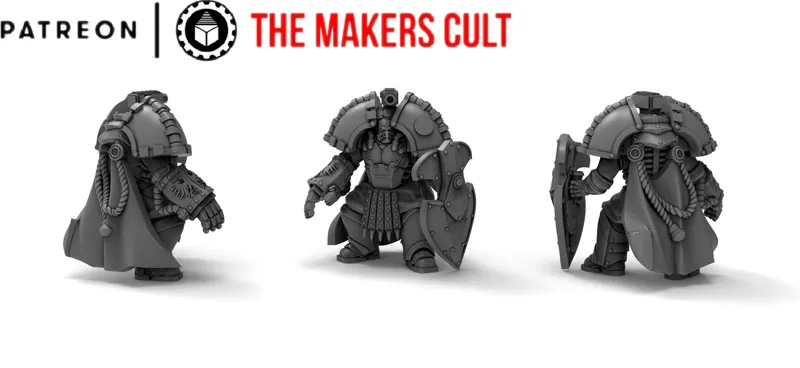


Beta Test!
**UPDATE: You may have to whitelist the site dependent on your ad blocker.**
Hello everyone!
We're proud to present a test of the new download site. We've done tests on 1-54 before, but this is our first on The Makers Cult.
Head over to https://dev.comicsgamesandthings.com/accounts/profile/downloads
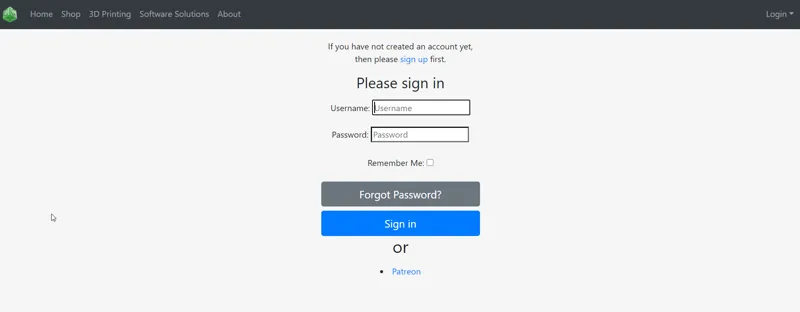
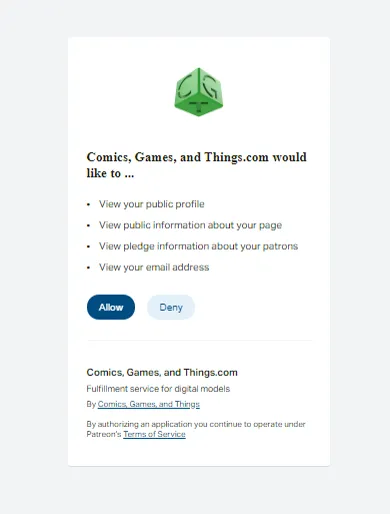
Log in using the blue "patreon" option, click allow. If you're a patron of any tier you will be able to see a link for the above model. Just click once please, and give the download bar a second to load. (We're still working on the interface)
In the future, when logged onto the site we plan for you will be able to see a full list of your available files for download at any time, wether purchased on Patreon or Cgtrader.
IMPORTANT: For firefox users the progress bar will be stuck, but the file is still downloading. It's small so it shouldn't take too long. Just check your download folder and it'll show up.
Please let us know if you run into any trouble when downloading the file.
Comments (118)
Hi, I'm using chrome, and there is nothing in the download list.
Sorry, found the link above after I posted.
using internet explorer atm. Shes a no go at stays at 0%
can I get it in another way?
Go ahead and try one more time, we just made a couple fixes. If it still doesn't work I'll PM you a link.
Worked on Chrome Version 83.0.4103.116 but had to try a few times, the pop up wouldn't show up. Maybe adblock plus was to fault, but I didn't have to disable it.
Mobile Chrome, Chrome, Firefox I also tried Edge, no work? still cannot download
Taras, can you try again in Chrome (preferred) or firefox? It should take a while but it will download. You can open the console to view the status as it goes.
My "Items for Download" list empty. Seems like great idea though!
Firefox & Chrome no worky (no ad block)
Worked fine for me on Chrome 83.0.4103.97, with AdBlock enabled.
I could not download (
Which browser, version and adblocker are you using?
worked!
worked perfectly for me on chrome. good progress
i'll have to check later. waited 20mins
Try now?
just joined and tried the link got into it. but nothing to download. waited 5 mins
That's normal the API needs some time to update. Can you retry in a moment?
Used FF 77.01 64 Bit. At first it didn´t anything, then about 2 Minutes later it downloaded it in a rush. Thanks a lot.
its slowly downloading but its working, will let you know if it stops
on firefox, didn't see a progress bar, but it did have text updates as it worked. didn't take too long, but was noticeable, seems fine overall.
Worked, but it takes about 1min until the download appers
Worked fine for me first time with firefox (not sure which version).
77.0.1 firefox not working - waiting around 4 hours and nothing
Oh ok.. As long as its you guys and not some 3rd party
I got in.. Not happy about having to share all my profile info and everything with these guys... They are legit right?
Yes. It's just us. It's not any more information than is used when your log on to patreon, We just use it to check that it's you and see what downloads you have access to. When finished the site will host all of the downloads you've ever purchased from us. No more need to download within the month or distribute google links.
Working now, just to confirm, i'ts just the Cronus captain right now?
Yes. Right now we are testing the server with the captain. Once everything is running smoothly we will begin uploading the back catalog of models.
Using Firefox 77.0.1. Download worked after disabling my adblock.
it worked for me on chrome
I just get "Your items for download:" and blank page on both Chrome and Edge. Turned off adblock for both patreon and the link.
worked fine for me :)
Ended up working fine second time around. No idea why it jammed my browser. Cheers
Good to hear :)
Worked great for me, im in chrome v83.0.4103.97
Didn't work for me. Using Chrome
Hello, which version of crome are you using? Did you have a problem with the download or linking your account?
Worked really well for me.
not working for me on explorer
worked on chrome tho
Не работает:( пробывал с телефона и с компьютера
Извините, я не говорю по-русски. Какой веб-браузер вы используете? Ты говоришь по-английски?Sorry, I don't speak russian. What web browser are you using? Do you speak english?
not working for me on explorer either
Internet explorer? Please try Chrome, Edge 70+, or firefox (although many people have been experiencing firefox issues)
Worked Windows 10, Edge.
Still getting a never ending 0% on firefox. My shinannigans to try and snag the files resulted in the "Illegal filename" thing Garin tagged on discord last night
I worked for me. Windows 10, using Chrome, no changes to system clicked the patreon button at the bottom and had no issues.
can't get it working, am I missing something? I've turned off my adblocker and am using Chrome
Are you having trouble at the account linking phase or the download phase?
Tested on Chrome, with adblock. Works like a charm.
Using the latest version of Safari on Mac OS 10.15- got to 100% zipped, waited for 5+ minutes, no download.
Thanks for the info I'll look into safari next. Do you have an add blocker installed? It may have blocked the file.
Doesn't work at all. I can't download anything and whenever I try to link my patreon account it unlinks it as soon as I reload the page.
Hello. What browser and browser version are you using? Which addblocker?
using chrome, clicking and then moving to another tab, makes the page go blank when you return. Refreshing and waiting for the download works. My concern is with large downloads where you don't want to have the download tab as your primary tab, as that could take several minutes.
Good catch I hadn't tried swapping tabs. I'll see what we can do about that.
Worked pretty well. Definitely faster than Google Drive
Worked super smooth. Will this be retroactive? Because if so i'm very excited for this.
Yes, when we get it running we will begin uploading all of the previous months to the site.
Finally worked in Firefox, takes an absolute age to open the save dialogue box and I mean enough time for me to eat my breakfast.
Worked for me on chrome, took a few seconds stuck at 0 on compression but otherwise fine
Nasty fuckin' shit, that locked out my browser (Firefox), had to kill in in the task manager.
Well that's new. We'll be working on firefox compatibility. That seems to be giving it the most trouble. Which version were you using, and what sort of adblocker?
slow, but worked
that was easy peezy
Firefox w uBlock Origin on Win10 - worked fine.
I click the allow button and nothing happens. Chrome
What allow button?
Tested on chrome and Edge...just sits at 0%
shoot. Let e see what I can do about that.
what ever update status the page is trying to run in firefox, firefox does not like it at all. but it did download it so thanks.
worked fine
Download is just stuck at 0%
Does the file appear in your downloads after a few minutes?
works as advertised on Chrome/windows 10
Works fine on Chrome.
Worked well on firefox / OsX with full adblocker. =)
Works fine on Chrome thanks
Full adblock firefox on windows 10 worked fine.
Do you know what version of firefox you're using?
No ad-blockers, Firefox 77 on Linux, download button does not work
It should take a minute to load but will load eventually.
Working with Chrome on the Motorola G7, also thanks for the Cronus Captain. ;-)
I'm so excited for this. Works great in Chrome. Are we going to get access to all the files we've been subbed for ?
Yes. Once everything's ready and running we will begin uploading the back catalog. It will take some time though.
Doesn't download on galaxy S9+ show 0% then nothing happens, the file is not in my download either
We really don't have anything set up for mobile yet. Honestly I hadn't thought to include it. I'll be looking into what I can for phones.
Worked fine in Firefox on Mac OS. Just printing out Chronus Captain 1 as I type.
Worked for me.
Didn't work in either Firefox or Edge
Could you open up the inspection panel to check if there are any error messages? For more real-time support please message me on the maker's cult discord or here: https://discord.gg/vKnywdC
Worked like a charm.
Hi all, in Brave browser is working 100%
I click "allow" nothing happens. chrome
Do you have the side whitelisted in adblocker? That's been causing a few problems.
Worked well for me. W10 + Chrome.
worked on chrome!
Windows 10: I can't download using firefox and brave.
Did you try whitelisting the site in your adblocker? That's been causing us a few problems.
Pre organized cloud storage of my files? Awesome!!!
Windows 10 + Chrome. Worked fine. Perfect download!
Also, I love that model :D
Worked fine on Chrome
random mobile browser on xiami mi 9 crashed into "download 100%" loop but no real download. Opera on PC all worked fine!
It re-compresses the downloaded files for convenience and then dumps them to your computer. This uses a lot of cpu, so it might have issues on mobile.
Doesn't work on Edge, just keeps adding 0% and throws an error in the console of "0: Function expected" Chrome went from 0-100, them seemed to hang on 0% compressing and gave me an Unresponsive Page warning, I let it wait and then it downloaded the zip file.
I can confirm edge does not work.
Worked fine for me in Chrome. Keep up the good work.
It checks and compresses it too 100% then never downloads. Win10 + Firefox.
it should download, but as I said in the post the download bar does not work in firefox at the moment. Does it appear in your downloads folder after a bit?
Windows 10 + Firefox worked without problems
Worked just fine.
Tried in Chrome. Login was fine, progress barr vanished at 50 % and change into a blank page, but I got the download at the end.
Works fine for me, except there was a blank page and no progress bar (Chrome + Win 10), the zip file was avaible in my download after a short amont of time.
Downloaded fine, but on the most recent version of Google Chrome on Windows, the "zipping" progress bar never moved. The first progress bar did. Then, after a bit, I saw the download happen.
Zipping progress worked on Android Google Chrome, but checking stopped at 20%. File did download.