








Garin's January Preview (Part 1) and VMT
Hello, Cultists! Garin here.
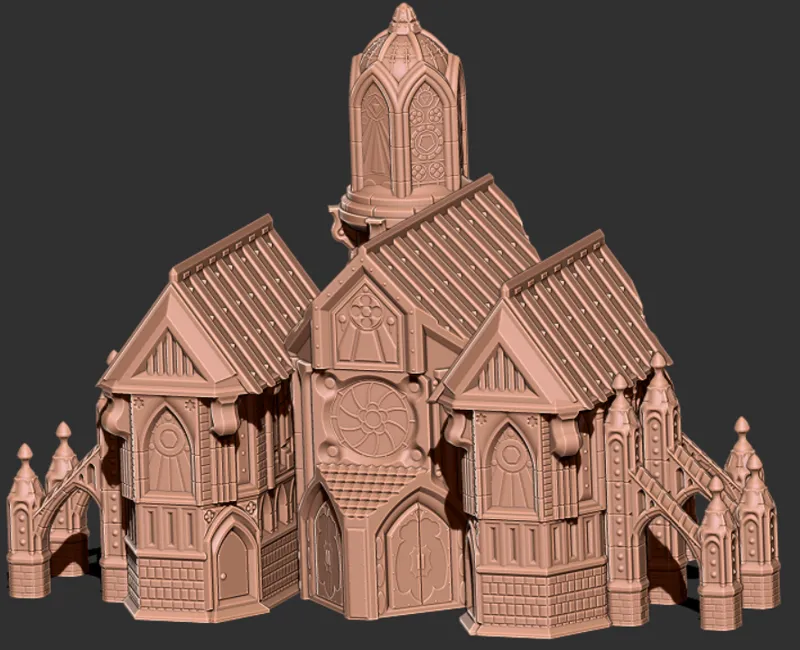
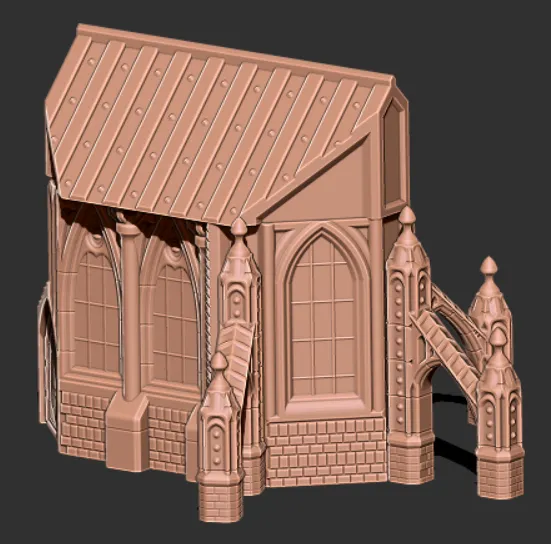
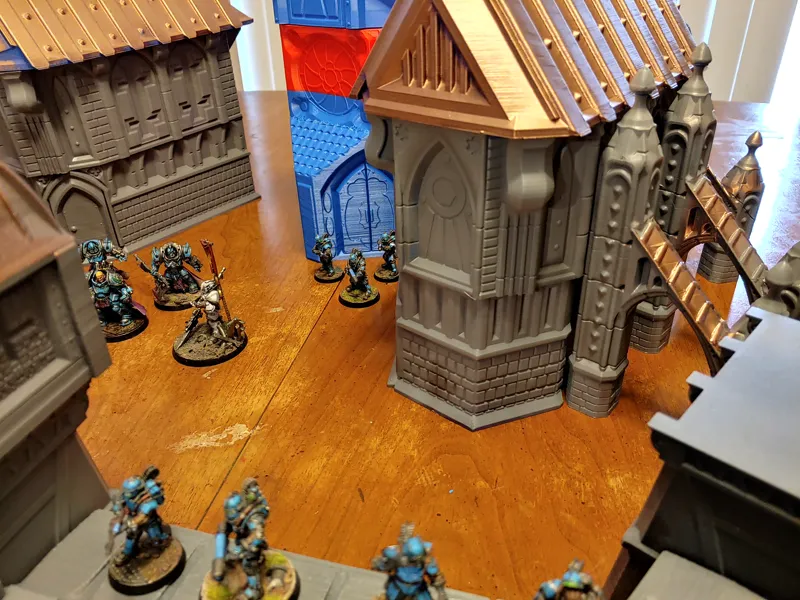
January is coming up fast, and it's going to be a big month. :D As you can see in the preview, the fortress is coming along quite well. The real kicker for this project is that it's all designed to be made in Vase Mode.
If you don't know much about Vase Mode, here's a quick primer:
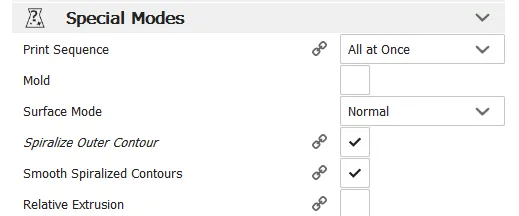
Spirilazed contour printing, more commonly knows as Vase Mode, is a setting in most standard slicers that allows a printer to continuously print the outer wall of an object in a spiral, instead of moving from layer to layer.
Vase Mode is pretty straightforward, but it has lots of restrictions. Last year I did some preliminary work in making Vase Mode work for terrain. I ended up creating a new sub-genre of 3D printing (Vase Mode Terrain or VMT).
Traditional 3D-printed terrain is a tricky thing. Although often beautiful and glorious, it takes FOREVER to make terrain under standard FDM settings. If you're using DLP, you'll have to slice it up so finely, you might as well make it from scratch.
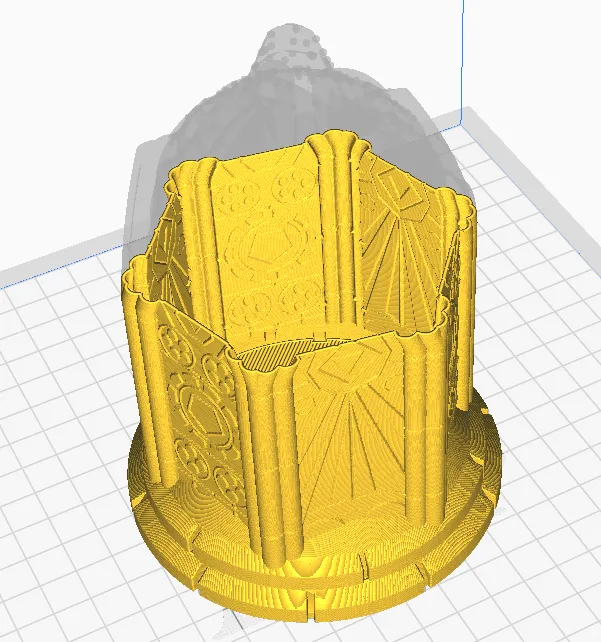
Vase Mode can make good looking terrain fast and with very low material usage. VMT does not use supports, infill, or more than one outer shell, thus, you can print an entire fortress with only a small quantity of filament.
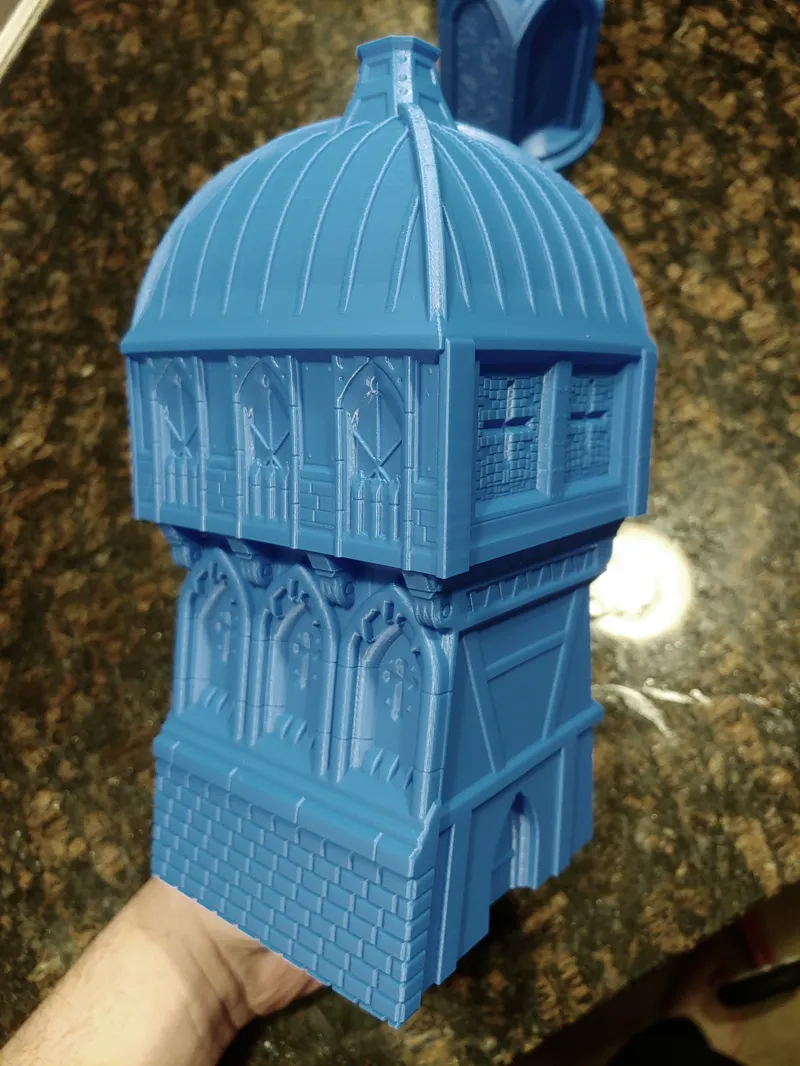
The print head is in continuous motion in Vase Mode. It never has to suddenly change directions or travel over previously traveled area, so it can print your designs very, very quickly. An entire tower can be completed in as little as TWO HOURS. In fact, here's one you can try right now*: https://drive.google.com/open?id=1xxZglz6QQPSV8jqlPHjKvy3IAKVJO5Gk
*Please note that G-code is set up for an Ender 3 or 5 with PLA and a 1mm print nozzle.
I have some Vase Mode models available here for free on my Thingiverse page: https://www.thingiverse.com/tag:VMT These represent my first steps into determining the "rules" for designing terrain in Vase Mode.
If you would like to try these out before the release, here is my Cura profile* for my Ender 3/5 in vase mode: https://drive.google.com/open?id=1EOsW94p5x8IFwwkLmVE6o0wvepz7MzLg
*The profile is set up for PLA with a 1mm print nozzle. I HIGHLY suggest you pick up a 1mm print nozzle for use with this terrain set. I designed and tested each piece for use with a 1mm nozzle, and it's just a useful accessory to have in general. They can be found on Amazon for a dollar or so individually, or in variety packs for a few pennies.
Other free VMT Projects may be found here: https://www.thingiverse.com/MatttKing/collections/vmt https://www.thingiverse.com/Tux_M/design https://www.thingiverse.com/CearbhallCreations/designs
For a fantastic basic introduction to Vase Mode, please see Makers Muse's discussion of the topic. https://www.youtube.com/watch?v=HZSFoFYpBaA
All 3dp also has a great primer on Vase Mode. https://all3dp.com/2/cura-vase-mode-all-you-need-to-know/
Have fun, and I'll see you all on the 4th for the release!
Comments (27)
South Wing - Ground Floor, i am having issues printing on Ender 3 w/ glass bed, the gcode has it print off the edge, there is about 2 inch of space behind the outline but the prints off the front edge. the finished gcode just need to be move to the center again.
ok i get my 1mm noise today, now i have a role of PLA that always seems to clog, since 1mm noise is going to use A BRICK TONE of PLA should i try using that role to get ride of it?
Getting a clog with 1mm nozzle and vase mode is nearly impossible, as the nozzle is big and you don't retract during print. So yeah use it
Any idea how well this will print scaled down to 8mm (titanicus) sized? would match lots of my table nicely, otherwise might try printing a set in resin as they're hollow anyway
They should print just fine at 8mm. The files themselves are not hollow, when you slice the files in vase mode It only looks at the outer perimeter. If I were to hollow them it wouldn't work for vase mode, as the files would have an extra perimeter.
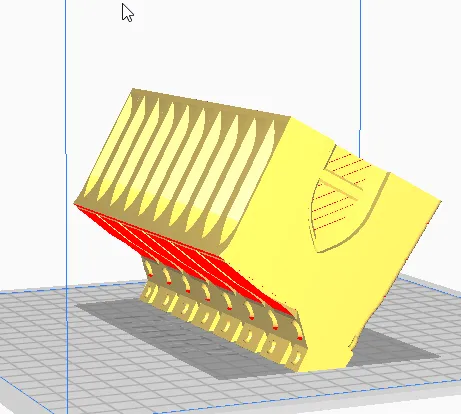
I am doing it with a 1mm nozzle on an Ender 5. Just sliced the Belfry tower at 0.2mm layers. I can't help but feel it's going to struggle here: https://imgur.com/g6Lg7Kb but really looking forward to printing it all! What sort of speeds do you recommend? I'm going quite slow as I'm worried about the melt volume with a 1mm nozzle.
Your presliced gcode seems to have similar issues in this area: https://imgur.com/3MSvmqS It didn't come out well for me https://i.imgur.com/VdsGiaI.jpg
Can you make a profile for an Creality Cr 10s, pls. Would love to a profile witch is made with your experience ;)
I don't know anything about cr-10's I'm afraid.
Does your Cura profile and the STLs work best with any particular version of Cura? I know some designers prefer older versions to newer ones.
I'm using cura 4.1, but it should be the same with any cura past 2.4.
I'm really excited by these, I love the VMT tower on thingiverse. Finding a 1mm Nozzle for a Prusa i3 Mk3S from a brand I trust is hard though, without upgrading to the volcano extruder. I have a 0.8mm, so I might try just over-extruding with that?
That should work. You just need enough plastic to make the part as solid as possible.
Can these be printed with a .4 nozzle? If so what changes would I have to make to your Cura profile? I only have one printer at the moment and don't relish the idea of changing the nozzle every time I want to print these.
I've only printed them with the 1mm. They might work with a .4, but it's only a single wall so they'd be exceedingly flimsy. I'd just advise changing the nozzle, you can print a lot of these in a day (the example gcode I included in the post is the gatehouse tower and it takes less than 2 hours) so you shouldn't have to switch out the nozzle often in any case.
HOLY CRAP! Vase mode terrain? Brilliant! Any one of those towers or walls printed normally would be like, 40 hour prints! I cannot wait to get my hands on these files (After I pick up a 1mm nozzle of course!)
I didn’t realize you were going for vase mode. Then that’s a good point. Is vase mode really that much of an improvement on speed? I haven’t used it before.
It really is. And it generally brings very clean prints, as this is a single continuous extrusion (no retracts, no high speed movements etc) just a single wall starting from the base to the top and Z axis slowly moving upwards continuously.
Friendly Feedback: the walls should have flat walkways so that we can fit at least 40mm based models on them. They appear slopped right now, heavier or taller models may fall off. Aside from that....WOW this is looking huge! I was expecting a simple cathedral. Great work!!!
40mm models fit just fine on them. Unfortunately you can't do flats in vase mode. That's the greatest angle I could get away with. But I've been using them in games for most of the month and nobody's fallen off yet.
This is brilliant. Close to subbing just for this.
Vase mode buildings? Genius.
I'm super excited for this one
Yeah, I could definitely understand that. Any good programs to cut/portion/assemble .stl or sliced files?
3d builder would work just fine. It comes standard with windows 10. Ideamaker would work as well and is free. I'd advise cutting the walls about 1mm back from the main building and assembling it in panels. It depends mostly on what your build volume can handle though. I designed the range around the build volume of the ender 3. 220x220x250mm.
Any application for SLA printing?
Not really, but terrain in general is tough for sla because of the small build volume. It's still workable it will just have to be cut up into sections small enough for the build area.