







How to enable DLSS 5
Hi everyone,
first I want to thank you for your support and a warm welcome to all of you new patrons! I am honestly overwhelmed by how much attention Head Game has gained in the past few days.
It has come to my attention that some struggle to enable DLSS5, so I decided to write a short tutorial. The easiest way is to use a tool named DLSS 5 MANAGER.
Step 1
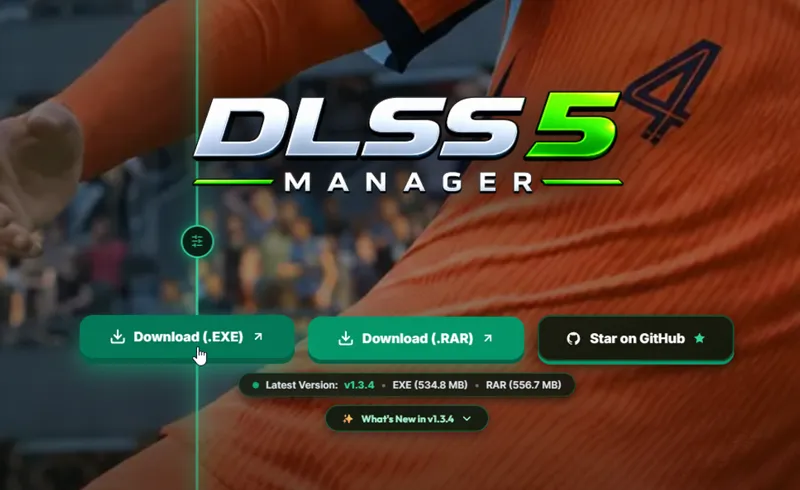
Go over to https://dlss5manager.app and download the installer:
Step 2
Open the .exe file you just downloaded and click through the installation process.
Step 3
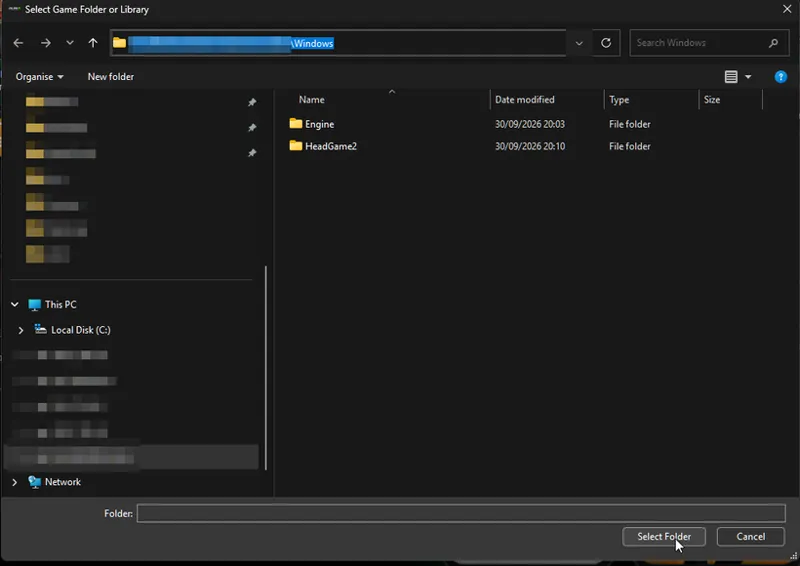
Start DLSS 5 MANAGER and click the "+"-button. Choose the "Add Game Folder..." option.
Step 4
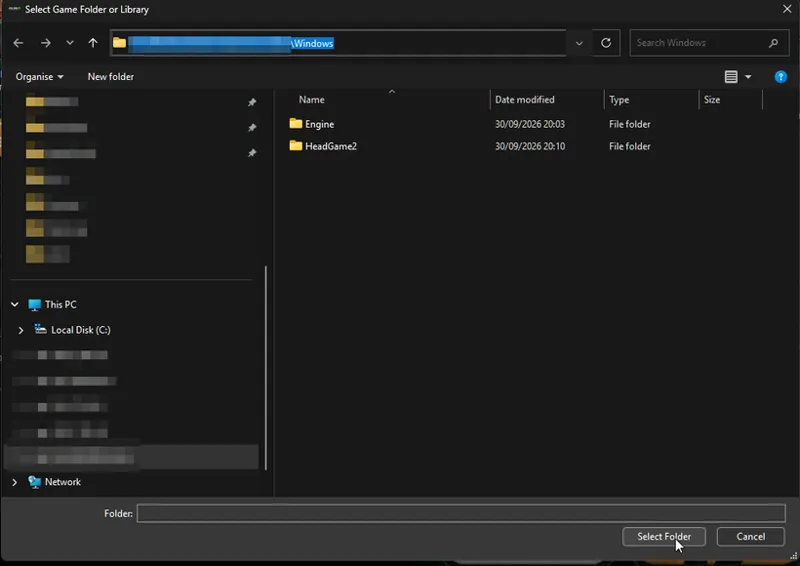
Select the root folder of Head Game (where the .exe-file is)
Step 5
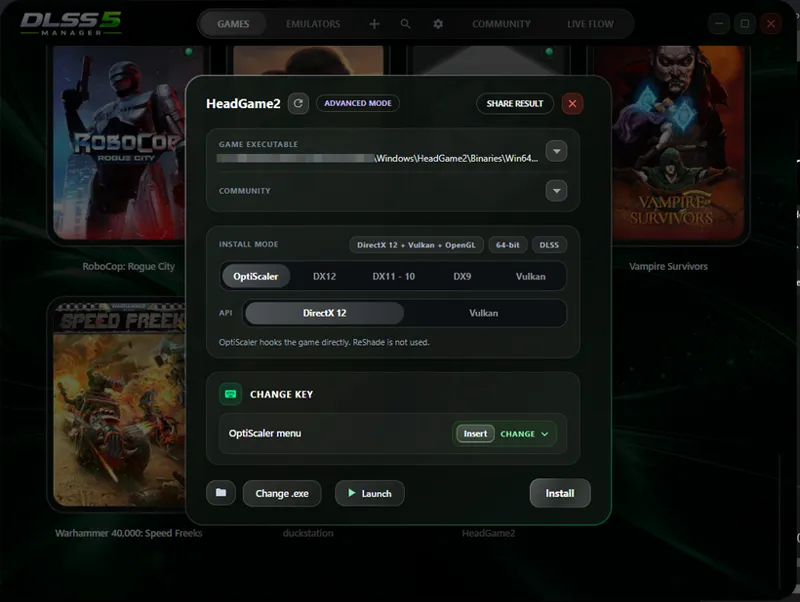
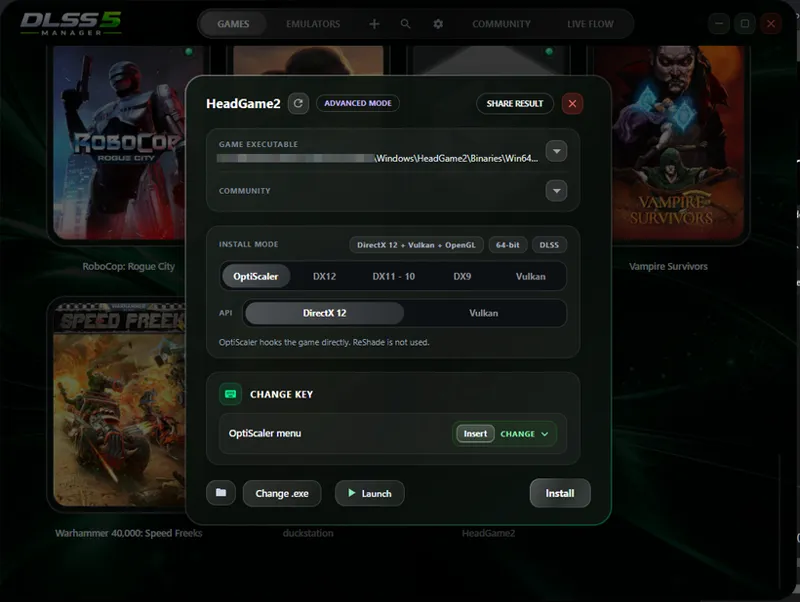
Navigate the game list until you find the Head Game entry. Click on it to open the managing window.
Step 6
Note that the "GAME EXECUTEABLE" path lies in ...\Win64.
Select OptiScaler/DirectX 12. Select a preferred hotkey for bringing up the OptiScaler menu ingame.
Click "Install".
Start Head Game manually or use the "Launch" button
Step 7
Inside the ingame settings choose DLSS as upscaler and a preferred framegen method
Step 8
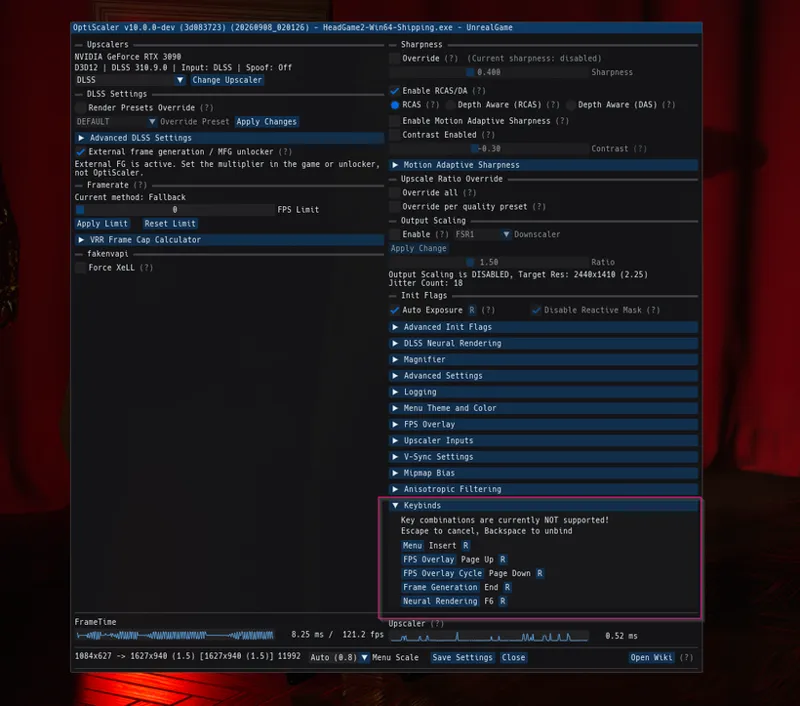
Bring up the OptiScaler menu by pressing your previously configured hotkey
Go to the keybinds section and set an hotkey to toggle Neural Rendering on/off. I used "F6" key.
Step 9
Click "Save Settings" and close the menu.
Step 10
Hit you configured hotkey and enjoy.
Step 11 (optional)
Go back to the OptiScaler menu and navigate to the "DLSS Neural Rendering" section. There you will find various controls to change the look of DLSS5