
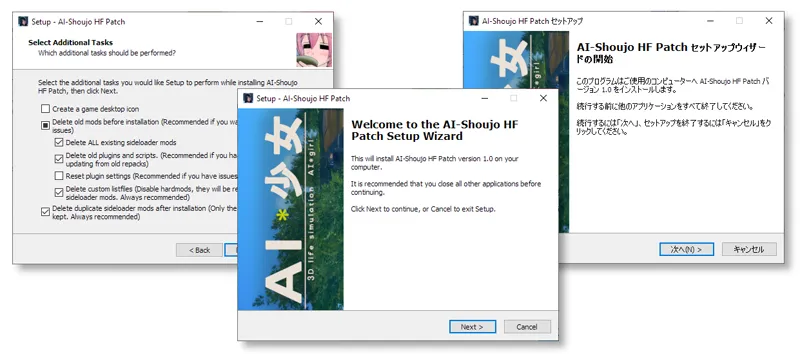
HF Patch for AI-Shoujo v1.0 / AI*少女自動更新
A patch for AI-Syoujyo / AI-Shoujo / AI-Girl with all free updates, fan-made English translations and essential mods. It will allow you to load all character cards and scenes and give you countless improvements while still keeping the original, uncluttered feel of the game.
All content is tested and fixed (or removed) as needed before each update. HF Patch can repair many common problems, try it if you have issues with your game or mod setup. By default, it cleans the game before applying new mods, providing a stable platform for further modding. You can apply HF Patch over any game installation or repack without issues.
HF Patch does not contain the full game, paid expansions or any other pirated content. You have to buy the game and expansions separately. You can buy the game on DMM.
「AI*少女」のための無料アップデートと必要な改造すべてを含むパッチ。それはほとんどあらゆる取付けを更新し、修理できる。ゲームや有料の拡張は含まれていません。あなたはゲームと拡張を別々に購入しなければなりません。
Download links / ダウンロード
Check for new versions
WARNING: This version is NOT compatible with the Steam release! Keep an eye on the releases page to see when a compatible version is released.
Direct download: https://mega.nz/#F!BU82XChB!IxFXKDrMW_AWpsazIwTHcA
If you need any help, check the wiki, visit the Illusion Soft Discord server and ask in the #ai-help channel, or ask in comments under this post.
You can see the source code and a readme here.
Mods added / 追加
AI-Shoujo free patches up to 08/11
BepInEx x64 5.0.0.171 Unity plugin framework
BepisPlugins r12.4 (Core plugins needed for most things)
AIAPI 1.9.3 (Modding API needed by many plugins)
XUnity.ResourceRedirector 4.6.4 (Modding API)
BepInEx.ConfigurationManager v15.1 (Lets you configure plugins)
BepInEx.MessageCenter v1.1 (Shows warnings and info messages on screen)
XUnity.AutoTranslator 4.6.4
IllusionMods/AI-Girl-Translations 11-11-2019
AI_TextResourceRedirector v1.0
Multilangual launcher v1.3
AI_Subtitles v1.5.1
Uncensor Selector v3.9
Sideloader Modpack 09-11-2019 (Lots of additional content for making characters)
Sideloader Modpack - Uncensor Selector 09-11-2019
Sideloader Modpack - Studio 09-11-2019 (Additional content for making Studio scenes)
KK_MaterialEditor v1.9 (adds advanced material controls to maker and studio)
MoreAccessories 1.1.1 (Unlocks accessory limit, but might cause compatibility issues)
AIABMX / BonemodX v3.5 (More sliders in maker)
AI_OverlayMods v5.1 (Custom body, clothes and eye textures)
InvisibleBody v1.3.2 (Hide character body in studio for trickery with clothes)
AI_AnimationController v2.2 (Helps create custom animations in studio)
IllusionFixes 1.6.1 (A collection of important fixes)
KK_InputHotkeyBlock v1.2 (Blocks plugin keybinds while typing)
AI_BetterAA v1.4 (Improves anti-aliasing without any performance hit)
AI_UnlockPlayerHeight v1.1.1 (Allows non-default heights of male characters)
AI_UnlockPlayerHClothes v1.3 (Fixes inability to change clothes in h scenes)
Look Speed Unlocker v1.0.0 (Fixes sluggish mouse cursor)
IllusionDragAndDrop v1.1.1 (Drag cards and scenes into maker/studio)
AI_PoseFolders v1.0 (Folder support in studio pose list)
AI_StudioObjectMoveHotkeys v1.0 (Adds T/Y/U/I hotkeys for manipulating items in studio)
AI_FKIK v1.1 (Adds FK/IK mode in studio)
Bra Push-Up Mod v1.1.1 (Bras affect breast shape)
Heelz v1.01 (Support for high heel shoes)
AI_AnimationOverdrive v1.1 (Unlock animation speed in studio, type in the text box)
HideAllUI.AISyoujyo v1.1 (Press space to hide interface)
GraphicsSettings v1.2 (More settings to make graphics more or less demanding)
AI_LightSettings v2.0 (Allows changing of light settings in main game)
FPS Counter v2.0 RC1 (Useful for performance testing)
RuntimeUnityEditor v1.10 (Allows you to make arbitrary modifications to the game)
ScriptLoader v1.1 (Allows running simple user scripts from scripts directory)
Full save (WARNING - OVERWRITES CURRENT SAVE)
Comments (47)
i already installed this 1.0 hf-patch but why I got error when loading title screen, this output log https://pastebin.com/sAs3Z73r
This version is very outdated and no longer works with current game versions, install the latest version here https://www.patreon.com/posts/hf-patch-for-ai-35145774
Thanks, can you add no limit for female height in creation?
Just type any value in the text box.
I deleted the comment cause I thought it magically fixed itself but turns out it didn't. So Ill repost. I noticed version 1.1 doesn't work with the steam version, but does this version? And if so, I have an issue during installation where it says the directory that contains the game doesn't contain the files. Do you know a resolution for this EDIT: I did ask in Ai Help but it seemed to just get ignored or washed under other things. So I figured this method might net better results EDIT EDIT: Nevermind. It looks like even 1.0 does not cooperate with the steam version. So I will just stand by and look forward to seeing a version that does function ^_^
That's correct, 1.0 is not compatible with the steam release either.
I went to the discord but I can't find ManlyMarco
Wait, sorry, I found you
Your are one of the kindest person I've ever met on the internet. I know myself being very annoying so I don't mind you giving up on me... I might as well contact the Illusion support......
No problem. You're unlikely to get help from illusion support, try the discord server from my comment above instead.
I wasn't able to find a file called AIS in my whole PC, so I made one in my drive and move the game inside. And it didn't work.
Can you join the illusion discord server so we can talk more easily? Post your new output_log in the #ai-help channel and ping me.
Here's the output log https://mega.nz/#!QsRFgIZb!0hWSpjhc6YEdrGzOKbWp0tQVQbB_6o_d229St_J7S0c
From the log it looks like you didn't move the game. You need the game files to be directly in a folder named AIS on the root of your drive. Special characters in the path are breaking the loading process.
I moved the game to my C drive, nstalled the 1.1hf-patch again, bit it still didn't work. I know myself being very annoying but I want the game to work.
Sadly enough, it still didn't work. Here's the output log:https://mega.nz/#!09JAiALA!VJ5ivcDQVkvnoFSIPQkos44td-K0DdCvikzXYY4K37w
Move your game to a different directory with no special characters like D:\AIS and try again. Also it looks like you didn't install the HF Patch v1.1 or it failed to install. Install v1.1 after you move the game to a different directory.
Just tried moving the game file into my original drive and nope, it didn't work. I've also tried your methods in both of the drivers and it still didn't work. Here's my outputLog: https://mega.nz/#!c1Z2FAjb!cPfB74-L1mezOYokX_lfTlZ5ZXEkmubjEK8Kh2l9JfA
The location on disk doesn't matter, the game will work from anywhere. I just noticed that you're still using the v1.0 patch. This version is outdated and can have issues with newer game versions, you should get v1.1 instead https://www.patreon.com/posts/hf-patch-for-ai-34335156
Wait, I have something in my mind... Do I have to place the game file where all the Windows things are installed? Cause I've recently installed a new driver for more space, the Windows Directory thing is not in that driver. Is this the problem? If yes, I am sooo sorry for wasting your time...
https://imgur.com/a/yuiaAoP
Try restarting your PC and if it still doesn't work then run HF Patch again with default settings. If that still doesn't help then send output_log.txt from your game directory. You can send it to #ai-help on the discord server or here.
Here's a pic
The game won't start after I installed this patch... The window only shows a white screen, the mouse pointer is in-game nothing shows up, even the Illusion logo. Its like it has freeze. Please help!!!
Are you sure it's not loading?
Hey man! What version of the game does this patch apply to? Just in case I overwrite too much
It wasn't tested on the recent DLCs and might cause some issues if you have these. I plan to update the patch sometime soon so it might be better to wait.
Hey dude, there is a problem after running your patch, my frame rate dropped significantly, what can i do to fix it? Thank you
It depends, if your game was updated to a patch above what this patch was made for, then things are most likely crashing which brings performance down. If not, then it could be anything, check output_log.txt in your game directory for errors and exceptions.
No plugins seem to work after running the patch. Any idea where I could start troubleshooting?
Did you let it remove all old mods? Run the game directly through the .exe
where is the output_log.txt
It's in the game's root directory. If you have a discord account then ping me in the #help channel on the IS server with the file.
the phone calling does not work
Do you mean calling the girls? What exactly happens? Can you send your output_log.txt after triggering the issue?
call cant be used after installing the hf patch
What can't be used?
I Chinese translation disappear after I install the patch.(I canceled English translation.)
You have to reinstall any custom translations and plugins after running hf patch, since it will by default remove all custom mods to make sure that the game runs correctly. You can turn off removing old mods when installing hf patch but it's recommended to not do that and instead backup any custom mods that you have.
I need help. What program you used to open .bin files? Thanks in advance!
You don't open them, they are used by the patch .exe
Hello ManlyMarco, I have a little problem with BetterAA v1.4 Just as you described that "It can cause some icons to shake or look unstable ..." and I can fix that by changing the value [Temporal Jitter Scale = 0] but every time I reload the scene The problem of shaking the icon still appears ... So what to do is to change the value [Temporal Jitter Scale] = 0 to 0.5 or use the default key and finally pull back to 0 to fix it. I tried changing the Default value = 0 value of [Temporal Jitter Scale] in BetterAA.cfg and saved but it didn't work. Can you help me?
Setting Temporal Jitter Scale to 0 is the same as disabling the AA. Changing config file has effect after restarting the game. It looks like the settings might have not been applied sometimes, check if this build fixes it https://www.dropbox.com/s/gr1dhwwd9vg3lkn/AI_BetterAA.dll?dl=0
After I install the patch the launcher tha comes up has all the buttons grayed out. The HF patch log says that it doesnt have access to the folder, even when I run it as an administrator.
mine does the same
Great work. Hopefully either the studio or modders do something about the awful building system.
There is a mod that disables the overlap prevention, overlapping pieces can cause some graphical issues though.