
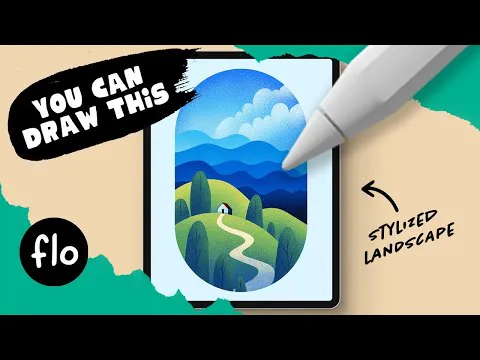
Color Palette: Stylized Landscape
Here's the color palette for the You Can Draw This Stylized Landscape tutorial.
Please remember that my tutorials are for educational purposes only. Feel free to share your results on social media and tag me. You are not allowed to use direct copies of my artwork for commercial purposes, like selling prints.
Just go to FreeFromFlo.com to get access to the free brushes, color palettes, prompt list, color theory ebook and exclusive tutorials! (if you are already subscribed, then all you need to do is check the weekly newsletter to get any new brushes or access to exclusive videos)
Can't download the swatches? (even when using a different browser like Chrome?) Then here are the hexadecimals:
#3a78ee
#afddf1
#5eb9ed
#3a83dd
#2961cf
#193fa4
#0f2c72
#00030c
#d3d570
#90bb68
36ba66e
#417065
#24486e
#f3eac0
#f7f6f1
#e0f4fc
#6e2317
ANYONE Can Draw a Stylized Landscape in PROCREATE - Easy Drawing on iPad (YouTube)
Comments (15)
This was very helpful. Your lecture was very clear and specific, easy to follow!
I'm happy to hear that :D
Thanks I had a lot of fun drawing this one 😘
That's good to hear, thank you 😊
This was so fun, I felt like I was working magic when I did the clouds haha!
So much fun!
I don't know what I do wrong, but in layers 2-3-4 (hills) I can't "fill" the layers with the colors. And idea why this is happening?
it happens to me quite often, I figured I can "fix" it by closing the procreate app. when I open it again it's back to normal :)
Whenever I select clear on layer 16, to fix the road, it clears the entire layer; I made sure to select layer 2 beforehand and click select and invert. So I’m not sure what I’m missing.
That's strange... have to tried restarting? And are you sure Colour Fill isn't turned on in your selection menu?
You’re awesome Flo!!!! Love your work.
Hat Spaß gemacht 👍🏻👏
Love this … Swiss ❤️
Love this!🌳💙
Stylized is a favorite! I’m going to enjoy this one for sure 💜