

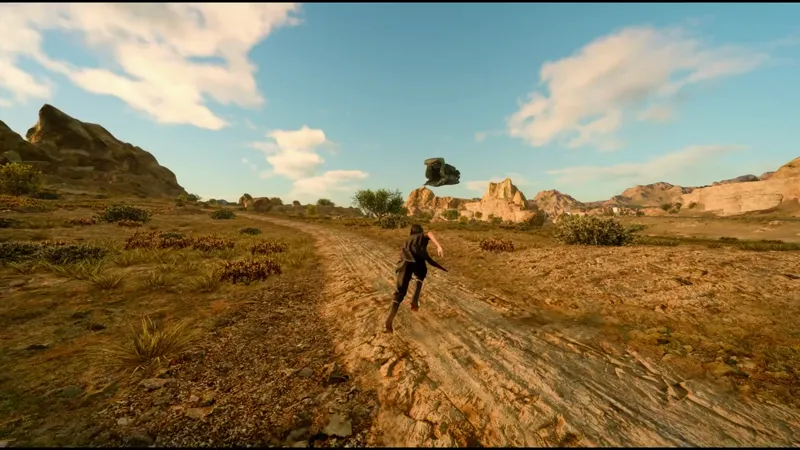
Walk Tall
“Walk tall, my friends.”
FINAL FANTASY XV WINDOWS EDITION is now playable in VR.
Cruise across Eos in the Regalia. Camp beneath the stars with the Chocobros. Hunt daemons after dark. Stand before the Astrals. Explore Altissia and the ruins of Insomnia at full scale. Experience Noctis’s journey from inside its world.
The mod includes three modes: Stereo, AER, and Mono. First-person gameplay is included, along with VR cutscenes, and the original third-person experience.
Should work with Virtual Desktop, Steam VR and Meta Quest
It’s free to download. Any future updates will be provided for free too.
INSTALLATION
KEYS (all can be changed in the Insert menu)
F9 - start VR and head tracking; press again if tracking is lost
Insert - VR menu
R - recenter
End - switch to Mono (safety key)
K - first person (experimental. You have to properly this in the insert menu)
IF THE GAME SEEMS STUCK
If the game is still running but a conversation or scene seems frozen (a character not moving, dialogue not moving on), press End to switch to Mono, or pick another mode in the Insert menu (VR tab). That usually gets it moving again. Switch back to Stereo in the Insert menu once you are past it.
PERFORMANCE
FINAL FANTASY XV is already a demanding game in its original form, and VR increases the rendering cost considerably.
If you need more performance, begin by lowering the resolution and disabling the NVIDIA GameWorks settings. VXAO, HairWorks, TurfEffects, ShadowLibs, and NVIDIA Flow can have a considerable performance cost.
Use the refresh rate and resolution that provide the most stable experience on your system.
RECOMMENDED SETTINGS
- Anti-aliasing: TAA. The mod replaces it with DLSS 4 (DLAA) in both eyes. Do not pick the game's own DLSS option.
- Model LOD: default. Raising it makes grass pop in and out as you turn your head.
- Sharpening and Texture detail are in the Insert menu (VR tab > Graphics). Higher looks crisper but makes grass shimmer more.
REPORTING A PROBLEM
Send ffxv-vr.log from the game folder (ffxv-vr.prev.log is the session before), and say what you were doing and which VR mode you were in. Please also send a save file too so i can investigate.
Source Code
Comments (5)
Awesome, in VR it will be epic! Thanks for your work. But I already own Final Fantasy XV on PS4/PS5, and have an RX 7900 XTX. So don’t want to buy the PC version unless it will run on my GPU... Do you know if your mod is compatible with AMD?
Hey! Thanks for the mod! Can you please elaborate about DLAA/DLSS - is only DLAA available currently, without DLSS mode?
You can use FXAA, TAA (Which I modified to work as DLSS4/DLAA) . Do not use the games on DLSS option as it will just turn the screen black.
Amazing job, can't wait to dive right in! By the way, is a VR mod for Final Fantasy XVI anywhere on your radar for the future?
Yeah its in the works too.