

NoVideoStationMod - Patch Update - December 3, 2025
Change Log.
Updated for the 1.120.117.1030 (December 2) game patch.
Mod Description (Just in case)
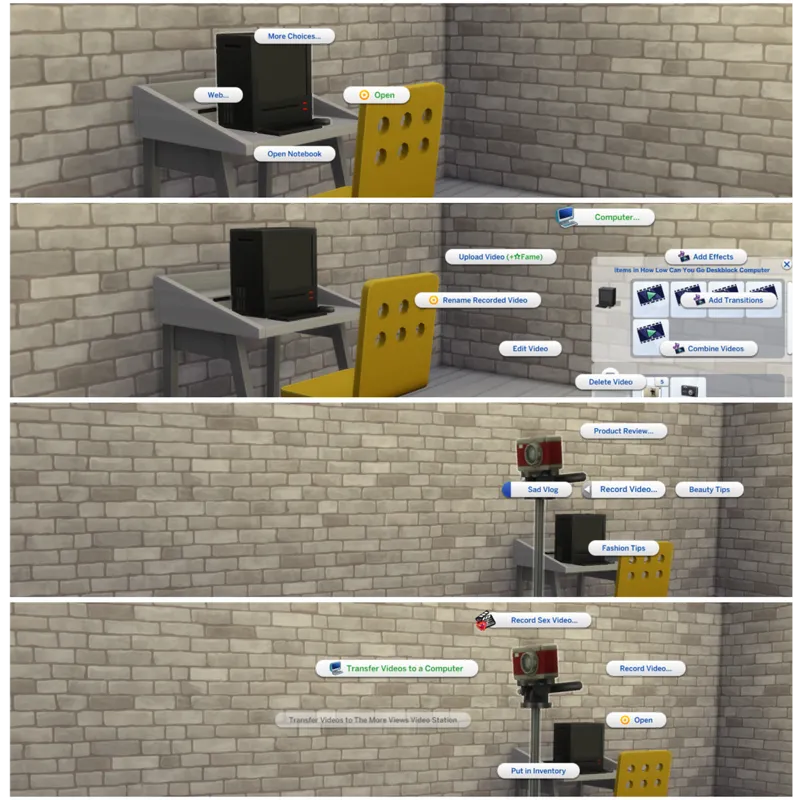
This mod overrides computers' tuning and adds video station inventory to all the computers. You can transfer videos from the mod's camera (also works with AEP's camera) or streaming drone, edit and upload them to the Web.
All the interactions are available under Media Studio>Video Editor Menu.
There will be specific interaction on the camera and streaming drone to transfer videos to the computer and not video station. This interaction marked with a computer icon. The videos will be transferred to the computer that is closest to the Sim and the camera/drone. You can also transfer videos on a community lot as long as your Sim has laptop they own with them.
After transferring the videos you can edit and upload them from the computer inventory, same way you would do it on a video station. All video station's interactions are still there, but computer's interactions are under Computer Menu.
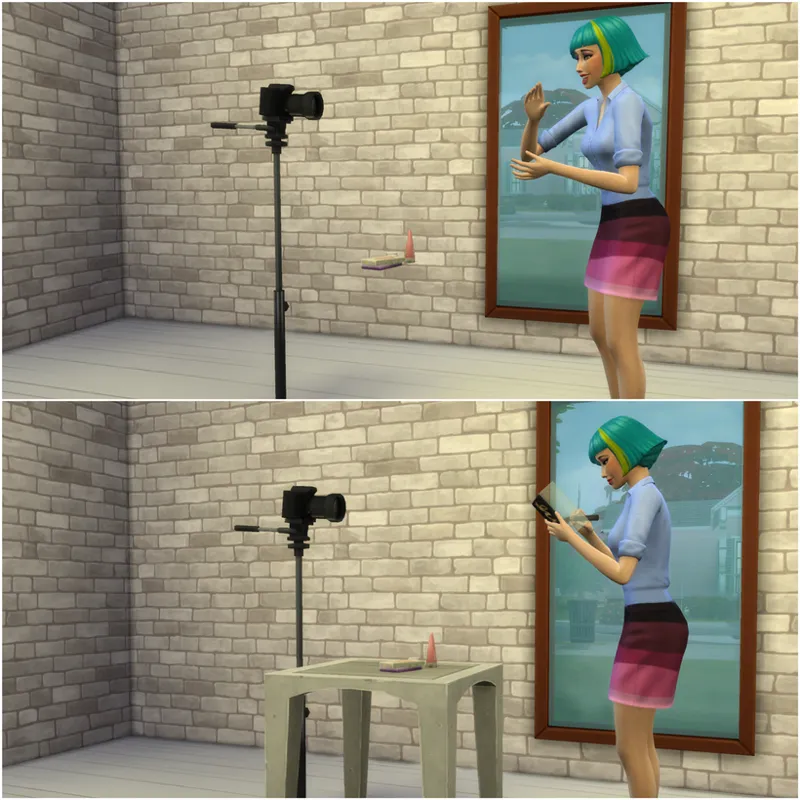
To record videos you will need in-mod camera. With its help you can record all the videos that are available on video station. Just remember to use bb.moveobjects cheat and put table near the camera when you want to record Product Review. Otherwise, spawned objects will just float in the air.
INSTALLATION> Just put mod's folder straight into your Mods without any subfolders.
HELP> You can report bugs or issues in the comments under the post or consider joining my Discord for better and faster communication. Please do not use Community Tab to report issues!
Comments (12)
It does not work on my end.
Hello! This mod is great and does work for me for the most part. However, I’m not sure if it’s just me but I find that this mod interferes with the “open investment account” option on the computer when installed. I tested it with this mod in my game and the option in the pie menu disappeared. When I took it out, the option reappeared again. Again, I could be the only one going through this but I thought I’d let you know. Thank you for this mod! It makes the media production in game much more realistic!
Hi, thank you so much for your mod. I wanted to say that your mod broke after the June 30 update.
Hi! Thank you for the mod. I found an issue with the streaming drone. The in-mod camera works perfectly. Videos transfer to the computer and can be edited. However, with the Get Famous Streaming Drone, the "Transfer to Computer" interaction appears and my Sim performs the interaction, but the video stays in the drone inventory and never appears on the computer. Is this a known issue, or am I missing a step?
same
Hello Ksuihuh :) I have some issues with the mod. I have put the mod files to the root of my mods folder, i bought the camcoder101 camera plus a computer. I properly recorded a video. That ended in the camera inventory. I could properly transfer it to the computer. Sadly, when it comes to publishing the video, the action doesnt work, and is being canceled with the generic "cant reach" overhead icon. Im not sure what can be wrong here, as everything else seems to work well. Do you have any idea, or can you confirm the mod is properly working on your end ? Thank you ♥
I have the exact same issue
Hi, I can't find the in-mod camera. Is it a seperate download?
It's a late reply so maybe you finally found it... But in case you didnt, look for item named "camcorder 101"
im having alot of trouble and it could be user error. but ive downloaded the AEP mod and this mod and the computer will only show me " practice editing" and Edit video then the next menu are just blank bubbles. also when building a venue i cant see what half the items needed are. when i click them nothing pops up on my items menu..... im just so so lost. and the AEP mod wont let me hire anyone to work camera or co star.... just so so lost lol.
Thank you and can't wait for your to come back to us
Thank you :)