
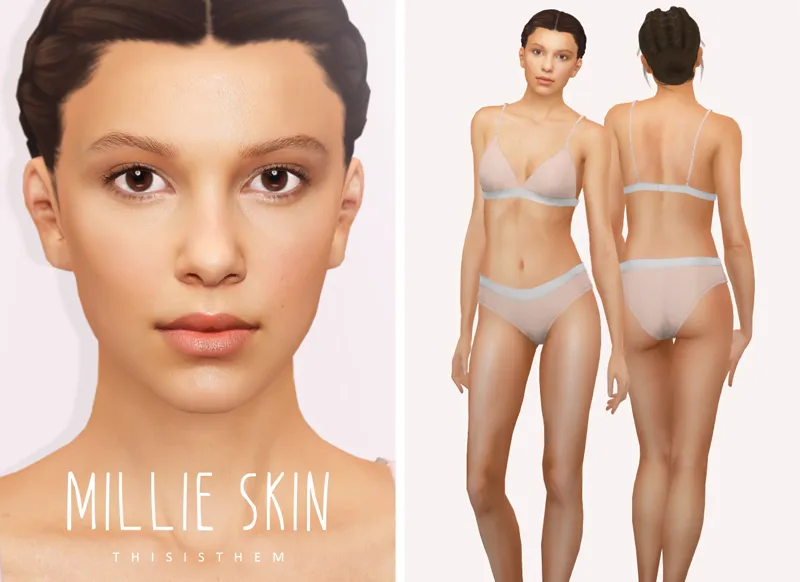
Millie Skin & Sim
HQ Compatible ;
2v (with/without eyebrows) ;
30 swatches ,
Overlay (4 swatches) ;
Skin Details Category ;
Teen+ ;
Custom Thumbnails ;
Don't re-upload or claim as your own. Don't modify without permission.
Photos taken with HQ Mod. Sliders used.
SIM DOWNLOAD INSTRUCTIONS :
Download the files, unzip them and put the trayfiles in your Tray folder. Put the mods in your mods folder.
Comments (10)
I'm new to playing TS4 on a computer so I have no idea which download is tray files and which is for mods folder 😅 I clicked download all, saw the Mods folder in the zip file.....is that the only one that goes in the mods and the rest in the tray files? Ive been downloading CC, but I assumed they all went into Mods folder and have not used anything stating Tray Files yet. Please let me know what I should be doing, explain it like you're talking to a 3 year old! 😂 Im on a MacBook btw
When you download a customized sim (with cc) they are 2 files. The package files (mods) that always go into your mod folder and the trayfiles (the sim itself) that always go into your tray folder. To access the sim, you need to then open your game go to your content menu allow custom content (that’s important) and that’s it. If you have questions don’t hesitate to Google the sims is a very well documented game 😉
Could you link her hair please?
It's a EA hairstyle and the other one is an old hairstyle by leahlilith
now that looks legit. be cool if Ryder was made too.
Indeed :)
Do you think you can make a Jimmy Fallon skin??
maybe
These last two skins make me think you've just watched Enola Holmes 😂
Lmao Is it that obvious :D