
Build 0.18.0.1b
A word from the team
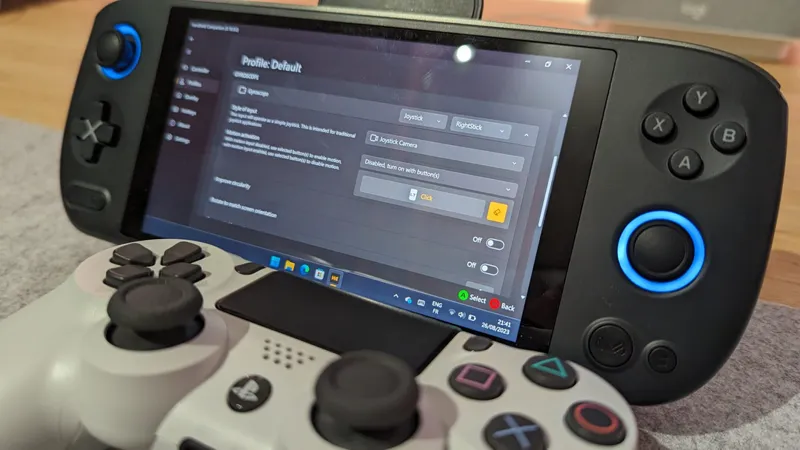
Version 0.18.0.0 should mark a new milestone for the project. We have spent a considerable number of hours improving the software and simplifying its use. Version 0.18.0.0 also marks the end of Controller Service, reducing the software's resource consumption and simplifying its maintainability. Last but not least, this new version sees the appearance of the gyroscope in the layout manager, enabling you to transform your movements into mouse commands.
A huge thanks to all the (new) contributors we helped out for this release. @havner @trippy @lunabagboi @oolongtea @micdah @geckon01 @miguelledesmac @meikomenmahonma
Hotfix 0.18.0.1a
Fix an issue preventing default profile from being loaded on application startup
Fix an issue preventing RTSS and other AMD specific features to work
Fix OEM buttons support for AYANEO 1S
Hotfix 0.18.0.1b
Fix an issue with layout manager being stuck on Desktop Layout
Support for new devices
Add support for, AOKZOE A1 Pro
Add support for, AYN Loki
Add support for, OneXPlayer Mini AMD (A07 following BIOS update)
Add support for, OXP2 6800U and 7840U Eva
Add support for, Ayaneo Air Plus (Intel)
Add support for, Ayaneo Air 1S
Support for new languages
Add support for, Portuguese (Brazilian)
Add support for, Spanish
Add support for, Japanese
Add support for, Russian
Support for external controllers
Add support for, Steam Controller
Add support for, Dualshock 4
Add support for, DualSense
Add support for, Nintendo Pro Controller
Known Issues
External Xbox One controller support no longer works
New profiles will need to be created. Note, old profiles are not deleted and you settings can still be found in the profiles folder
Improvements
Implemented steam file support, controller_neptune_steamcontroller.vdf
Implemented AMD Radeon™ Super Resolution, available as a profile toggle.
Implemented Maximum CPU Count, available as a profile toggle to force targeted application to run on a specific number of cores (experimental).
Implemented trigger to trigger mapping, using layout mapping.
Implemented Multi-action mapping, a single gamepad button, mouse click, or keyboard key can now produce as many actions as the user wishes.
Implemented Extended Compatibility Injection, allowing virtual controller to be properly detected by many more games, including Xbox and Xbox Gamepass library.
Implemented Automatic sensor swap, Improved the sensor selection swap, it will now automatically select the most logical choice
Implemented Gyro Mouse, the gyro can now be configured as mouse input for even smoother motion gameplay
Implemented Layout long press delay, configurable long press delay
Implemented QuickTools Time, QuickTools now features a clock with the time
Implemented OSD Option External, set HC OSD level to external to prevent conflicts with externally run OSDs and HC closing RTSS or HWiNFO
Implemented 3D Overlay position reset, reset the 3D controller overlay position by holding B1 B4 button combination
Improved DSU server (Cemuhook), now accepting remote connections from external devices
Improved UI, when RTSS or HWiNFO get stalled, controls should no-longer be disabled (greyed) but instead returned to default state
Improved UI, by displaying currently applied profile on quick profiles page
Improved device support, now supporting Turbo button on AOKZOE A1 and OneXPlayer Mini and OneXPlayer Mini Pro
Improved localization support, removing a few hardcoded values and error calls
Improved performance manager, now applying device configurable max TDP when restoring default TDP
Improved physical controller hide/unhide robustness, we are now capable of capturing all HIDs linked to a USB controller.
Improved Xbox 360 controller detection, finally addressing issues with undetected controllers on startup/resume.
Improved Dualshock4 compatibility, with ability to map touchpad.
Improved Steam platform compatibility, with better controller profile manipulation.
Improved Quicktools readability, with improved UI.
Improved overall layout manager, with faster UI drawing.
Improved Language updates, German, Chinese
Improved Layout keyboard selection list, Improved naming, much more readable and understandable
Improved Controller service removal, less UI clutter, less confusion, more stability
Bugfixes
Fixed an issue preventing performance manager from having the ability to stop cpu and gfx watchdogs on degraded state
Fixed an issue that would allow performance manager to apply "below specs" TDP values
Fixed an issue that would cause inputs manager to release incomplete OEM key strokes
Fixed an issue with the 3D controller overlays, missing pieces and colors of various models
Fixed an issue with the virtual controller detection feature, this fixes closing from tray menu, text and start order
Fixed an issue with layout loading overwriting the wrong layout
Fixed an issue with DSU Server controller, R2 and R1 were swapped
Fixed an issue showing the right UI glyphs for various (external) controllers
Fixed an issue with the new ROG Ally firmware update making the back button causing Long (3) detection of all OEM buttons. Be sure to update the BIOS to the latest version!
Comments (10)
Is there a chance we can get a hotkey we can program for turning motion control "gyro" on and off. Sometimes difficult in games to navigate menus when gyro on.
I map right bumper to turn it off (when held, no toggle afaik) as that's often weapon wheel anyway in FPSs. I hold it down in menus to avoid issues.
Wow this looks incredibly promising. Downloading everything now
We've got an early access build on the way. Mostly QoL stuff and bugfixes.
Finally everything is working as it should, Amazing update
Can this be installed over the old version or should we do a full uninstall?
0.18.0.1 hotfix is available
Ahora funciona por fin en rog ally!!
Excellent!
Gracias