





0.28.6.4 - UI Refresh, Faster Loading, and Library Enhancements
Dear Patreons, thank you as always for your continued support, testing, and feedback.
This new update brings a noticeable step forward in two areas that have been on the list for a while: how fast Handheld Companion loads and responds, and how comfortable the UI feels to navigate day to day. A good portion of this build is about making the application snappier, with reduced startup time and smoother navigation while also addressing known issues and crashes.
Highlights
Performance and startup improvements: Several targeted optimizations reduce startup time and runtime overhead. JIT compilation for loops is now faster on startup, and GC scaling behavior has been tuned to avoid stalls when the app wakes from idle. A handful of hot code paths also received aggressive inlining for better runtime throughput.
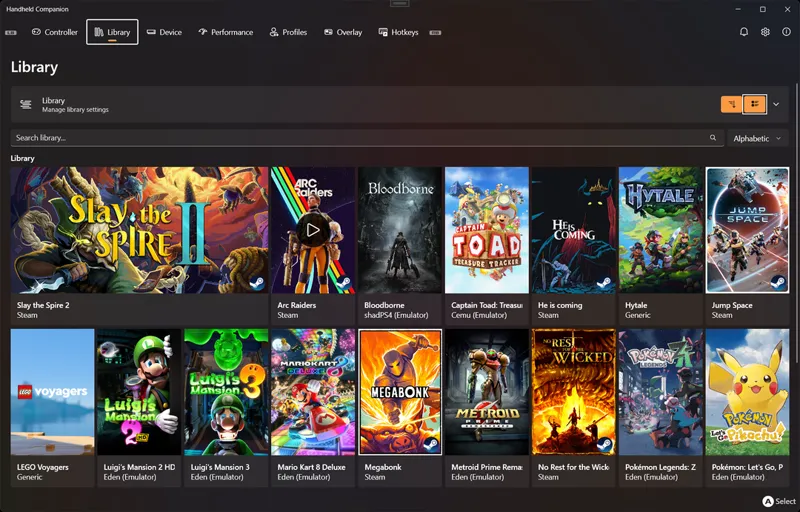
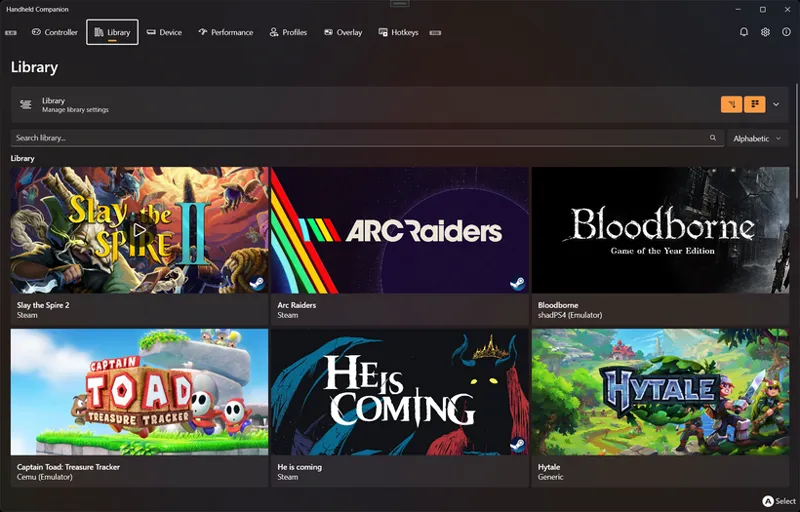
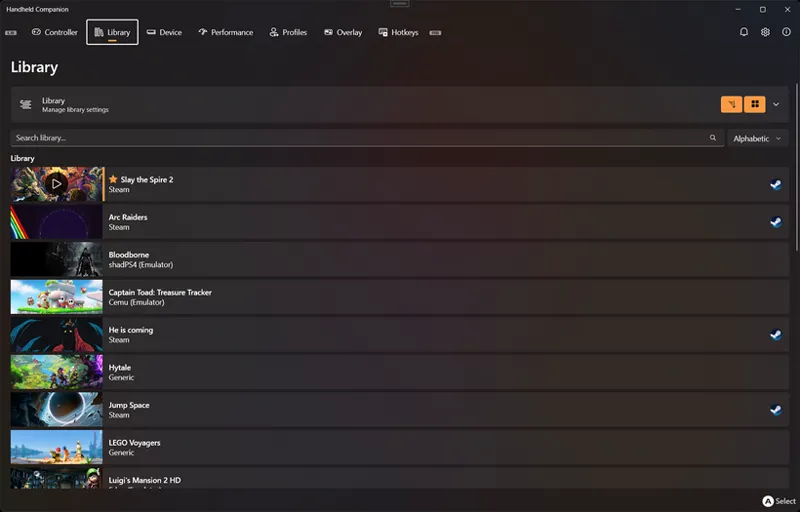
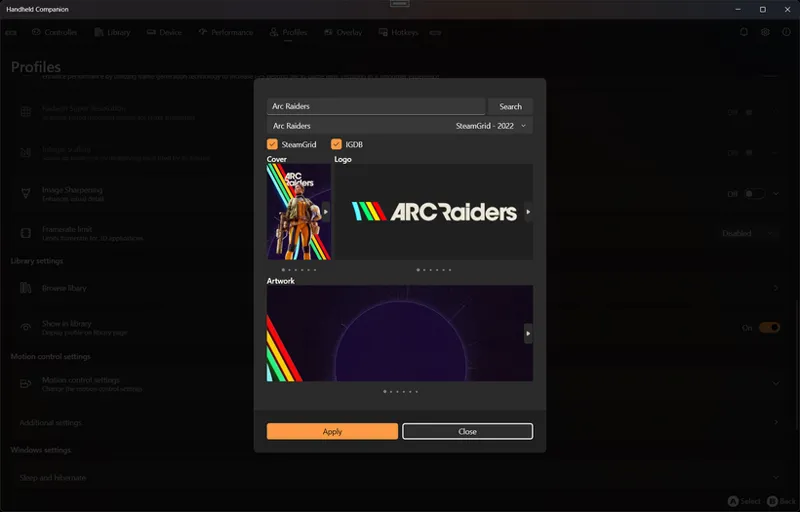
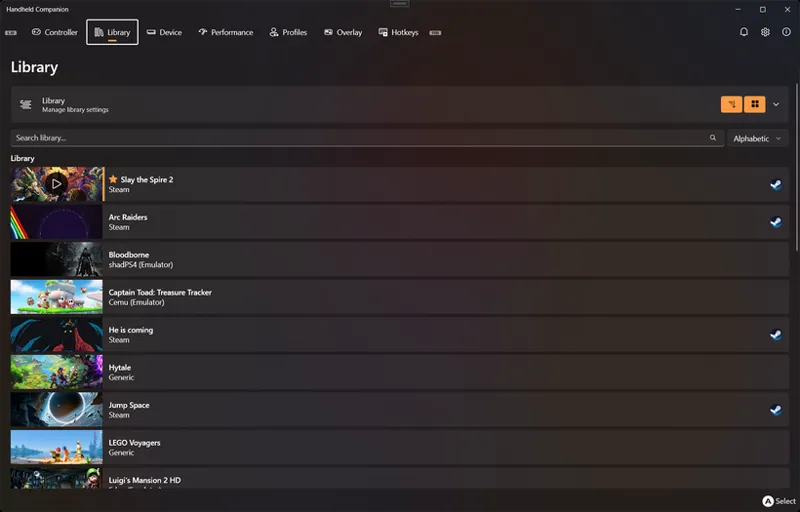
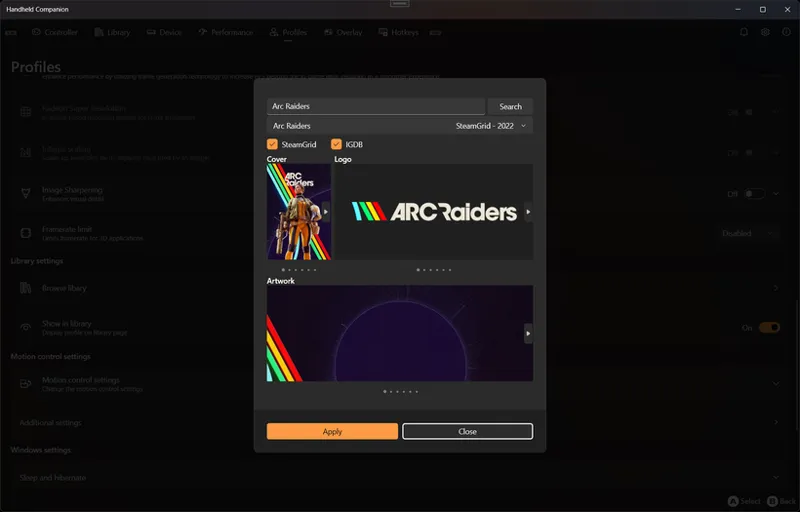
UI and library experience: The Library has received a round of focused improvements: games now load asynchronously so the UI stays responsive, a new All Wide view mode has been added, missing artwork is now surfaced clearly with a dedicated UI element, and hovering a game now shows a quick Play/Stop button. Logo selection is now available in the artwork picker, and navigation debouncing prevents visual noise when moving through pages quickly.
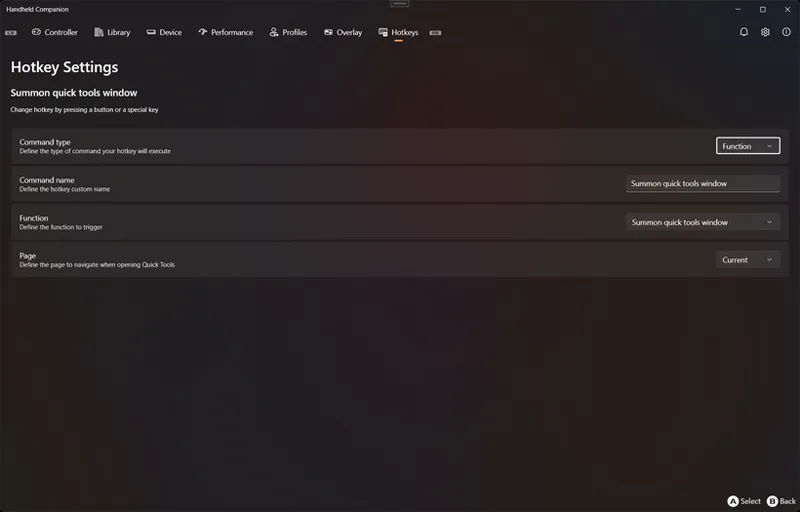
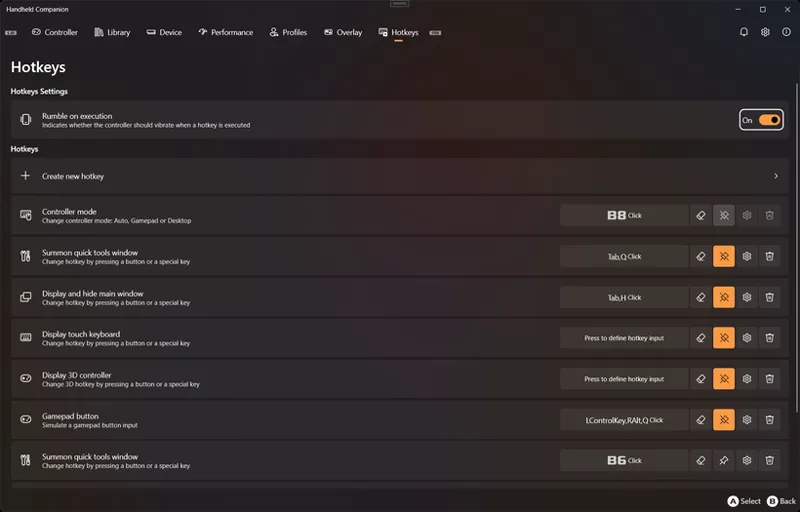
Navigation and profiles: Gamepad and keyboard navigation has been improved with better control target logic and additional default button assignments. Hotkey settings have been moved to their own dedicated page, which also meaningfully reduces the loading time for that section. The Profiles page received several usability improvements.
What Changed
Performance
Optimized build output to skip copying unchanged 3D model files.
Enabled TieredCompilationQuickJitForLoops for faster startup.
Tuned GarbageCollectionAdaptationMode to prevent GC stalls on app wake.
Applied AggressiveInlining to several performance-sensitive code paths.
Miscellaneous performance and stability improvements throughout.
UI / UX
Added a MissingArtwork UI element for games without artwork.
Improved Library metadata and artwork refresh logic to preserve existing visuals and fill in missing ones.
Implemented Logo selection in the artwork/library picker.
Added All Wide as a new Library view mode.
Games in the Library now display asynchronously.
Play/Stop button now appears on mouse hover over library items.
Migrated Hotkey settings to a dedicated page, reducing Hotkeys page load time.
Implemented UI navigation debouncing (300ms) to smooth out rapid page transitions.
Improved gamepad navigation with better control target logic.
Added missing DefaultButton assignments for keyboard navigation.
Improved Profiles page behavior.
Fixes
Fixed a timeout issue in ForegroundCallback() when task.Wait() would expire.
Fixed QuickTools failing to create and apply profiles with per-game mode enabled.
Fixed a UI freeze when an SDL controller GameType could not be retrieved.
Fixed controller passthrough being incorrectly enabled on the default profile.
Fixed SDL controller glyph logic.
Fixed a memory leak originating from LibreHardwarePlatform.
Fixed Hotkey chord listening button staying toggled after gamepad press.
Controller
Implemented partial vJoy support.
Device
Fixed IMU axis configuration for GPD Win 5, Win Max 2, and Win Mini.
Library updates
SDL3 3.4.2, SDL3-CS 3.4.2.
Installer
gamecontrollerdb.txt is now downloaded automatically during installation.
Comments (4)
This build is now public. Github update will follow shortly.
For some odd reason, my MSI Claw 8 AI turn off screen every like 30 seconds. I get Windows sound like device connecting. Need to wake up device using power button, to go back from sleep like state.
Why is there’s no longer auto message / notification to disable DAServices on Legion Go 2? I only know to do this because I’ve been a long time user.
after update I cannot change tdp on legion go 1