Dear patrons, in this new version of Handheld Companion (HC), we've improved the overall user experience, corrected a large number of reported bugs and issues, improved stability and finally added support for the MSI Claw 8.
Supporting the Claw 8, a long journey
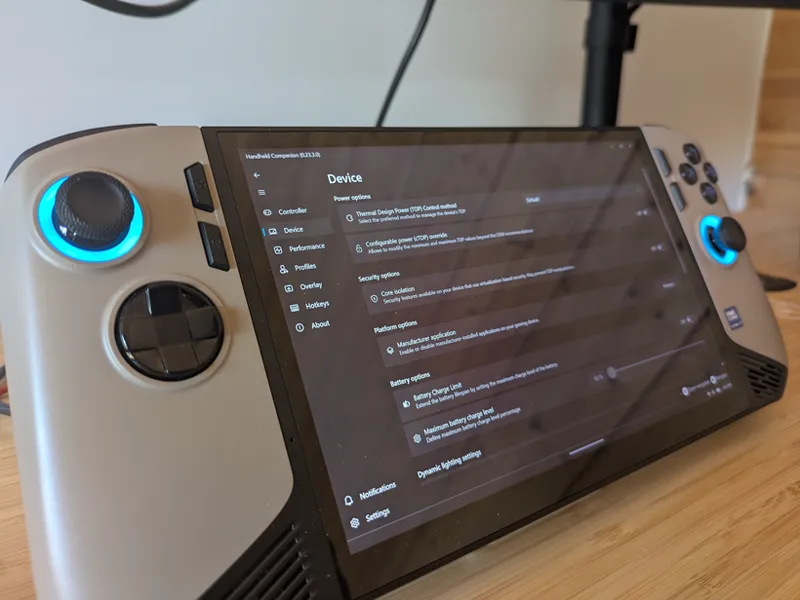
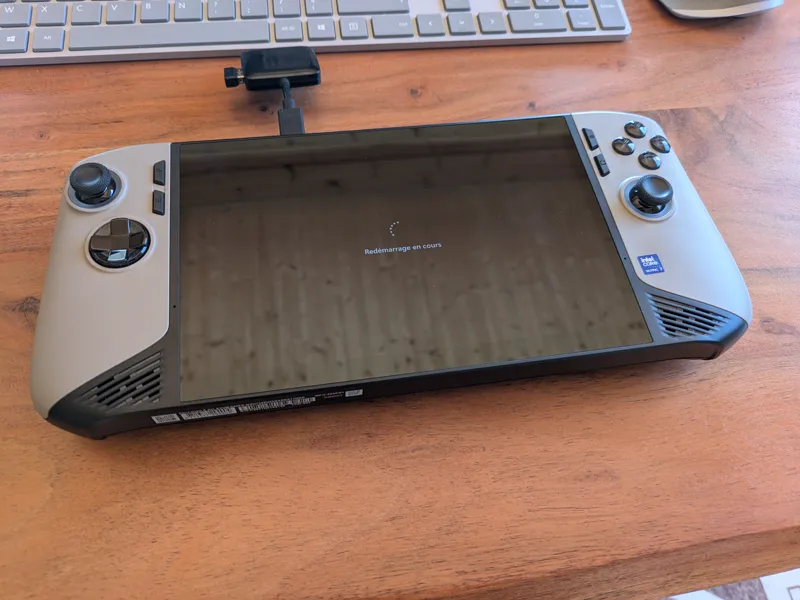
In addition to the complexity of acquiring an MSI Claw 8 AI+ A2VM, or simply of reading its name without stuttering, we had to make Handheld Companion compatible. It took us almost three weeks, with the help of the community and @antheas from the Handheld Daemon project and Bazzite, to come up with a convincing result.
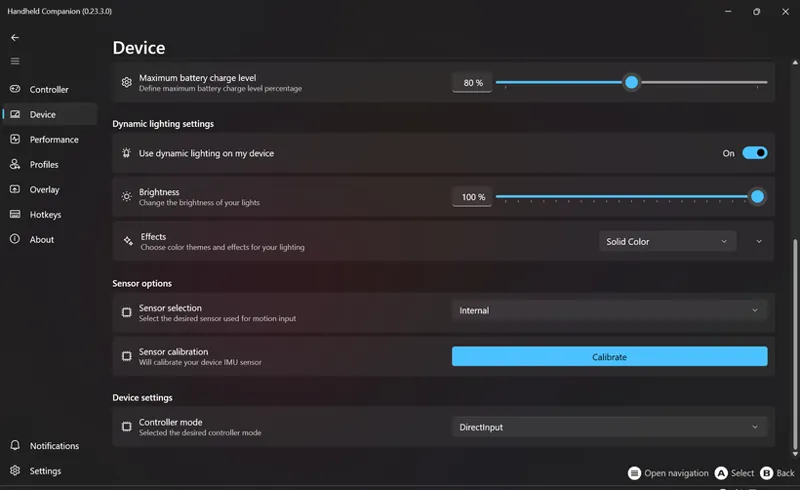
Earlier this month we shared some details of our findings. Since then, we've improved compatibility with the controller by adding vibration support, as well as implementing basic LED support and Battery charge limit. Still we'd like you to understand this is still a WIP support.
Manufacturer application
While we appreciate our kind community and are always sorry to see someone leave, we understand users are expecting the ability to migrate from manufacturer (OEM) applications (MSI Center, Legion Space, Ally Space) to HC seamlessly. With this new release, we've added a new setting without the Device page for you to disable or restore OEM applications easily. Please keep in mind running both the OEM application and HC together will likely result in unexpected behaviors.
Security and Notifications
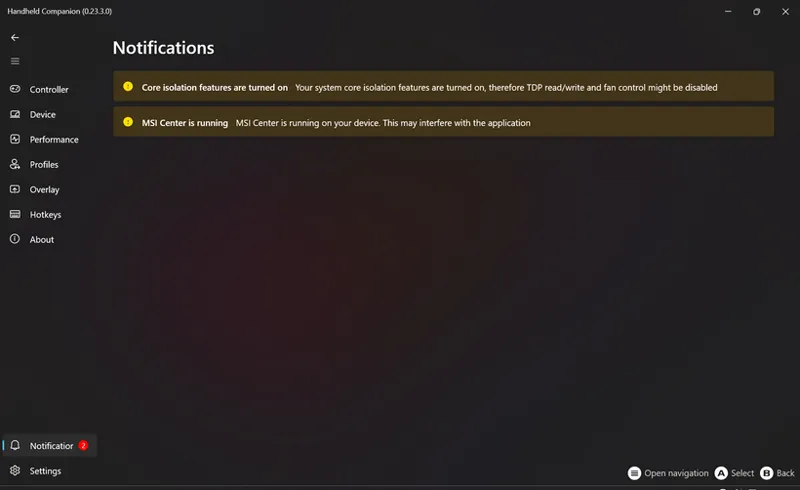
As part of the improved user experience, we've entirely rewritten the notification logic and migrated some UI interactions that were part of notifications to the Device page. One of them was the Core isolation setting which should be turned off to ensure proper compatibility with Intel based devices.
Controller Manager (Experimental)
As you may know, Controller Manager is our in-house class, which purpose is to ensure proper support of internal and external controllers. But it also serve another purpose, defeat Microsoft XInput slot attribution logic, so our virtual controller always takes XInput slot one to maximize compatibility with games. While we recently marked this setting as Experimental, to manage everyone's expectations, we've recently drastically improved Controller Manager:
Success rate of Xinput slot one acquisition is now greater.
Bluetooth controllers can be power-cycled without user having to manually turn them off and back on.
Suspend on Sleep (Experimental)
Suspend and resume on standby is a new experimental setting that will force applications with a profile where the option is checked to be paused when the system goes to sleep and resumed when the system wakes up. This feature will soon be available through a hotkey.
this version didn't work on my GPD Win Max 2 6800U. Controllers not responding. Deleted HC folder in Documents too.
K
Keith Leyson · April 22, 2025
Spent a lot of time just to try and figure out the cause to no avvail. In the end, had to just uninstall so can use the controllers again.
P
Pochowandpoch · April 16, 2025
Good morning,since I set up HC with DS4 and Gyroscope it works great,but curiously Steam loses the DS4 input,especially when I use Big Picture mode,I have to use the touch screen,click on HC to open window and close it,then Steam takes the input and the gamepad works perfectly,it is strange,because in Steam it always comes out in DS4 controller detected,but it does not respond until I touch the HC window.
H
Handheld Companion · April 22, 2025
Could it be you have controller mode set to Auto ?
T
Tim1337 · April 15, 2025
I'm not allowed to adjust TDP settings on my MSI Claw 8. What could be the reasons for that? - All drivers are up-to-date. Core Isolation is turned off.
H
Handheld Companion · April 15, 2025
Very likely due to Memory integrity still being enabled on your system. Please note this build is known to cause BSOD randomly on a few devices. We've got a hotfix build on the way.
A
Astanor Revan · April 14, 2025
Hello, version 2.22.6 works, 2.22.8 causes slowdowns in game and 23.3.0 the custom overlay does not work and for the 3 versions the m2 key becomes m1 when I turn off the PC and restart it, the solution I found is to launch ghelper to quit HC and restart it but at the next shutdown the key becomes m1 again if anyone has a solution I am interested thank you
A
Astanor Revan · April 14, 2025
On rog ally z1 extrem
P
Pochowandpoch · April 13, 2025
I have been doing a lot of tests, I have some solutions, but now Steam does not pay attention to the DS4 of HC, it detects it, but as if it did not exist, it's weird. To use HC well you have to have MSI Center disabled and any application that uses the gamepad (in my case, having Controller Companion still running, some games became unstable at startup, when disabled they work fine) Now I'm wondering why sometimes Steam does not detect the DS4 inputs, if I uninstall and clean HC and reinstall it, after the reboot it works fine, but after a few reboots the problem returns. Does the same thing happen to you? I am using it on Windows 10
P
Pochowandpoch · April 13, 2025
Apparently the problem is that it loses the focus of Steam, closing and reopening HC is solved.
P
Pochowandpoch · April 11, 2025
Good evening, I installed this HC on my MSI Claw 8, I wanted to use the gyroscope, but despite being able to select the internal device, nothing works, thanks for your help.
H
Handheld Companion · April 12, 2025
So you have a profile for your game and either through Quick tools or layout page you've enable gyro to joystick or mouse ?
N
Neil Garland · April 9, 2025
I've installed HHC v.0.23.3.0 on my MSI Claw 8. Whilst it initially seemed to work ok (despite a driver error), it now crashes (i.e. BSOD) upon boot. The error is that 'HwRwDrv.x64' failed.
H
Handheld Companion · April 9, 2025
Could you share a photo of the BSOD details ? Also, would you mind letting me know if you have any specific BIOS or Windows settings tweaked (outside of Core Isolation) ?
A
Adam Ch. · April 8, 2025
Hi, just tested on my Claw 8 and i is super nice. I wanted to use it as primary AutoTDP software and be able to keep launcher and other functions from MSI Software. Would younguys consider adding blocks of options to be switchable? E.g. just use controller or just tdp etc.?
A
Alexis Perez · April 7, 2025
I keep getting blue screens when i try to run the application
H
Handheld Companion · April 7, 2025
Which device ?
A
Astanor Revan · April 7, 2025
Hello, since this version the custom rtss overlay no longer works.