
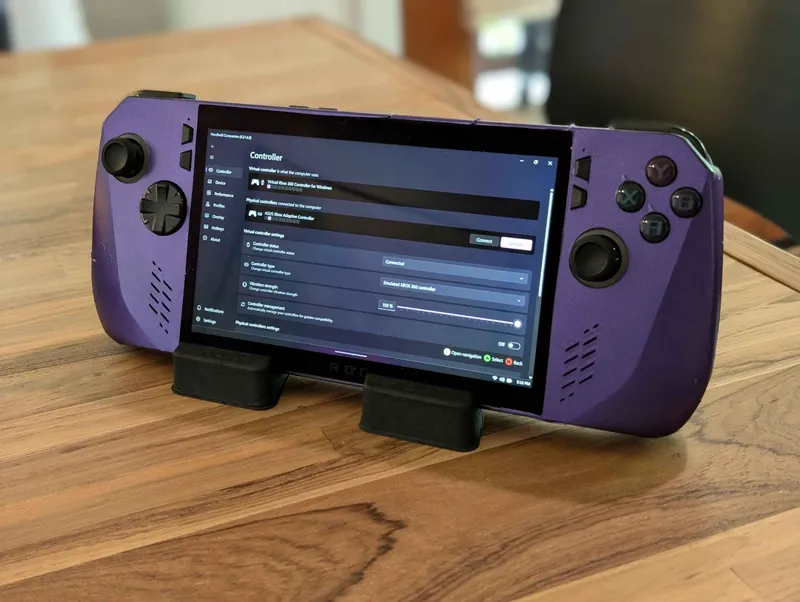
Patreon 0.21.6.1 - Asus ROG Ally X Support
Dear all, thanks to community effort, we're finally bringing you the long-awaited compatibility with the Asus ROG Ally X with patreon build 0.21.6.1.
What's Changed
Device support
Asus ROG Ally X (beta)
Improvements
Improved controller's drivers manipulation.
Improved memory management when device goes to sleep.
Improved UI navigation experience when desktop layout is enabled.
Updated libraries (LibreHardwareMonitorLib, HidHide, DeviceManagement, Sentry).
Bugfixes
Fixed an issue causing some keyboard keys to be "stuck".
Fixed an issue causing a crash when trying to retrieve serial devices. This fixes compatibility with ONEXPLAYER X1 Mini.
Fixed an issue allowing gamepad navigation to select disabled UI element.
Comments (5)
asus rog ally z1 extrem?
Supported.
We're now making 0.21.6.1 public. Source code will soon be updated on github page. 0.21.7.0 is expected this Friday.
First of all, thanks for this. Been waiting for this update. At first it worked great, but over time (and I'm talking like less than a day, but multiple boots) HH just became inoperable. It started out with crashing. I think the first crash was trying to setup keybindings for the shortcuts. Then I'd launch a game and notice my framerate was terrible, so I'd go to open HH to see if I hadn't assigned a profile,but the QuickTools wouldn't open and when I swipe up I don't see HH in the tray anymore. I'd jsut relaunch it and it'd be fine. Now it just won't start at all. It doesn't start on startup, and when I open it manually, I get the UAC prompt and then just nothing. Not sure if it'll help but here are the crashes from Event Viewer: Application: HandheldCompanion.exe CoreCLR Version: 8.0.1024.46610 .NET Version: 8.0.10 Description: The process was terminated due to an unhandled exception. Exception Info: exception code c0000005, exception address 00007FFB13622BD3 Faulting application name: HandheldCompanion.exe, version: 0.21.6.1, time stamp: 0x66960000 Faulting module name: atiadlxx.dll, version: 32.0.12011.1036, time stamp: 0x66f4eb58 Exception code: 0xc0000005 Fault offset: 0x0000000000062bd3 Faulting process id: 0x0x2AFC Faulting application start time: 0x0x1DB1BE74E6C1BF0 Faulting application path: C:\Program Files\Handheld Companion\HandheldCompanion.exe Faulting module path: C:\Windows\SYSTEM32\atiadlxx.dll Report Id: a8fa1db9-748a-4742-9782-bf81bced0432 Faulting package full name: Faulting package-relative application ID: I notice an ATI DLL in there, so maybe something AMD driver realted. For the record, this is a fresh Windows 11 install on an Ally X (using the official Microsoft ISO, not the built-in Asus Cloud Recovery). I fully updated all drivers through Windows Updates and fully updated Windows. I am also using the official AMD GPU driver, not the Asus provided one. Please let me know if there is anymore information I can provide to help. Oh, and another issue, albeit one I can work around, when opening the Quick Tools my controller inputs are still recognized in Steam or whatever application is in the background.
Thanks for your report. We're still looking into a weird performance behavior. In the meantime, the above issue means windows might have partially killed your AMD drivers. You need to reinstall them.