


Mod Support - Development Part 64
Video shows the summary, text shows the technical!
This week:
Mod Support UI
Mod Support Features
Mod Support UI
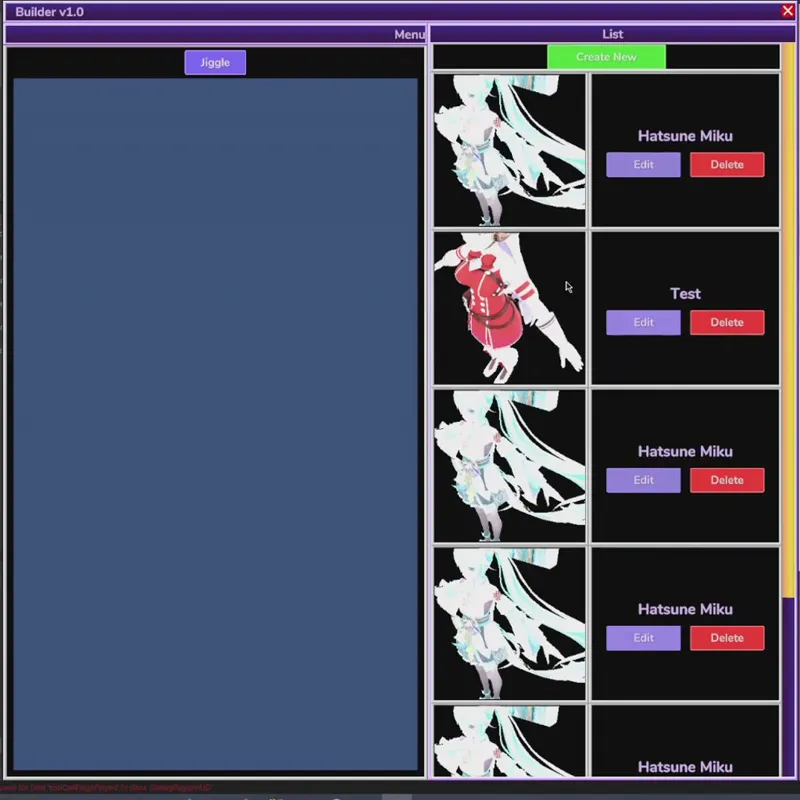
The mod list UI supports many files and loads them all in a performant manner so your computer doesn't lag as you scroll through the list. This means texture preview reading and generation is also handled in a performant way.
But anyways once you create a new mod, the model will appear on your screen. You can preview the jiggle physics with the Jiggle toggle button and pan, rotate, and zoom to make sure it was imported properly.
Next is integrating it into each Robot part as a visual override. This will require the fbx file to fulfill properties of what it is to replace; things like "eyeball socket location", "headjack location", "blink blendshape". This will require a tiny bit more UI work to display the required properties of your mod.
I got so much work done this week it's crazy.🤓
Mod Support Features
So this week I added importer readers to read properties such as "elasticity" and "stiffness" to automatically create dynamic bones (jiggle bones) on whatever bones you specify. Collisions are handled in a similar manner except it reads the names of meshes. So for example if you make a capsule and call it "collider_capsule" and then parent it to a leg bone, the leg in the game will receive a capsule collider exactly as you built it in Blender/Maya.
Stay tuned!