



MyRobot Development Part 54
Video shows the summary, text shows the technical!
This week:
Misc Improvements
AI Access Menu rework
Misc Improvements
First the kill screen: It's a simple freeze frame fade in with "Game Over", pretty simple.
The poke/grab controls: This was a much needed rework with the controls because till now it was annoying trying to grab body parts and accidentally poking them instead. So now the poke/grab action is its own cursor tool. This means you will have to scroll up or down to switch to poke/grab mode. It's much easier.
The quest HUD toggle feature was a much requested ask so if you have a ton of quests or want to hide the main story quest, just toggle it in the quest menu.
Books are pretty self-explanatory, you can find them about and interact with them using the poke/interact cursor tool.
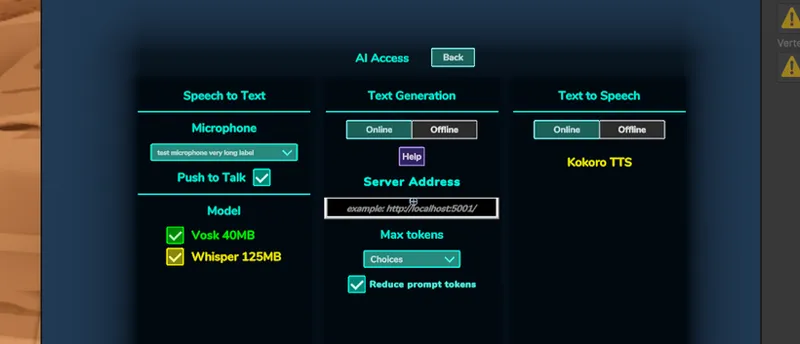
AI Access Menu Rework
The AI Access menu was reorganized to be simpler and easier to mix and match. So if you want to generate text with your patreon tokens but generate the voice locally, you will be able to do so real soon!
I chose to use KokoroTTS since it seems to be the most promising of the existing free offline TTS generators. It's still heavily in development and it will not sport as many features as the paid Patreon version (no voice cloning or HQ voice), but it will do it's job. I'll post a video about it soon.
In other news, the Steam page is almost almost ready! This month I am also going to start processing the Kickstarter backers custom clothing and animation rewards.
Stay tuned!