
Another build with rain with a few fixes
Merry Christmas and Happy New Year! A bit too late, unfortunately, as usual, I miss all the deadlines. 😅
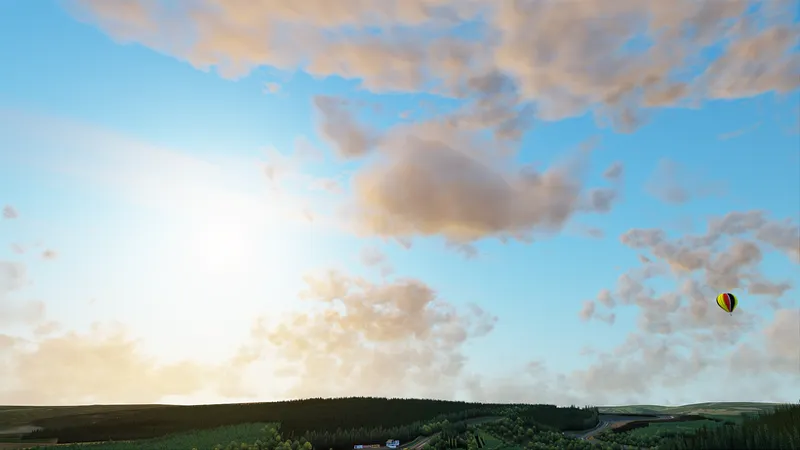
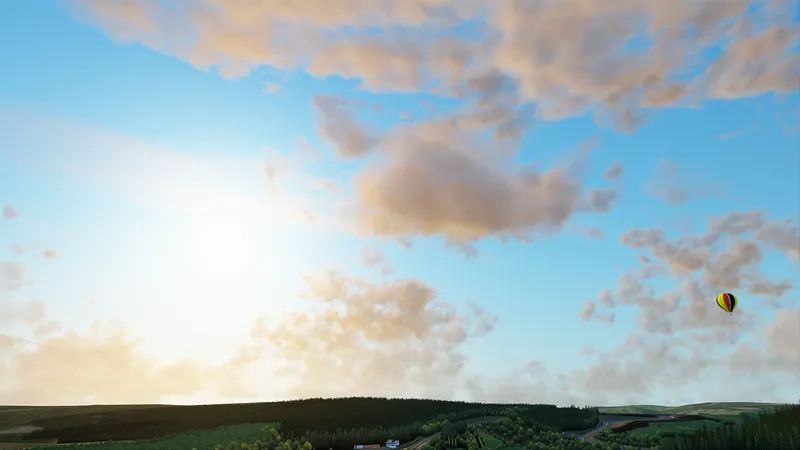
For this new update, I’ve made a lot of improvements to the whole Weather FX thing, fixing quite a few bugs, or adding things like cloud shadows affecting other clouds. All the changes shouldn’t break compatibility, all fixes are optional to apply. Also, a lot of default Weather FX script has been rewritten to change sky, lighting, height-dependant fog, clouds look and distribution, and to just make things a bit faster and simpler in general for people who might want to use it as a base of their Weather FX implementation.
Also, a tiny thing, but now car stereos (which now can also create more modern displays) and navigators can get information about current track directly from Windows 10 (and fake audio visualisation uses audio peak information to get at least a bit of sync with actual track playing). More importantly, however, while updating car stereos, I figured out how new digital instruments done with dynamic textures can be configured, so that is something I’m going to work on soon.
As for rain, in this new build, traces of windscreen wipers in exterior view are working properly, and also rain drops on cars adjusted and fixed to not look as bad with dynamic lights. Not a lot has changed, sorry, but on a brighter note, Jackson Papageorge now might get some time to work on rain physics.
Thank you so much for your support! More new features are coming soon, and I really hope we’ll be able to finish that rain sooner as well. Have a great 2021!
Comments (83)
Been using the prewiev 176 /136 for a day and it worked just fine, after a test drive and i just quit out to CM to change car...CM sys track not found... this happens if wrong shaders patch is installed, looking at the page and version 167 was loaded wtf... reinstalling the 176 / 136 from the file and it says installed successfully, cm immediately reinstall another version,172 this time, 160 next time, 172 the time after that... makes game unplayable since I get the no track found. Tack is a project im working on and this is a halt in the work. Is there any file somewhere that tells cm to behave like this. I have autoupdate off since I use the file downloaded from here. Any insights appreciated
Please tell me how to use the radio
hi did you find how to use the radio ?
Rain wont show up even in manual mode the number is stuck at 0 or resets to 0 instantly the audio and everything else works but the rain and the car looking wet and the track
New unique mods for corsa) now you can download them! Hurrah! https://www.patreon.com/mods3d
您好 我的游戏进入后 雨天没有下雨效果
I have same problem, not have rain
Hi! I have some strange smoke behaviour. https://youtu.be/cvw12bLCeQc
Love the work that is put in to this, amazing how good its looking. I have spent some time trying to find the best setting for my system with 1.69 to fight jaggies. I like the crisp look with post procession AA Fidelity Cas by AMD but got some flickering in reflections. What I found out is that static high resolution reflections almost get rid of all my flickering. With that setting I dont see any differens in fps, between .69 and .70, in rain. Static reflections could be worth trying for them struggling with fps. With high resolution reflections it still looks good. With .70 I have some stuttering going on that I need to figure out though. Another thing I noticed is that I get a massive stutter using a weather plan when the weather is about to change.
where can i find the "static high resolution reflections" option?
Here is a rainFX server for people who would like to test the new build online: https://acstuff.ru/s/q:race/online/join?ip=104.192.224.10&httpPort=8348
This build has drastically reduced performance on my end. I used to have CSP settings all tuned to get reliable 60FPS at all times at LAC - with this build I get at best around 30 - 40 FPS. Are there any known causes in a certain setting people may know?
I have the same problem. Can't findany settings to restore the lost FPS.
What a great patch. Unfortunately, the vehicles are not reflected in the slowly increasing water surfaces on the track. However, surrounding buildings etc. can be seen in the "puddles". I got the tip to turn off the Motion Blur in the AC menu and in the CSP. Unfortunately, I don't get a correct cockpit view at the start of a race, but a completely twisted picture. A reflection is not to be seen here either. Does any of you have a tip for me?
Enable "enable lighting in reflections" under Lighting FX. Then you will see the car in the puddles. Remember always to turn off motion blur in vanilla AC otherwise ExtraFX won´t work. You can enable motion blur in extrafx as well.
I'm getting rain on the car and windscreen, but the track remains dry looking. Any thoughts?
Some tracks are without RAinFX baked into the config - CSP will download them if you have the track - I put a collection together here if you're interested http://bit.ly/35iTbCh
Man so realistic, this is like the best mod for ac. Keep it up with the job. Really enjoy gaming now
Wow the car stereo looks awesome, would love to see it in action, but how do i go aboiut enabling this feature?
should be on by default, just have spotify running and it should work :)
My old computer can't afford that amount of fps drop. I will remain to 0.1.69 for now.
Thanks Thanks Thanks
Thanks but sadly FPS goes down and a lot of car wipers still won't work properly... :(
Just joined the gang and holyyyy rainfx is CRAZYYYY
Amazing! Keep good work :))
Not sure if this is much help, but in my case I am getting serious stuttering. I found that setting simplePPoff under WeatherFX stopped the stuttering completely, using default implementation, Sol 2.0.1 or Sol 1.5.x all produce the stutter, so potentially a weather controller issue?
im getting the same, fps drop quite lot with latest, i hav a i5 10600kf and 2070, n can usually run it at max gfx but now a good 30fps drop
Hi, rain or not, there is a issue with VR. thank you for the work !
hi, im the same as andras, was dropping down to 55 fps
I am in the same situation 0.1.70- 50 fps drops Went back to 1.69... Any fix for this spectacular frame drop
Hi
Unfortunately this version seems to be unstable for me, even without rain. I keep getting GPU related crashes. I had no issues on 1.69, I already disabled my overclock, and I don't have issues in other games, even Cyberpunk. using a GTX 1050 Ti 4GB
As above, 0.1.70 is causing a 30-40fps drop. Have reverted back to 69 for the moment until hopefully the frame drop can be figured out.
thank you IIlja for your amazing work, unfortunately this last build costs 30-40 FPS, but absolutely no big deal I'm happy with V1.69 !! I hope you have some deserved rest for the beginning of the year !!! Best wishes !!!!
Had to rollback to 69. This one is giving me frame issues. Stuttering a lot. Looks real good though.
I actually found with my frame rate issue was with my NVIDIA settings. Somehow the settings were changed (I would think totally unrelated to the update 🤷)
can you tell me what needs to be changed? in Nvidia settings?
On both 0.1.70 and 0.1.69 the framerate is unstable with significant stuttering as other reported. 0.1.69 preview is perfectly fine.
FPS is horrible, specially in VR.
the fps in-game is 10~20 lower than 0.1.69 pre1.
Have the same issue as John. Had to roll back to 1.69 preview1
hi i have the 0.1.70_preview1, sol 2.0, extended physcis check on CM but dont have the rain debug on weatherfx, how to activated, since my grip is the same on wet as at sunny day?
I know I may be quite late with this question, as I am somewhat aware it was implemented some time ago, but how do you activate the infotainment system in a car? How do you play tracks from your car? Can you really link your Spotify account to the car and play tracks from there? Could someone guide me through this matter? Please & thank you!
I would like to know this too, i can't find info anywhere on it
Have the same issue as John. Had to roll back to 1.69 preview1
Thanks Ilja and Happy New Year!!
just noticed an issue, since i've installed 1.70 the game is not smooth. Framerate isnt the problem (its still around 90-100fps) but the game is very stutterey
Maybe I'm wrong, but it seems to me to be much more heavy for my PC!
Brilliant work. I have seen other guys have access to a slider that can increase/decrease and display puddles in the road surface. Where is this located in the menus??
You can open up the WeatherFX debug window from the sidebar and adjust this along with rainfall.
Happy new year, and thank you for all the great work.
Happy New Year Ilja!
Some wipers still not cleaning the windshield for example Mercedes AMG GT3 and Ferrari 488 GT3 the wiper animation is on but dont clean the drops and make impossible to drive with a heavy rain
Happy New Year ilja, and thank you for your continuing excellent work! One small question concerning windshield wipers, I thought I'd read somewhere that the wipers cleaned the water off the windshields in the Kunos original cars? The ones I've tried so far (Ferrari 250 GTO and 330P4, as well as the 911 Carrera) work fine, however as a big Group C and DRM fan, it's disappointing that the wipers don't do anything on my beloved 962C and 935 :). Is there any solution for this? Thanks again!
Great job and a Happy New Year! It's been amazing for 2020 with what you've done...I look forward to 2021!
Nice job! Would be amazing if one day we could configure even more complex navigators with custom menu structures/graphics & interactive logic to control certain car bits like TC settings and such.
thank you very much for your work. I like this tool. However - after updating to this version and in csp it is 0169 I cannot see rain anymore. I went now back to the last working settings (for me it is 0.1.69beta and in csp I have had to go back to 0.1.66 last time).but now I cant see rain in that setting anymore, too. Dont know why. Maybe my settings /pc is in some case corrupt.Can you help with some recommended settings in csp or what can I check out? (certainly rainfx is enabled an particles fx, too and i am in sol 2). Would be nice to get some advice. And of corse: Happy new year to everyone reading this.
Try getting the latest Sol v2 and selecting rain weather from there. Newer rain preview builds started to trigger rain based on that rather than always. You can still trigger it manually using the rain debug option in the in-game WeatherFX app.
Thanks, and happy new year, Ilja :)
Thanks. Any timeline for getting Extra FX with triple screens?
One note. Lightning in reflections is not working. I enabled in light effect. But it's not working is there a way to to fix it? It was working on version1. 5. Thanks
Great job Ilja. The rain is freaking amazing. Keep up the great work. Happy New year to you and your family.
Installed the new version and now my ingame fps is locked to 60 fps. I play in VR and it must be 90 fps. Any idea?
Reinstalled older preview and fps is back to 90.
works fine and smooth.
FOR me the same as some People posted here,get stuttering and heavy Load Usage between 90 and95% before it was between 60 and 72%,back to 1.69 all
Happy new year Ilja to you and everyone involved in your stunning work! And happy new year to all member of this passionate community.
Thank you ilja! Excited to put hands on that new stereo feature!
Thanks for the improvements, really appreciated. The game just get better and better, thanks to you and Mr. Peter Boese, and of course, for all the modders that make our desires happen. Now, out of the subject, is it just me or the motion blur isn't working since a few releases ago?
I installed this new version and AC is crashing for no reason!!!???
Great progress as always, Happy New Year!
Thanks a lot, man! Happy New Year for you too, and thanks for your hard work. AC with your CSP as been a great companion on these tough year. Rev it up!
Rain spray from the car is flying up in the air, not behind the car :P
That’s with chase camera, right? I’ll work on that :)
Hmm, something is not right. Switching from 1.69 to 1.70 causing very stuttering game (on my 8core/1080ti). So I had to return back to 1.69 and game is again butter smooth. Thanx
here the same :)
excited to check it out, thanks for your consistent work
i seem to still be having trouble with the fog on windshield. i know it used to work but after the last update its gone. any ideas on how to get it back working?
sorry, what fog?
:-O absolutely fantastic ! thx for ur awesome work !
nice!
nice job !!
Well done. Keep up the hard work