


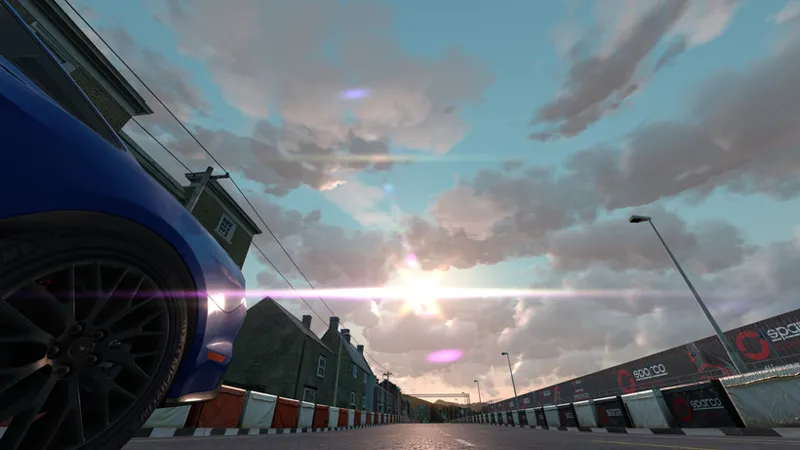

Cloud shadows, and a few more things
Weather FX update turns out to be quite big, with new and new options being added. New clouds still look pretty sad, but I think they’re improving, although there is still a lot of work to do with shape and materials. Also, now sun is properly blinding too:
Added some new features for post-processing filters as well: custom glare shape for first person view, a couple of extra options for anamorphic glare, plus color grading got strength parameter. Plus, now that post-processing extending module, Yebisest, got a couple new options to forcefully disable lens and anamorphic glare in first persion view. Oh, and also, I added an optional replacement for that post-processing selector app, with a nice dropdown list, grouping, searching and built-in filter editor allowing to see changes in real-time:
Adding a preview build, although, it’s still quite an unfinished work. But please do tell me, what do you think about clouds, are they any good? And what about the performance? The whole thing started mainly as a more lightweight alternative to Sol. Also, there is a PP-filter I prepared for it, although I think it should work with most of them. Sometimes sun rays go wild though, with some of them.
One last thing, to try new weather script, switch to it in Weather FX settings, “Weather script” dropdown. As for controller, for now, please use Sol’s one, it’s a great controller with a lot of interesting behaviours and a helpful app.
Comments (14)
Hey Ilja Just installed the latest yet when i select the PPFilters app I'm not getting the full edit menu? Is there something i'm doing wrong by chance?
Hey, there is no context menu if you would to click the name of currently selected PP-filter with right mouse button? Sorry about that, I’ll add a dedicated button for editing
Testing on accelerated time produces a bit of a weird look of these clouds, compared to doing the same thing on SOL.
Right, I’ll add an option to ignore that time change.
The new clouds are definitely a step forward. I do like the look of SOL, but I really appreciate the FPS improvement your new WeatherFX provides. They look pretty good too. At the moment, I'm seeing a few banding artifacts in the clouds, but nothing too crazy. I would like to try a version with a slightly higher resolution for the cloud textures just to see what difference that would make.
Unfortunately there is a bit of an issue with that, since it’s a 3D-texture, it takes 180 MB of VRAM as it is. You can raise resolution in weather_fx.ini by changing RESOLUTION = 512 to RESOLUTION = 1024, but it would eat 4 times as much VRAM.
Wooow ! When I saw the patreon post I was quite amazed you were working on this. I tried it and here are my initial findings.. I'm using VR and performance is way better ! With Sol clouds I am on 40 fps (ASW) and with the clouds from WeatherFX I am on steady 80 fps when hotlapping. Pretty nice ! VR performance was not so great lately and I thought it could have been Sol related and turns out it is. Great to see the clouds shaping up when changing weather in-game, very nice ! The clouds look really realistic imo. I used the WFX base PP-filter and also tried with Sol. The lighting effect is more pronounced with the new WFX clouds, more life-like I'd say. Maybe a bit too much but better than before for sure. I do get this sun destruction beam with it though but other than that it looks great already. I think I'm going to stick to it even in it's current state. Amazing work !
What settings do you use to switch between SOL clouds and these new clouds?
I can't find the base script in the WeatherFX menu
Edit: I fixed it! Just needed to go into the .ini and change it from there.
Looks awesome! Could you tell me where to put the WFX Base v1.ini though? I can't figure that out for the sake of it. 🙄
Thanks! Put it in assettocorsa\system\cfg\ppfilters, next to others
What weather do I select to try it out once installed? One of the base options?
Same as with Sol, if you'd be using Sol controller. I'd recommend to also use its app to be able to change weathers during a single player race, for testing