
PEACH | ADAM V2 Replacement Top (UPDATED 7/26)
UPDATED 7/26: added untextured parts
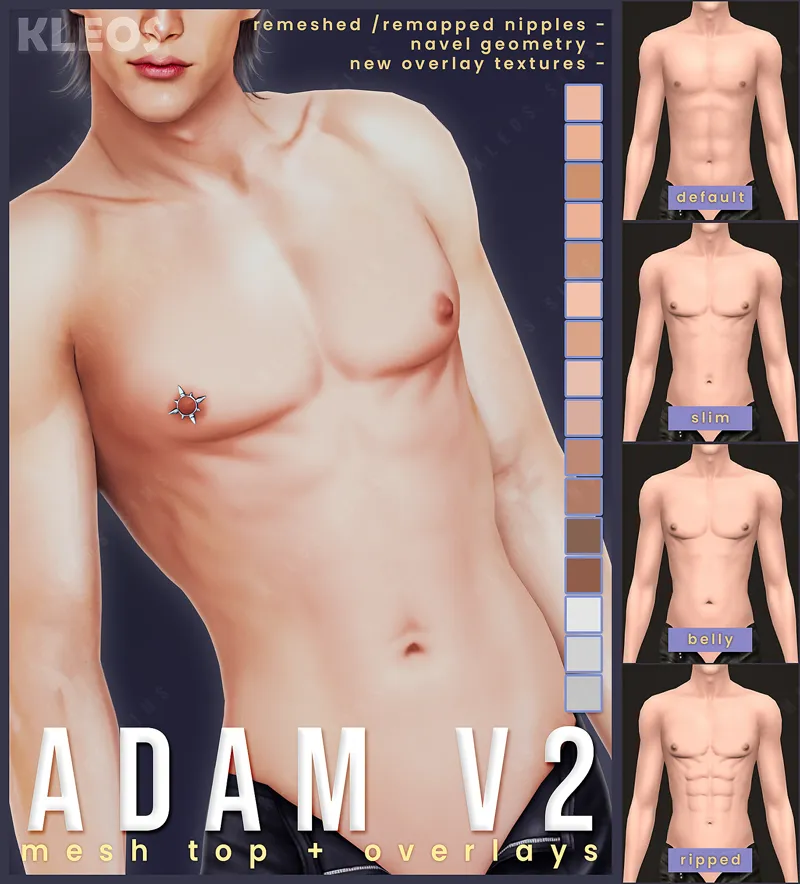
It took forever, but I finally got around to updating my nude Adam V1 top!
The new V2 includes:
remeshed /remapped nipples
navel geometry
new overlay textures
FILES
SMSims_adamtopv2.package - default file for NON-WW USERS
SMSims_adamtopv2_WW.package - non default file for WW USERS
SMSims_adamv2overlays.zip - texture overlays (found in acne)
NOTES
Since all skin creators seem to map their nipples and belly buttons to different locations, it is naturally impossible to match them with everyone. Therefore, I have included overlays (under the acne category) that can be layered over skins to correct the placement. The tones and shades can be adjusted with thepancake's Colour Slider mod. There are also three MM shades included, plus additional colours that match some of RemusSirion's fantasy skins.
If you don't use custom skins, there is a texture included with the mesh to ensure you can still have correct nipples and belly texture placement.
I intend to update all clothing to match this new top version. Everything from the last year has already been updated. I also intend to convert all EVE navel piercings so that they are compatible with this top.
Comments (4)
How do I get it to show in skin details?
The overlays should show up automatically in skin details if you place them in your mods folder.
Hi! So Im using the default file and when I select any of the mm overlays it doesnt work but the alpha swatches do. The mm overlays however do work when im putting a shirt on the sim since im guessing its unequipping the adam top? Is there like a way to fix that?
Thank you for pointing this out! You're right, I hadn't anticipated that the texture included in the mesh itself would override the overlays. I've included a copy of the tops with the texture removed which should fix this.