
PlumbFrame - Hang Your Own Pictures In The Sims 4 | Preview
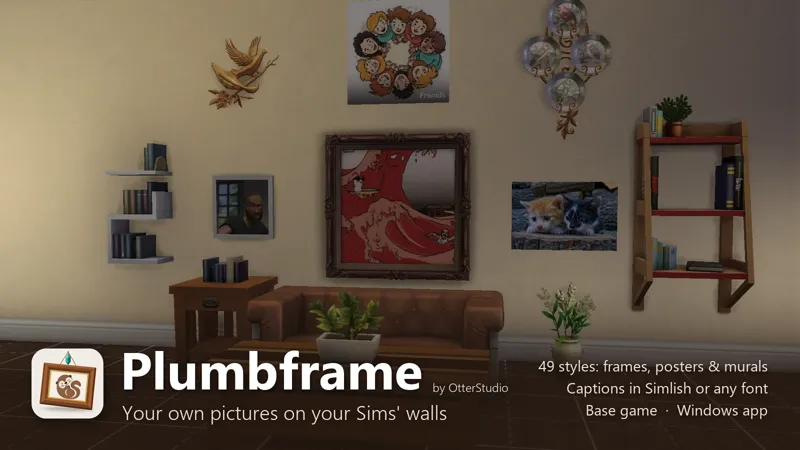
Plumbframe is a Windows app that turns your own pictures into wall art for The Sims 4. Your photos, your screenshots, your art, all in the game's own frames. Pick a picture, pick a frame, click Build, and it shows up in Buy mode. No Sims 4 Studio and no file editing needed.
FEATURES
• Use any PNG or JPG, or pull in your Sims 4 screenshots straight from the game folder
• 49 styles based on EA's wall art:
◦ posters: plain, pinned, taped, tilted and curled
◦ 31 frames, from slim modern to gold baroque
◦ canvases, wall decals and a giant mural that covers a whole wall
• Small, Medium and Large sizes in every EA colour
• Crop, rotate and flip, adjust brightness, contrast and warmth, and pick from 10 filters
• Captions: a brass plaque, a soft fade or text right on the picture
◦ drag it anywhere, resize it and recolour it
◦ add an outline in any colour and thickness
◦ write it in Simlish or any font on your computer
• Split one picture across 2 or 3 frames that hang side by side
• See how it looks in game before you build, with a big preview you can click to enlarge
• Room preview: hang your frames on a screenshot of your own Sims house before you build
REQUIREMENTS
• Base game, no packs needed
• Windows 10 or 11
• Custom content enabled (Game Options > Other > Enable Custom Content and Mods)
HOW TO USE
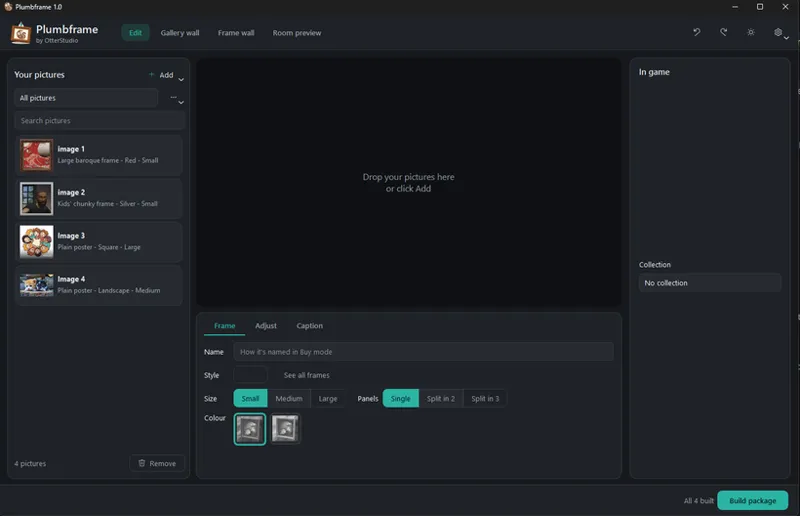
• Add your pictures, or drag them onto the window.
• Drag the box to choose what part of the picture shows, then pick a style, size and colour.
• Click Build package and fully restart the game.
• Find your pictures in Buy mode under Decor > Wall Decorations.
GOOD TO KNOW
• Changing a picture's crop, style or size, or removing the picture, makes a new item. Copies you already placed in your game disappear after the next build. Plumbframe warns you before that happens. Renaming and changing colours, filters or captions is always safe.
• Plumbframe works fully offline. Your pictures never leave your computer.
• To update, download the new installer to your Downloads folder and click Install update in the app. Your pictures and settings are kept.
INSTALL
• Download and run Plumbframe-Setup-1.0.exe.
• If Windows shows "Windows protected your PC", click More info, then Run anyway.
If you catch a bug, tell me and I'll get it patched.
DOWNLOAD
Comments (1)
🙌🏾📸📸📸 I’m am dying to try this ! Definitely a game changer 🥹🥹🥹