

🔥 Gorilla WWE 2K26 MoveFinder v1.1 — Tribute Custom Moves Early Access
The first major Gorilla MoveFinder update is here!
Gorilla MoveFinder v1.1 now supports installed Tribute custom-move packs, alongside all vanilla WWE 2K26 moves.
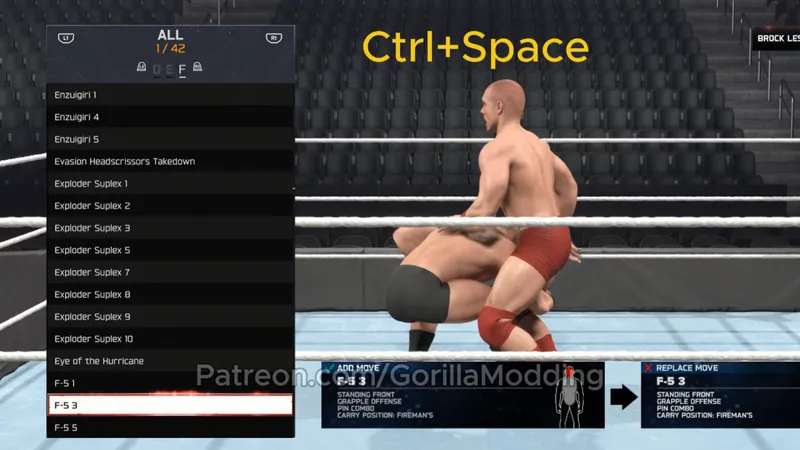
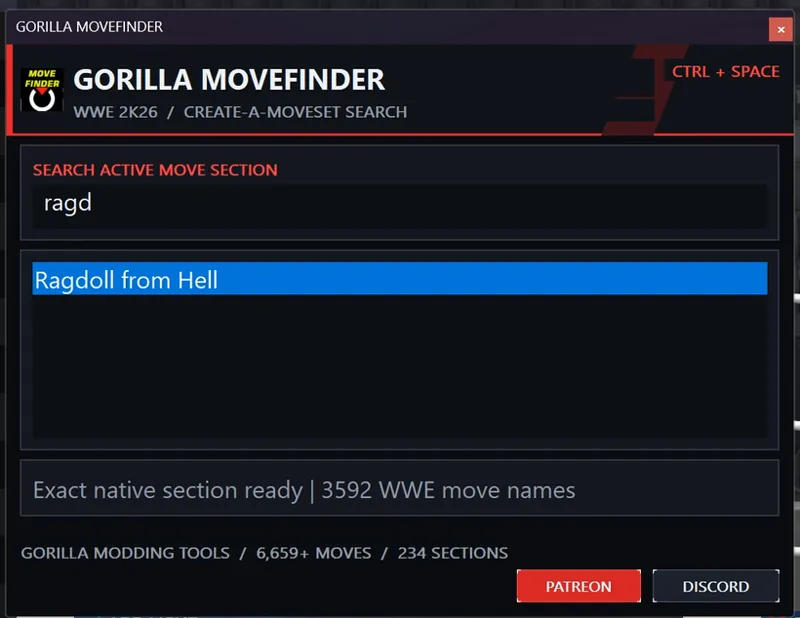
Open a moveset section, press Ctrl+Space, type the move name and select it—no more scrolling through enormous move lists.
What’s new
Tribute custom-move support
Compatible with the latest WWE 2K26 update
Searches vanilla and installed custom moves
Works across the complete Create-a-Moveset menu
Instant native move selection
Improved wording: 234 Sections
Existing responsive, DPI-aware interface preserved
Early access
Paid Patreon members receive 7-day early access to this update.
The update will become free for everyone on August 29, 2026.
Your support helps me continue building free tools for the WWE 2K26 community. Thank you!
Important
Tribute move packs are not included.
Compatible custom moves appear only when their move pack is installed separately.
Use MoveFinder only in offline Create-a-Moveset screens.
WWE 2K26 must be closed while installing or updating the tool.
Installation
Close WWE 2K26.
Extract the downloaded ZIP.
Open the included Plugins folder.
Copy all three files into WWE 2K26\Plugins.
Choose Replace the files in the destination.
Start WWE 2K26.
How to use
Open Create-a-Moveset.
Enter any move assignment section.
Press Ctrl+Space.
Type a move name.
Press Enter or double-click the result.
Download the attached:
Gorilla_MoveFinder_v1.1_Early_Access_WWE2K26.zip
Thank you for supporting Gorilla Modding Tools. 🦍
Discord: https://discord.gg/tRfkgB3wD
#WWE2K26 #GorillaMoveFinder