
Tutorial: Ableton Shortcuts
Welcome to a new series on workflow! We'll be covering shortcuts, creative tips, organization and more.
Welcome to a new series on workflow! We'll be covering shortcuts, creative tips, organization and more. This first video is our 'Ableton Shortcut Bible' which includes every useful keyboard/mouse shortcut you need to know, to help speed up your workflow using Live. We have also listed them below for quick reference.
00:00 - Intro
01:00 - UI & Navigation
03:00 - Audio/MIDI Clips
05:30 - Transport
06:54 - Automation
09:04 - Devices & Tracks
macOS users: Unless stated otherwise, substitute Cmd for Ctrl, and Option for Alt
UI & NAVIATION
[Tab] Switch between Session and Arrangement view
[Ctrl+T] Insert new Audio track
[Ctrl+Shift+T] Insert new MIDI track
[Ctrl+F] Search in browser
[Ctrl+1-5] Change grid size/quantization
[Alt+drag] Disable grid snap — [Cmd] on macOS
[+][-] Zoom
[Ctrl+scroll] Zoom
[Shift+scroll] Horizontal timeline navigation
[Ctrl+Alt+drag] Horizontal timeline navigation
[Alt+scroll] Increase/decrease track height
[Shift+?] Show/hide Info box
[Ctrl+,] Open Preferences window
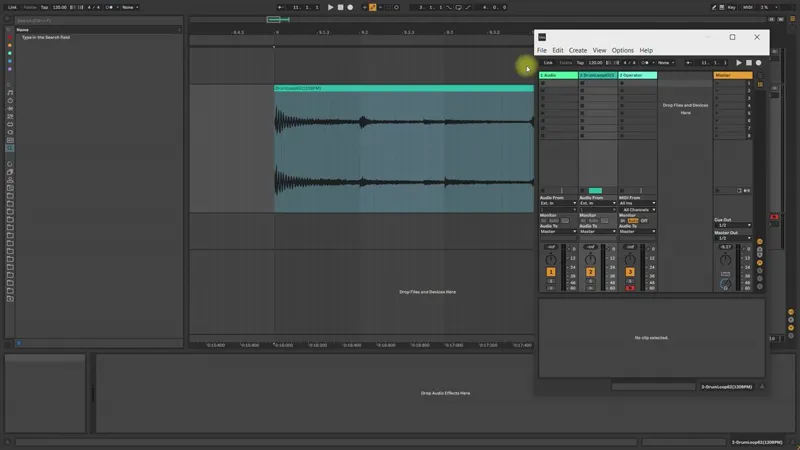
[Ctrl+Shift+W] Open second Live window
[Ctrl+K] Enable Key Map Mode
[Ctrl+M] Enable MIDI Map Mode
AUDIO & MIDI CLIPS
[Ctrl+D] Duplicate
[Ctrl+R] Rename
[Ctrl+E] Split
[Ctrl+J] Consolidate
[0] Deactivate/reactivate
[R] Reverse audio
[Shift+drag edge] Stretch audio
[Ctrl+Shift+drag] Navigate audio file inside the clip
[Ctrl+Alt+F] Crossfade adjacent clips
[F] Show clip fades (in automation mode)
[Ctrl+Shift+M] Create MIDI clip
[M] Toggle keyboard mode
[B] Toggle draw mode
[Shift+↑↓] Move MIDI notes up/down octave
[Shift+←→] Shorten/lengthen MIDI notes
[Alt+drag] Adjust note velocities
TRANSPORT & LOOPING
[F9] Start recording
[Shift+Space] Play from paused position
[Ctrl+Space] Play highlighted region only — [Option+Space] on macOS
[Ctrl+I] Insert silence
[Ctrl+L] Loop highlighted region
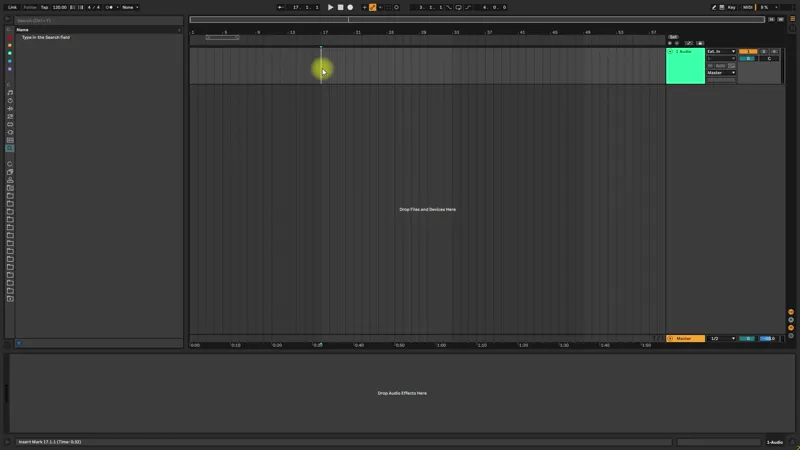
[Ctrl+click] Set start loop marker
[Ctrl+Shift+click] Set end loop marker
[←→] Move highlighted loop
[Ctrl+←→] Double/halve loop duration
[Ctrl+Shift+L] Highlight loop contents
[Ctrl+Shift+R] Open Export Audio window
AUTOMATION
[A] Toggle automation mode
[Alt+drag] Create curve from line segment
[Alt+double click] Reset curve to line segment
[Shift] Fine tune value adjustment/lock movement to single axis
[Drag edge] Stretch automation
[Shift+drag edge] Stretch whilst preserving automation
[Ctrl+drag handle] Mirror stretch on opposite handle — [Alt] on macOS
DEVICES & TRACKS
[Shift+Tab] Switch between device and clip views
[Ctrl+Alt+P] Show/hide plugins windows
[Ctrl+G] Group devices/tracks
[Ctrl+Shift+G] Ungroup devices/tracks
[0] Toggle track on/off switch
[S] Toggle solo
[C] Toggle arm track
[Shift+↑↓] Highlight multiple tracks
[Ctrl+↑↓] Move highlighted track(s)
[←→] Collapse/expand track(s)
Comments (10)
Thanks! Learned a couple of new ones. The diagonal automation stretch was an omfg moment for me here. :) <3
I'm learning how to use Ableton right now switching from another daw, and this was really helpful to get used to the workflow. Thanks
Although I was aware of some of these, I learned some new shortcut keys from this! Thank you! Would you guys consider releasing some of your Ableton racks for patreon users? I'm sure some of the ones you use are in the project files, I just haven't had a chance to take a look at those. Cheers!
Yes, we will definitely release some of these!
Did learn a couple from this. thanks.
I think from a prior response you have switched to a different way to post videos. Unfortunately this video is extremely blurry when enlarged. Hard to watch. Actually after a few minutes this corrected itself...I have a fiber optic connection so speed shouldn't be an issue. Not sure why it took so long.
Hi Peter, sorry to hear you're having issues. Would you be able to submit a support ticket directly with Patreon? Unfortunately there's not much we can do on our end, as we haven't received this feedback from any other patrons. https://support.patreon.com/hc/en-us/requests/new?ticket_form_id=360000465611
nice idea to to a shortcut bible.thank you as always !
Thank you!! <3
what a sweet little video, definitely incredible for beginners who don't know some of these! I've been using Ableton for a solid year and yet I still learnt a bit haha! thank you for this! ♥️