
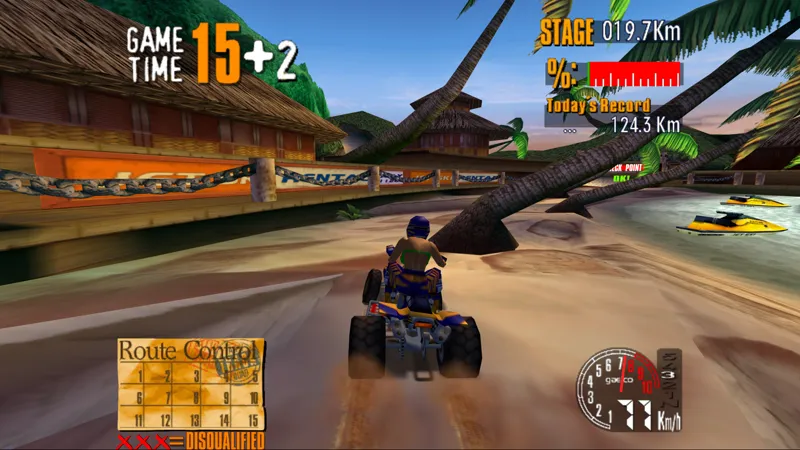




TeknoG4 Is Here: ATV Track, Gaelco Football and Smashing Drive
A brand new emulator has arrived in TeknoParrot.
TeknoG4 brings support for Gaelco’s PowerVR-based arcade hardware, built around dual SH-4 CPUs and the Neon 250 GPU.
Three games are supported from day one, covering six different arcade versions:
ATV Track — Set 1 and Set 2
Gaelco Football
Smashing Drive — World, UK and Spain / Portugal
TeknoG4 is now available for subscribers through TeknoParrot UI 1.0 and 2.0 on Windows and installs automatically through the normal emulator updater.
Select your game version, configure the game and play. Different revisions of the same game are grouped together under a convenient version selector.
Graphics
TeknoG4 launches with a modern Vulkan renderer and a range of display options:
Vulkan rendering
Internal resolution scaling from 1x to 8x
16:9 widescreen mode
HUDs and 2D screens retain their original layout
Nearest, Linear, Bicubic, Lanczos and SSAA output filters
Optional Lottes CRT effect
Custom bezel artwork using bezels/<set>.png
Windowed and fullscreen modes
Press F11 to toggle fullscreen
Controls, Cabinet Features and Force Feedback
Controls are configured through TeknoParrot as usual.
If no controls are configured, TeknoG4 also provides its own default keyboard and gamepad mappings.
Driving support includes:
Steering
Throttle
Brake
Cabinet buttons
Correct steering orientation for both ATV Track and Smashing Drive
Gaelco Football supports two players on one cabinet, including kick strength, direction and height through your controller.
TeknoG4 also includes:
SDL3 force feedback
Smashing Drive wheel and seat motor effects
ATV Track motion platform support
Selectable force feedback device
Lamp outputs
Coin counter outputs
MAMEHooker-style cabinet output support
Working cabinet volume buttons
Saved operator settings
Saved coin settings
Saved high scores
Smashing Drive also now starts with a sensible default volume instead of the silent factory configuration.
Linked Play and TeknoParrot Online
Both ATV Track and Smashing Drive support linked multiplayer.
Two PCs can operate as two linked arcade cabinets on the same local network:
Cabinet 1 on one PC
Cabinet 2 on another
Both games are also supported through TeknoParrot Online, with two players per room.
Online rooms are tied to the exact arcade revision they were created for, so both players must use the same game revision and the same TeknoG4 version.
Press F8 to open chat during linked sessions.
Gaelco Football already supports two players locally on a single cabinet, so it does not use online rooms.
Save States
Press Escape while playing to open the TeknoG4 menu.
From there you can access:
Pause
Volume controls
Save State
Load State
Each game has one quick-save slot.
Save states are available offline only and are tied to the TeknoG4 version that created them. After TeknoG4 is updated, save states created with an older version may no longer load.
CPU Speed Options
TeknoG4 also allows CPU overclocking for games that struggle in heavier scenes:
Original
+25%
+50%
+100%
This can help improve frame rates in demanding situations.
TeknoNaomi Updates: Working Card Readers and Insert Card Controls
TeknoNaomi has also received a major update for games that originally used arcade player cards.
Card readers are now functional across several games.
Initial D Arcade Stage
The following games can now properly use player cards:
Initial D Arcade Stage
Initial D Arcade Stage Ver.2
Initial D Arcade Stage Ver.3
Initial D Arcade Stage Cycraft
Cards can now be:
Purchased
Read
Saved
Inserted
Ejected
Just like on the original cabinets.
We've also fixed the issue where buying a new card could become stuck on a card reader error.
More Naomi Card Games
Card support is also available for:
Club Kart 2001
Derby Owners Club
Derby Owners Club II
Derby Owners Club World Edition
Player cards are preserved between sessions.
When a card is replaced, TeknoParrot also keeps a backup of the previous card.
New Insert Card Buttons
You can insert your saved card using Q or the new Insert Card control inside TeknoParrot.
You can even press Insert Card before the game asks for it.
Instead of causing the virtual reader to jam, the card will now wait at the slot until the game requests it.
New Insert Card mappings have been added to both TeknoParrot UI 1.0 and 2.0 for:
Initial D — Player 1
Club Kart — Player 1
Derby Owners Club — Player 1
Virtua Fighter 4 — Player 1 and Player 2
Existing profiles receive these new controls automatically, but they are initially unbound, so remember to assign them through the controller setup.
Known Issue
In Initial D Arcade Stage Ver.2, the game itself can occasionally prevent the next attract-mode replay from starting after a card-based game.
This behavior originates from the game and is not a TeknoNaomi card reader issue.
ROM Disclaimer
TeknoParrot does not provide, host, distribute, sell, or link to game ROMs, game files or copyrighted arcade data.
TeknoParrot is emulator software only. No game files are provided.
Comments (1)
This is great stuff