
Edgar's Creek - Build for TS4 ❤
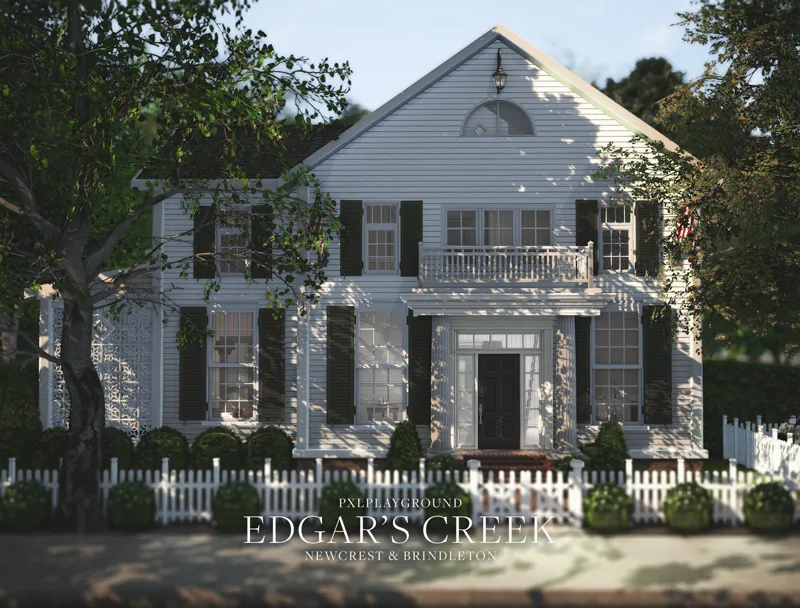
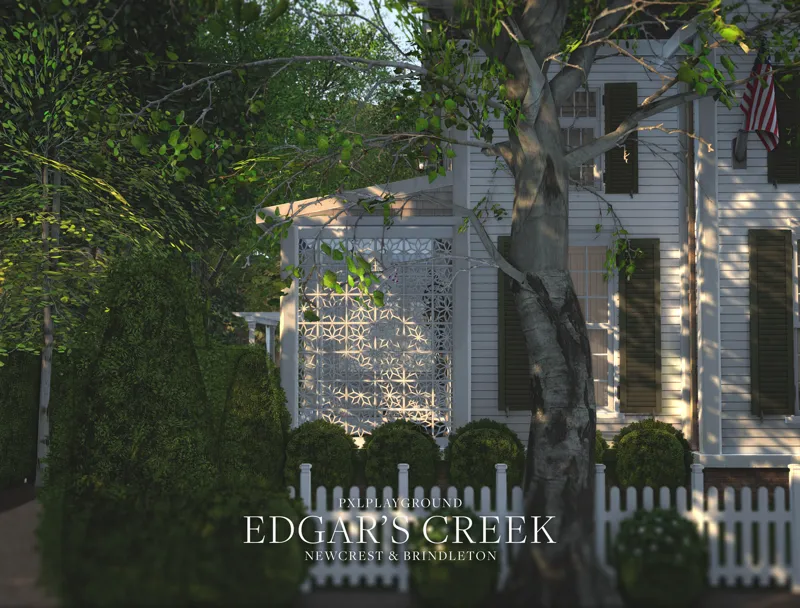
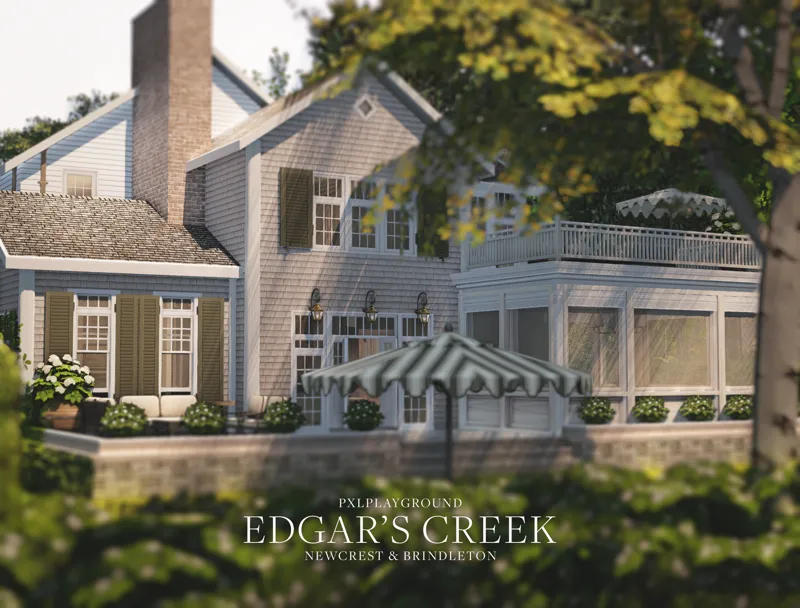
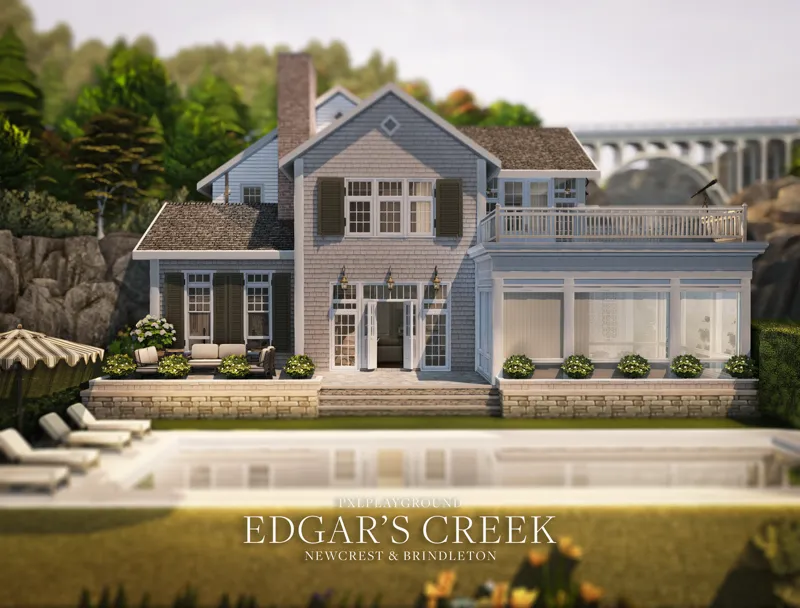
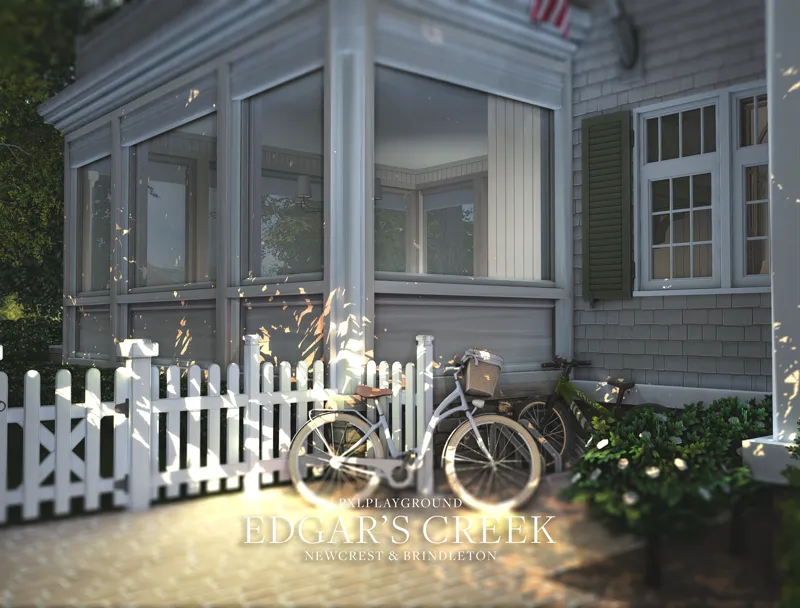
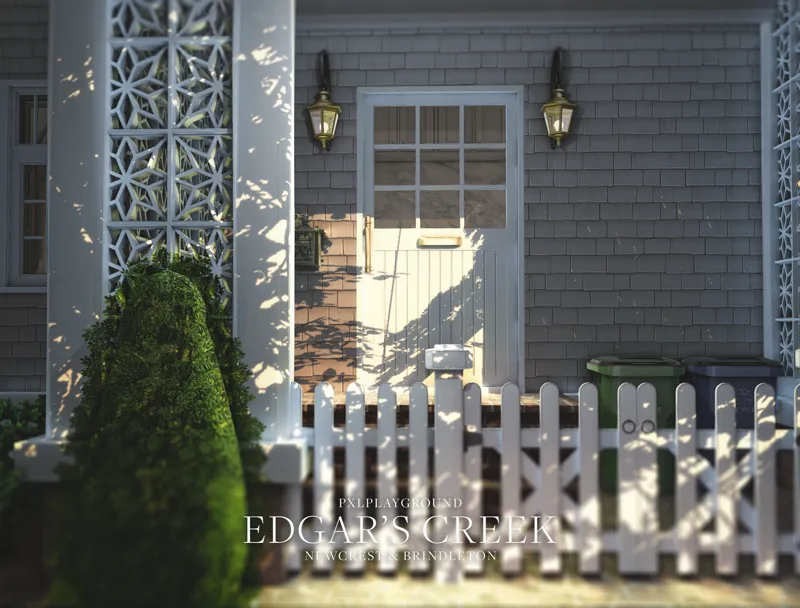
This elegant two-story home features a classic New England aesthetic with gray cedar shake siding, dark green shutters, and crisp white trim. Exterior highlights include a picturesque front facade with decorative lattice details, multiple outdoor living spaces, a rear patio, and meticulous landscaping with topiary and white picket fencing. The sunlit screened porch and waterfront setting complete this refined coastal retreat.
DETAILS
Two Variations: 30x40 (Newcrest) & 20x30 (Brindleton Bay)
5 Beds, 5.5 Baths
Two Levels
Unfurnished + Kitchen
$129,084 (Newcrest) & $125,035 (Brindleton Bay)
For interior inspiration for this home check Pinterest ❤
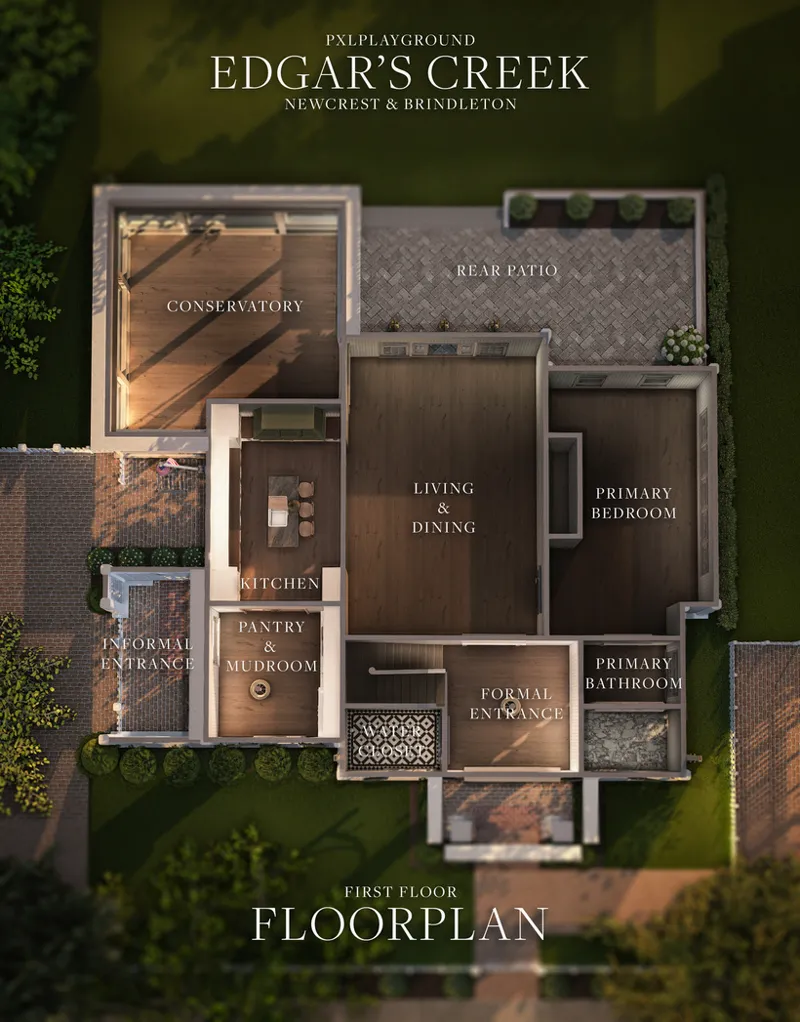
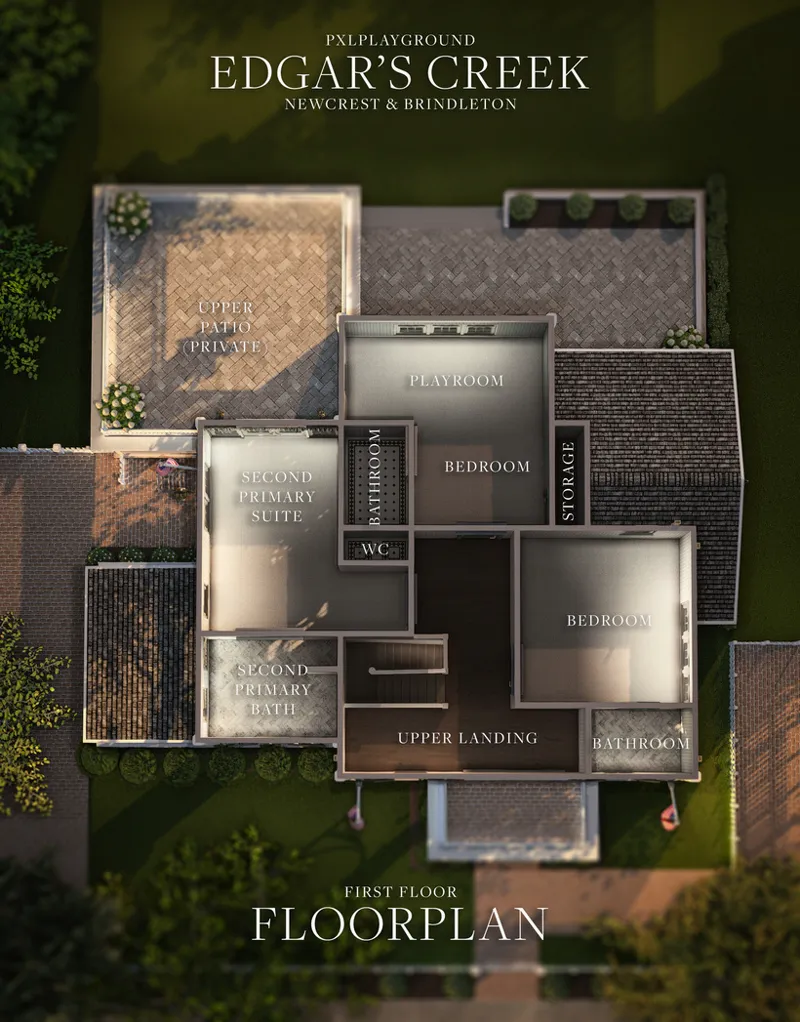
FLOORPLAN
LOT REQUIREMENTS — PLEASE READ CAREFULLY!
Base Game Compatible (uses minor decor objects such as plants, spandrels, rails, pool trim, and flooring from various expansion and stuff packs; these items will substitute if you do not have those packs installed).
Note: The picket fence sometimes deletes when placing, you may need to manually replace it.
⚠️ INSTALL ALL THE CC INCLUDED IN THE ZIP FOLDER ⚠️
Includes items from shared texture CC sets — I do not use merged files, if you do not already have these sets and are seeing missing textures, use the eyedropper tool to hover over the item, and download that set from the creator. Usually, these sets are by Harrie, Pierisim, Tuds, Peacemaker, etc.
GENERAL INFORMATION & NOTICES
Packaged on 3/22/2025 with game build PC: 1.113.297.1020 / Mac: 1.113.297.1220 — if you are downloading this upon subsequent updates, take caution and verify whether a Sims 4 Studio batch fix is required before installing the cc included in the zip file.
✔️ DX11 COMPATIBLE ✔️ — all of my cc has been batch fixed for the new update and includes all prior batch fixes through March 2025.
File Size Newcrest = 470.8 MB
File Size Brindleton = 396.9 MB
TERMS OF USE
Do not re-upload my builds and claim them as your own. Do not use my builds as a base to create another and upload them (if you do, give credit where it’s due, at least).
Do not put my cc behind a paywall. Do not convert this lot to blender and sell it as a scene.
Feel free to tag @pixelplayground or #pixelplayground lots on Tumblr if you end up using it, I’d love to see what you do ♡
LIKE WHAT I DO?
My content has always been free with no early access restriction period. I do accept optional tips via Patreon if you are so inclined.
socials : : simstagram • website • patreon • tiktok • pinterest • twitter
Comments (35)
you guys im new to sims and this build is beautiful but i dont know how to get it in my game.
Open the location where you're download is located (usually your downloads folder, unless you saved it somewhere else. It will be in a .zip format. Using a .zip extractor (like WinZip), open the zip file. You'll find more files inside. One file will say Mods and the rest of the files will have what seems like random numbers and letters. Put the Mod file in your Mods folder and the number and letters go in the tray file. You'll need to enter cheat code by pressing "Ctrl + Shift + C" in the game. This will open a little text bar at the top of your screen. Enter the cheat code "testingcheats true" and then "bb.moveobjects on" . This will get your game ready for downloading the house correctly. When you're in the game you need to go to the option to download lots. Scroll down and click the button that says "Allow Custom Content" or something like that; otherwise the build won't show up since it's made using custom content. Scroll down until you find the build you want and click the download button and then the lot where you want to place it and the game will build it. There are other tiny steps that you might need help with and I'd be happy to help with anything you don't understand. Just send me a message. There are numerous youtube videos on how to install lots and sims as well. These lots are pretty expansive. There's a couple more cheat codes that might help you. The first is for money. You type "testingcheats true" and then the code "motherlode". This will give your household 50,000 simoleons. There's not really a limit to how many times you can use this code so keep entering "motherlode" until you have enough simoleons to purchase the property. The other cheat is "freerealestate on" This will allow you to build the lot and move in for free. As a side note, you always need to put in "testingcheats true" each time you open the cheat mode ("Ctrl + Shift + C" ).a There are so many other useful cheats that you will find incredibly useful. You can just search for "sims 4 cheats" or you can go to a place like https://www.pcgamer.com/sims-4-cheats/. They have an extensive collections of cheat codes and what each code is used for. Hopefully this helps you more than gives you a headache!
This is incredible! Thank you so much! Please don't ever stop building!
Amazing.
Hi, if I add to this build and share it (I will most definitely tag and give you credit), is that okay? If not, that's totally okay too!
you are amazing
I put the tray files into the tray folder but i cant find it in my game
Where can I find the windows and doors? Are they included already?
Hi I downloaded this lot but the doors to the rooms are missing, can you tell me what doors did you use?
i found this build last year on pintrest when i useed ti play on console and imagine my luck when i found it on a fellow tumblr page a year later?!! literally a dream come true i love you so much omg
I've been enjoying the decorating of this house, though it's been going slow as I've been decorating a second house from Pixel Playground, plus I've been working on a rather extensive build project of my own. I'm excited to show off what I've come up with but that will be sometime down the road. I'll give a bit of a hint though: I've switched out the 1st floor primary bedroom to something that's a little surprise. This has been a lot of fun.
but where do I find the house after downloading?
If for example you downloaded the Brindleton version, you would go into Brindleton and select any vacant 20x30 lot. Go to that lot via the "build" mode. Once you're at the vacant lot, look in the upper right corner for the folder icon and click on that. In that folder, chose your downloads. On the left make sure you check the "Custom Content" box. The Edgar's Creek house picture should show up as a choice. Click on that. Then in the lower right is an icon to click to place the house on the lot. Good luck!
I love this house. Its absolutely wonderful. I changed the windows in the conservatory, not sure what the problem was, they weren't showing. The cc is there. Luckily I had windows that fit perfectly. Amazing work, as always!
I had the same issue. I had to go to the CC creator's Patreon page and download the files, despite them already being in the lot package. PXL actually explained the possibility of having to do that in her description of the file.
Hi! I really love your builds. I've downloaded these files (both versions) several times, and every time I get an unzip error: Unexpected end of archive. I was wondering if anyone else had had this problem?
I've not had an unzip error, just that the house doesn't show in my game. Could it be the unzip app that you're using? Which app do you use?
Hi there! I decided to add your Edgar's Creek home to my game. I chose the Brindleton Bay version. Unfortunately, the home isn't appearing in the game. I've actually downloaded the file twice. The first time I moved the entire zipped file to my Mods folder (and put it in my Pixel Playground folder), unzipped it there and then moved the necessary files to the Tray folder, leaving the rest in the Mods folder. When that didn't work, I deleted everything, started over but moved the entire zipped file to the Tray folder and unzipped it there, left the necessary files and moved the rest of the files to the Mod folder, but still end up with nothing showing up in the game. Any suggestions?
You might need the tray folder for it to appear in the game gallery.
You are amazing!!!!
this may be a silly question, but how do i get this to show up in my game and place it on the lot?
I just answered this question for someone else on this thread. Hopefully you can find my reply there and solve the mystery of placing the house on the lot. Good luck!
Honestly perfect 😍
I would love to know where you find such beautiful doors and windows, particularly with shutters. I strive to create as realistic builds as possible but sometimes have a hard time finding just the right elements. Thanks
Okay, I have found the windows. Now I just need to find the window shutters (for me, that's an important design element)
LOVE LOVE LOVE
I absolutely LOVE LOVE LOVE your builds!!!!
I love your builds so much. This is just beautiful 😍
LOVE THIS, great work! Think you'll make a live-in business for the new pack?
I do want to make something when a good idea comes to me. I’m also a little nervous about the pack potentially having game breaking bugs similar to for rent with this new lot type… I think the mechanism is based on the same core code so I’m exercising caution and giving it time for all the bugs to be discovered.
Yay!! Everything you do is amazing!
She's exquisite
Thank you so much for your work, it's gorgeous (and thank you so much to put the cc IN the folder, it's way much practical)
Definitely was waiting for this one, it’s absolutely stunning 😍
Stunning! 😍