

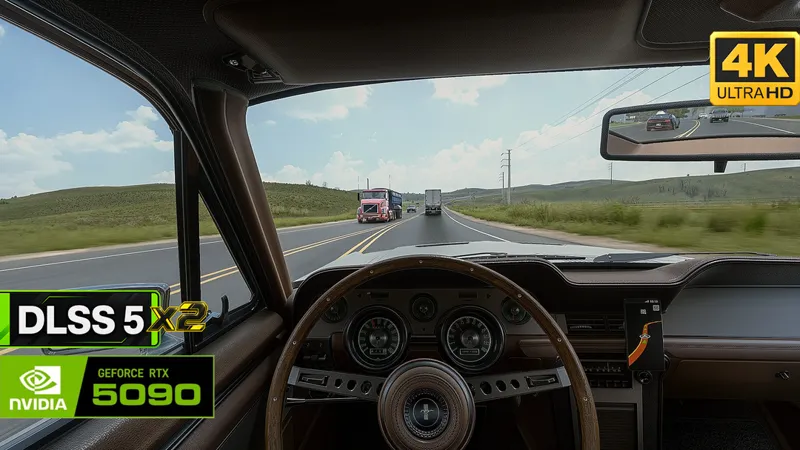

ATS/ETS2 - Introducing the new Cinematic G-Force Camera
With the release of the Road Trip DLC, I wanted to bring some of that action-packed driving experience from Forza Horizon 6 to ATS and ETS2. So I decided to create a camera mod that brings the driving feel a little closer to FH6!
And of course, the mod isn't just for cars. You can also use it with trucks!
Cinematic G-Force Camera
The mod comes in two versions:
Cinematic G-Force Camera (as shown in the YouTube video)
Cinematic G-Force Camera X-Treme
As the name suggests, the X-Treme version takes things to a whole new level, delivering a much more intense and action-packed camera experience.
Check out the comparison video below to see how both versions affect the camera movement and overall driving experience compared to vanilla.
You can also combine the mod with the Camera Shake feature of my GrimVisionFX shader for an even more intense and immersive driving experience!
Required Camera Settings
To make sure the Cinematic G-Force Camera mod works as intended, please make sure the following settings are enabled in your game's config.cfg file.
Euro Truck Simulator 2:
<Drive>:\Euro Truck Simulator 2\steam_profiles\<Profile-ID>\config.cfg
American Truck Simulator:
<Drive>:\American Truck Simulator\steam_profiles\<Profile-ID>\config.cfg
Note: Replace <Drive> with the drive where your game profiles are stored and <Profile-ID> with your actual Steam profile folder name.
Open the config.cfg file with a text editor and make sure the following values are set:
uset g_cam_physics "1"
uset g_cam_physics_value "1.5"
Important: Save the file before launching the game. These settings are required for the camera physics to work correctly with the mod.
Activating the Mod
Once you've completed the steps above, you can activate the Cinematic G-Force Camera mod in the game's Mod Manager.
Important:
Activate only one of the two versions (Cinematic G-Force Camera or Cinematic G-Force Camera X-Treme).
Make sure the mod has higher priority than any other camera physics mods to avoid conflicts and ensure it works as intended.
That's it! You're ready to hit the road! 🚛
Download
You'll find the updated files in the following posts, depending on your access type:
Full Access (monthly): https://www.patreon.com/GrimVisionFX/posts/grimvisionfx-162912160
Lifetime Access: https://www.patreon.com/GrimVisionFX/posts/grimvisionfx-165558895
Thank you for your support! Your feedback is always appreciated!
- Grim Worlds
ATS with DLSS 5x2 + SnowyMoon | Road Trip & S. Dakota DLC | 4K on RTX 5090 (YouTube)