













Radiant Hsin - Base Version


--- Updated on the 20/Oct/2026 for a UHD handling! ---
I updated the mod so it can support the UHD setting of the game. It's for now the only one and be aware that other mods won't, not just mine as it's tremendous work to chase a whole new box of LOD layers. Took me around 2-3 hours for this one alone. I would recommend to stay on game's launcher HD settings to have the best experience or you will miss out a lot of mods perfectly working.

Greetings my dear humans!
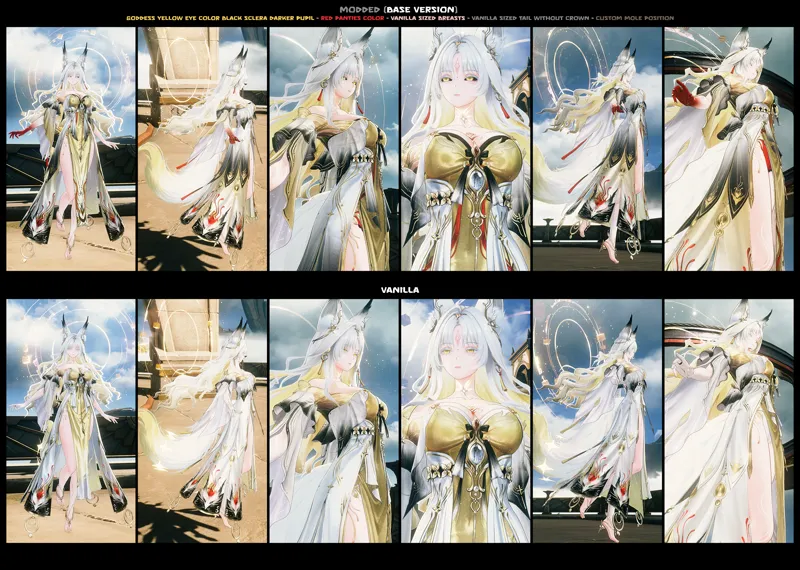
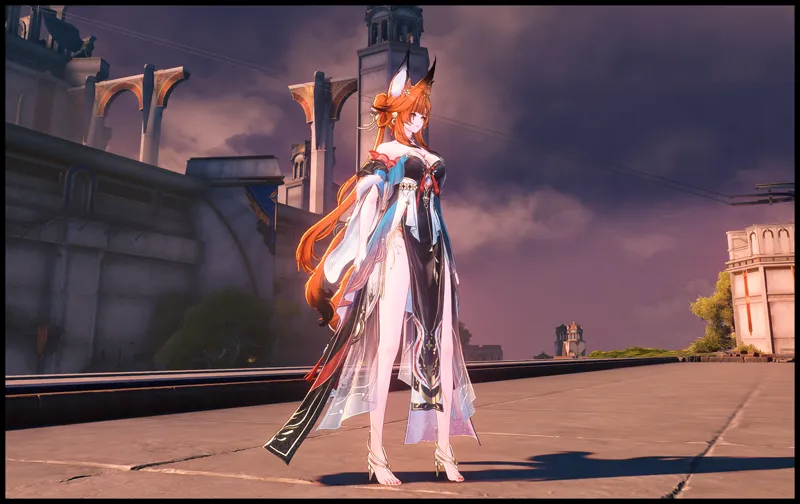
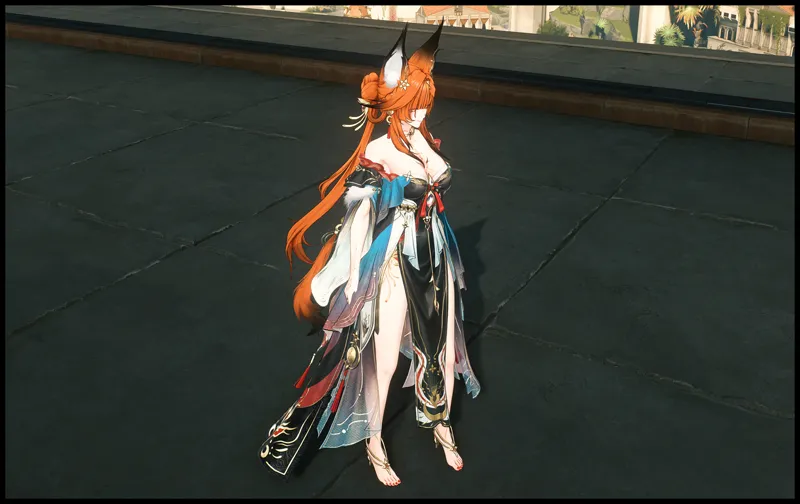
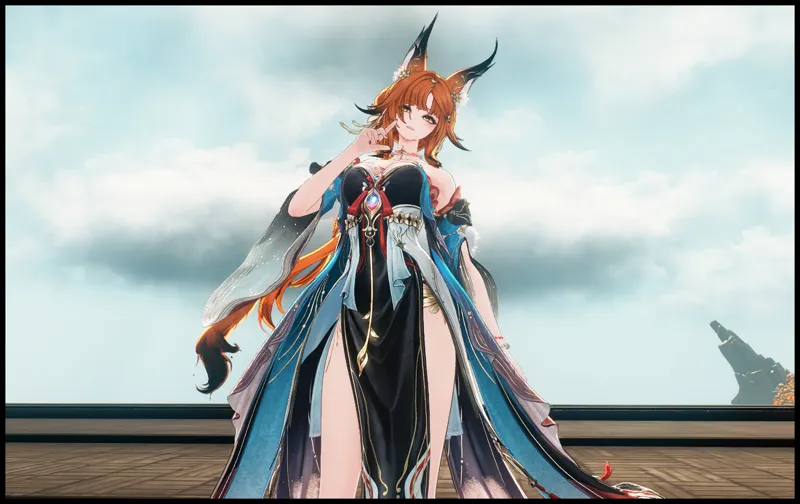
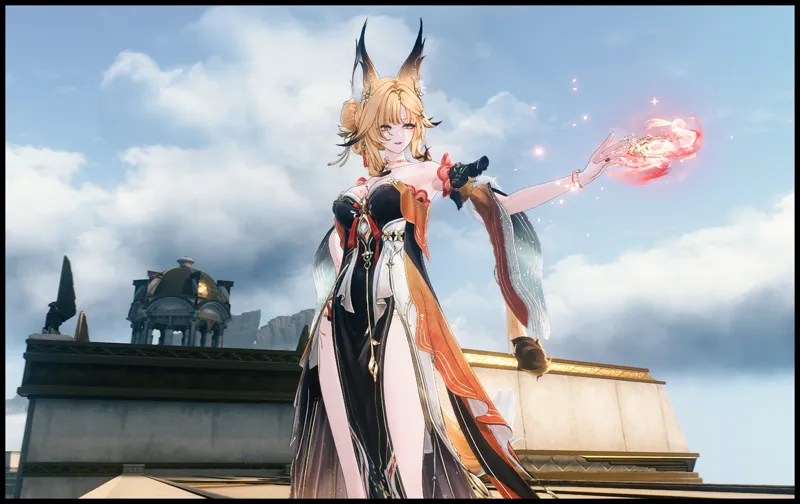
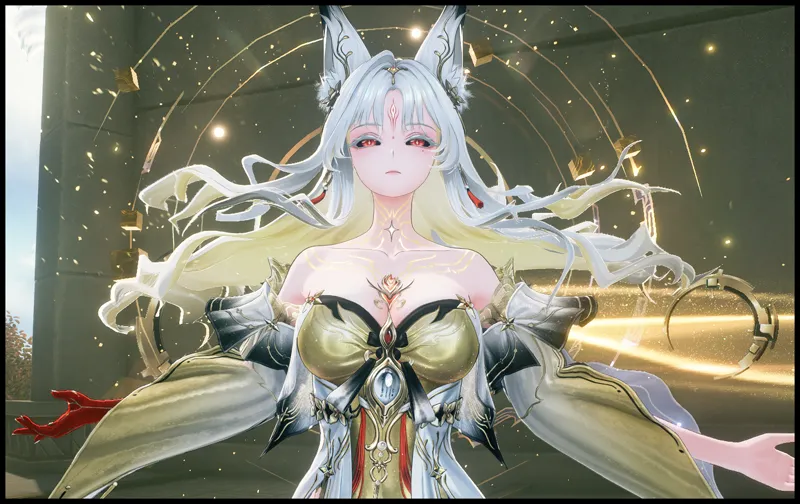
I think Hsin will be for a long time the hardest wuwa mod I've ever made. Not necessarily the most beautiful or the best one since that's entirely subjective but for me it was definitely the hardest with a bit more than 70 hours of work. How so do you wonder? Well, let's just start with her goddess forte form : that one don't have any texture superior to 1024² pixels natively... I had the crazy idea to make 2048² ones all by myself, no AI involved (never) raising the detail accuracy just by hundreds of hand strokes. I know, that's a dirty power move but thanks to that we will be the only one with such polished textures in this form! Don't forget to notice the quality jump on her fox patterns because those took me a while. In her base form now? I entirely replaced her front loincloth cheap texture with a 100% rabbit-designed pattern still faithful to her lore key aspects.
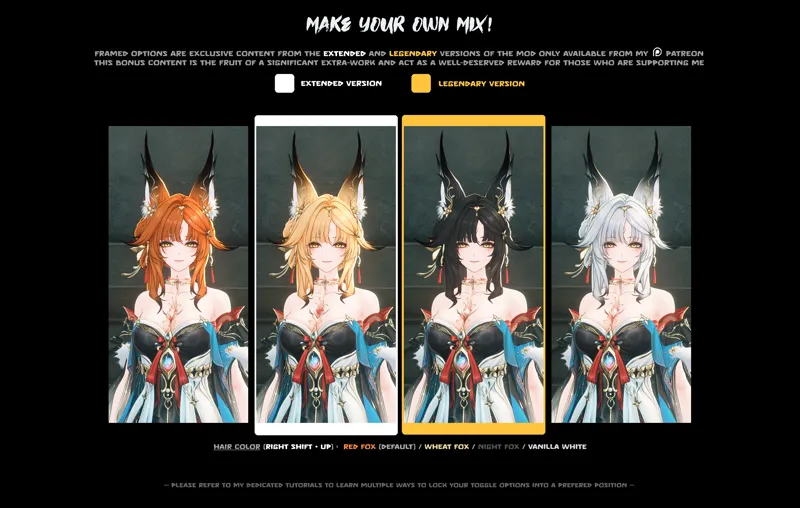
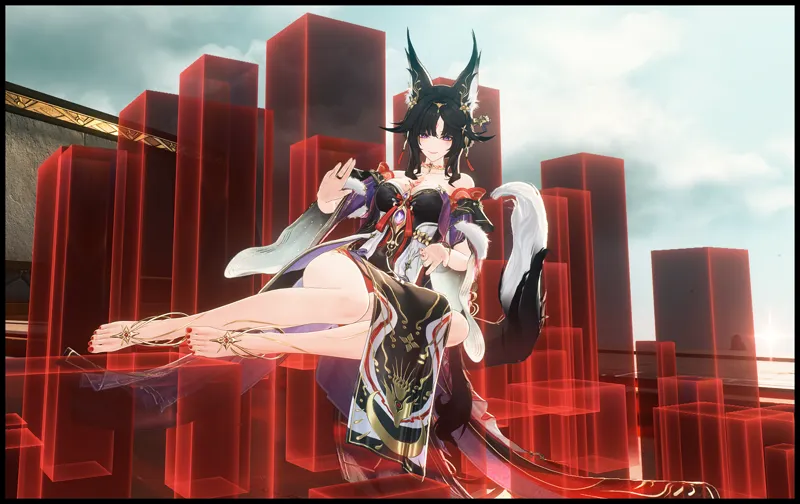
Then the Okiya haircut (Geisha) based on Suisui was a pain to integrate because I'm somewhat of a OCD guy and I didn't want anything else than a perfectly blended mesh. I had to fix all possible clipping with her front hair, crafting the same shaders as her base data and of course I had to make several hair colors for it.
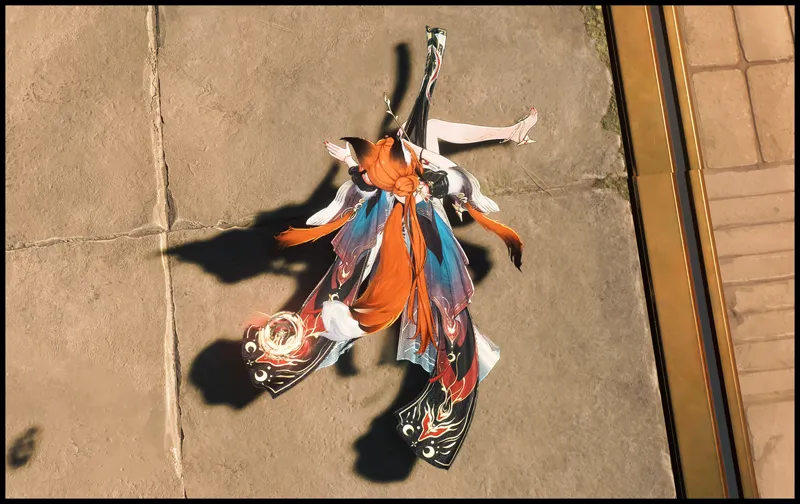
Then the fox form, just for fun : You've already found little red foxes in this game accross the new area right? You know what? Hsin's animal fox form has nothing to do with those little foxes in a data pov : absolutely NOT the same asset. Not compatible by one bit! 2 components with 2 textures for the world one, 6 components and 6 textures base for Hsin fox form + additional complex shaders. So yes, I had to re-build a red fox's fur from scratch considering there is natively NO rupture between orange and white. I had to plan each hair strands, watching over all of them from nose to tail, re-UVmapping them if needed in every darn corner of this animal to create the white belly/inner legs.
Then there is the shoulder/back glowing parts on her goddess form at full resolution, the multiple 3D modifications, the breast reduction conducted on 3 components at the same time without conflict or clipping (thanks to an expensive 3D blender tool), the shoulder waves patterns now 3 times more polished, etc... etc.
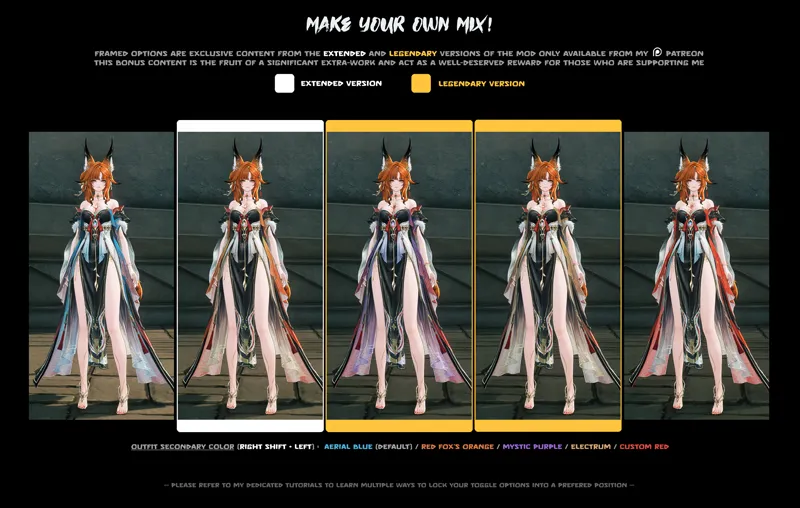
Anyways, I hope you guys will enjoy all the details! To sum things up I love red foxes, white ones? not so much so I wanted a red fox Hsin! Then from that I imagined the alternative clothes colors with a more soozing blue cutting from the red brutality. At some point I was also thinking about people not fan of tails for a no-tail with repaired lowerback area, for a shorter tail as well (that might be acting weird depending of some brutal moves/stretching but most of the time it looks cool).
I still have couple of ideas to enhance the texture quality even a bit further but what I can't do is adding more options. Don't ask me another panties color or another X color. The mod is already stacked as fk! Thank you everyone for your support, happy birthday to me (I'm 41 years old and born a 17/oct) see you around and take care each one of you!

[RSHIFT + BACKSPACE] : Character Express Lock = Press this to lock / unlock your prefered character setup. Only available while the character or form is displayed. Be careful not to hit any other key while locking or unlocking. (See the tutorial #4 for more infos about express locks)
--- IMPORTANT NOTE : Hsin base form, goddess forte form and animal fox form all have the same shortcut for their express lock but each functions independently ---
- BASE FORM -
[RIGHT SHIFT + UP] : Hair Color = Red Fox (default) |
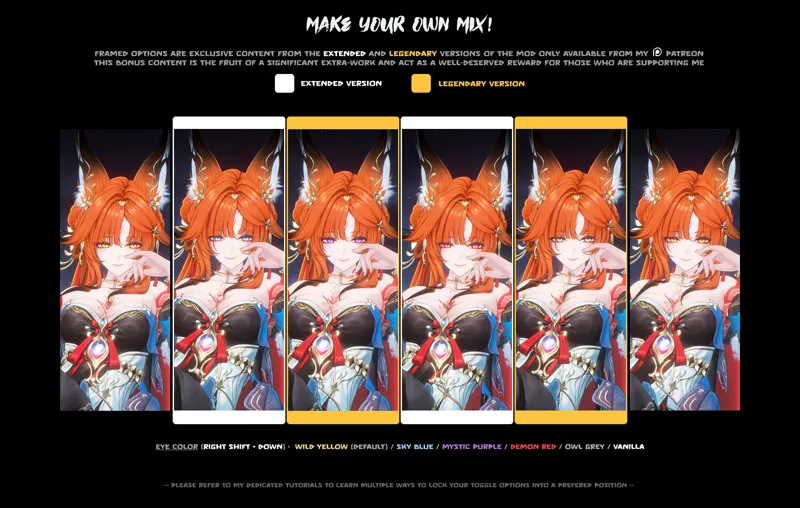
Wheat Fox|Night Fox| Vanilla White[RIGHT SHIFT + DOWN] : Eye Color = Wild Yellow (default) |
Sky Blue|Mystic Purple|Demon Red|Owl Grey| Vanilla[RIGHT SHIFT + LEFT] : Outfit Sub-Color = Aerial Blue (default) |
Red Fox Orange|Mystic Purple|Electrum| Custom Red (different from Vanilla)[RIGHT SHIFT + RIGHT] : Panties Color = Red (default) | Dark
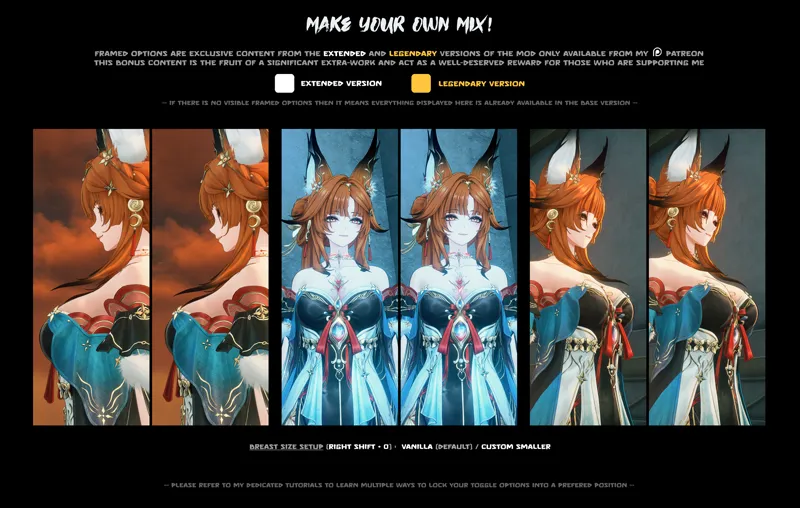
[RIGHT SHIFT + 0] : Breast Size Setup = Vanilla (default) | Custom Smaller
[RIGHT SHIFT + 9] : Tail Setup = Vanilla Size no Crown (default) | Smaller Size | No Tail | Vanilla Size with Crown
[RIGHT SHIFT + 8] : Mole Setup = Custom near left eye (default) | Vanilla | None
[RIGHT SHIFT + 7] : Eyeshade makeup = Darker (default) | Vanilla Red-ish
[RIGHT SHIFT + 6] : Alternative Haircut = Vanilla Haircut (default) | Okiya Haircut
- GODDESS FORTE FORM -
[RIGHT SHIFT + DOWN] : Eye Color = Yellow, Black Sclera & Darker Pupil | Yellow, Black Sclera & White Pupil | Yellow, White Sclera & Darker Pupil (default) | Yellow, White Sclera & White Pupil |
Red, Black Sclera & Darker Pupil|Red, Black Sclera & White Pupil|Red, White Sclera & Darker Pupil|Red, White Sclera & White Pupil| Vanilla[RIGHT SHIFT + RIGHT] : Panties Color = Red (default) | Dark | White
[RIGHT SHIFT + 0] : Breast Size Setup = Vanilla (default) | Custom Smaller
[RIGHT SHIFT + 9] : Tail Setup = Vanilla Size no Crown (default) | Smaller Size | No Tail | Vanilla Size with Crown
[RIGHT SHIFT + 8] : Mole Setup = Custom near left eye (default) | Vanilla | None
[RIGHT SHIFT + LEFT] : Back To Vanilla = Modded (default) | Vanilla Colors -- (Every body/clothes texture for this form will be rolled back to vanilla)
- ANIMAL FOX FORM -
[RIGHT SHIFT + LEFT] : Fur Color = Red Fox (default) |
Wheat Fox|Night Fox| Vanilla[RIGHT SHIFT + 0] : Tail Crown Setup = Vanilla (default) | No Crown
-- Crossed options are not available for this version --

Comments (16)
Do I need to be using HD and not UHD for your mods to work? This looks amazing but for whatever reason only portions of it are working for me. A lot have stopped working for me since 3.7 but this is the first time I've had one look default while allowing some toggle options to still work. No rush getting to this, and thanks for another great addition
It depends of many factors and I've explained them a lot of time in the tutorial section (don't hesitate to visit it either to gain knowledge on mod settings or toggleable option customization). Although I'll tell you the big lines : First your graphic config. Wuthering waves Modding is not fair to every specs and the lower perf is your device the worse it is in general. For instance if you can't reach the middle range graphics in wuwa you won't even have most of the texture supported by general mod creators. As for myself I always try to produce mods that aim for the highest number of configs Second : your graphic settings in game (through wuthering waves' menu). You definitely have some stuff to check here, I won't go through everything it won't be too long but some are definitely not compatible with mods. The most mod breaking point is "LOD Bias", that thing must be turned at maximum or your mods will be glitching/partially functional. It could be your present issue, it's not my fault, not any other creator fault or WWMI. Wuwa is messing with us on LOD displaying and we even thought for a long time it was just to deny people mods. Make sure it's always Third : always run your game in DX11. It should be automatic with new modded launchers but some people don't know mods doesn't work in Dx12, then get stubborn and try to disrupt XXMI/WWMI to do so. Fourth : Visit your XXMI launcher settings, in that menu you will have to tick stuff by yourself. Creator told this modding software should never ever be ran without reading doc, acknowledging how basic thigns work and run it without configure the launcher depending of your config. That's the most annoying point for me because we have a lot of users that don't want to read anything and just want to click on "play" buttons and then when it does not work they put it on our back. Well in this menu make sure you have "configure game settings" ticked, 165 or more for Mesh LOD base (I put it at 200 because my pc is powerful enough) this prevent the mods to flicker at long range. in WWMI and advanced tab you can have also a lot of chang eto do depending of your device or preference, including a lot of people directly editing the ini file for smoother experience. XXMI creator couldn't put a general 100% working for everyone because our devices/pc are too different and the required performances can be too different If you're new to modding wuthering waves you'll certainly have some issues at first but the more month will pass, the more you will understand what to tweak and the more your mods will be steady. As for your HD/UHD question it depends. If you talk about the settings in XXMI menu I would say no, because it somehow make my game crash so I don't trust it. if you talk about your resolution in game yes of course, I play at 4K and it's very good for mods as well.
Happy birthday goat
Thank you Micheal I appreciate :3
Man I'm just glad you exist. you re almost the only one with such amazingly inspired mods for wuwa. Please keep it up! **happy birthday**
Thank you and welcome around here my human friend. I'm glad you enjoy our workshop stuff!
Incredible mod. Now go get some rest and do your quests! Happy BDay
Thanks human brother! Promise I'll get some rest :3
Thank god I was so hoping you made her a breast reduction! Love all the changes this is another masterpiece.
Thanks you dear one, those kind words are appreciated
YAY SHE'S HERE!!! AND HAPPY BIRTHDAY :D
Thank you sharkie! ;3
Yisssss riiiight on time for the weekend!!! You clearly didn't do things by halves on this one the upgrades looks insane and thank you soooo much for the tail options!
Omg I didn't see you made her a red fox form!!!
First! But that's no surprise since you warned me two minutes ago haha As fkin always it looks amazing ngl... I shall immediatly test that you rocks master rabbit!!!
I hope you enjoy it my good human!