




EFMI TTL - A General Method for Creating Translucent
What it is
EFMI TTL is a shared translucency library for Arknights: Endfield EFMI mods.
Replace the draw line of one part in a mod (a skirt panel, a veil, sleeves, a cape…) with four lines that call the library, and the part is shown with blended translucency: the clothes, body and scenery behind it show through, and the shadow it casts gets lighter too.
Step 1: Install the library
Put the EFMITTL folder under EFMI\Mods; Mods\EFMITTL\ is recommended.
The whole Mods folder may contain only one EFMITTL.
The first load may stutter for a moment while XXMI matches the game's shaders again. It returns to normal afterwards; there is no need to restart the game.
Step 2: Find the line to make translucent
Open the character mod's INI and find the part's draw line. It looks like this:
drawindexed = 13431,1513203,0
Not sure which line belongs to which part? Temporarily put a ; at the start of a line to comment it out, press F10 and see which part disappears. Remember to remove the ; afterwards.
Step 3: Replace one line with four
Replace that line, in the same place, with these four lines:
$\EFMITTL\alpha = 0.7
$\EFMITTL\count = 13431
$\EFMITTL\first = 1513203
run = CommandList\EFMITTL\Draw
alpha: the opacity, from 0 to 1. The smaller the number, the more transparent.
count: copy the first number of the original drawindexed.
first: copy the second number of the original drawindexed.
The third number of the original drawindexed must be 0. Do not convert a line where it is not.
Leave outfit conditions around the line, such as if ($swapkeyN == 0), as they are; the outfit keys keep working.
Save, go back to the game and press F10: the part is now translucent. To change the opacity, edit the alpha number and press F10 again.
What alpha means:
1 or more: exactly as in the original.
Between 0 and 1: blended translucency; the shadow gets lighter, no outline is drawn.
0: not drawn at all, not even its shadow.
A complete example (the skirt panel of Yvonne Ensnared Heart 1.8):
the orignal code is as follows :
rewrite it as shown below :
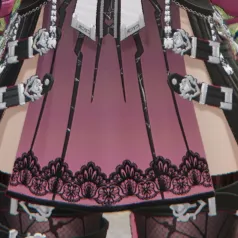
you'll see the effect shown in the figure below :
Note: these parameter lines must come right before every run = CommandList\EFMITTL\Draw. The library clears the parameters after each use, so lines written anywhere else have no effect on other parts.
Advanced: set the opacity of each area with a mask texture
To make some areas of a part transparent and others not, give it a mask texture.
1. Paint the mask
The library reads one channel of the mask, red (R) by default. The higher the R value, the more opaque: R = 255 is fully opaque, R = 0 fully transparent. To use another channel, add the line $\EFMITTL\mask_channel = <channel>: 0 = R, 1 = G, 2 = B, 3 = A. For a mask kept in the alpha channel, for example, write 3.
Save it as DDS, not in an sRGB format (such as BC7_UNORM_SRGB), or mid greys come out too transparent. BC7_UNORM, BC4 or uncompressed R8G8B8A8_UNORM are recommended.
2. Declare the texture in the INI
[ResourceSkirtMask]
filename = Textures\skirt_mask.dds
3. Attach the mask before the call
Resource\EFMITTL\Mask = ref ResourceSkirtMask
$\EFMITTL\count = 13431
$\EFMITTL\first = 1513203
run = CommandList\EFMITTL\Draw
With a mask, alpha is no longer needed: the mask alone decides. To make the whole part fainter on top of the mask, add the line $\EFMITTL\alpha = 0.5 (everything multiplied by 0.5).
Uninstall
Restore the mod's INI from your backup, or change the four lines back to the original drawindexed.
Once no mod uses it any more, delete the EFMITTL folder.
Press F10 in the game.
Credits
The idea follows TTLib, made by rayvich for Zenless Zone Zero.
The plugin author is not in a position to post it themselves, so they have entrusted me with releasing it on GameBanana.
EFMI TTL Author: 73layol
Please visit the author's post to download the plugin.