
Blender Hair_How to use
This video is for those who are using Blender Hair for the first time.
If you have any questions, please let us know in the comments~!
Blender Hair를 처음 사용하는 분들을 위한 영상입니다.
궁금하신 부분은 댓글로 알려주세요~!
+
For those using Blender Hair for the first time, please refer to the video above. For Blender Hair that cannot be combed, please refer to the method below to edit it before use.
블렌더 헤어를 처음 사용하시는 분들께서는 위의 영상을 참고해주시고, comb를 사용할 수 없는 블렌더 헤어는 아래의 방법을 참고해서 편집 후 사용해 주세요.
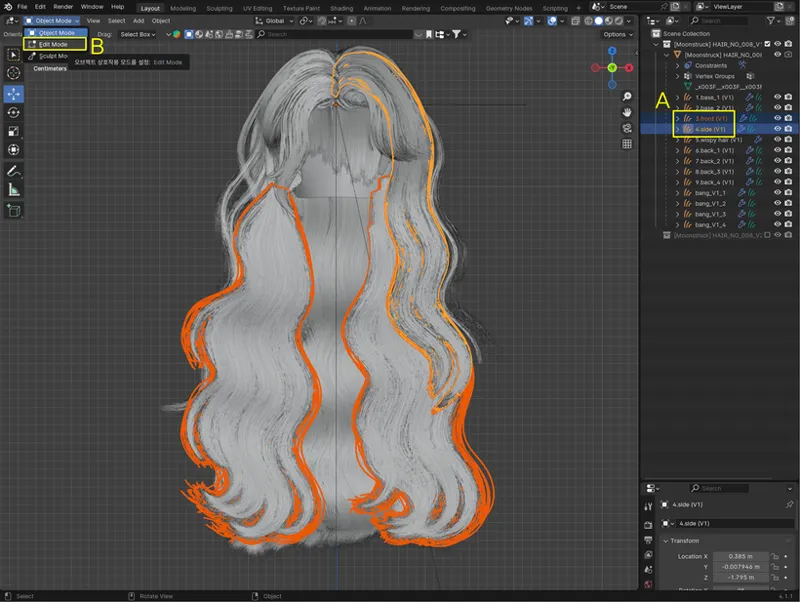
Select the part you want to edit and enter Edit Mode.
편집하고 싶은 부분을 선택하고 Edit Mode로 들어가세요.
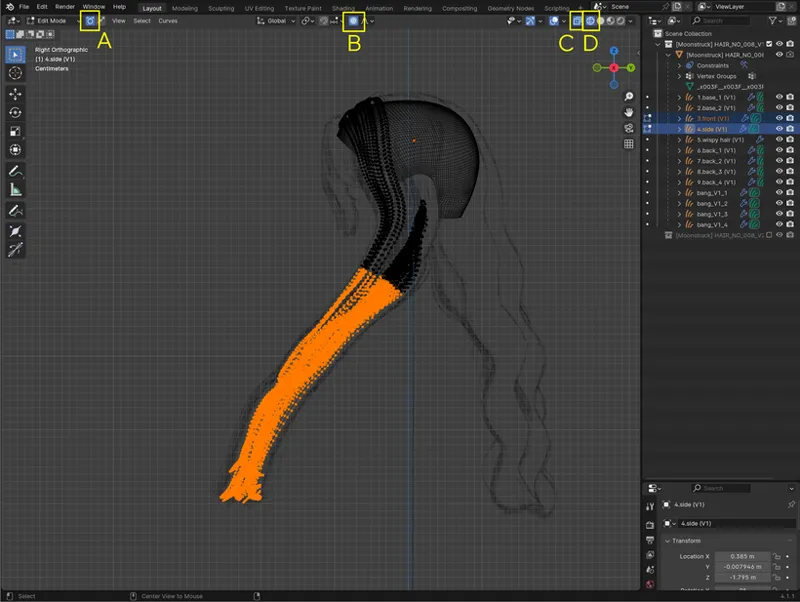
Look at the side and turn on A, B, C, and D.
측면으로 보고 A,B,C,D를 전부 켜세요.
A=Control point select mode
B=Proportional editing objects
C=X-ray mode
D=Viewport shading wireframe mode
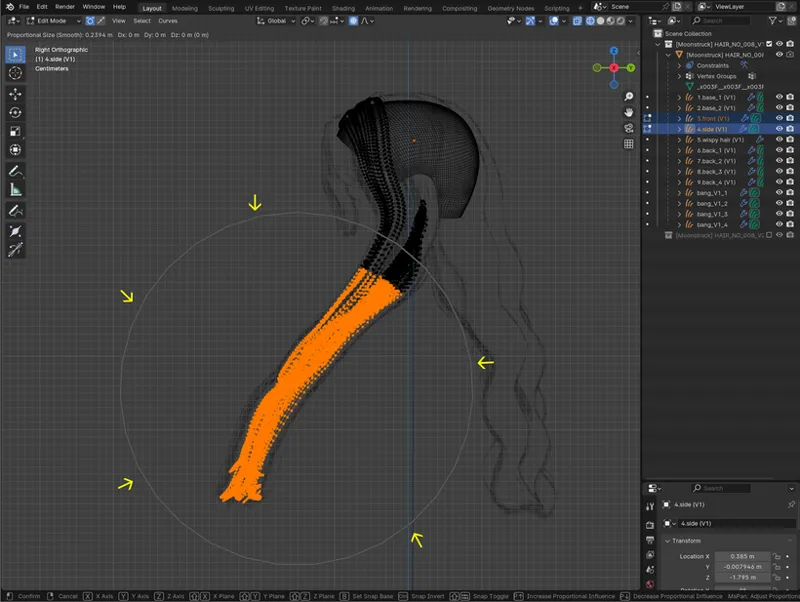
Select the range where you want to move the hair. Press the shortcut key G to activate the Move tool. Scroll the mouse wheel up to align the gray circle within the selected range, as shown on the screen.
머리카락을 움직일 범위만큼 선택합니다. 단축키 G를 눌러서 Move tool을 활성화 합니다. 마우스 휠을 위로 스크롤해서 화면과 같이 회색 동그라미를 선택한 범위안으로 맞춰 주세요.
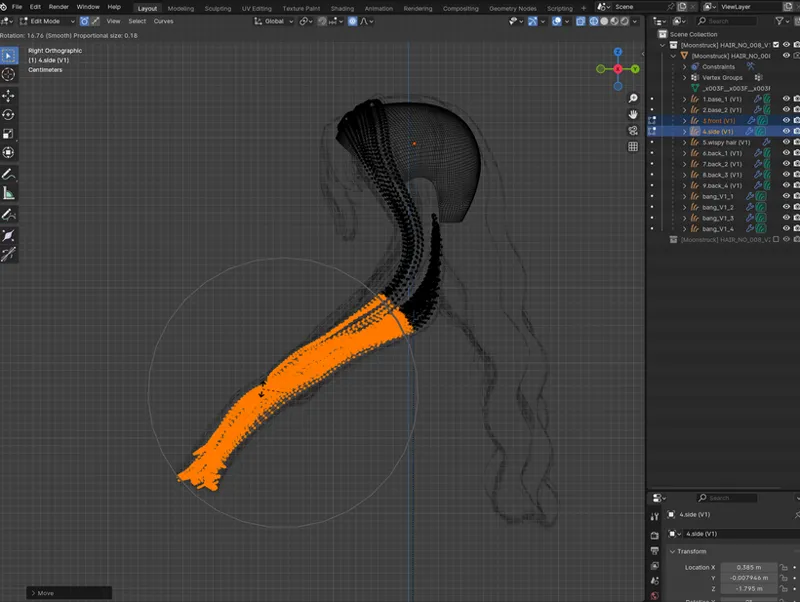
Move it as much as you want using the mouse, or press R to rotate it.
You must use Proportional editing objects for the hair to move smoothly and connect. Make sure to turn off Proportional editing objects once you have finished all editing.
마우스를 이용해 원하는 만큼 이동하거나, R을 눌러서 회전합니다.
Proportional editing objects를 사용해야 머리카락이 부드럽게 연결되어 움직입니다. 모든 편집이 끝나면 반드시 Proportional editing objects를 끄세요.
Thank you!✨