


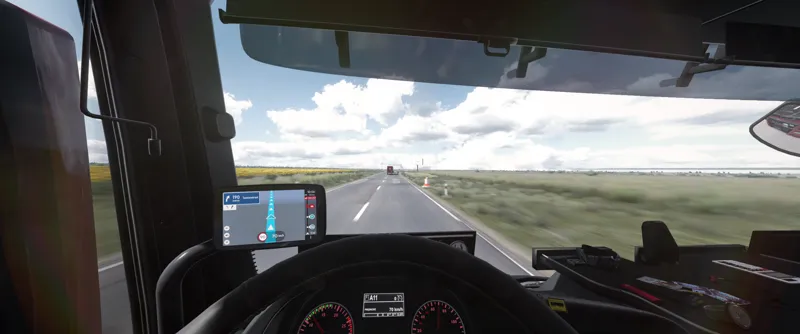
🌤️ Pure Light FX Progress: Field Tests & Upcoming Plans! 🚧
Hello Everyone! 👋
First off, I want to say a huge thank you for your incredible support. It gives me great motivation and shows me that what I’m doing matters to you. Thanks to you, I can keep working on improving Pure Light FX 🌱.
Today, I had the chance to test the latest changes in practice. You can see the results in the VOD from today’s Livestream featuring the Romania map. That’s where the lighting tweak went through a real "field test" among the trees and roads 🌲🛣️.
VIDEO LINK 🎥 https://www.youtube.com/live/J46w5EVVVTE?si=ZCk_6BtP20QCK60S
Of course, the development process has its own rules. I noticed there are still a few things left to polish – mainly the light reflections during rain, which are a tad too strong in the current build 🌧️💦. But don't worry, this happens – after all, no one achieves perfection on the first try, and every adjustment brings us closer to the goal! 🌿
What’s next? I’ll be spending the next few days on further intensive testing and lighting calibration ☀️. I plan to have the update ready for you within a week or two ⏳.
Thanks for being here, and talk to you soon!
Comments (4)
no ale który aktywować?
Wg uznania, ja korzystam z D Default Yellow :)
cześć Dżordż niestety nie mogę sobie poradzić z instalacją. tzn zainstalowałem w potem w menu reshade nie wiem co odpalić. nie widze "preset Pure Light FX". pomocy ;)
Cześć, jeśli przerzuciłeś presety do folderu reshade to musisz w prawym górnym rogu w menu reshade kliknąć taką strzałeczkę i wtedy się pokaże lista z lokalizacją, trzeba przejść tam gdzie wrzuciłeś presety i aktywować wybrany