
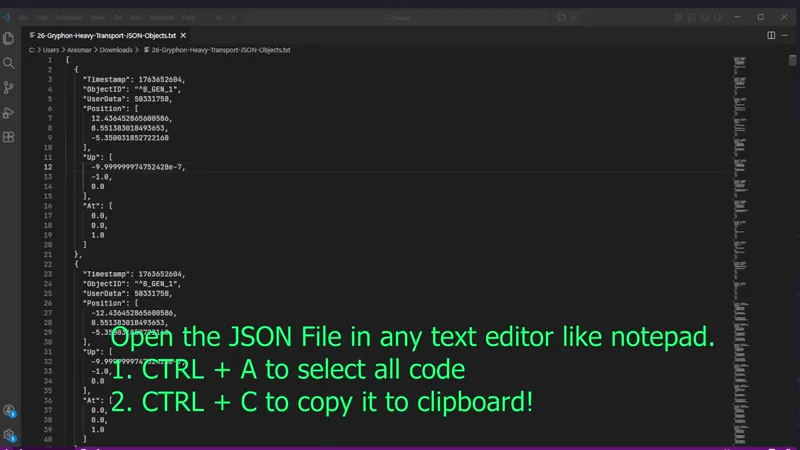
Corvette Importing Tutorial Video for PC users!
Notice: Don't optimize my json objects files because they are already optimized and can cause functionality issues. Just paste to objects tab of your corvette and save it.
Video is a bit old now loading is much smoother as you will see when you get the latest version! Also the dummy ship I call in video is a ship you made from the least number of parts to replace. Not a special ship.
I have prepared a new tutorial for you to make it clear and also show the latest tool I recommend.
Video is up on youtube too: (unlisted) https://www.youtube.com/watch?v=2J64d83JJ3E
You can get the TazMD's Corvette Optimizer which is a wonderful tool I helped also in its creation here: https://www.tazmd.nl/corvette-optimizer
My Corvette Json files here: https://www.patreon.com/posts/146294683
A good text editor to use: https://notepad-plus-plus.org/
If you have questions don't hesitate to ask in Shipyard Chat for help.
If you like my work please consider becoming a monthly supporter (which is preferable for me) or make a contribution by buying one of supports from my shop. Your contributions in any way is much appreciated and help me keep building!
Comments (21)
what is the fix for side doors and top door not functioning? I have reloaded the jason multiple times without optimizing, and I keep getting the broken ship. I have no idea what to do.
hey so im sure there is an easy fix but im not very familiar with all of this stuff. i copy the code from notepad but the optimizer wont let me paste anything. any advice?
Paste the code to your corvette s objects data right under its name
Noble traveler, I cannot be a recurring supporter of your work, but I would like to make a modest contribution. If you have a way for me to donate occasionally, I would appreciate it if you shared it. You can choose a secure email address and send your contact details to artevirtual81@gmail.com. For the sake of security, please include a code word in the body of the email and ask me to confirm it here in this comment section; this ensures that the donation will indeed reach you. Later, if you feel comfortable doing so, you can provide the necessary details for me to send the contribution. Thank you very much for your work.
there is donation options you can see in my collections section.
QUE PENA QUE NAO ESTA FUNCIONANDO
I use it hundred times a day when building what are you talking about.
Hello :) Is there any particular reason to use corvette optimizer over the service bot? The bot seems a bit more hands off. I've never imported a ship before.
Yeah easier and free and you have the control
I don’t have pc but I play on ps5 is there any other ways to get this? If not pls build guide
Everyship has a service bot button in its own post please follow that instruction and also there is link in tutorial collection that has a link to a video for how to use service bot.
i pasted in the Json files, optimized it, reloaded my save and it didn't work. am i missing something?
never mind, i got it
Hey it’s there a way to import your build directly into nms save editor? I’m on Mac and the corvette optimizer isn’t compatible!
Look at my first tutorial please. In tutorials collection. If your save editor allows json editing you can.
AND THEY DONT RELY ON THE SERVICE BOT TOO this man is the single coolest corvette builder in the entire community
Your creations are so cool !
With this can I take a corvette S tier with good stats? :) Thanks in advance!
You make it this is only the corvette. Stats are your own making.
Perfect thanks
Thanks my brother!