
Texture Packs
What is "Texture Packs"?
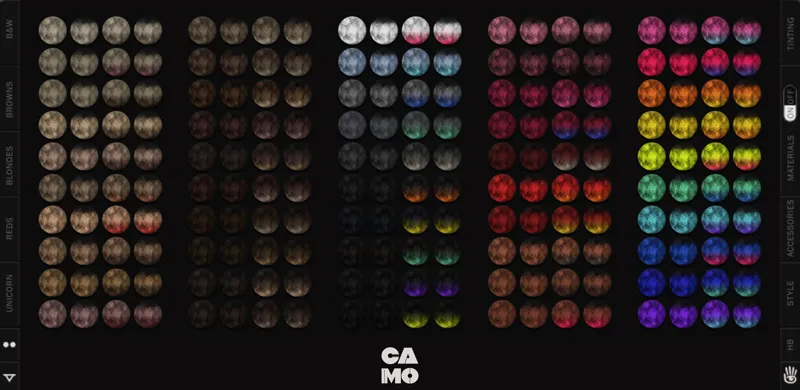
In order to share our hairs in all available colors on Second Life and more for Sims 4 we created Texture Packs files you can download once and use with all our hairs. This way you can enjoy all 200 hair colors we offer in an optimized format.
All of our hairs will use textures from the Textures Packs and occupy minimal file space as they technically won't have textures inside the files.
How to use Texture Packs?
You can pick the HQ or Non-HQ version depending on your preference, please just place one of them in your Mods folder. After installing Master Textures you can download any of our hairs and they will get the texture data from them.
What is inside Texture Packs?
Texture Packs (HQ Version)
4 Texture Packs with Different Styles in 200 Colors
2 Master Accessory Texture Packs
2 Hair Base Packages - 51 Scalp Textures - Located in Head Tattoos
8 Baby Hair Packages - 45 Textures - Located in Chest Tattoos
Texture Packs (Non-HQ Version) for Toddler & Children
4 Texture Packs with Different Styles in 200 Colors
2 Hair Base Packages - 51 Scalp Textures - Located in Occult Brows
8 Baby Hair Packages - 45 Textures - Located in Occult Cheeks
Texture Packs (HQ Version) for Toddler & Children
4 Texture Packs with Different Styles in 200 Colors
2 Hair Base Packages - 51 Scalp Textures - Located in Occult Brows
8 Baby Hair Packages - 45 Textures - Located in Occult Cheeks
Texture Packs (Non-HQ Version)
4 Texture Packs with Different Styles in 200 Colors
2 Master Accessory Texture Packs
2 Hair Base Packages - 51 Scalp Textures - Located in Head Tattoos
8 Baby Hair Packages - 45 Textures - Located in Chest Tattoos
Texture Packs (Blender)
In order to optimize downloading we created Texture Packs for Blender hairs. You can download this pack once and use it with any of our Blender Hairs. This is not related to Sims 4 and only for Blender.
IMPORTANT!!! Texture Packs (HQ or Non-HQ) are required for any of our hairs to show up with textures in-game. Please install either HQ or Non-HQ version before installing any of our hairs.
DOWNLOAD Texture Packs (HQ & Non-HQ) for Sims 4 (Included with Membership)