



iiSU 0.0.5 is out!, Biggest Update Yet
0.0.5 is the biggest iiSU update yet!
This update includes a huge UI overhaul, better Dual Screen handling, and a lot of quality-of-life improvements that move iiSU much closer to the long-term vision.
Download it here: https://github.com/iisu-network/iiSU/releases/tag/0.0.5
General Improvements
Loading Times and Navigation
Loading times are heavily improved and navigation is significantly better across the app.Background Task Handling
Scraping, data creation, hashing and more can now run in the background.
This reduces time stuck in onboarding and lets you use iiSU while those tasks run.Navigation Fixes
A lot of navigational issues were fixed, improving usability overall.RetroAchievements Fix
Fixed an issue with the latest RetroAchievements update that caused login problems.Custom ROM Names
You can now change ROM names individually.Jump Back Into Game
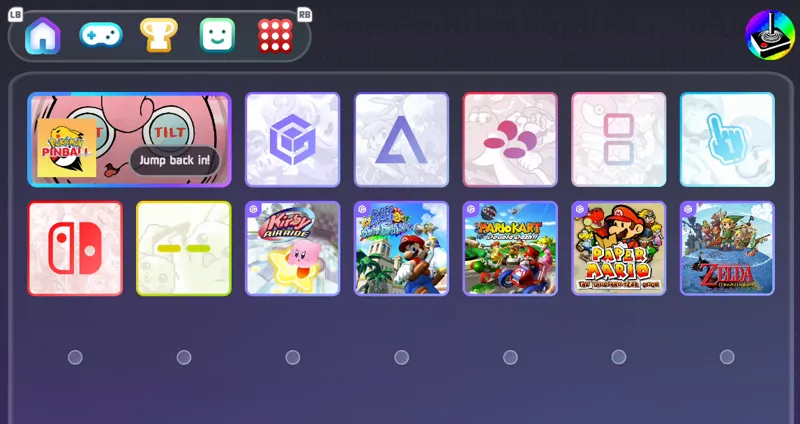
The “Jump Back Into Game” widget was improved and now shows scraped media when available.Increased Emulator Support
Added support for:pico8-android
M64Plus FZ Pro
And fixed GameNative support.
UI
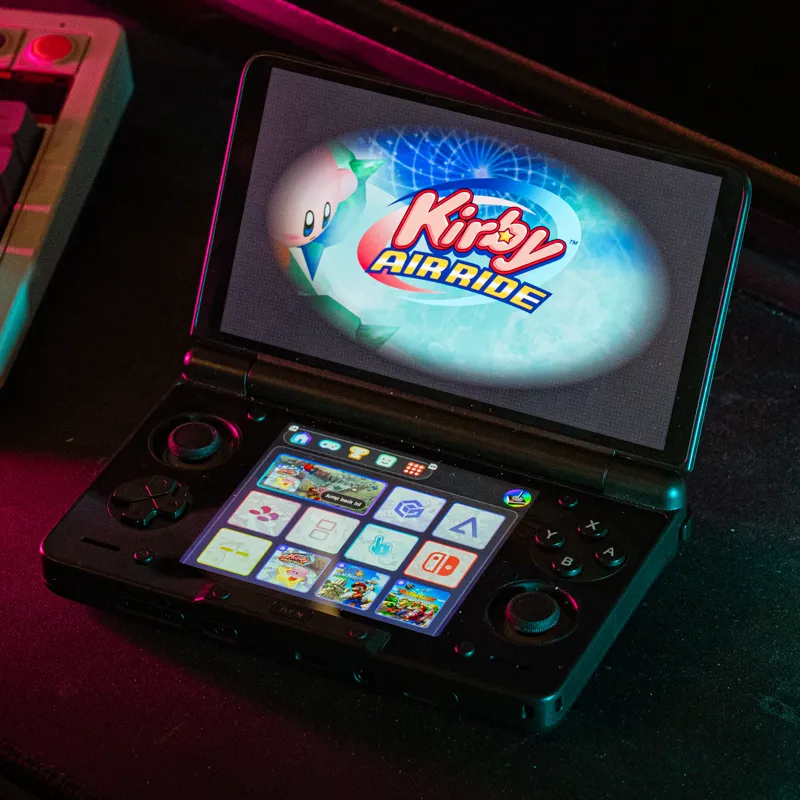
Updated UI
The UI is now closer to the original design concepts.
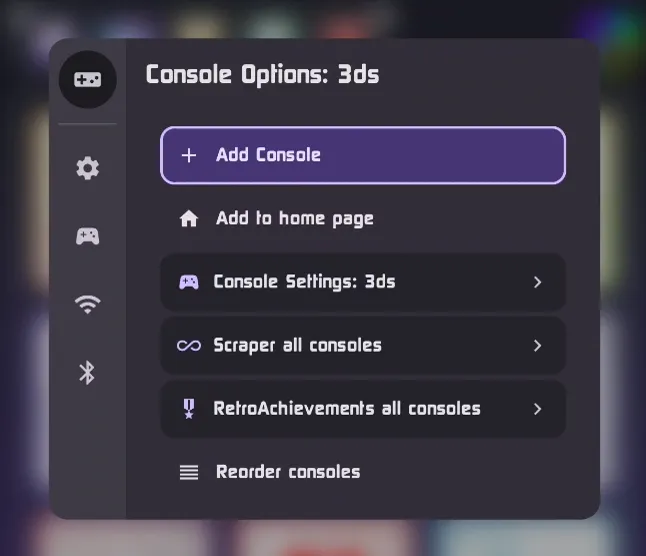
There’s also a completely updated options menu that organizes everything much better, improving navigation and ease-of-use.
Scrim design was updated to an oval to match the original mockups.Custom Font
Added a brand-new custom font designed specifically for iiSU.Redesigned Menus
Context menus were redesigned for improved organisation and easier navigation.Selective Element Disabling
You can now selectively enable/disable elements from the external display.Per-screen Icon Sizing
You can set icon size per-screen, so if iiSU moves displays after launching a game, it still looks great.Rearranging & Resizing Icons
You can now rearrange and resize icons on the Home and Console pages.Slideshows
Slideshows are now supported using slide_* media in asset directories.
Dual-Screen Enhancements
Dual-screen handling is now much more robust and dynamic across supported devices.
Improved device identification and correct launching on top or bottom displays.
AYN Thor improvements thanks to direct collaboration with AYN
(Thor must be updated to V1.0.0.360 or higher).PocketDS improvements so iiSU can now be launched from the top screen.
Solved navigation problems on PocketDS and OneX Sugar.
Single-Screen
Unified single-screen menus with the DS.
"Standard" mode is now default, as we continue to work on the XMB menu and other visuals for the next release.
Scraping Improvements
Added 3 more sources. You can now choose from:
IGDB, ScreenScraper, SteamGridDB, TheGamesDBSelective scraping per ROM
You can scrape only a specific item and mix media from multiple sources.In-app Asset Manager
Added an in-app manager to easily add custom boxart inside iiSU.Region & Language selection
You can now pick preferred region and language (also per-ROM).Scraping is now more robust and accurate overall.
If you test 0.0.5, please leave feedback in the comments (device + what you noticed).
Thanks again for supporting iiSU and helping push these builds forward.
- Sapphire 💙
Comments (19)
I'm trying to scrape on my ayn but can't manage to. Is there any guide I can follow?
ive been loving using iisu, but ive noticed some problems with CEMU i might be stupid but i cant load decrypted/Loadiine roms. This sucks because the android version of cemu dosent support compressed wux files, and WUD files take up 25 gig's each. absoloutley devouring my storage. when going to the retroacheivements tab, the bumpers become unusable making me have to tap into another tab :p just a nitpick idk also id really like to see Xbox/Xbox 360 offical console soon, i dont see it anywhere in the consoles list
Every update coming out is a blessing, thank you
你好能加入中文语言的支持吗
I don't know Chinese, but of course, if you want to help us, we can include Chinese!
你好MODEL3的独立模拟器支持调用吗 还有EASYRPG能添加JOIPLAY模拟器的调用 希望FLASH 的游戏也支持JOIPLAY模拟器的调用
Not right now, but if you give me the GitHub or the am command, I can add support for it!
Hey Sapphire, thank you so much for the update. I really appreciate all the work you guys are putting into this✋😌🤚it’s made me love my Thor even more. I know you guys are already aware of 3ds not launching properly but I’m having the same issue with my ps3 roms and psvita won’t even show up under the console. All of them work in their respective emulators though (citra, aps3e, and vita3k). Is there something I’m doing wrong for vita and ps3 or is it the same issue as 3ds?
Is your 3DS not launching properly? I just tried Azahar, and it worked fine!. Can you please tell me in more detail about each issue? Which version of Azahar/Citra/etc. are you using? For PSVita, it needs the same files as ES-DE to work, files named "psvita" and, inside, the ID of the game. I haven't tried PS3 yet. I am working on an internal updater to update emulators separately so you don't have to wait until the next alpha.
May I ask what improvements came from the AYN collaboration? I'm very curious and would like to know what to look out for
If you have a Thor, when you open the menu there is a setting called "Thor Settings." There you can change brightness and select only one screen to be on. The screen that is on can also be selected in the linked app, making a screen turn off when you open a game.
Thanks for the update! Looks great! It seems that it’s currently not possible to change the default emulator for a system. I tried to change PPSSPP from RetroArch to standalone, but the change is not saved.
You need to make sure you save the changes in the "summary" tab!
I appreciate you, thank you. Sorry for the dumb question 😅
I had to delete the app and reinstall after having issues with the update failing (I didn't delete the iiSU files and directories just the app itself). After reinstalling I was given the option to update again which worked this time, however I have lost everything I've set up so far (Assets and account integration). I'm using a Thor. Sad times, might take a couple of days of scraping to get all that back 😅
Any updates soon for single screen users or Ayaneo, I feel that theirs a lot of bugs for single screen use or it might by Ayaneo bugging things out
Nope, we are totally single-screen users, and we will keep pushing the single-screen experience. Thanks for your patience and support!
How is it going? Can you guys explain the big difference between iisu and lair launcher for dual screen devices? I'm am still very confused as to which one to get.
Lair Launcher was the previous version of iiSU; take it as a legacy launcher. It wasn't released. The only available launcher is iiSU, so go for iiSU!