
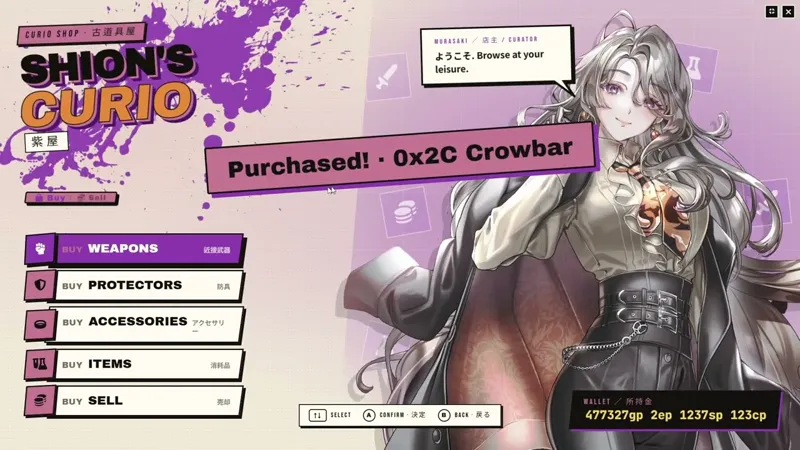
[Early Access]🛍️Stylish Shop v1.1.0: Directory, Imports, Adapters
Stylish Shop v1.1.0 expands the shop workflow with four new system adapters, a tokenless Shop Directory, bulk item import, per-shop description overrides, and public APIs for system integration and macros.
🛠️ New System Support
Stylish Shop now includes native pricing and currency adapters for four more game systems.
Starfinder 1e (SFRPG): Shops can read character credits and UPBs, then price items in credits.
Shadowrun 5e: Shops can use nuyen for transactions and show item cost, damage, and armor values from Shadowrun items.
Fabula Ultima (Project FU): Shops can use zenit, item costs, weapon damage, and armor/shield defense values from Project FU sheets.
Savage Worlds Adventure Edition (SWADE): Shops can use the actor sheet's configured currency field, item prices, weapon damage, armor bonuses, and shield parry bonuses.
📦 Bulk Import
Each category drop zone now has a Bulk import link for pulling many Items into a shop at once.
Import from a Folder, with optional subfolder recursion, or from a Compendium.
The preview shows how many items will be added and how many will be skipped because their UUIDs are already in the category.
Large imports keep the dialog open, show a spinner on the import button, and redraw the Categories tab after the import finishes.
📝 Per-Shop Item Descriptions
Shop entries can now use their own description instead of the source item's extracted system description.
Click the 📄 button on an item row in the Categories tab to open the description editor.
The editor uses Foundry's rich-text editor, so shop flavor text can include formatted text.
Leaving the editor empty falls back to the original item description.
🧭 Shop Directory
Stylish Shop now has a tokenless access path through a new Scene Controls button on the left toolbar.
GMs see every configured shop. Players see only shops marked public in Shop Settings.
If a player owns multiple characters, the directory asks which character enters the shop before opening it.
Directory cards can use a dedicated directory card image override, then fall back to NPC art or the actor portrait.
The directory is also available from module settings and an optional keybinding with no default key.
♻️ Sell-Back Routing
Sold items can now be routed back into shop categories by item type.
Each category has a compact Sell-back routing dialog for accepted item types.
A category can be marked to receive unmatched sell-back items.
Routing priority is type match, then fallback category, then the first category. Existing shops with no routing configured keep their previous behavior.
🪟 Window, Preview, and Header Tools
Shop windows and GM preview windows now support minimize-to-dock behavior.
The new minimize button sits next to the fullscreen and close controls.
Minimized shops become a round shop icon near the lower-right play area, positioned away from Foundry's right sidebar.
Shop Settings now has Open / Restore Preview. It restores a minimized preview or opens a fresh preview with the current unsaved form state.
The new Sheet Header Buttons: Icons Only client setting hides text labels from Stylish Shop's Application V1 Actor/Item sheet header buttons and the GlitchSmith Library Wallet button.
🔌 Public API
v1.1.0 exposes integration points for third-party modules and macros.
stylishShop.registerAdapters fires at init and passes { register, SystemAdapter, ItemStatAdapter, CurrencyAdapter } to listeners.
game.modules.get("stylish-shop").api.registerSystemAdapter(systemId, factory) registers a system adapter directly.
game.modules.get("stylish-shop").api.openShopById(shopId, { buyerActor }) opens a configured shop by Actor ID. GMs can open any configured shop; players can open only shops marked public.
Base classes and lookup helpers are exposed on module.api for modules that need to inspect or extend Stylish Shop support.
Bug Fixes
Dialog stacking: File pickers for NPC art/audio and the item description dialog now appear above the Shop Config window instead of underneath it.
Display Stats picker: Long attribute suggestion lists now use a scrollable picker instead of the browser's native datalist, while keeping keyboard selection.
Localization cleanup: Duplicate English and Korean localization keys were removed so no translation entry is shadowed.
Low-value sell prices: Very cheap items, such as D&D 5e items worth 1cp, now remain sellable at the default 50% sell rate instead of rounding down to 0cp and disappearing from the sell list.
Requirements
GlitchSmith Library v0.4.0 or newer
Foundry VTT v13 or v14
Links
Install Guide: How to Install Premium Modules

Comments (10)
Really cool! I noticed the text seems to be raw rather than processed in the item descriptions. For example, in 5E the rules references are not translated. They appear like "&Reference[Utilize]" instead of a clickable "Utilize" link.
Thank you for the kind words. I will look into the issue you reported.
I first signed in as a Supporter tier, noticed this mod wasn't available for that tier, then switched to Early Access. Now my patreon page says I'm confirmed EA-tier, but my FVTT account still says I'm a supporter, so I can't access the mod. I'm guessing / hoping it's just a delay in syncing account information between FVTT and Patreon; I'm excited to try this mod out!
Thank you for your support. Is your account still not synced? If so, please let me know.
So, how do you delete a shop? I accidentally made one of my PC's a shop owner and that was not what I wanted. When I clicked on the shop link in their chracter sheet, it made them a shop owner.
Same
Insane
Thank you for the compliment.
I am quite liking this ill be honest, i already built a shop for my Starfinder 2e players but now i can go in, fix it, and bulk import folders for better organization. Fantastic.
Thank you for your kind words. I am really glad to hear that the bulk import feature is helping you organize your shop.