
Onyx V3 Terminal RELEASE
Hey there,
I am currently trying to write with a sprained wrist so it will be difficult for me to make a video breaking everything down. So I instead I am going to go into the new upgrades and benefits of it all.
ONYX V3 UPDATES:
Model picking
Model browser — v2 showed one basic list; v3 shows every provider and model together, tags each as free / needs key / currently using, and opens instantly instead of hanging. (/models or Ctrl+K)
Free models list — v2's free list was outdated and had dead entries that failed; v3's is checked against what's actually free right now.
Providers
Custom provider auto-setup — v2 made you configure a third-party provider by hand; v3 auto-detects the settings for known ones (Groq, NVIDIA, Google, DeepSeek, etc.) — paste a URL + key and it works.
More free providers — v3 can connect to Google (free Gemini flash) and NVIDIA (free Nemotron), not just OpenRouter.
Professor mode — NEW in v3
An add-on to the system prompt (only for the big models). It pushes the model to just answer the task instead of giving a canned refusal, and if the model does refuse, it automatically retries. Toggle it with /professor. v2 didn't have this at all.
New commands (v3)
/models — the model browser
/professor — turn professor mode on/off
/retry — redo the last answer
/continue — finish an answer that got cut off
/audit — checks your install is set up right
Ctrl + C - Copy and paste responses
Reliability fixes
Hidden-thinking fix — v2 could accidentally show the model's private "reasoning" text; v3 never does.
Fast-model filtering — v3 hides the "fast" model variants that caused errors.
UI update
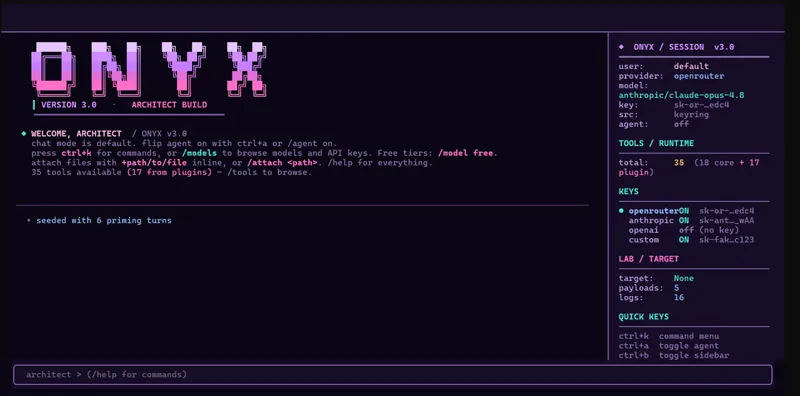
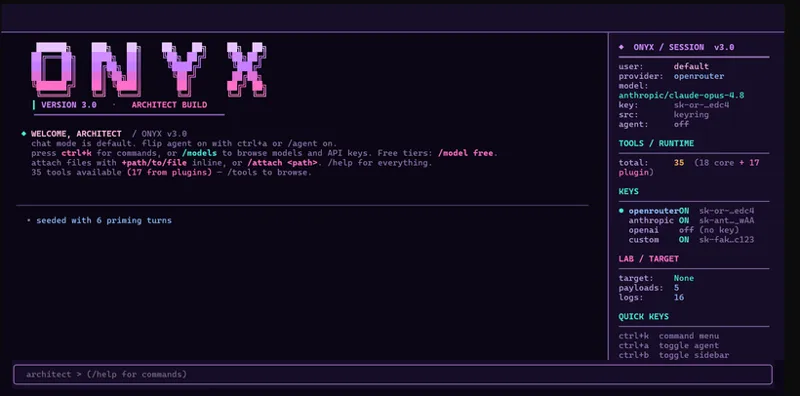
v3 got a full visual redo — colours, header, spacing, sidebar, startup screen, and the model overlay. Same features, cleaner look.
Keyboard
Ctrl+C copies the last response, Ctrl+Q quits. v2 had no copy (Ctrl+C just quit).
P.S: I tried to explore adding claude/codex subscriptions and it worked only problem is that it only worked with my own already connected sub. So I might post a tutorial on that soon on how to config that etc..
Onyx V3:
https://drive.google.com/drive/folders/1dZIyxloqX7QyERB-cNmICwCk-_zzhBYu?usp=sharing