
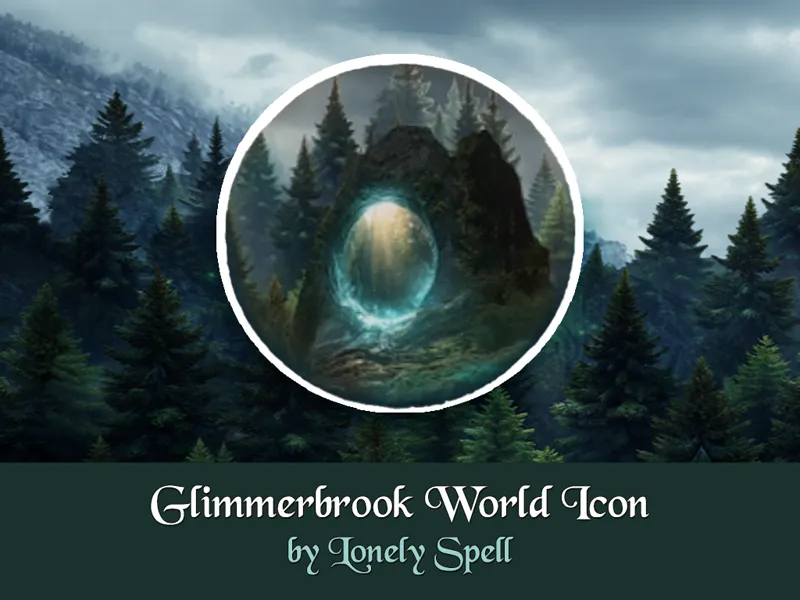
🌲🔮 World Icon Override in Medieval Fantasy Style: Glimmerbrook
Hi Simmers! ✨
Introducing a Glimmerbrook world icon replacement in medieval fantasy style!
Replace the default Glimmerbrook world icon with a mysterious enchanted forest portal, hidden deep among towering pines and ancient rocks. This mod is perfect for medieval fantasy, occult, witchy, druidic, and magical storytelling saves, bringing a more immersive and atmospheric look to your world selection menu.
🌿 What's This:
A replacement for the Glimmerbrook world icon featuring original concept art in a medieval fantasy aesthetic. Rather than recreating the default icon, this version reimagines Glimmerbrook as a secret magical threshold—a hidden place where old forest paths lead to forgotten realms and ancient power lingers in the mist.
📦 FILES INCLUDED:
This mod comes in two versions (pick one!):
🔸 [LonelySpell] World Icon Override Glimmerbrook — replaces the world icon.
🔸 [LonelySpell] World Icon Override Glimmerbrook (No Animation) — replaces the icon and removes the pop-up animation in the bottom-right corner.
📦 Requirements:
The Sims 4: Realm of Magic
⚠️ IMPORTANT NOTES:
• This is a default replacement and will conflict with any similar mods.
• Choose only ONE version, not both.
⚙️ INSTALLATION:
• Place the .package file in your Override folder inside the Mods folder.
• If the Override folder doesn’t exist, create it.
• Put all override files in that folder.
More medieval & fantasy content coming soon! ⚔️🌙