
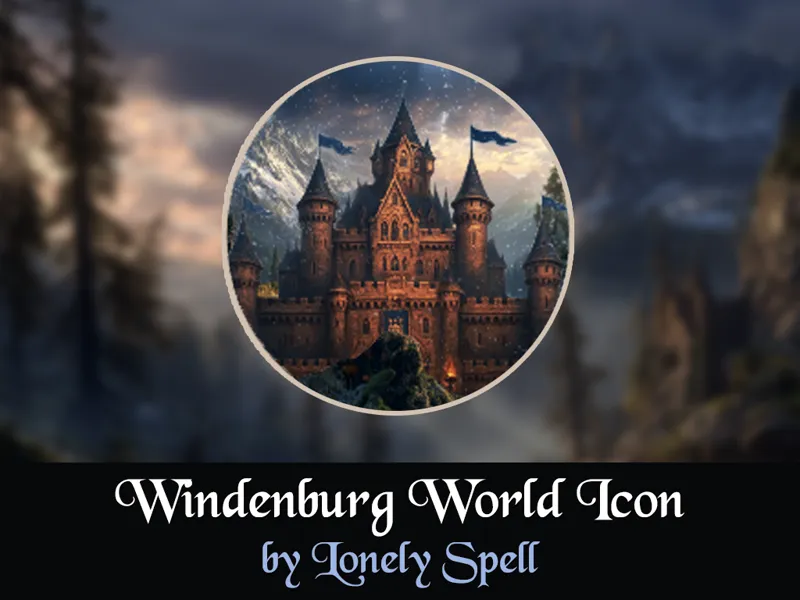
🌍🏰 World Icon Override in Medieval Fantasy Style: Windenburg
Hi Simmers! ✨
Introducing a Windenburg world icon replacement in medieval fantasy style!
Replace the default world icon with an atmospheric medieval castle with fantasy elements. This mod is perfect for historical and fantasy saves, adding a magical touch to your world selection menu!
🏰 What's This: A replacement for the Windenburg world icon featuring original concept art in medieval fantasy aesthetic. This is not a historical reconstruction of a specific castle, but a stylized image capturing the general atmosphere of medieval fantasy.
📦 FILES INCLUDED:
This mod comes in two versions: (pick one!):
🔸 [LonelySpell]World Icon Override Windenburg — replaces the world icon.
🔸 [LonelySpell]World Icon Override Windenburg (No Animation) — replaces the icon and removes the pop-up animation in the bottom-right corner.
📦 Requirements:
The Sims 4: Get Together (Expansion Pack)
⚠️ IMPORTANT NOTES:
• This is a default replacement and will conflict with any similar mods.
• Choose only ONE version, not both.
⚠️ INSTALLATION:
• Place the .package file in your Override folder inside the Mods folder.
• If the Override folder doesn’t exist, create it.
• Put all override files in that folder.
More medieval & fantasy content coming soon! ⚔️
Comments (1)
love this hope to see more