



Glowberry v2
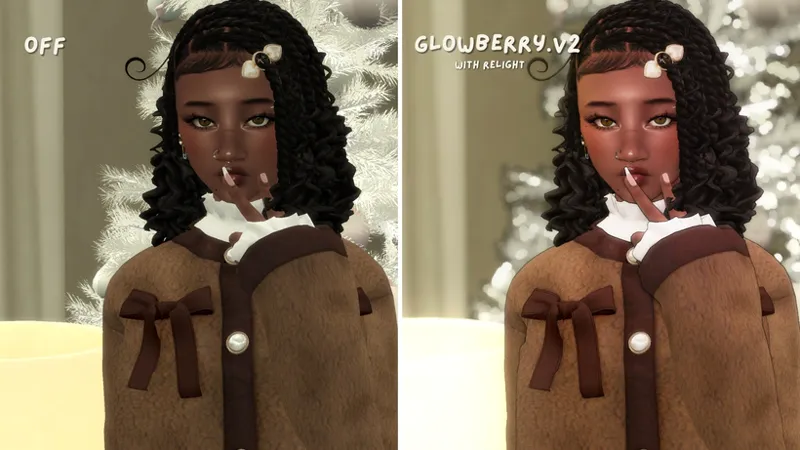
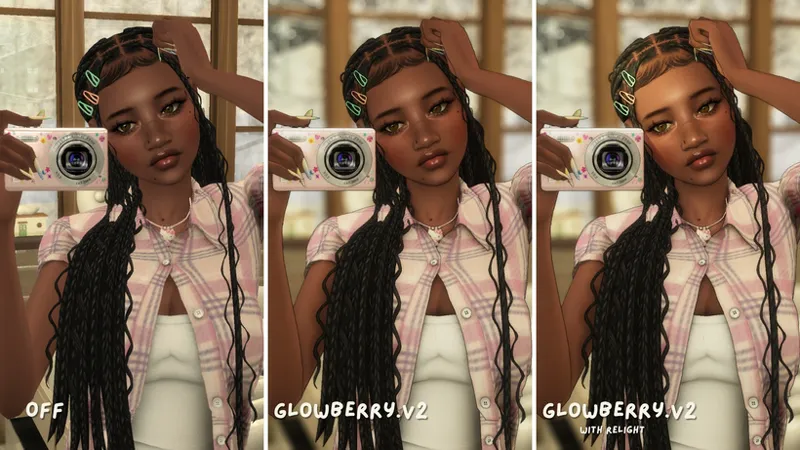
Hi again everyone! A few months back I had changed a few settings with the original glowberry until I found a present that suited my gameplay style without being too hard on my laptop. This version has a few minor tweaks that's a little less overly saturated and introduces adof! (or the setting that makes the background blurry with twinkly lights lol)
As always, feel free to change any settings around as you like and tag me if you enjoy any of my presents! No claiming the present as your own.
If the photos don't do the gshade justice, you can always go to my TikTok to see clips of it in action as of 11/15/25
UPDATE
Updated Glowberry v2 with the version Im currently using for my videos! Again, I do use relight and occasionally immerse's relight so you'll need to have those downloaded too. Though, if you're using my gshade for gameplay only, you will not need relight. Please adjust my settings so it fits your gameplay style if needed🤍
Comments (11)
for the v2 version, should we download just one version or do we need both?
Does this go in the mods folder?
hey so i personally don't use gshade but i love you're shader! do you know what i can do?
u can use it with reshade too
Tysm for the update!! 💜 Do u by chance have any tutorials on how to install immerse’s relight? because I have been trying for the longest but can’t figure it out or it just doesn’t show up. Relight works and shows up just fine for me tho so idk 😭
misslollypop sims has a tutorial up
hey, I tried to download it, but it was blocked because this file type can harm my device??
Downloading any reshade/gshade present always give your device a warning because it’s a .ini file. It’s completely safe to download
This is so cute tnx
hello , i love ur vids and ur content sooo much but am having a hard time with your gshade coz its gets very blur to the point i cant see the notifications :(, could you pls help with mabye a few settings i could change
Hi and thank you so much! Most of my gshades are for videos or screenshots and aren’t really designed for gameplay because of the blur. I’ve heard that using vyxrated’s clean ui mod may work. If it’s too complicated to install, however, you can either untick “adof” or lower the settings there (not by my laptop at the moment, but i think it’s far blur that has to be lowered). Another problem is having edge smoothing on with adof as they’re not compatible.