




Ocular Pro App | Early Release
Ocular Pro is now available to Early Access tier or higher!
Scroll down on this post to learn how to get access after buying a membership.
Recap: what Ocular Pro is
Ocular is the post-processing filter line. Ocular Pro is something different, a client-side app for Assetto Corsa built on CSP Lua, and where the filter changes how the game is graded, the app changes what's actually in the scene. The lights on the track, the paint on your car, the water on the road, the glass in your windows.
All of it is yours alone. No file on disk is touched, nothing is written to the track or the car, and nobody else on the server sees any of it. Close the app, restart the session, and the game is exactly as it was.
Introduced to V1:
The headline is the track lights engine. Street lights, tunnel lights, traffic lights and signs are not baked into the map... CSP builds them from the track config, which is why "I want yellow tunnel lights" has always meant finding a whole different skin. Ocular Pro reads that config live, groups every light on the track by what it is and lets you re-color them on the spot. Streetlights to warm amber without dragging the tunnels with them. Tunnels to cold white without touching the traffic lights. And a force-on switch so they burn at any hour, which is the fix if you run a client-side time changer and the map insists it's noon.
Nothing is saved to a skin. It's live config, session only.
What's in the app
Track Lights — scan any track and get every light group it defines, bucketed into street, tunnel, traffic, signs, flood and bridge. Re-color by category or one group at a time, adjust brightness and reach, and force them on regardless of the sun.
Alt-Click Picker — hold Alt and click a lamp in the world to select it, object inspector style. No hunting through a list of eighty groups for the one you're looking at.
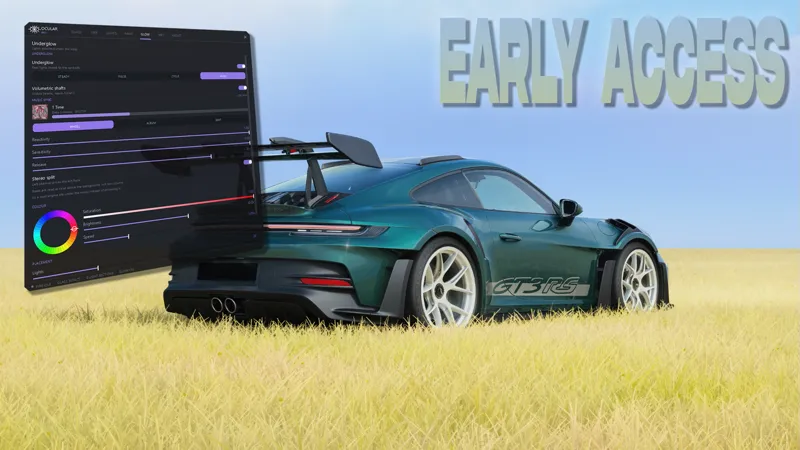
Under glow — up to 50 real light sources ringing the entire footprint of the car, so the bumpers light up instead of just the flanks. Steady, pulse or cycle, with volumetric shafts if you're on ExtraFX.
Music Sync — the under glow follows whatever you're playing. Spotify, browser, anything that reports to Windows. It reads the system audio meter and picks out beats as rises above the background, so a loud engine sits underneath the music instead of drowning it. Album art drives the color, and the stereo mix splits across the car, left channel on the left flank.
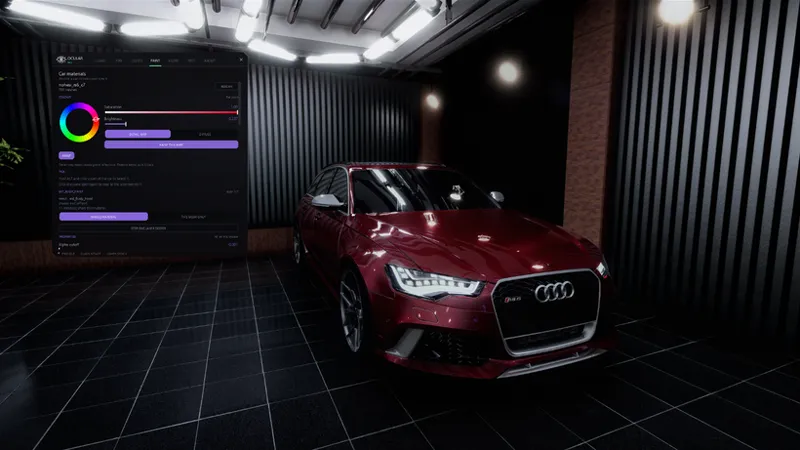
Car Paint — click a mesh to select it, click the same spot again to step to the one behind it. Color wheel, reflectance, metallic and matte on any material the car exposes. Paint goes into the detail map, so your reflections and shadows survive it, and one button puts your real skin back.
Wet Roads — one slider from dry to soaked, driving the actual road material reflectivity, plus standing water flooding. It reads your active track skin and overrides it where it has to, so it works on skinned tracks instead of quietly doing nothing.
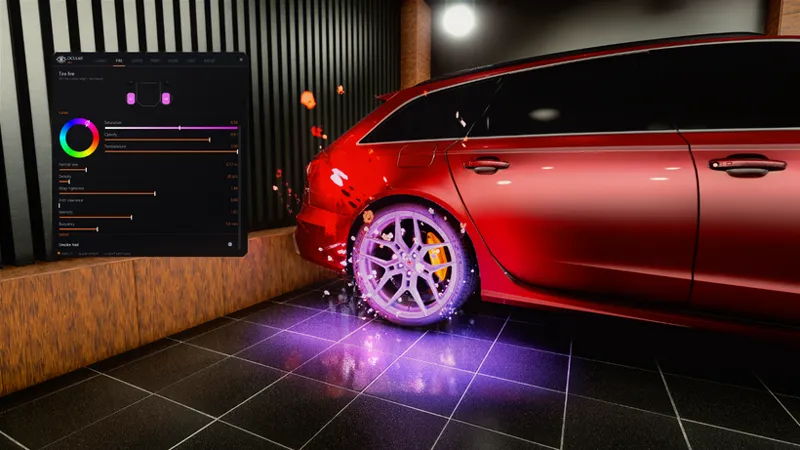
Tire Fire — flames that cling to the tyre through a long burnout, the way they should look, or the geyser plume through the body if that's your thing, or both. Particles only: no wear, no overheating, no blowouts.
Glass — drop or remove your windows locally, remembered per car. Remote drivers still see your glass exactly where it was.
Right-click any slider or color wheel to snap it back to default. The whole window runs at 70% opacity by default so you can still see the road behind it.
Under the Hood
Session only, always — every system in the app pushes live config or live material state. Nothing writes to your ext_config, your skins or your car folder. There is a Reset Everything button, and closing the game does the same job.
Beat detection that ignores your engine — the Windows audio meter includes AC's own sound, so reacting to raw volume would just be an engine meter. Ocular Pro watches for rises above a rolling background instead. Six seconds of steady engine noise produces zero beats; a 120 BPM track buried under that same noise reads back at 120.
Skin-aware wet roads — a track skin ships its own material adjustments for the road, and those beat anything set at runtime. The app finds the sections that touch your road materials and overrides those specifically, leaving every property it doesn't need alone. Your road lighting stays exactly as you authored it.
No freezing on every change — reloading track config is expensive, so edits are held while you're dragging a slider and applied once on release. There's a Live toggle if you'd rather batch it all behind an Apply button.
Access:
Ocular Pro V1 is available to Early Access (or higher) patrons. Existing supporters, it's waiting for you in the discord.
Built and tested on CSP 0.3.0-preview528 (build 4063).
📥 Download: IN THE DISCORD!!!!!!!!!!!!!!!!!
Link your Patreon or Website Profile to your Discord, you will automatically receive an invite with roles attached.
Drop the Ocular Pro folder into assettocorsa/apps/lua/, then enable Ocular Pro in Content Manager → Settings → Custom Shaders Patch → Lua Apps. It shows up in your app bar with the eye icon.
Ocular Graphics Pack 1.5 lands soon with the new Ocular Installer, and it'll put Ocular Pro in place for you alongside the filter, no dragging folders.
If you're on the free membership and want in, you know what to do.. upgrade and the app's yours.
Note: You can also purchase any membership on https://guaponso.com/ if you don't have payment methods that align with Patreon.
What's Next:
Custom: Tyre Smoke, Exhaust Flames, Better Window Control, Music-Synced Track Lights & Car Ambients/Lights & more!
WeatherFX control built into the app
Key licensing tied directly to your membership
Pure PP brought into Ocular Pro — every filter value tweakable from the app
Multiple filter configs and presets running side by side, switchable on the fly
Config presets you can copy, paste and share
Ocular Graphics Pack 1.5 — new Ocular Installer, with Ocular Pro bundled in
— Guaponso / Guap
Comments (5)
Would something like custom exhaust flames be possible to add without having to go to each cars file? Would presets be possible as well for the current state of the mod? Also good work it’s pretty cool
working on it!
cool
Can you make a showcasw video im not buying it before i see how it works
ofcourse, i'll drop a showcase video on release.