
Master Textures
What is Master Textures?
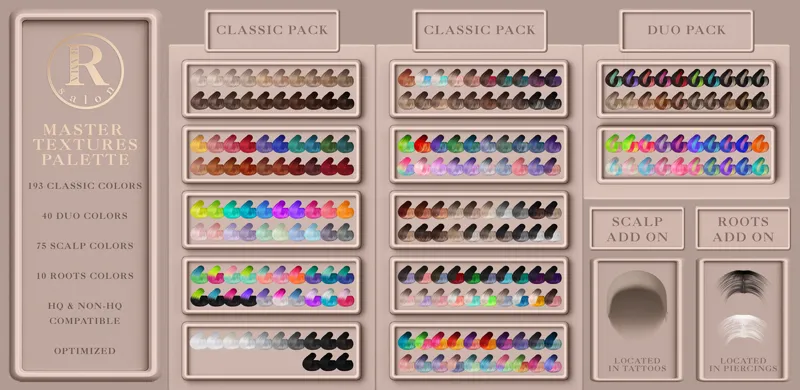
In order to share our hairs in all available colors on Second Life and more for Sims 4 we created Master Textures files you can download once and use with all our hairs. This way you can enjoy 193 Classic Colors, 40 Duo Colors and unlimited mix & match options.
All of our hairs will use textures from the Master Textures packs and occupy minimal file space as they technically won't have textures inside the files.
How to use Master Textures?
You can pick the HQ or Non-HQ version depending on your preference, please just place one of them in your Mods folder. After installing Master Textures you can download any of our hairs and they will get the texture data from them.
What is inside Master Textures?
Master Textures (HQ Version)
Main Textures - 193 Classic Colors
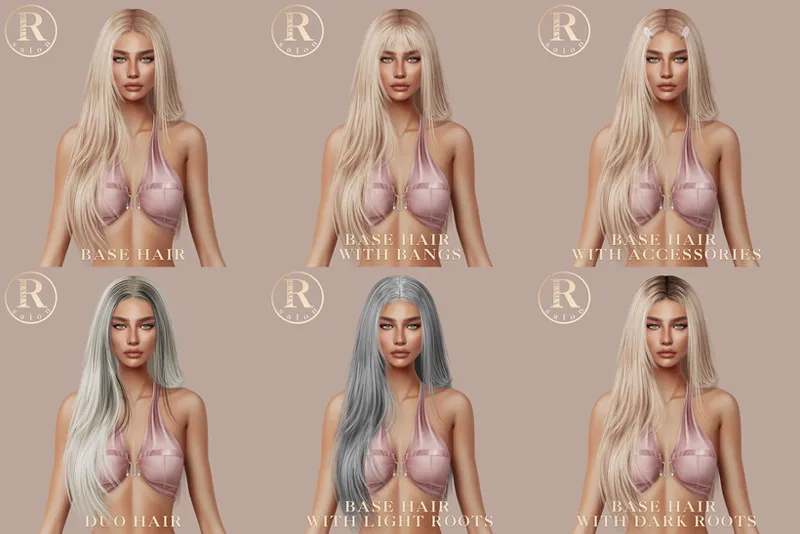
Bangs Textures - Base Textures File for Bangs
Duo Textures - 40 Duo Colors
Scalp Add On - 75 Scalp Textures - Located in Chest Tattoos
Roots Add On - 10 Roots Overlays from Dark to Light - Located in Piercings
Master Textures (Non-HQ Version)
Main Textures - 193 Classic Colors
Bangs Textures - Base Textures File for Bangs
Duo Textures - 40 Duo Colors
Scalp Add On - 75 Scalp Textures - Located in Chest Tattoos
Roots Add On - 10 Roots Overlays from Dark to Light - Located in Piercings
Master Textures (Blender)
In order to optimize downloading we created a Master Textures Pack for Blender hairs. You can download this pack once and use it with any of our Blender Hairs. This is not related to Sims 4 and only for Blender.
IMPORTANT!!! Master Textures (HQ or Non-HQ) are required for any of our hairs to show up with textures in-game. Please install either HQ or Non-HQ version before installing any of our hairs.
DOWNLOAD Master Textures (HQ & Non-HQ) for Sims 4 (Included with Membership)
DOWNLOAD Master Textures (Blender) for Blender
Comments (3)
Hello Rama! I removed the HQ mod to save some GP, but I override my graphics rules file for higher sim textures. Would this still work using HQ? I also use blender as well and want to use the hairs on my rig, but idk where to find the blender files once I subscribe.
what is the diffrece between HQ and non-HQ?
HQ version is for the HQ mod which allows the game to process 2048x4096 textures, non-HQ is 1024x2048. HQ textures look worse without HQ mod as the game compresses them itself so we would recommend using non-HQ if you do not use the mod, but for better textures using the HQ mod