
How to access the Girls RP bots on Discord
A lot of you still do not know there are RP bots of my OCs in the server or how to use them. Here is the full setup in a few simple steps.
1. Connect your Discord to Patreon
This part is important. If you don’t connect your Discord, you won’t get the correct role in the server.
Go to Patreon
Click your profile picture → Settings
Go to Apps or Connections
Find Discord and click Connect
Approve the connection
After this, Patreon will automatically give you the correct role once you join the server. (The RP is available only to Patron Zayan and above roles)
2. Join the Discord server
Open this link: discord.gg/zayozzai
Accept the invite
Wait a moment for Patreon to sync your role
If your role doesn’t appear instantly, leave and rejoin the server once.
3. Go to the OC RP section
Inside the server:
Look at the channels on the left
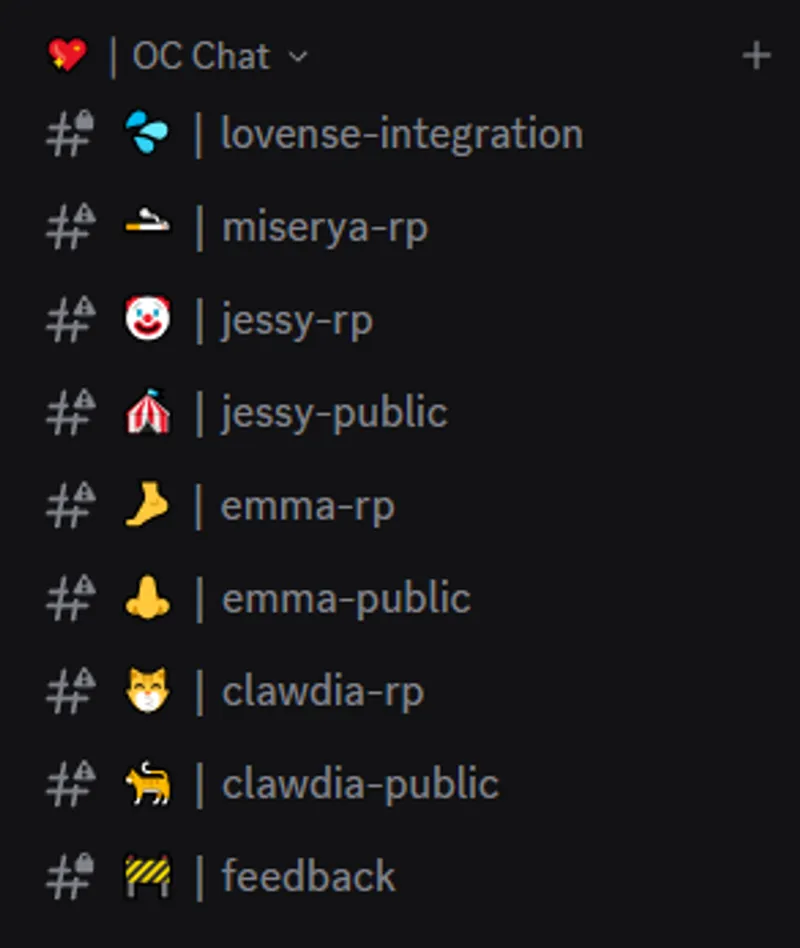
Scroll until you see the OC Chat
Choose the character you want to talk to
#emma-rp
#jessy-rp
#miserya-rp
etc.
Open the channel and start talking. The bot will reply to you.
4. Public RP vs Private RP
Public RP
These channels are open for everyone
You talk to the bot in a shared space
Good if you want chaos, reactions, and to watch others interact too
Private RP
It’s a private thread between you and the bot
5. If you have a Lovense toy
You can connect it directly inside the RP channel.
Type /lovense connect
Follow the instructions the bot gives you
Once connected, the bot can interact with your toy during the RP.
That's about it! Have fun!!